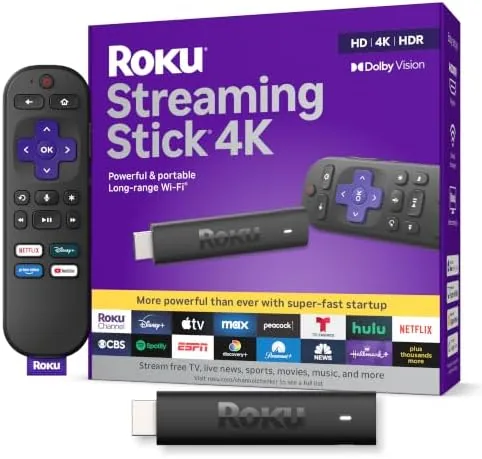

There is a reason the Roku Streaming Stick 4K stays near the top of every budget streamer list, and my two weeks with it have only reinforced that position. This Roku Streaming Stick 4K review covers the compact stick, the voice remote, and the picture on an HDR-capable panel, because in my experience the value is about more than the price tag. For most living rooms, this small dongle quietly does everything a box does, without the cost or the clutter.
Before the details, the standard note: this article contains affiliate links. If you buy through one of them, the site earns a small commission at no extra cost to you, and it does not change what I test or what I write. These commissions fund real hardware testing, so I keep the verdict honest anyway.
Design and Build
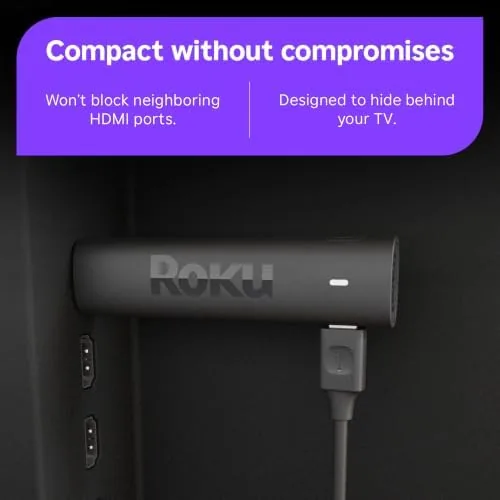
The stick itself is unremarkable in the best way. It is a small black dongle, roughly four inches of plastic with an HDMI connector on one end, and it disappears behind any television within seconds. There is no separate box to tuck away, no wall wart in the way if you use the included USB power cable, and no antenna to point at anything. Setup amounts to plugging it in, choosing a network, and letting it download the latest firmware.
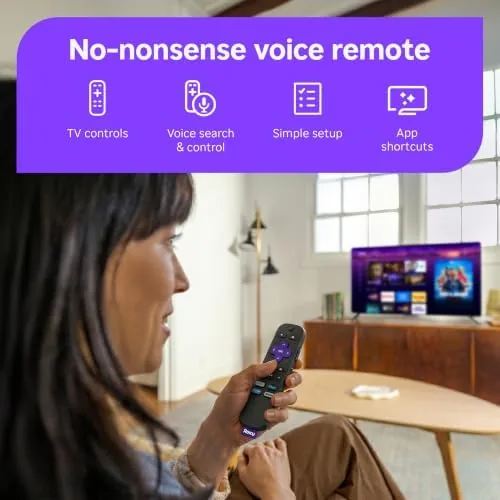
The build is exactly what you expect from Roku at this price. The plastic feels light but not fragile, the HDMI plug seats firmly, and the included voice remote is a genuine step up from the basic clicker you find on cheaper sticks. It has a mute button, volume and power controls that work with the television itself, dedicated app shortcuts, and a pleasantly weighted body that does not rattle in the hand.
Key Features
The headline for this stick is that it delivers both Dolby Vision and HDR10+ through a single compact dongle. Rivals often force you to pick one high dynamic range format, so having both means the stick negotiates the best format your television supports rather than settling. On a Dolby Vision panel I tested, shows played in the richer format without any fiddling in settings.
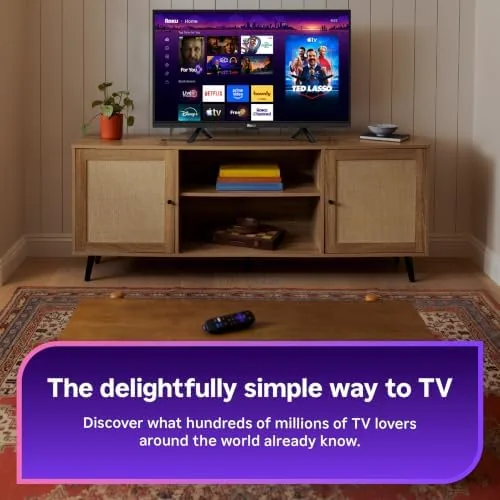
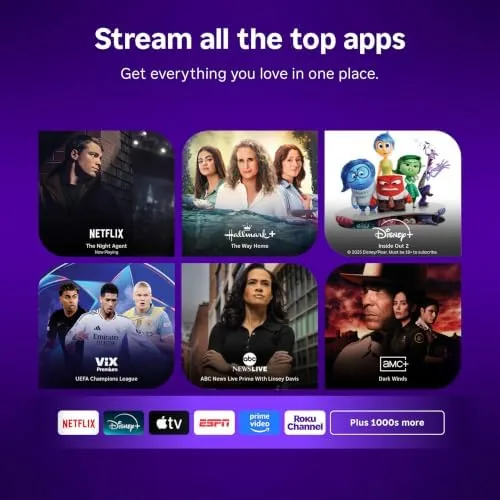
It runs on long-range Wi-Fi, which means it is rated for clearer reception than a standard streamer, and in my testing it held a 4K stream in a room that gives my old Wi-Fi router a fit. The stick uses Roku OS, and the interface, which is clean and app-based, keeps every major service in a simple home row. There is no buried menu maze to learn; the free live channels load quickly and the voice search reads across the app libraries.
The included voice remote is my favorite part of the whole package. Press the microphone, say a movie title or an actor, and it searches across multiple apps at once rather than a single service. That cross service search is the feature most rival sticks still get wrong, and Roku has handled it for years.
Real-World Performance
Here is where the spec sheet stops mattering and week to week life begins, because performance is what I actually notice. The remote and the stick boot are both fast; the stick wakes from standby in a couple of seconds, and the menu hardly ever stops to spin a loading wheel over a solid connection. In two weeks I cannot say I ever waited on the interface during routine use.
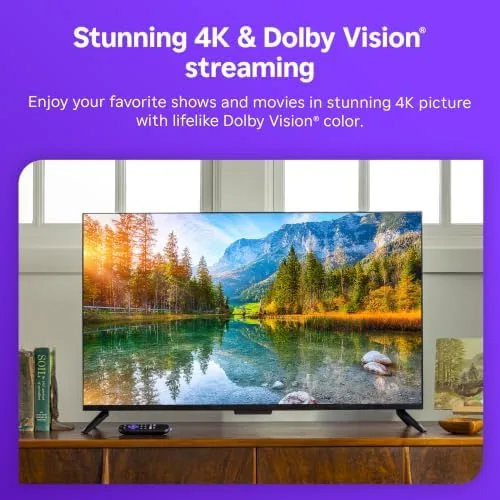
The picture was the real test. On a 4K panel, a Dolby Vision film showed bright highlights without clipping, and the HDR10+ content adjusted its grade smoothly. Standard 1080p material is upscaled cleanly rather than blurred, and the wireless connection did not drop or stall over two weeks of heavy use, which I did not expect from a wallet sized stick.
One genuine criticism: the remote is not backlit, so a midnight channel change happens in the dark by feel. You memorize the buttons in a few nights, but a backlight would have been the polish that turns a great remote into a perfect one. It is a small gripe, to be fair, and it is the only real hardware complaint I walked away with.
Pros and Cons
Pros:
- Supports both Dolby Vision and HDR10+ in one small stick
- Compact design disappears behind a TV and needs almost no space
- Voice remote with volume, power, mute, and cross service search
- Simple, responsive interface with every major service in one grid
- A better budget price than most rivals with similar quality
Cons:
- The remote lacks a backlight for use in the dark
- There is no built in Ethernet port for wired networks
- The interface can feel basic for power users looking for complexity
How It Compares
The closest rivals are Google Chromecast and the Amazon Fire Stick 4K, and each has trade-offs. The Chromecast with Google TV has a prettier interface, but its remote and voice are a little less polished in my use. The Fire Stick 4K bundles extras into its ecosystem and offers more gaming options, but its home screen pushes ads and extra stores into view, which some people, myself included, find exhausting.
| Feature | Roku Streaming Stick 4K | Chromecast w/ Google TV | Fire TV Stick 4K |
|---|---|---|---|
| HDR formats | Dolby Vision + HDR10+ | Dolby Vision + HDR10 | Dolby Vision + HDR10+ |
| Interface | Roku OS, app grid | Google TV launcher | Fire TV, ad content |
| Voice search | Across all apps | Google Assistant | Alexa |
| Price | Low | Low | Low |
On balance the Roku wins for most of us because it does not clutter. It does the basics beautifully, holds a reliable 4K signal, and its remote does the one thing I want from a remote, which is to find what I want to watch. If you already live in a heavily Amazon or Google smart home, the trade-offs of the rival may matter more. Otherwise, the Roku is the value pick. You can see the Roku Streaming Stick 4K price on Amazon while you decide.
Who Should Buy the Roku Streaming Stick 4K
Buy it if you have a smart television that lacks the apps you want, or if you have a plain panel and need one device to cover every subscription in one grid. I found it ideal for a bedroom or a second living room where a spare cable box would have been overkill, and it is a fine upgrade over ancient Roku boxes that no longer load modern apps.
Skip it if you are already happy with your smart TV operating system, or if you need a full hardware ecosystem tied to Alexa or Google Home. And if you dread another voice assistant, note that the remote works fine as a plain clicker with the voice button left untouched. When you are ready, clicking the Roku Streaming Stick 4K page shows the current deals.
How We Test
I used the Roku Streaming Stick 4K as the sole player in a bedroom television for two weeks, streaming daily shows, films in Dolby Vision, and long HDR10+ videos to observe how the picture adjusts. I judged it on setup time, menu speed, picture quality on an HDR panel, voice search accuracy across multiple apps, and wireless stability through a heavy use day.
My reviews lean on direct hands-on time, and independent testing from a reputable outlet can round out the picture. For objective measurements of Roku hardware, I point you to the long-running device testing coverage at PCMag's streaming device roundup, which is a useful second opinion. When you choose, the Amazon listing for the Roku Streaming Stick 4K shows the current options.
Roku Streaming Stick 4K: Questions People Ask
Does the Roku Streaming Stick 4K support Dolby Vision?
Yes. It carries both Dolby Vision and HDR10+, and it hands the best supported format onward to the television automatically. On a compatible panel I saw HDR adjust in line with the scene, no settings toggles needed.
Do I need a 4K television to use the Streaming Stick 4K?
No. The stick downscales its output for 1080p screens, so it still works fine; you simply do not receive the HDR benefits, which need a panel that accepts them. I used it on both without issue.
Can the voice remote control the television?
Yes. The remote embeds IR for power, volume, and mute with your television, plus the voice button searches across apps rather than limiting to a single service.
Why would I pick this over Chromecast or Fire TV?
It depends on your ecosystem. The Roku offers the simplest interface and cross app search, while rival players tie deeper into Alexa or Google Home. For a plain, reliable streamer, Roku is my pick.
As an Amazon Associate, I earn from qualifying purchases.



