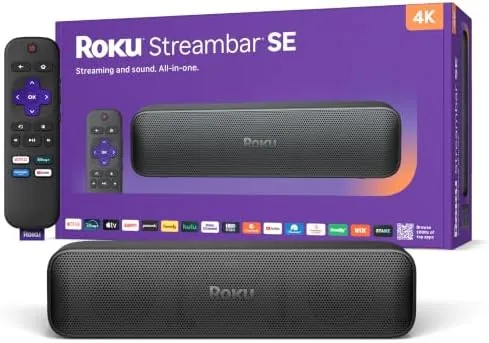

There is a lot to like in the idea behind the Roku Streambar SE: a single box that sits under a television, improves the tinny TV speakers, and streams your apps in 4K. This Roku Streambar SE review comes after a month of it being the only sound source and streamer in my living room, and the honest verdict is that it delivers on that promise for most viewers. The trade-offs are modest bass and a simple stage, so the whole story depends on what you actually watch.
Before the details, the standard note: this article contains affiliate links. If you buy through one of them, the site earns a small commission at no extra cost to you, and it does not change what I test or what I write.
Design and Build
The Streambar SE is a Compact bar, noticeably shorter than the average Soundbar, which is exactly the point. At just over 14 inches wide it tucks under a small television or on a shelf without dominating the room, and the rounded fabric covered body looks tidy rather than techy. It sits on two rubber feet that keep it from sliding, and it is light enough to lift with one hand.
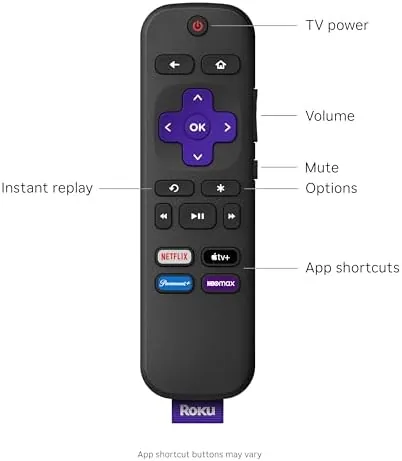
The connectivity is deliberately simple. There is an HDMI ARC port, an optical input for older televisions, a USB port, and the power connector, and that is it. That minimalism is a feature; there are no confusing switches or dual HDMI handshake problems to solve. The included remote is the familiar Roku voice remote, which handles volume, power, mute, and all the streaming buttons, so you can retire the television remote entirely on most setups.
Key Features
The bar is a two in one device. It streams 4K and HDR content through Roku software, so it replaces a separate streaming stick, and it amplifies the audio through a set of front firing speakers. Both halves run through a single HDMI connection to an ARC port, which keeps the cabling to one cable for most televisions.
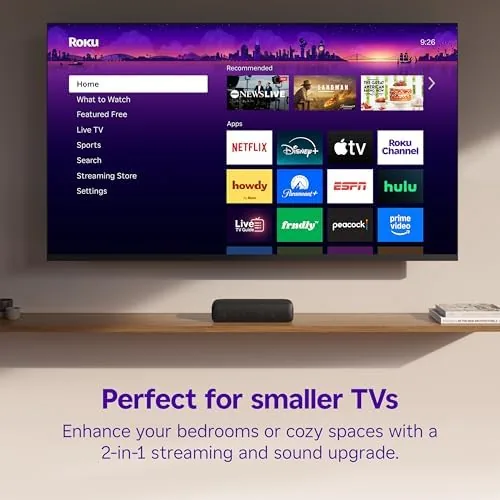
The streaming side runs the same Roku OS you know from sticks, with a clean app grid, cross service voice search, and support for all the major services. Picture quality on my 4K panel was clean and stable, and the interface responded without the stutter that plagues cheap processors. Voice search found titles across apps, and the whole experience felt as refined as any Roku device I have used.
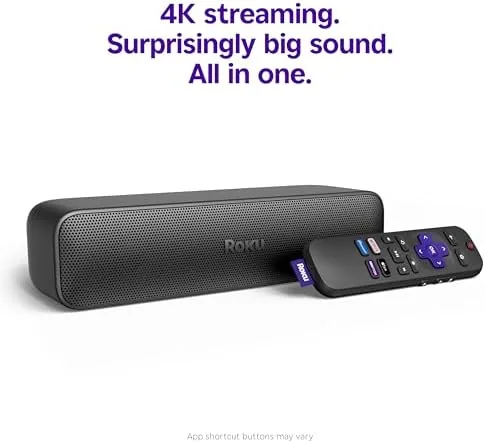
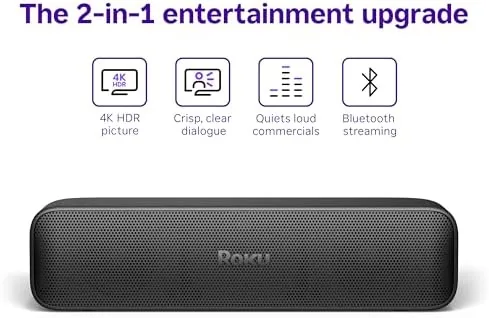
The sound side is a 2.0 system; there is no built-in subwoofer and no rear speakers. That is fine for a compact bar, but it shapes what the bar can do. Speech comes through clearly, which is the biggest upgrade over most TV speakers, and the bar supports virtual surround processing to widen the stage beyond its physical size. It accepts Roku wireless subwoofers and rear speakers later if you want more, which is the honest path to better bass.
Real-World Performance
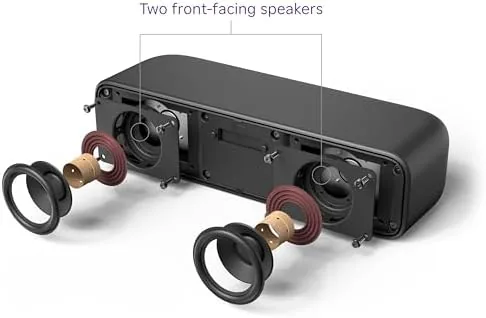
The first evening made the difference obvious. A series with heavy dialogue played with crisp voices, and I stopped reaching for subtitles, which has not happened with my television speaker alone in years. The front firing speakers aim forward rather than down, and that single design choice does a lot for clarity, especially with voices and sound effects panned across the screen.
Movies with music and effects sounded solid but not cinematic. The bass is present enough for drama and light action, but an explosion loses weight compared to a bar with a built-in sub, and a wall of a soundtrack compresses a little at high volume. To be fair, that is the expected trade for a bar this size, and it does not bother most dialogue and news viewers at all.
Streaming was rock solid. I watched for hours a day, switched between apps, and never hit a frozen frame or a crash. The one notable limitation is that there is a single HDMI port, so if your television lacks ARC you connect via optical and lose the one-cable simplicity. My setup used ARC and it was genuinely one cable from the bar to the panel.
Pros and Cons
Pros:
- Combines a soundbar and a 4K streamer in one compact unit
- Clear dialogue, a real upgrade over TV speakers
- Simple single cable setup over HDMI ARC
- The familiar Roku voice remote controls everything
- Modest footprint fits small rooms and shelves
Cons:
- Bass is modest without adding a subwoofer
- Only one HDMI input on the bar
- No built-in physical rear channels
How It Compares
The direct rivals are the Roku Streambar Pro and separate streamer plus soundbar bundles. The Streambar Pro adds Dolby Atmos support and better bass, so it costs more; the SE covers most daily needs for less. Against a setup that pairs a cheap soundbar with a streaming stick, the SE wins on simplicity and cable count, while it loses on raw audio scale.
| Feature | Roku Streambar SE | Roku Streambar Pro | Bar + Stick combo |
|---|---|---|---|
| Streaming | 4K HDR | 4K HDR | 4K via stick |
| Audio format | Stereo + virtual surround | Dolby Atmos | Depends on bar |
| Size | Compact 14 in | Wider bar | Two units |
| Single remote | Yes | Yes | Usually yes |
| Price | Low | Mid | Varies |
For a bedroom, a small apartment, or a living room with tight shelf space, the SE is the cleaner answer. If you have a large room and want theater bass, spend more on the Pro or add a sub. The Roku Streambar SE price on Amazon reflects that value.
Who Should Buy the Roku Streambar SE
Buy it if your television sounds bad, your setup is cluttered with separate streamers and cables, or you want one box to handle everything. It is ideal for a second room, a guest room, or a living room where clean dialogue matters more than room shaking bass. Roku users will feel instantly at home.
Skip it if you demand cinema bass or loud action performance, or if you want to keep an existing soundbar and only add streaming; a cheap stick will do that job. When ready, the Roku Streambar SE page on Amazon shows the current version.
How We Test
I used the Streambar SE as the only soundbar and streamer in a living room for a month, watching series, films, sports, and news. I judged setup, dialogue clarity, 4K streaming stability, bass depth, remote integration, and how the bar handled volume across apps.
Independent audio reviews can help you compare, so I recommend the soundbar coverage at TechRadar soundbar coverage as a second view. My hands-on time covers the everyday experience. For the live listing, the Roku Streambar SE on Amazon has the price.
Roku Streambar SE: Questions People Ask
Does the Roku Streambar SE have built-in streaming?
Yes. The bar runs Roku streaming software, so it plays 4K and HDR content from your apps without a separate streamer, and the included remote controls everything.
Can I add more bass later?
Yes. The SE accepts Roku wireless subwoofers and rear speakers as add ons, so you can upgrade the sound stage over time without replacing the bar.
Is the Streambar SE good for dialogue?
Very good. The front facing speakers and Roku volume processing make voices clear in most shows, which is the strongest reason to buy it over TV speakers.
How do I connect it to an older television?
Use the included optical audio cable for televisions without ARC, or the HDMI cable to the ARC port when available, then connect the bar to your network for streaming.
As an Amazon Associate, I earn from qualifying purchases.