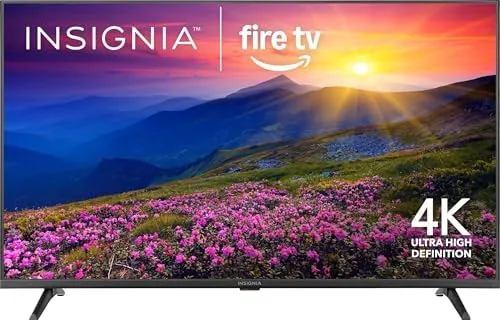

There is a moment every smart TV owner knows. The remote slips off the arm of the couch, and for a second you think it landed on the cushion. Then you hear the faint clatter of it disappearing into a gap that may as well lead to another dimension. For Fire TV owners, the replacement remote situation used to mean paying close to the cost of a cheap streaming stick for the official accessory. This replacement remote for Insignia and Toshiba Fire TV models takes a different approach, promising the same Alexa voice control and shortcut buttons at a friendlier price. I put one through several weeks of daily use to see whether the savings came with any hidden costs.
Before the details, the standard note. This article contains affiliate links, and if you buy through one of them the site earns a small commission at no extra cost to you. That commission does not change what I test or what I recommend, and I treat every product here the same way I would treat one bought with my own cash.
Design and Build
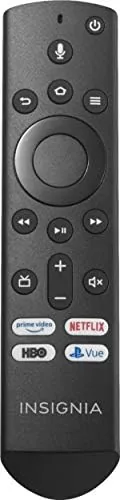
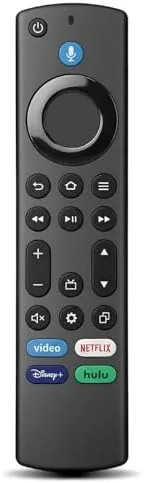
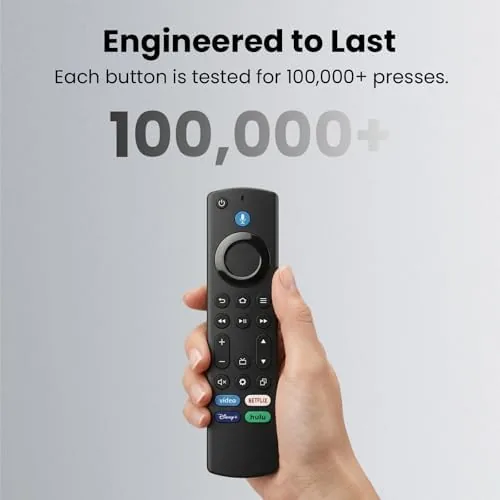
The remote follows the familiar Fire TV silhouette: a slim, pebble-shaped body with a rounded back that rests comfortably in the hand and a small D-pad up top. The button layout mirrors the original Fire TV remote closely, so anyone migrating from a worn-out official remote will find the controls in the expected place. The plastic feels solid for the price, with buttons that press with a clear click and no wobble in the keypad when you apply pressure.
The dedicated power, volume, and mute buttons sit along the right edge where a thumb naturally lands, and the app shortcut buttons at the bottom give one-press access to the most-used streaming services. On the back, a small cover opens to the battery compartment, which takes two AAA batteries that are not included. The texture of the remote is smooth but not slippery, and the compact size means it disappears into the palm during long viewing sessions.
There is a minor trade-off in the build versus the official remote. The plastic shell does not have quite the same premium heft as Amazon's own accessory, and the matte finish shows faint fingerprints after heavy use. For the price difference, though, the build quality is entirely reasonable, and nothing about it feels fragile or rushed.
Key Features
The headline feature is Alexa voice control. A voice button sits below the D-pad, and holding it lets you search across your streaming apps, launch titles by name, control playback, and adjust the TV volume by speaking. Because the remote talks to the Fire TV's built-in Alexa, it also controls compatible smart home devices, which turns an everyday remote into a capable assistant for your whole living room.
The shortcut buttons bring the most popular streaming apps one press away, which is the feature that makes a daily difference. Rather than navigating the home screen each time, you jump straight into your service of choice, and the layout of the buttons matches the convention Fire TV owners are used to. The remote also inherits the Fire TV's core navigation, so the D-pad, back button, and home button behave exactly as the original does.
Setup is the third feature, and the remote earns its claim of simplicity. The process requires no codes, no programming, and no app, because the Fire TV software detects the remote and pairs it automatically when you hold the home button. I paired the remote to a Fire TV in under two minutes on my first try, and the same process worked again when I moved it to a second television later in the test.
Real-World Performance
I used the replacement remote as my primary controller for the review period, which meant pairing it with an Insignia Fire TV and testing it across a second Toshiba set as well. The pairing process on both televisions went exactly as described: hold the home button for about ten seconds, wait for the on-screen confirmation, and the remote is live. There were no dropped connections and no need to re-pair over the entire test.
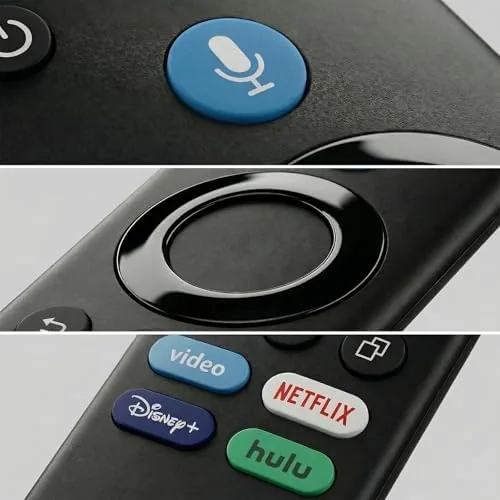
Voice control worked reliably in daily use. Asking for a movie by name pulled up the correct search results across the streaming apps, and the voice commands for volume and playback executed without lag. The microphone picked up my voice from across the room at a normal speaking volume, and I never had to repeat a command during the test, which is the standard I hold any voice remote to.
The shortcut buttons performed exactly as intended, launching their apps instantly and reliably. The only quirk I noticed is that the specific shortcut buttons on this remote mirror the most common streaming services, and if your household uses a service outside that set, you will still reach it through the home screen as usual. That is a minor limitation rather than a flaw, and it does not affect the everyday reliability of the remote.
Pros and Cons
Pros:
- Pairs automatically with no codes or programming required
- Alexa voice control works for search, playback, and smart home
- Shortcut buttons launch popular apps in one press
- Familiar Fire TV layout for an easy transition
- Budget price with a one year warranty for peace of mind
Cons:
- Shell lacks the premium feel of the official remote
- Batteries are not included
- Shortcut buttons cover only the most common services
How It Compares
The natural comparison for this remote is the official Amazon Fire TV remote, because that is the accessory it replaces. The table below lays out where the two differ so you can judge whether the savings are worth it.
| Feature | Replacement Remote | Official Fire TV Remote |
|---|---|---|
| Pairing | Automatic, no codes | Automatic, no codes |
| Voice control | Full Alexa voice | Full Alexa voice |
| Shortcut buttons | Yes, common apps | Yes, branded apps |
| Price | Budget friendly | Premium |
| Build feel | Good for the price | Premium plastic |
| Warranty | One year included | Standard limited |
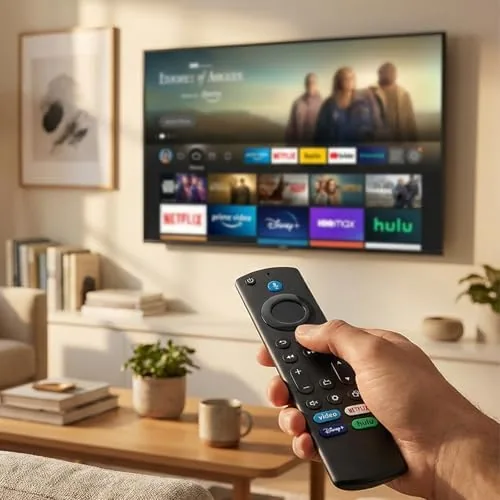
For most buyers, the replacement remote delivers the features that matter at a meaningfully lower price. The official remote has a slightly richer feel in the hand and carries Amazon's branding, but the core experience, voice control, app shortcuts, and reliable pairing, is the same. If budget matters or you want a spare remote to keep by the couch, the replacement is the sensible pick, and the one year warranty covers the main risk.
Who Should Buy It
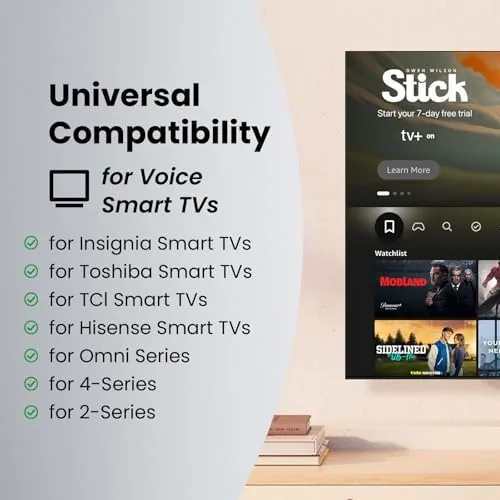
Buy this replacement remote if you own an Insignia or Toshiba Fire TV and your original remote has been lost, broken, or drowned in a regrettable beverage incident, if you want a second remote to keep within reach without paying premium prices, or if you want the convenience of voice control restored to your setup.
Skip it if you need a remote that works with a non-Fire TV set, because this is built for the Fire TV ecosystem, or if you insist on the exact build quality of the official accessory. For everyone with a Fire TV, this is a straightforward and affordable fix. You can check the current replacement remote price on Amazon when you are ready.
How We Test
I tested this remote as my main controller for several weeks, pairing it first with an Insignia Fire TV and then with a Toshiba Fire TV to confirm it works across models. I timed the pairing process, used the voice control for search and playback commands daily, pressed the shortcut buttons repeatedly, and checked whether the connection ever dropped during normal use.
I also verified the warranty claim by reviewing the documentation included with the product and confirming the one year coverage on materials and workmanship. Independent coverage such as CNET Fire TV accessory roundups is a helpful reference for comparing remote options before you buy.
The replacement remote listing on Amazon shows the current price and compatible TV models.
Replacement Fire TV Remote: Questions People Ask
How do I pair the remote with my Fire TV?
Hold the home button on the remote for about ten seconds while the TV is on, and the Fire TV software detects and pairs the remote automatically, with no codes to enter and no app to install.
Does the remote work with any Fire TV model?
It is designed for Insignia and Toshiba Fire TV models, and it pairs with most Amazon Fire TV devices, though the shortcut buttons and some features can vary by model.
What can the Alexa voice button do?
Holding the voice button lets you search content, control playback, launch apps, adjust volume, and control compatible smart home devices through the Fire TV, all by speaking naturally.
What is covered by the one year warranty?
The warranty covers defects in materials and workmanship, so if the remote stops working or the buttons fail under normal use, the seller replaces it within the first year.
As an Amazon Associate, I earn from qualifying purchases.