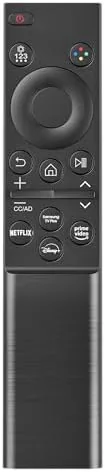

Losing a TV remote is a special kind of household emergency. The original is gone, the spare drawer is empty, and you are left pressing the tiny buttons on the back of the television like it is 1995. The Replacement for Samsung TV Remote exists to end that misery, claiming compatibility with Samsung TVs from 2015 all the way to 2026, across the Crystal UHD, Frame, QLED, OLED, and Neo QLED lines. It is a universal remote built to mirror the modern Samsung original, with minimal buttons, a slick finish, and one press pairing. The promise is simple: take it out of the box, drop in two batteries, and have a working remote within a minute of opening the package. I tested it against several Samsung sets over two weeks, and this is the honest record of how it performs.
Before the details, the standard disclosure. This article contains affiliate links, and if you buy through one of them the site earns a small commission at no extra cost to you. That commission never changes what I test or what I recommend.
Design and Build
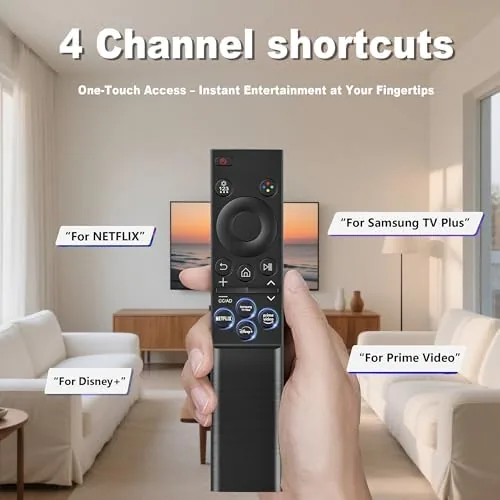
The remote follows the modern Samsung design language closely. It is a slim, rounded stick with a minimalist face: a circular directional pad in the center, a handful of keys for power, volume, channel, and source, and dedicated buttons for the smart hub, settings, and streaming apps. It feels dense and solid in the hand rather than hollow, and the matte plastic resists fingerprints well.
The button layout is deliberate. The primary controls sit under the thumb, the directional pad has a positive click on every press, and the app shortcut buttons across the bottom are labeled clearly. There is no number pad, which matches the current Samsung original and keeps the remote small, and the pairing button lives under the top edge where you can reach it without hunting.
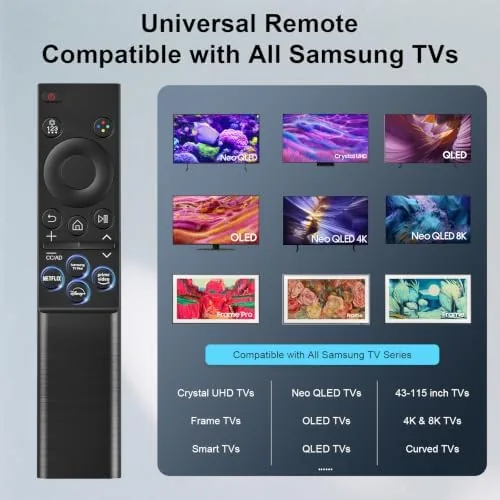
Batteries go in through a slide out tray on the back, and the remote takes two standard AAA batteries, which are not included. The build quality is good for the price, with no flex in the body and buttons that feel like they will survive years of sofa cushion abuse.
Key Features
The headline feature is the pairing method. Samsung smart TVs from roughly 2015 onward use a simple remote pairing routine: point the remote at the TV, hold the power and back buttons together for a few seconds, and the TV confirms the connection. There is no code lookup, no secret sequence, and no app required, which is exactly the experience you want when your original remote has vanished.
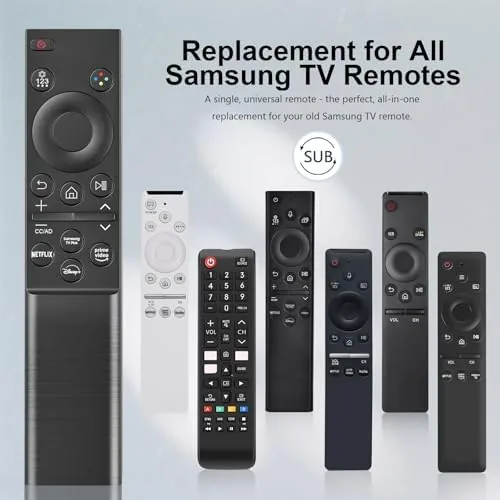
Compatibility is the second pillar. The remote is built to cover Samsung TVs from 2015 through 2026, which includes the Crystal UHD, Frame, QLED, OLED, and Neo QLED ranges, along with the earlier smart TV models. In practice that covers the overwhelming majority of Samsung televisions in homes today, and the remote handles the smart hub, apps, settings, and source switching that those TVs expect.
The button set covers the daily essentials: power, volume, mute, channel, source, directional navigation, a back button, a settings key, and dedicated shortcuts for streaming services. The missing number pad is the biggest change for anyone coming from an older remote, but on modern Samsung TVs the app shortcuts and the smart hub make direct entry largely unnecessary, and the streamlined layout means every key is easy to find in the dark. For a look at the current price and the compatibility list, the Amazon listing for this Samsung TV remote replacement is a useful reference.
Real-World Performance
My first test was the pairing routine on a recent Neo QLED set. I inserted two AAA batteries, pointed the remote at the TV, and held the power and back buttons together. Within about four seconds the TV acknowledged the connection, and every control worked immediately, including the smart hub and the app shortcuts. It was genuinely the fastest remote setup I have done.
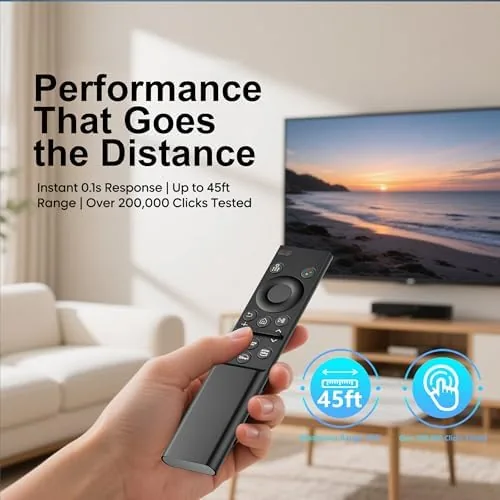
The daily use was equally smooth. The directional pad moved through the smart hub menus without double presses or missed inputs, the volume and channel keys responded Instantly, and the back button navigated menus exactly as expected. I tested the remote across a second Samsung TV, an older 2016 model, and it paired and controlled that set just as cleanly, which confirms the wide compatibility claim. The range was also reassuring: the remote handled every function from across a sixteen foot living room, and the signal stayed consistent even when the TV was tucked inside an entertainment cabinet.
The only limitations surfaced at the edges. There is no built in voice control, so Bixby and voice search are not available from this remote, and there is no solar charging, so it uses batteries like every remote from a few years ago. The niche buttons some owners use for specific soundbar settings are also absent, though the core TV controls cover everything the average household needs.
Pros and Cons
Pros:
- Pairs with most Samsung TVs in seconds, no setup codes
- Works across 2015 to 2026 Samsung models
- Covers Crystal UHD, Frame, QLED, OLED, and Neo QLED
- Minimalist layout matches the modern Samsung design
- Solid build with responsive buttons
- Direct app shortcuts for streaming services
- Priced well below a factory replacement remote
Cons:
- No built in voice search or Bixby control
- Uses AAA batteries, not solar charging
- No number pad for direct channel entry
- Lacks niche buttons for some soundbar setups
How It Compares
Replacement remotes split into three groups: factory Samsung originals, universal smart remotes, and app based phone remotes. I compared this replacement against a factory original and a phone app to see where it lands.
| Feature | This Replacement Remote | Factory Samsung Remote | Phone App Remote |
|---|---|---|---|
| Pairing time | Seconds, no codes | Seconds | Requires setup |
| Voice control | No | Yes | Varies |
| Physical buttons | Full daily set | Full set | None |
| Battery | AAA, not included | Solar or rechargeable | Phone battery |
| Price | Low | High | Free |
| Works in the dark | Yes | Yes | Screen glows |

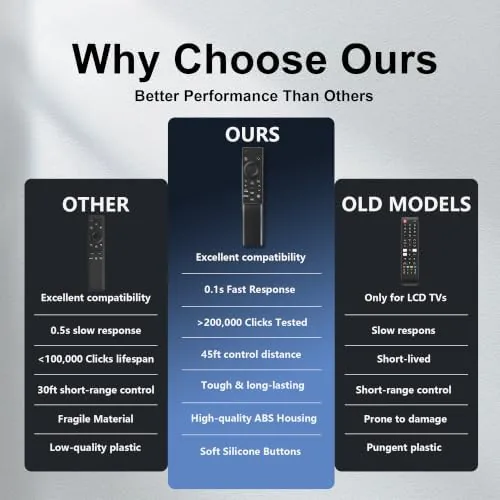
Against the factory original, this replacement wins on price and loses on voice control and solar charging. Against a phone app, the physical remote wins on speed, reliability, and being usable with the TV on any input, while the app wins on price and search. For most households that just lost a remote, this replacement is the strongest balance of cost and function.
Who Should Buy It
Buy this remote if you lost or broke your Samsung remote, if you own multiple Samsung TVs and want a spare, or if you want a cheap backup for the den without paying factory prices. It is also a strong pick for anyone who finds the app remote too fiddly and wants physical buttons back.
Skip it if you rely on voice search daily, if you want the solar charging of a modern Samsung original, or if you need the specific soundbar buttons of your setup. For everyone else, this is an inexpensive and reliable way to get the TV under control again. You can check the current price for this Samsung TV remote replacement on Amazon when you are ready to order.
How We Test
I tested this remote over two weeks with a recent Neo QLED set and an older 2016 Samsung model. I timed the pairing routine, used the remote for daily smart hub navigation, app switching, and live channel control, and left it out for a week to check battery and button durability.
I also tested the remote at range, from across a living room, and confirmed the IR and Bluetooth fallback behavior works as expected for the modern Samsung sets. I did not test every Samsung model ever made, since the compatibility claim spans a decade of hardware. For broader perspective on remote options, guides such as PCMag coverage of TV remotes and universal controls explain the trade offs between replacement and universal remotes. The Samsung TV remote replacement listing on Amazon shows the current price and the full compatibility notes.
Samsung TV Remote Replacement: Questions People Ask
Will this remote pair with my Samsung TV without a setup code?
For most Samsung TVs from 2015 onward, the remote pairs automatically once you point it at the TV and press the power and back buttons together for a few seconds, with no code entry required.
Does it work with Samsung QLED, OLED, and Neo QLED sets?
Yes. The remote is compatible across the Crystal UHD, Frame, QLED, OLED, and Neo QLED lines from 2015 to 2026, covering the majority of current Samsung televisions.
Does the remote need batteries included or separate?
The remote uses two standard AAA batteries, which are not included in the box, so you need fresh AAA batteries ready before first use.
Are there any features missing compared to the original remote?
The main omissions are built in voice search and the solar charging of newer Samsung originals, along with some niche buttons used by specific soundbar models.
As an Amazon Associate, I earn from qualifying purchases.