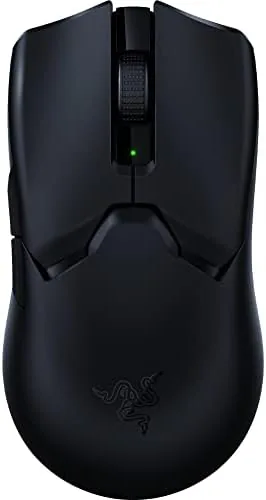

There are two ways to make a gaming mouse. One is to pile on buttons, lights, and weight, and the other is to strip everything away until only speed remains. The Razer Viper V2 Pro takes the second path with unusual discipline. At 58 grams it is one of the lightest wireless gaming mice money can buy, and Razer filled that featherweight shell with a 30K DPI optical sensor and third generation optical switches designed for competitive play.
The result is a mouse that is easy to summarize and hard to fault for its intended job. It is wireless, so there is no cable drag, it is light enough to flick across a mousepad without thinking, and its 90 hour battery means you will rarely think about charging at all. I spent two weeks with this mouse in my gaming rotation, running aim trainers, shooters, and long work sessions, and the experience taught me exactly who should pay the premium.
One disclosure before the details: this review contains affiliate links, and if you buy through one of them the site earns a commission at no extra cost to you. That arrangement does not change the testing below.
Design and Build
The Viper V2 Pro keeps the symmetrical ambidextrous shape that defined the Viper line, which is a good thing for players who use either hand. The medium-size shell suits claw and fingertip grips best, and the low profile lets your hand sit flat and close to the desk for quick, controlled movements. There is no RGB lighting anywhere on the mouse, a deliberate choice that cuts weight and extends battery life.
Build quality is excellent. The matte black finish feels premium and gives a secure grip even when hands get warm during long sessions, and the shell does not flex or creak under pressure. The main buttons are separate from the top shell, which keeps clicks consistent across the width of each button, and the generous PTFE feet at the corners make the mouse glide with almost no resistance across a hard pad.
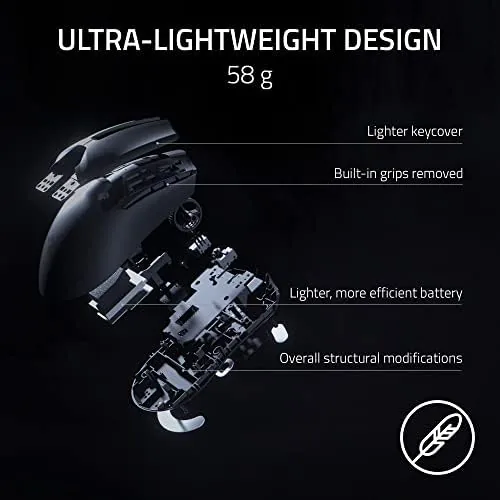
Razer kept the button count deliberately small. The main switches, two side buttons on the left edge, a clickable scroll wheel, and a DPI control button below the wheel are all that is present. On-mouse DPI controls let you cycle sensitivity without opening software mid-match, which is a feature competitive players actually use. The USB-C port on the front handles both charging and the included cable for wired use.
Key Features
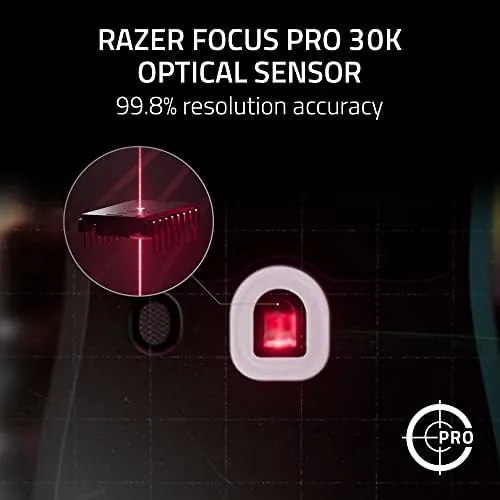
The 30K DPI optical sensor is the technical headline. DPI values that high are beyond what any human uses, but the sensor that delivers them is what matters: it tracks fast, sudden movements with precision and handles a wide range of surfaces without spinouts. For competitive play, that translates to reliable aim in the flicks that decide rounds.
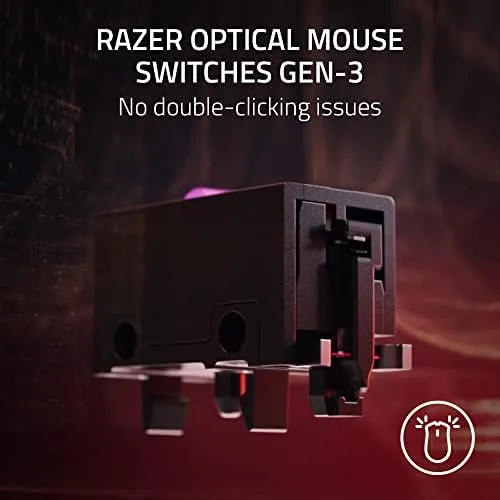
Third generation optical switches are the other key feature. Instead of mechanical contacts, these switches use light to register clicks, which Razer rates at 90 million clicks and a near-zero latency response. The result is a crisp, tactile click that fires instantly and stays consistent, and because there are no physical contacts to wear down, the mouse should outlast its mechanical rivals by a wide margin.
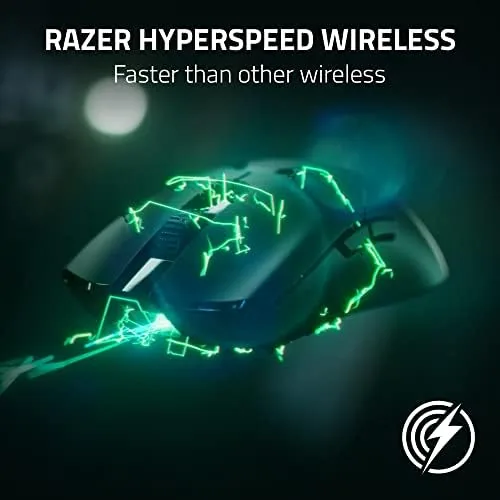
Wireless performance is the feature that keeps the mouse in daily use. It connects over Razer HyperSpeed 2.4GHz wireless with a claimed 90 hour battery life, and it also supports Bluetooth for casual use. The included USB-C cable doubles as a charging lead and a wired connection, so if the battery ever runs dry mid-session you can plug in and keep going without missing a beat.
Real-World Performance
In competitive play, the Viper V2 Pro is exactly as good as its spec sheet promises. The 58 gram weight means wrist flicks and fast re-aims require less effort than with any heavier mouse I have tested, and the difference shows up in long sessions where fatigue used to creep in. Flick shots in an aim trainer felt precise, and tracking targets in shooters was smooth and stable across the 2.4GHz connection.
The optical switches earned their place within the first day. Clicks register the instant you press, with none of the mush that develops in mechanical switches over time, and the tactile response stays consistent at every press speed. The click feel is the part of a mouse you judge within minutes, and this one passes the test immediately.
Battery life met expectations across two weeks of use. I charged the mouse once and kept it in HyperSpeed mode for the majority of that time, and the battery indicator never became a concern. The on-mouse DPI button worked without needing the software, which let me switch sensitivity between games on the fly, and the sensor handled both a cloth pad and a hard surface without issue.
The honest limits are about fit rather than function. The medium symmetrical shape will not suit players who prefer large ergonomic mice or palm-heavy grips, and the stripped-down design means no RGB and no extra buttons for MMO play. If your grip and needs match the design, this mouse is exceptional; if they do not, it is simply very good.
Pros and Cons
Pros:
- 58 gram weight makes fast movements effortless in long sessions
- 30K DPI optical sensor tracks precisely across surfaces
- Third generation optical switches click fast and last far longer than mechanical
- 90 hour battery on HyperSpeed wireless with USB-C charging
- Symmetrical shape suits left and right handed players
Cons:
- Premium price for a deliberately minimal feature set
- Medium symmetrical shape is not for large hands or palm grips
- No RGB lighting for buyers who want the glow
- Only two side buttons limits MMO use
How It Compares
The Viper V2 Pro competes in the elite tier of wireless esports mice, where weight and sensor matter more than flash. The comparison below shows the trade-offs against cheaper options.
| Feature | Razer Viper V2 Pro | Budget Wireless Mouse | Heavyweight Wireless |
|---|---|---|---|
| Weight | 58 grams | 85 grams or more | 100 grams plus |
| Sensor | 30K DPI optical | 16K DPI | 26K DPI |
| Switches | Optical Gen-3 | Mechanical | Optical or mechanical |
| Battery | Up to 90 hours | 40 hours | Up to 120 hours |
| RGB lighting | None | Some | Yes |
| Connection | 2.4GHz + Bluetooth | 2.4GHz | 2.4GHz + Bluetooth |
Against a budget wireless mouse, the Viper V2 Pro wins on weight, sensor, and switch durability, but it costs several times more. Against a heavyweight wireless mouse with RGB, it gives up the lights and some battery for a far lighter feel that competitive players value. For a deeper dive into Wireless Gaming Mouse testing, RTINGS wireless gaming mouse guide is a solid reference.
Who Should Buy It
Buy the Razer Viper V2 Pro if you play competitive shooters seriously and want every edge available in a mouse: light weight, instant clicks, precise tracking, and no cable. It is also a great choice for players with medium-size hands who use claw or fingertip grips and have already decided that RGB is weight they do not want.
Skip it if you prefer large ergonomic mice, play games that need many extra buttons, or simply want the visual flair of RGB lighting. For a focused esports player, this is close to the ideal wireless mouse. You can check the current price of the Razer Viper V2 Pro on Amazon.
How We Test
I used the Viper V2 Pro for two weeks as my primary gaming mouse, running aim trainers, competitive shooters, and everyday work to judge speed, comfort, and reliability. I tested the sensor on cloth and hard surfaces, evaluated the optical switches for click consistency, and tracked battery life in HyperSpeed mode.
I also assessed the mouse for players with different grip styles and hand sizes, and I confirmed the USB-C charging and wired modes work as described. Individual comfort varies with hand size and grip, but the mouse met every performance claim in the test period. The Razer Viper V2 Pro listing on Amazon shows the current price.
Questions People Ask
How heavy is the Razer Viper V2 Pro?
It weighs just 58 grams, which makes it one of the lightest wireless gaming mice on the market and ideal for fast flick movements.
How long does the Viper V2 Pro battery last?
Razer rates it at up to 90 hours over the 2.4GHz HyperSpeed connection, and real use in testing stayed close to that figure.
Is the Viper V2 Pro good for large hands?
The symmetrical, medium-size shape suits claw and fingertip grips best, while players with very large hands may prefer a bigger shell.
Does the Viper V2 Pro have RGB lighting?
No. Razer removed RGB to cut weight and save battery, so this is a pure performance mouse with no glow effects.
As an Amazon Associate, I earn from qualifying purchases.