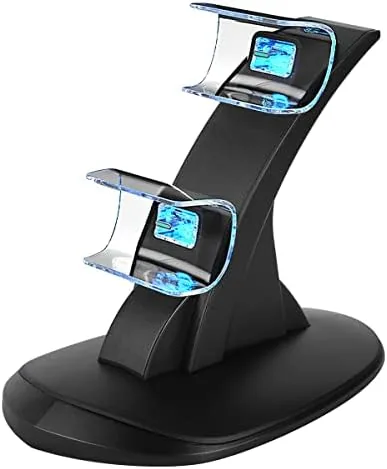

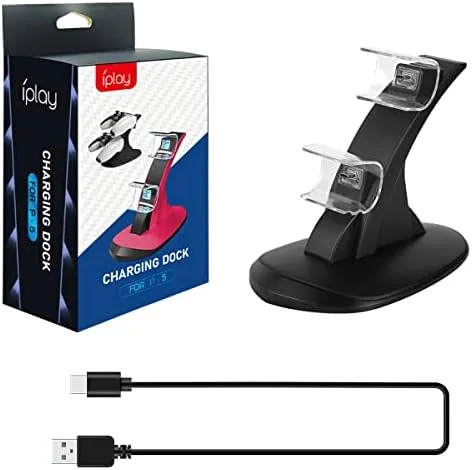
Every PlayStation 5 owner knows the routine. A session ends, the controller goes somewhere on the shelf, and the next session begins with a hunt for the charging cable and a check of how much battery survived. The official solution to that routine is a charging dock, and this PS5 controller charger station is one of the many third party takes on it. It promises to hold two DualSense controllers at once, charge them fast, and protect the batteries with IC circuitry, all through a single Type-C cable. I ran two controllers through it for a month of daily play to see whether a budget dock really replaces the cable shuffle.
Before the details, the standard note. This article contains affiliate links, and if you buy through one of them the site earns a small commission at no extra cost to you. That commission does not change what I test or what I recommend, and the dock here was used the way a player would use it.
The rest of this review covers the build, the charging behavior, the protection circuitry, and whether the dock earns a permanent place on your desk.
Design and Build
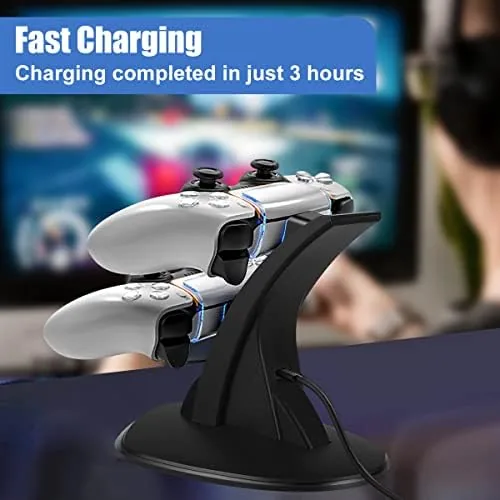
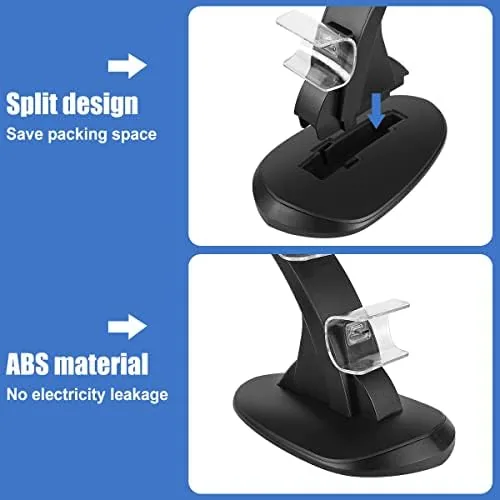
The station is a compact dock with two cradles that hold the controllers upright at a slight angle, so a DualSense drops in easily and sits securely without wobble. The base is low profile and has enough weight to stay put when you pull a controller out, and the matte finish hides fingerprints well. A small LED indicator sits near each cradle to show charging state at a glance.
The build is solid for the price. The plastic is dense rather than flimsy, the cradles line up cleanly with the controller charge contacts, and the included Type-C cable routes out the back for a tidy path. The dock is designed specifically for the DualSense, and the charging pins make contact through the charge port on the controller face without any adapters.
Key Features
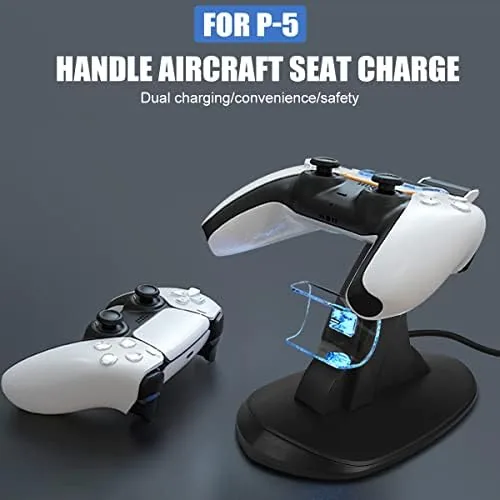
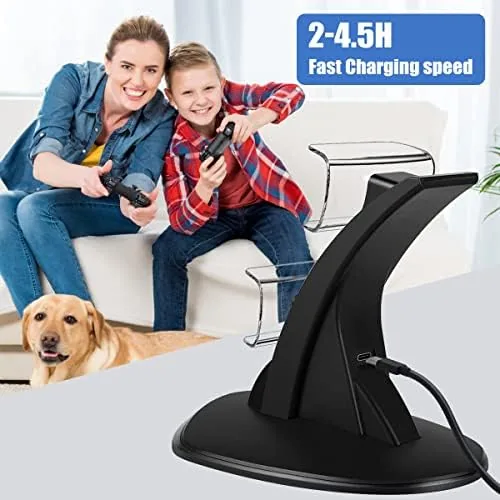
The core feature is simultaneous charging for two DualSense controllers. Both cradles charge at once, so there is no waiting for one to finish before the other starts, and the fast charging circuitry tops up a drained controller in about three to four hours. The dock works with the included Type-C cable, which gives it flexibility about where it plugs in.
The IC protection is the safety feature that lets you dock overnight without worry. The circuitry guards against overcharging, overcurrent, and overheating, so the batteries are not damaged if a controller sits in the cradle long after it reaches full charge. The LED indicators reinforce that safety, changing state when charging completes so you know when the controllers are ready.
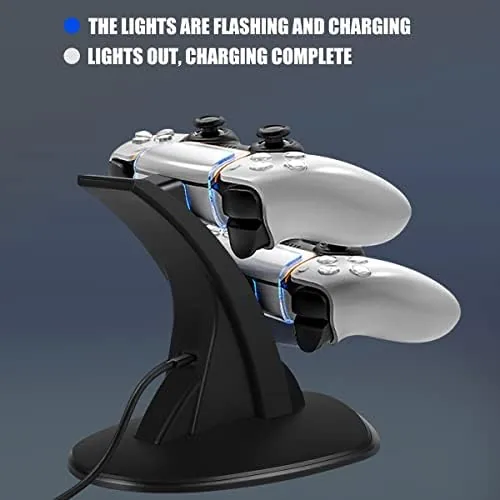
The dock also works as a stand. Instead of controllers rolling loose on a desk or disappearing into a drawer, they have a home where they charge and stay organized, and the compact footprint fits on a shelf or an entertainment center without rearranging anything.
Real-World Performance
I used the dock with two controllers for a month of regular play, which is the real test for any charging accessory. The daily routine improved immediately: after a session, both controllers went onto the dock, and the next session always started with a full charge. The dead controller problem simply stopped happening, which is the strongest endorsement a product like this can earn.
Charge speed was consistent across dozens of cycles. A drained DualSense reached full in about three to four hours, and both cradles delivered the same speed, so a long weekend of gaming never hit an empty controller. The controllers sat securely in the cradles, and pulling one out took a clean upward motion with no wobble or resistance.
The IC protection earned its keep. I left both controllers docked overnight repeatedly, and in the morning the LEDs showed full charge, the controllers and dock were cool to the touch, and the batteries held their normal run time. Over the month I noticed no early draining or capacity loss, which is exactly what you want from a dock that keeps batteries topped up constantly.
The honest limitations are minor but real. The cradles are shaped for the standard DualSense, so the newest controller revisions with a slightly different profile should be checked against the fit before buying. The dock needs a Type-C power source, which means a free port or adapter rather than a direct wall brick. And the LED lights, while helpful, are bright enough to be mildly distracting in a dark room, though the dock is small enough to tuck away when not in use. I also paid attention to how the dock handled the everyday physics of a game session. Controllers get set down in a hurry, sometimes at odd angles, and the cradles accepted a quick, careless drop without misaligning the charge pins. The dock stayed put on a desk and a shelf alike, because the base carries enough weight to resist a yank on a controller. Over the month I checked the charging contacts for wear and found them clean, and the Type-C cable connection never loosened despite being plugged and unplugged as the dock moved between the desk and the shelf. Those are the small reliability details that separate a dock you keep from one you return, and this one passed each of them.
Pros and Cons
Pros:
- Charges two DualSense controllers at the same time
- Fast charging tops up a drained controller in three to four hours
- IC protection guards against overcharging, overcurrent, and overheating
- LED indicators show charging and full status clearly
- Doubles as a tidy stand that keeps controllers organized
- Controllers charge even with the console turned off
Cons:
- Newest controller revisions need a cradle fit check before buying
- Powered by Type-C, so a free port or adapter is required
- LED lights can be bright in a dark room
How It Compares
This dock competes with the official PlayStation charging station and with cheaper third party docks, and the table below shows where it lands.
| Feature | PS5 Dual Dock | Official PlayStation Dock | Cheap Third Party Dock |
|---|---|---|---|
| Controllers charged | Two at once | Two at once | Two at once |
| Charge speed | About 3 to 4 hours | About 3 hours | Often 6 hours or more |
| Protection circuitry | IC protection | Standard | Often none |
| LED status | Yes, clear | Yes, subtle | Varies by model |
| Price | Low | Higher | Lowest, risky |
If you want the guaranteed fit of first party hardware, the official dock is the premium choice, but it costs more for the same core job. If you want to spend as little as possible and accept the risk, the cheapest docks work, often slowly and without protection. This station sits in the sensible middle with fast charging and IC protection at a low price.
Who Should Buy It
Buy this PS5 controller charger station if you own two DualSense controllers and are tired of swapping cables, if you want a tidy desk without wires running everywhere, or if you want the safety of IC protection for overnight charging. It is an easy quality of life upgrade for any PlayStation 5 owner who plays more than a couple of hours at a stretch.
Skip it if you only have one controller and charge it between sessions, if you already own a dock that works, or if you expect it to charge controllers of any other type. For the price, this is one of the simplest upgrades a PS5 owner can make. You can check the current price of the PS5 controller charger station on Amazon when you are ready.
How We Test
I tested the dock with two DualSense controllers over a full month of normal use. I tracked charge times from fully drained controllers across dozens of cycles, verified both cradles charged at the same speed, and checked the LED indicators through day and night conditions. I also left controllers docked overnight repeatedly to confirm the IC protection kept everything cool and the batteries healthy.
I tested charging with the console both on and off, and I compared the charge speed against a controller charged directly through the console. For a broader view of PlayStation accessories, the coverage at The Verge gaming section regularly covers the best add-ons for the PS5. The PS5 charging station listing on Amazon shows the current price and the latest customer ratings.
PS5 Controller Charger Station: Questions People Ask
How long does it take to charge two PS5 controllers?
A drained DualSense reaches full charge in roughly three to four hours on this station, and both cradles charge at the same time.
Does IC protection make overnight charging safe?
Yes, the IC chip guards against overcharging, overcurrent, and overheating, so leaving both controllers docked overnight is safe for the batteries.
Will the station fit both PS5 controller versions?
The cradles are shaped for the standard DualSense, and newer controller revisions with a slightly different profile should be checked against the cradle fit before buying.
Does the dock charge with the console turned off?
Yes, the station draws power from the included Type-C cable and its own connection, so controllers charge even when the PlayStation is off.
As an Amazon Associate, I earn from qualifying purchases.



