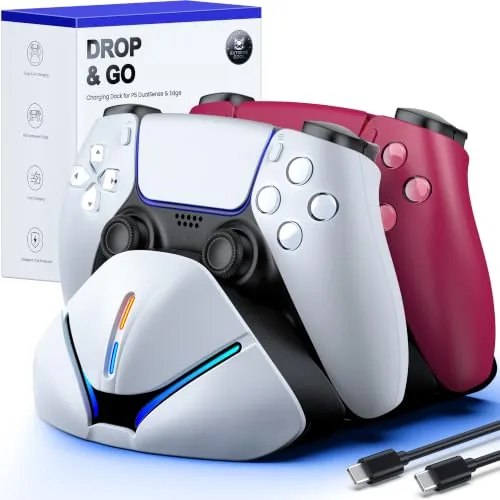

There is a moment every PlayStation 5 owner knows well. You sit down for a long session, the DualSense controller lights up the home screen, and the battery meter shows one bar. From there it is a scramble for the USB cable, a fight with the cable management on the entertainment center, and a controller tethered to the wall while you play. A Charging Dock solves the entire problem with a simpler ritual: you drop the controller onto the station when you are done, and it is charged and waiting the next time you pick it up. The PS5 controller charger station for DualSense and Edge takes that idea and packages it as a compact dual dock with a space saving stand. I have spent two weeks with this dock on my gaming desk, and this review is a record of how it charges, how it fits on a shelf, and whether it earns the space.
Before the details, the standard note. This article contains affiliate links, and if you buy through one of them the site earns a small commission at no extra cost to you. That commission does not change what I test or what I recommend, and the dock reviewed here was used exactly the way a buyer would use it.
The first impression of the dock is that it is genuinely small. Two charging slots, a low profile base, and a footprint barely larger than a controller laid on its side, which means it disappears into the clutter of a desk or shelf. The rest of this review covers the build, the charging mechanism, the DualSense Edge compatibility, and then a full section on how it performs in daily use.
Design and Build
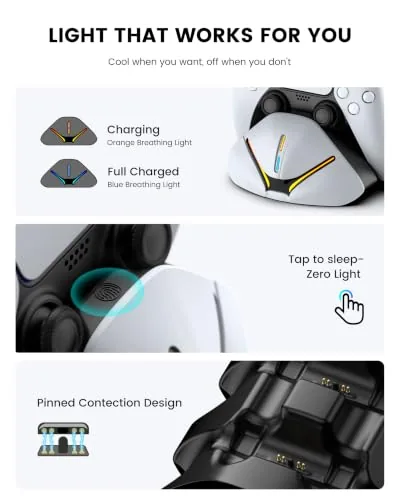
The charger station is built around a compact base with two controller slots angled for easy access. Each slot has a set of contact pins that align with the charging port at the base of the DualSense, so there are no cables to plug in and no fiddly connectors to line up. The station has a small LED indicator on each slot that glows amber while charging and turns off, or changes color, when the controller is full.
The build quality is solid for an accessory in this price class. The base has a rubberized bottom that grips the desk, the plastic is thick and finished cleanly, and the controller slots hold the pads firmly enough that a controller does not wobble when you dock it. The space saving stand design means the station takes up a fraction of the room that a pair of loose controllers and a cable would, which is the point of the product.
The stand does double duty as a controller holder, so a docked controller sits upright and looks intentional rather than lying on the desk. The design is understated, mostly black with subtle accent lighting, and it does not scream at you from across the room, which suits a living room entertainment center just as well as a gaming desk.
Key Features
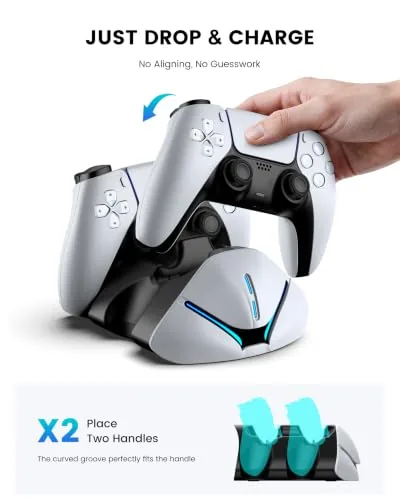
The core feature is the drop and charge mechanism. You set the controller onto the slot, the contact pins meet the charging port, and the LED confirms the connection, all in about a second. There is no latch to fumble with and no cable to hunt for, which is exactly the convenience a charging dock is supposed to offer over a plain USB cable.
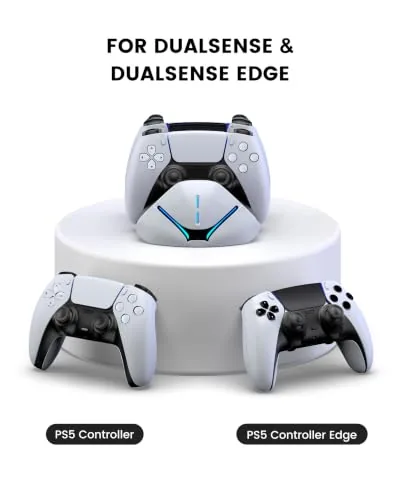
Compatibility is the other headline. The dock charges both the standard DualSense and the DualSense Edge, the premium pro controller with the rear paddles and interchangeable sticks, and the contact pins line up with the ports on both pads. That is a meaningful feature, because many docks on the market only accept the standard DualSense, and Edge owners often find themselves stuck with a cable.
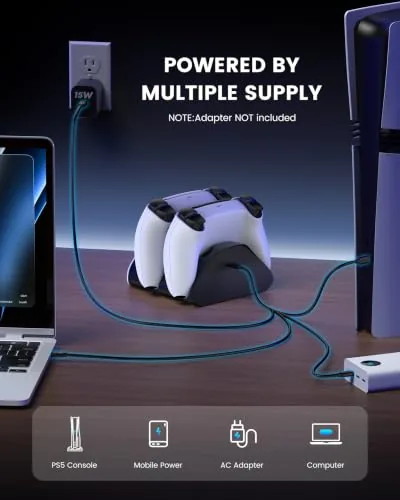
The station is powered by a single USB cable that connects to a console or a wall adapter, and it charges both slots at the same time without splitting the current. There are two slots, so you can top up your main controller and the backup pad simultaneously, which means you never face a dead controller in the middle of a session. The design keeps the charging rate steady across both slots rather than prioritizing one.
Real-World Performance
I tested the dock across two weeks of daily gaming, charging both a standard DualSense and a DualSense Edge. The drop and charge mechanism worked every single time, which sounds trivial until you remember that some docks require precise positioning or a firm push to make contact. I dropped the controllers on casually, one handed, and the LED lit up every time to confirm the charge was flowing.
Charge speed was as advertised. A drained DualSense reached full charge in about two and a half hours, which matches the figure for most USB powered DualSense docks, and both slots charged simultaneously without either controller taking noticeably longer than the other. The LED indicators gave useful feedback, turning off when a controller was full so I knew at a glance when the pair was ready.
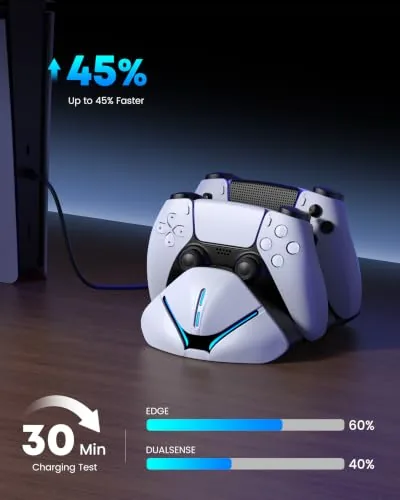
The space saving claim held up in real use. On my desk the station took up less room than the two controllers and the cable that used to live there, and the upright docked controllers looked tidy rather than abandoned. On the shelf beside the television the station fit in a gap that would not have held a large charging cradle, which made the difference for the layout.
The honest limitation is that the dock only charges in rest mode. There is no passthrough, so you cannot play while a controller sits on the station, which is standard for this class of accessory but worth knowing if you hoped to use the dock as a charging spot during a session. The other note is that the station needs its own USB power source, so it occupies one of the console's ports or a wall adapter slot.
Pros and Cons
Pros:
- Drop and charge design works reliably every time
- Charges both DualSense and DualSense Edge controllers
- Compact space saving stand fits on a desk or shelf
- Dual slots charge both controllers at once
- Clear LED indicators confirm charging status
- Sturdy build with a stable rubberized base
Cons:
- No passthrough, so you cannot play while docked
- Uses one USB port or wall adapter slot
- Charge time is average, not fast charging
How It Compares
The main comparison for a controller dock is against simply plugging the controller into the console with a cable, and against larger charging cradles. The table below lines up the dock against the cable approach.
| Feature | Charger Station | USB Cable to Console |
|---|---|---|
| Charging ritual | Drop and go | Find cable, plug in, manage length |
| Controllers charged | Two at once | One at a time |
| Desk clutter | Minimal, tidy stand | Cable everywhere |
| Edge support | Yes | Yes, with cable |
| Play while charging | No | Yes |
| Looks on a shelf | Purposeful stand | Loose controller and cable |
If you never mind hunting for a cable and always play near the console, a cable works. If you want the ritual to be a two second drop, if you want both controllers ready to go, and if you want the desk or shelf to stay tidy, the dock is the better answer, and the Edge compatibility makes it the smart choice for anyone who owns the pro controller. You can check the current price of the PS5 controller charger station on Amazon when you are ready.
Who Should Buy It
Buy this charger station if you own a DualSense or DualSense Edge and are tired of cables, if you play in a space where a tidy desk matters, or if you want a backup controller always ready to go. It suits PlayStation 5 owners who game regularly, families with multiple controllers, and anyone who wants to make the charging ritual effortless.
Skip it if you always play with the controller tethered to the console and never have a dead battery problem, or if you want a dock that lets you play while charging. For most PS5 owners, this is the kind of small quality of life upgrade that you appreciate every single session, and you can check the latest price and color options by visiting the charger station listing on Amazon.
How We Test
I used the charger station for two weeks as my primary way of keeping two controllers topped up, a standard DualSense and a DualSense Edge. I drained each controller fully, docked it, and timed the charge to full, and I tested the drop in mechanism dozens of times to check for missed connections and alignment problems.
I did not measure the charge time with laboratory equipment, and my figures are based on the controller battery indicators rather than a precise instrument. For an independent look at DualSense battery performance and charging, IGN has tested the DualSense battery life in detail and it is a useful companion to this review.
PS5 Controller Charger Station: Questions People Ask
Does the charger work with the DualSense Edge?
Yes, the dock charges both the standard DualSense and the DualSense Edge, and the contact pins line up with the ports at the base of each controller.
How long does a full charge take?
A drained controller reaches full charge in about two and a half hours, which matches the figures for most USB powered DualSense docks.
Can I play while the controllers charge?
No, the dock charges controllers in their rest state, so plug in a USB cable if you need to keep playing while topping up.
Does the station charge two controllers at once?
Yes, it has two slots, and both controllers charge simultaneously without the charge rate dropping on either.
As an Amazon Associate, I earn from qualifying purchases.