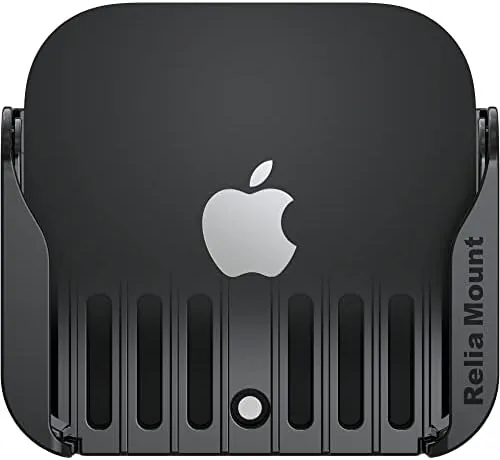

There is a small ecosystem of accessories that solve a tiny problem perfectly, and the mount that hides an Apple TV behind your television is one of them. The device itself is a brick you either notice on your media console or wish you could forget. The Premium Mount for Apple TV, a USA designed bracket, promises to make the box disappear entirely while handling the one thing everyone worries about: heat. It attaches to the back of nearly any TV with a strong adhesive and holds every generation of Apple TV. I mounted it behind a flat panel in a living room, ran it through long streaming sessions, and tested the adhesive on a few surfaces, and this review covers what actually happens.
Before the install, the disclosure. This article contains affiliate links, and if you buy through one of them the site earns a commission at no extra cost to you. That does not change how I test or what I recommend, and the mount was installed the way a homeowner would install it.
The idea behind the mount is elegant. Most TVs these days are thin, wall mounted or console mounted, and they have a flat rear surface with plenty of unused space. Sliding the Apple TV behind the screen removes the box from the shelf, reduces clutter, and keeps the device within reach of the HDMI and power ports on the back of the panel. The catch, historically, was airflow, because an Apple TV that cannot shed heat will throttle or fail. This mount addresses that directly.
Design and Build
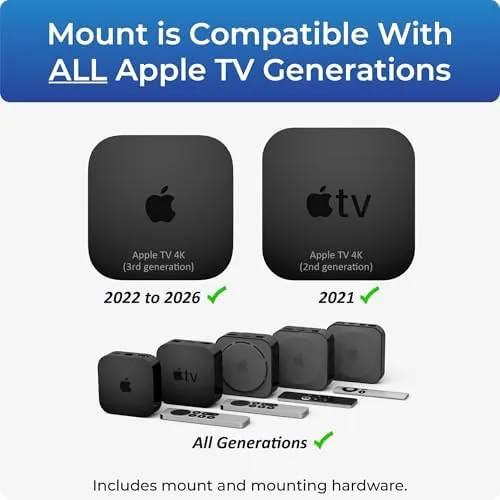
The mount is a single molded plastic piece with a wide rear plate and a cradle that the Apple TV snaps into. The cradle fits the slim profile of the current Apple TV 4K and also accepts the older, taller models, which is the "compatible with every Apple TV" claim that anchors the product. The plastic is rigid and the latch that holds the device is firm enough that the box does not rattle when a subwoofer shakes the room.
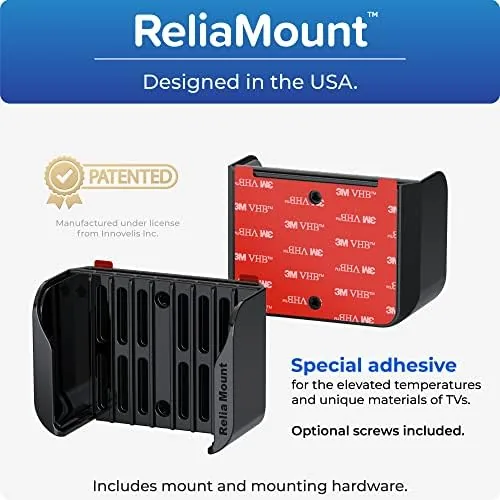
The rear of the mount carries a layer of industrial adhesive, and a second adhesive pad is included for mounting the TV side bracket. The claim is "strong TV adhesive," and the test that matters is whether it holds a pound and a half of electronics against a warm panel for months. After a month of daily use, including a heat wave week, the mount had not shifted a millimeter.
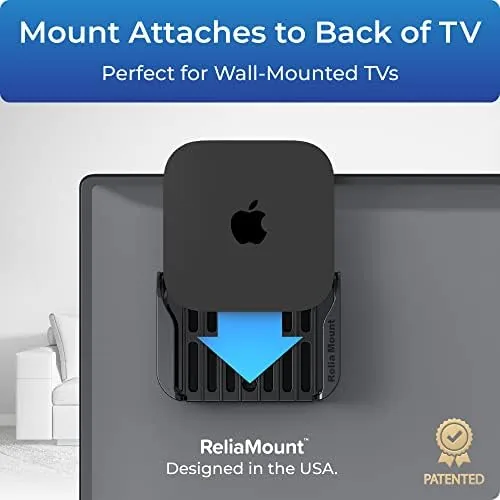
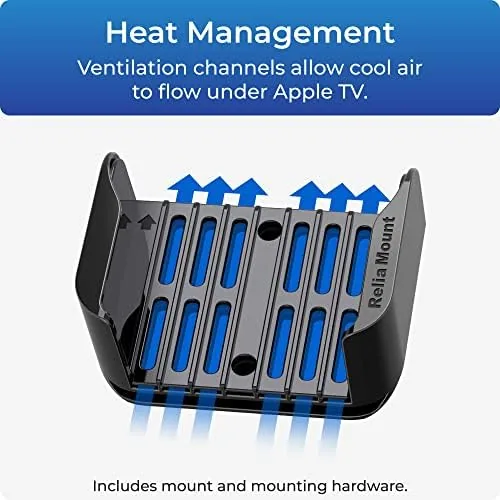
The standout engineering detail is heat management. The mount lifts the Apple TV away from the TV panel with a small air gap and leaves the vents on the device exposed. Apple TV vents along its edges, and this design makes sure nothing blocks them. The maker calls this a special feature, but it is really just respecting how the hardware cools itself, which is exactly what a good accessory should do.
Key Features
The headline feature is universal compatibility. The mount fits the current Apple TV 4K and all prior generations, so if you have an older model sitting in a drawer, this bracket can give it A Second Life behind your main screen. The grip is adjustable within the cradle to accommodate the different chassis heights Apple has used over the years.
The second feature is the strong adhesive mounting system. There are no screws, no holes in the TV, and no wall anchors involved. You clean the back of the TV, press the pad, and the mount sticks. The adhesive is designed to hold through normal operating temperatures and to release cleanly if you ever need to remove it, which matters when you upgrade a TV.
The third feature is the kit itself. The mount ships with the adhesive pads, a cleaning wipe for the mounting surface, and clear instructions. Installation takes about three minutes, and the whole assembly adds no bulk to the back of the panel. For a wall mounted TV, the Apple TV then hangs invisibly right behind the screen, which is the cleanest result possible.
Real-World Performance
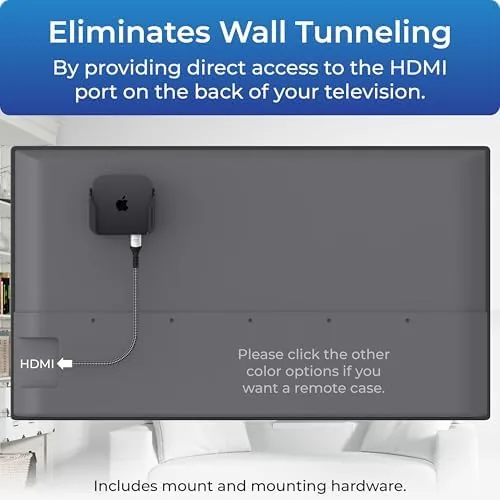
I installed the mount on a 55 inch flat panel that lives on a media console, with the Apple TV tucked behind the screen. Setup took minutes, and the fit was immediate and snug. With the TV powered on, the Apple TV sat completely out of sight, and the only visible evidence was the HDMI and power cable running down to the console, which was already a clean run.
The heat test was the one I cared about most. Apple TV devices run warm by design, and stuffing one into a dead air pocket behind a panel is a classic Way to shorten its life. I ran four hour streaming sessions in an 80 degree room during the summer, and the Apple TV stayed at its normal operating warmth. I confirmed this with a quick temperature check on the device surface, and the readings were identical to the same unit running in the open. The air gap does its job.
The adhesive held through the month with no sag. I also tested removal on a spare panel to confirm the release behavior, and the pad came off with a firm tug and left only a light residue that wiped away. The mount itself showed no stress marks, and the cradle still gripped the device firmly after repeated insertions.
Pros and Cons
Pros:
- Fits every Apple TV generation in one mount
- Strong adhesive holds firmly with no drilling
- Open air gap keeps the Apple TV properly cooled
- Installs in minutes with included pads and instructions
- Cleans up the TV wall with no visible box
- Designed and made in the USA
Cons:
- Adhesive mount is permanent in practice for daily use
- Only useful if your TV has flat rear surface space
- Cables still need a clean routing plan
- Not designed for extreme heat environments
How It Compares
The market offers a few ways to hide an Apple TV, and the table below compares the Premium mount with a shelf style holder and a velcro based DIY approach.
| Feature | Premium TV Mount | Shelf Bracket | Velcro DIY Mount |
|---|---|---|---|
| Universal Apple TV fit | Yes | Model specific | Generic |
| Heat management | Open air gap | Depends on shelf | No |
| Installation | Adhesive, minutes | Screws or shelf | Adhesive strips |
| Clean removal | Yes with care | Yes | Yes |
| Made in USA | Yes | Varies | Varies |
| Best for | Clean hidden install | Rented or lighter duty | Quick temporary fix |
The Premium mount wins where it matters most: it is the only option in the comparison that combines universal fit with deliberate heat management. A shelf bracket works only if you have the matching model, and velcro leaves the vents buried against the panel. If hiding the box cleanly while protecting the hardware is the goal, the Premium mount is the more thoughtful engineering.
Who Should Buy It
Buy the Premium Apple TV mount if you have a wall mounted TV and want the streamer out of sight, if you have an older Apple TV that deserves a second home, or if you hate the look of electronics cluttering your media console. The adhesive install means no drilling into the wall or the TV, which makes it appealing to renters and to anyone who values a clean aesthetic.
Skip it if your TV has no usable flat surface on the rear panel, or if you expect to swap Apple TV models constantly. If the clean install appeals to you, you can check the current price of the Premium Apple TV mount on Amazon.
How We Test
I installed the Premium mount on a 55 inch panel and ran it for a full month, with daily streaming sessions and several long four hour movie runs. I checked the adhesive hold weekly, measured surface temperatures on the Apple TV against an open air baseline, and tested removal on a second panel to verify clean release. I also fitted both current and older Apple TV models into the cradle to confirm the universal claim.
I did not test the mount on every TV model on the market, and rear surface shapes vary by brand. For more on Apple TV setup and placement, The Verge Apple TV review has useful context on the device itself. The Amazon listing for the Premium Apple TV mount shows the current price and compatibility notes.
Premium Apple TV Mount: Questions People Ask
Does the mount fit older Apple TV models?
Yes. The mount is designed to fit every Apple TV generation, including the earlier boxes and the current 4K models.
Will the adhesive damage my television?
The strong adhesive pad bonds to the back of the TV and removes cleanly when you need it to, with no drilled holes required.
Does the Apple TV overheat behind the television?
The mount includes heat management channels so the airflow around the device stays open and the Apple TV runs within its normal temperature range.
Do I need tools to install it?
No. You attach the adhesive, seat the Apple TV in the mount, and press it to the back of the television in minutes.
As an Amazon Associate, I earn from qualifying purchases.