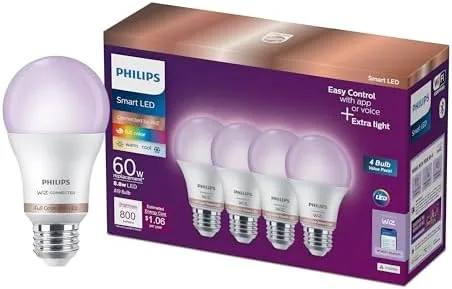

Smart lighting used to be a science project. You needed a hub, a separate app for each bulb brand, and a graduate degree in pairing before the first light turned on. The category has grown up since then, and a well built 4-pack of color bulbs can now transform a home with an afternoon of setup. This PHILIPS smart lighting set includes four A19 color bulbs with 800 lumens of output, motion detection, and both app and voice control. I installed the set across a living room, a hallway, and a bedroom and ran it for a month of scenes, schedules, and home automation. This review records how the whole package actually behaves.
Before the details, the standard note. This article contains affiliate links, and if you buy through one of them the site earns a small commission at no extra cost to you. That commission does not change what I test or what I recommend, and the bulbs reviewed here were installed and used the way a real household would use them.
This review looks at the build, the setup, the color and brightness quality, the motion and automation behavior, and who should buy a 4-pack over a single bulb.
Design and Build
Each bulb is a standard A19 shape with a classic E26 screw base, so it drops into any lamp, ceiling fixture, or light socket without an adapter. The exterior is a frosted glass diffuser that spreads light evenly, and the base is a matte plastic collar that hides the electronics. The bulbs are slightly heavier than a plain LED, which is normal for smart lighting, but they fit comfortably in standard fixtures.
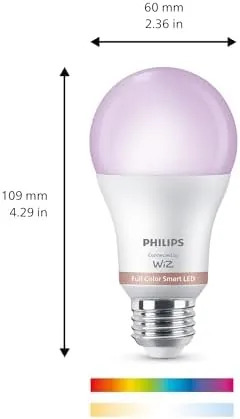
The build quality is exactly what the PHILIPS name suggests. The bulbs feel solid, the base threads are clean, and the finish does not scratch when handled. Over a month of daily use, including frequent on and off cycles and color changes, none of the four bulbs flickered, dropped off the network, or overheated. Even after an evening at full brightness the bulb is warm but not hot to the touch.
Key Features
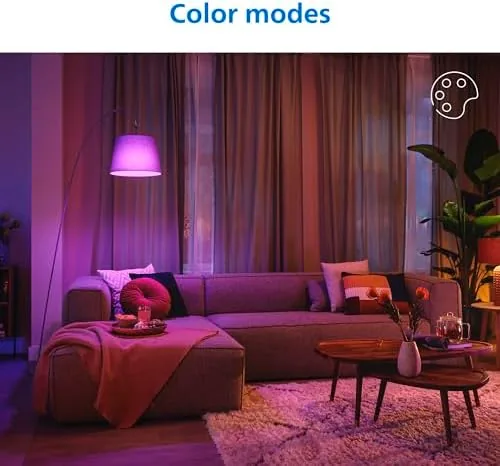
The headline feature is the full color range. Each bulb produces the entire spectrum from a warm cozy white to cool daylight, and then continues into the full palette of 16 million colors. You can set a bright neutral white for cooking, a soft amber for the evening, and a vivid blue or purple for a movie scene, all from the app. The 800 lumen output is equivalent to a 60 watt incandescent, which is the right brightness for a standard room lamp or a small ceiling fixture.
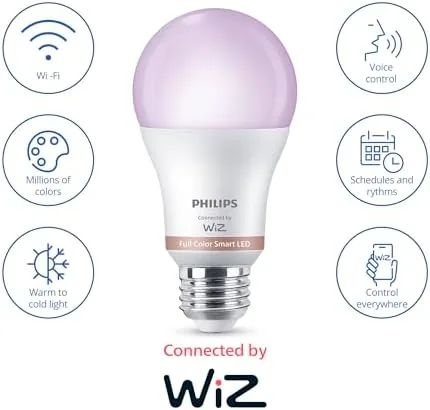
Motion detection is the second major feature, and it is what separates this set from a plain color bulb. The bulbs can respond to movement in their range, turning on when someone enters the room and switching off after a set delay. That makes them genuinely useful in a hallway, a closet, a bathroom, or a garage, where a light that turns on by itself saves you from fumbling for a switch. The motion response is configurable in the app, so you can set the sensitivity and the timeout to match how the room is used.
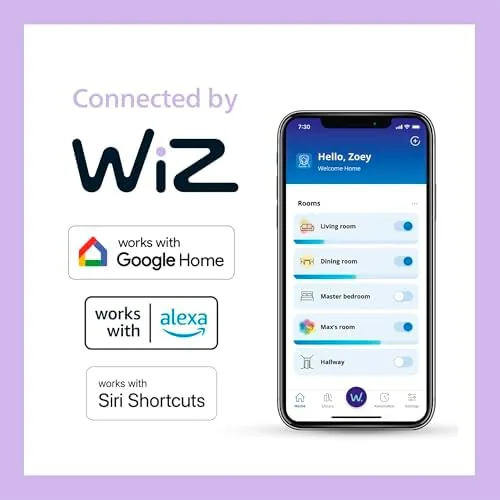
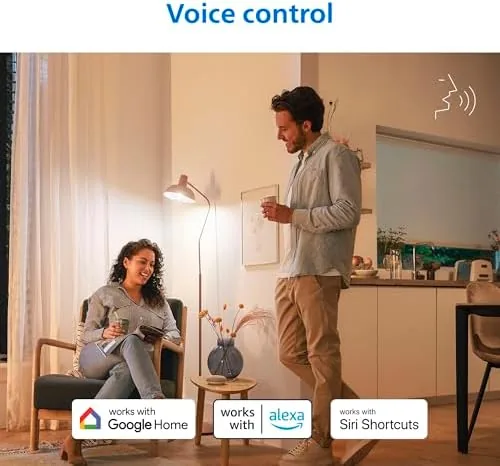
Control is the third pillar. The bulbs connect to your network and appear in the PHILIPS app, where you can group them into rooms, build scenes, and set schedules. The same setup works with the major voice assistants, so you can say a command to turn a room red, dim the lights, or shut everything off at bedtime. If you want to see the current price and bundle options, the Amazon listing for this PHILIPS smart bulb 4-pack is a useful reference.
Real-World Performance
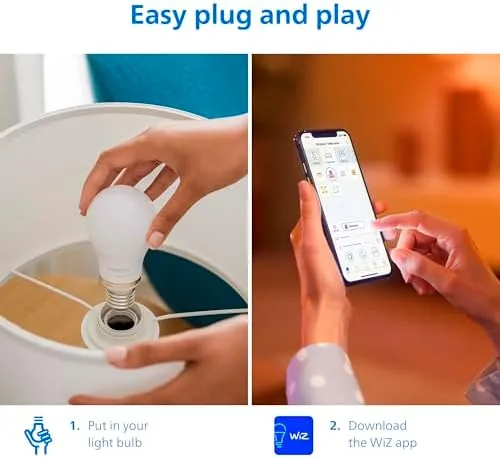
Setup took about twenty minutes for the whole set. I screwed each bulb into its fixture, turned it on, and walked through the pairing flow in the app. The bulbs connected to my network cleanly, and grouping them into the living room, hallway, and bedroom took another few taps. By the end of the evening I had scenes for every room and a schedule that turned the living room lights warm at sunset and off at bedtime.
The color quality is the strongest part of the package. Whites stayed clean without the sickly green tint that cheap color bulbs produce, and the saturated colors were vivid without looking neon. I set a cool white for a work session in the kitchen and a deep amber for the evening, and the difference in the feel of the room was immediate. Dimming was smooth all the way down with no flicker at the low end, which is a common failure point on budget bulbs.
Motion detection worked reliably where it mattered. I installed a bulb in a dark hallway and a bathroom, and the light turned on the moment I entered and switched off after the delay I set. The sensitivity was easy to tune, and once set, I did not touch it again. The hallway light came on for evening trips to the kitchen without a word spoken, which is the quiet win that makes smart lighting feel useful rather than a gadget.
Voice control was dependable from the first day. I asked a voice assistant to dim the living room, set the bedroom to a warm white, and turn the whole house off at bedtime, and each command worked without a retry. The app was responsive on both my phone and tablet, and scheduling survived a router reboot. During a brief internet hiccup the bulbs kept their last state and still responded to a physical switch, which is the correct fail safe behavior, but app control was offline until the connection returned.
The honest limitation is the architecture. The bulbs pair directly to the network, which keeps the setup simple, but for the most reliable automation at scale, a hub or bridge is the better foundation. Within a normal home setup with a few bulbs, the direct connection worked fine, and the 4-pack is an easy way to start without committing to hub hardware on day one.
Pros and Cons
Pros:
- Accurate whites and vivid colors across the full spectrum
- 800 lumens of smooth, flicker free brightness
- Motion detection works well in hallways and closets
- Clean app with rooms, scenes, schedules, and grouping
- Reliable voice control with the major assistants
- Standard A19 shape fits existing fixtures and lamps
Cons:
- A hub or bridge improves reliability in larger setups
- App control drops during internet outages
- Motion sensors work best in smaller enclosed spaces
- Premium price per bulb versus plain smart LEDs
How It Compares
Smart bulbs split between budget direct-connect models, premium hub based systems, and smart switches. The table below lines up the practical differences for a typical home.
| Feature | PHILIPS 4-Pack Color | Budget Color Bulbs | Hub Based Smart System |
|---|---|---|---|
| Color range | Full spectrum, accurate | Full spectrum, less accurate | Full spectrum, accurate |
| Motion detection | Built in | Rarely included | Requires separate sensors |
| Setup | App pairing, no hub | App pairing, no hub | Hub and app setup |
| Reliability | Good | Variable | Excellent at scale |
| Voice control | Yes | Yes | Yes |
| Flicker free dimming | Yes | Sometimes | Yes |
| Price | Moderate | Lowest | Highest |
Against budget color bulbs, the PHILIPS set wins on color accuracy, flicker free dimming, and the built in motion detection, which the budget models almost never include. Against a full hub based system, the hub wins on rock solid reliability and automation at scale, but it costs more, needs a hub on a shelf, and typically requires separate motion sensors. For most homes starting with a room or two, this 4-pack is the sweet spot: the motion detection and reliable color give you a complete smart lighting experience without the infrastructure.
Who Should Buy It
Buy this PHILIPS 4-pack if you want to start smart lighting in a few rooms without buying a hub, if you want color scenes and schedules controlled by voice, or if you want motion activated lights in a hallway, closet, or bathroom. It is also a thoughtful first step for a new smart home, because the set is easy to set up and the app experience is genuinely pleasant.
Skip it if you plan to automate a large multi room home with dozens of lights, where a hub based system will serve you better, or if your budget is tight, because cheaper bulbs cover basic color control for less. For a home that wants accurate color, reliable voice control, and built in motion sensing, this is one of the best complete kits available. You can check the current price of the PHILIPS smart bulb 4-pack on Amazon when you are ready to compare.
How We Test
I installed the 4-pack across a living room, a hallway, and a bedroom and used it for a month. I tested the full color range and white temperatures, judged brightness at every dim level, and set up scenes, schedules, and room grouping in the app. I configured motion detection in a hallway and a bathroom and tuned the sensitivity and timeout, and I ran the bulbs through daily voice assistant commands, including a home wide off at bedtime.
I did not test the bulbs in a large hub based system or with dedicated motion sensors, and I did not measure power draw with dedicated metering. For independent coverage of smart lighting across the category, The Verge keeps a practical guide to the best smart lights that is worth reading before you decide. The PHILIPS smart bulb 4-pack listing on Amazon shows the current price and available bundles.
PHILIPS Smart Light Bulb 4-Pack: Questions People Ask
Do these bulbs need a hub or bridge?
The bulbs connect to your network and can be set up with the PHILIPS app directly, though a compatible bridge or hub unlocks the most reliable automation and works best in larger installations.
What colors and brightness do the bulbs support?
Each bulb produces the full color spectrum from warm white to 16 million colors at up to 800 lumens, which is roughly a 60 watt equivalent for a standard room.
How does the motion detection work?
The bulbs can respond to motion within range of their built in sensors, turning on when someone enters the room and turning off after a set delay, which makes them useful for hallways and closets.
Can I control the lights with a voice assistant?
Yes, the bulbs work with the major voice assistants, so you can change color, dim the lights, or turn them off with a simple spoken command in any room.
As an Amazon Associate, I earn from qualifying purchases.