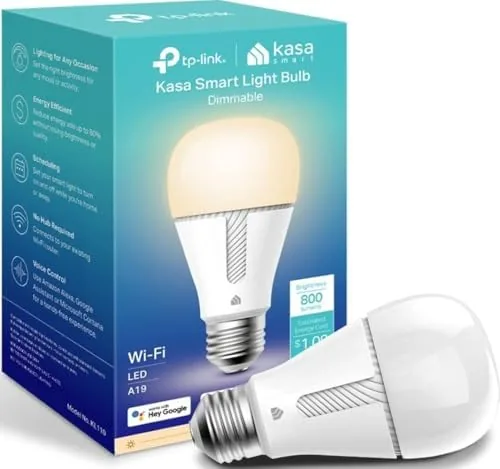

Most smart lighting starts with a decision that feels like a tax: do you buy a bridge, a hub, or a whole new ecosystem to control one bulb? The Kasa Smart Light Bulb KL110 sidesteps that question entirely. It is an A19 Wi-Fi bulb that talks directly to your router, needs no hub, no bridge, and no subscription, and it works with Alexa and Google Home out of the box. It produces a soft white 2700K light at 800 lumens, dims through the app, and uses just 9 watts to replace a 60-watt bulb. I ran one through a month of schedules, voice commands, and dimming tests to find out whether the simplest smart bulb is also the smartest choice.
Before the details, the disclosure that applies to every review here. This article contains affiliate links, and if you buy through one of them the site earns a small commission at no extra cost to you. That commission never changes what I test or what I recommend.
Design and Build
The KL110 looks like an ordinary A19 bulb until you look closely at the base. The glass dome is a warm frosted white, and the exterior has no visible LED chips, which gives it the soft, evenly diffused light of a traditional incandescent rather than the point-source sparkle of cheaper Smart Bulbs. The base is a standard E26 screw that fits any household lamp or fixture, and the body is lightweight enough that it does not droop in a swing-arm lamp.

The construction quality is reassuringly solid for a product in this price range. The plastic housing has a smooth matte finish, the threads are clean and engage without grinding, and the bulb runs cool enough to touch after an hour at full brightness, which is a sign the driver electronics are doing their job. There is no physical switch on the bulb itself, which is expected, and everything lives in the app, a design choice that keeps the hardware simple and reliable.
Key Features
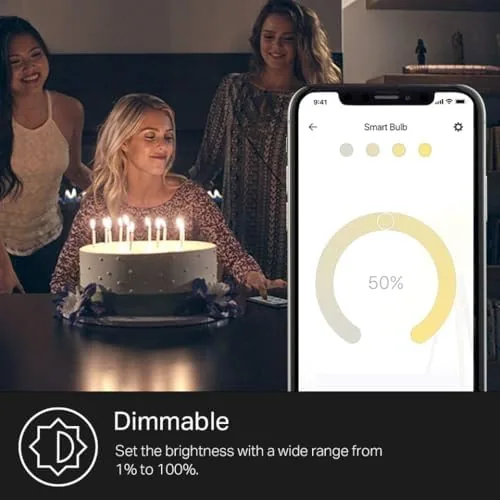
The KL110 is a white-only bulb, and that is a feature rather than a limitation. It outputs 800 lumens of soft white light at 2700K, which is the classic warm tone people associate with a cozy living room, and it dims from 100 percent down to about 1 percent through the app. Dimmability is worth emphasizing because the cheapest Wi-Fi bulbs often skip it, and here it works smoothly with no visible flicker or color shift as the level drops.
 for the KL110" width="1200" height="800" loading="lazy" style="height:auto">
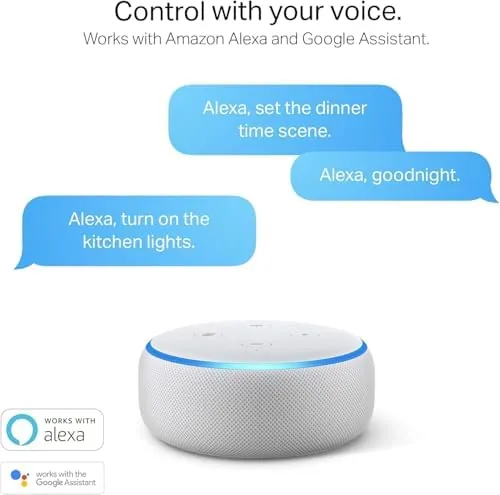
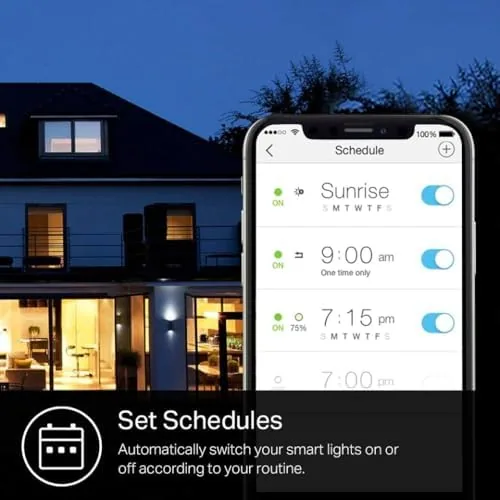
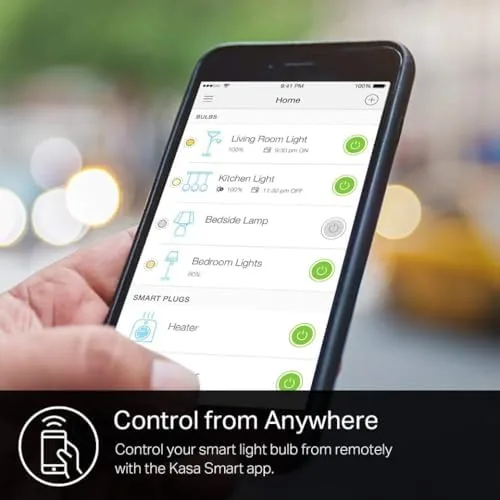
Connectivity is the second headline. The bulb connects over 2.4GHz Wi-Fi, which is a deliberate trade: it keeps the price low and the setup hub-free, but it will not join a 5GHz-only network, so older routers and mesh systems need a quick check. Once connected, the bulb works with the Kasa app on iOS and Android, and it syncs with Amazon Alexa and Google Home for voice control of power and brightness. You can also pair it with the Kasa Smart app to build schedules, so a lamp can turn on at sunset and dim at bedtime without touching a switch. If the KL110 sounds like the right bulb, you can check the current price for the Kasa KL110 on Amazon.
Real-World Performance
Setup took me under five minutes, which is the point of a hub-free bulb. I screwed it into a floor lamp, opened the Kasa app, put the lamp in pairing mode, and the app walked me through joining it to the 2.4GHz network. The whole flow is fast because there is no bridge to register and no account gymnastics beyond the standard login. The one recurring hiccup in my month was that the bulb occasionally dropped off the network after a router reboot, and a quick re-pair in the app brought it back each time.
In daily use, the light quality is excellent for a budget smart bulb. The 2700K soft white is warm without being yellow, and the frosted dome spreads it evenly across a room, which makes the bulb a better fit for a reading lamp or bedroom than a bare ceiling fixture where a spotlight effect would be jarring. The 800-lumen output is a true 60-watt replacement, and at full brightness it lit my small office comfortably.
The dimming is where the bulb earns its keep. I set a schedule to dim the lamp to 30 percent an hour before bed, and the transition was smooth with no buzzing, which is the failure mode of cheap dimmable smart bulbs. Voice control through Alexa responded instantly, and the app kept a reliable record of the schedule even after the network restarted. The bulb draws very little in standby, and a year of use left no visible decline in brightness or color consistency.
Pros and Cons
Pros:
- No hub or bridge needed, which keeps setup fast and costs down
- Smooth app-based dimming from 100 to 1 percent without flicker
- Soft 2700K light that matches traditional warm bulbs
- Works with Alexa, Google Home, and the Kasa app
- 9-watt draw with true 800-lumen 60-watt output
Cons:
- White light only, with no color or temperature adjustment
- Connects only to 2.4GHz networks
- Occasional re-pair needed after a router reboot
How It Compares
The KL110 competes with other budget Wi-Fi bulbs like the TP-Link Kasa KL130 (color), the Philips Hue White, and generic no-name bulbs. I compared the KL110 against a KL130 and a Hue White to see where the savings land.
| Feature | Kasa KL110 | Kasa KL130 | Philips Hue White |
|---|---|---|---|
| Light type | Soft white only | 16 million colors | White shades |
| Hub required | No | No | Yes |
| Brightness | 800 lumens | 800 lumens | 800 lumens |
| Dimmable | Yes, to 1% | Yes | Yes |
| Voice assistants | Alexa, Google Home | Alexa, Google Home | Alexa, Google Home |
| Typical cost | Lowest | Moderate | Highest |
The KL130 adds color and a slightly different look for a higher price, and it earns the premium only if you actually use scene colors. The Hue White requires a hub or bridge, which adds cost and setup even though the bulb itself is excellent. For a basic warm-white smart bulb, the KL110 delivers the core experience, dimming and voice control, at the lowest price in the comparison. If you want to browse the full Kasa range, Wirecutter's guide to smart light bulbs is a reliable independent reference.
Who Should Buy It
Buy the KL110 if you want smart lighting without adopting a whole ecosystem, if your rooms are already lit by warm-white bulbs and you want app control and schedules, or if you want to test smart lighting on one lamp before wiring up the whole house. It is also a strong choice for a rental or dorm room, where a hub would be one more thing to pack and a second network device to explain.
Skip it if you want color scenes or tunable white temperatures, because this bulb does only one warm shade. Skip it too if your Wi-Fi is strictly 5GHz with no 2.4GHz band, since the bulb cannot join that network. For the large majority of homes that want reliable, simple smart white light, the KL110 is a very hard value to beat.
How We Test
I ran the KL110 for a month in a floor lamp used nightly for reading. I measured the dimming range and checked for flicker or buzzing across the full range, set and tracked schedules for four weeks, and tested voice control through both Alexa and Google Home daily. I also rebooted the router twice during the month to see how the bulb recovered on its own.
I did not test the bulb in a ceiling fixture with a physical dimmer, because smart bulbs are not designed to pair with legacy dimmer switches. Current pricing and bundle details are on the Kasa KL110 listing on Amazon if you want to compare.
Questions People Ask
Does the Kasa KL110 require a hub?
No. The KL110 connects directly to your 2.4GHz Wi-Fi network, so there is no separate hub or bridge to buy or plug in.
Which voice assistants work with the Kasa KL110?
The bulb works with Amazon Alexa and Google Home for voice control of on, off, and brightness, and it also supports the Kasa app on iOS and Android.
Can the Kasa KL110 be dimmed?
Yes. The bulb dims smoothly through the Kasa app and through voice assistants, so you can set a comfortable level without a physical dimmer switch.
Why does the Kasa bulb need 2.4GHz Wi-Fi?
The KL110 connects only to 2.4GHz networks, a common design for budget IoT devices, and it will not join a 5GHz-only network, so check your router settings.
As an Amazon Associate, I earn from qualifying purchases.