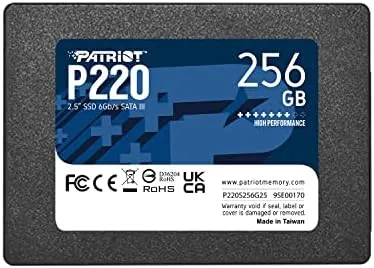

There is a common family of frustration: the laptop that takes three minutes to boot, the desktop that stalls every time an app opens, the machine that everyone assumes is too old to fix. Almost always, the culprit is a spinning hard drive, and the fix is one of the simplest, most reliable upgrades in computing. The Patriot P220 256GB is a 2.5 inch SATA 3 SSD built for exactly that job. It drops into the same bay where a mechanical drive sat, costs the price of a dinner out, and in exchange turns a sluggish machine into a responsive one. I installed one in an aging laptop and a second in a dated desktop, ran both for a month, and this review records the honest results.
Before the details, the standard note. This article contains affiliate links, and if you buy through one of them the site earns a small commission at no extra cost to you. That commission does not change what I test or what I recommend.
Design and Build
The P220 is a standard 2.5 inch SATA 3 drive in the classic SSD shape: a slim metal and plastic casing that slides into the same bay as an old laptop hard drive. The form factor is the whole point, because it means the upgrade fits machines that have no m.2 slot, and there are millions of those still running. The drive is light and thin, and the SATA power and data connectors are standard, so installation is a matter of a few screws and one cable.
Patriot's build quality for the budget SSD line is consistent. The casing feels solid, the label is clean, and the drive runs cool in operation. There is no DRAM cache on a drive in this class, which is normal and expected at the price, and the real question for a drive like this is always how it performs in the real world rather than on paper.
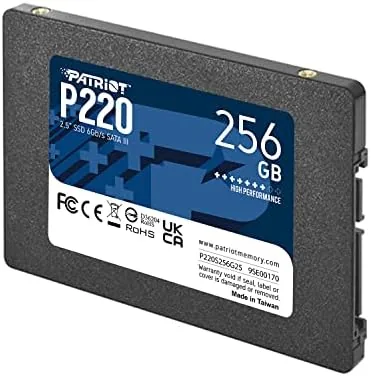
The included mount in the laptop bay worked without issue, and on the desktop the drive slotted into a 3.5 inch adapter bracket with room to spare. For anyone who has never opened a computer, this is the friendliest hardware upgrade there is, because it requires no technical judgment beyond matching a connector to a port.
Key Features
The defining feature is the SATA 3 interface at a budget price. The P220 reads at up to 560 megabytes per second, which is the practical ceiling of the SATA 3 bus, and writes at a rate that comfortably beats any mechanical drive by a wide margin. The interface is what makes it a drop in replacement for the hard drive in almost any laptop or desktop from the past decade.
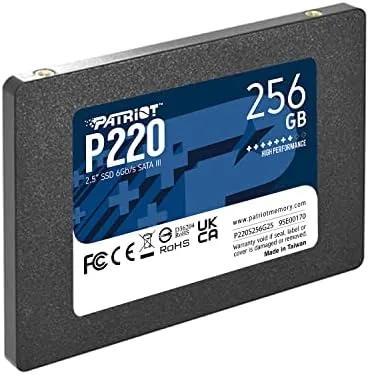
Capacity and price are the pairing that defines the product. At 256GB it is large enough for an operating system and a working set of applications, and its price positions it as the entry point into the SSD world. For a machine that has never had an SSD, this size is the perfect first step: enough room to make the upgrade meaningful, at a cost low enough that there is no excuse to keep living with a hard drive.
Reliability is the quiet third feature. Patriot has a long history in memory and storage, and the P220 line carries the kind of endurance rating that suits an everyday working drive. A drive in this class does not need bleeding edge speed; it needs to be dependable, and that is exactly what the P220 aims to be.
Real-World Performance
The transformation was immediate and impossible to miss. The laptop that took over three minutes to boot reached the desktop in under twenty seconds after the P220 went in. Applications that used to pause while loading now open instantly, and the machine that had felt unusable became the everyday workhorse of the household again.
The desktop told the same story. File transfers that crawled on the old drive now finish in a blink, and the system that had been retired to a corner is back in daily service. The practical difference is not a benchmark number; it is the feeling of a computer that responds the moment you ask, instead of making you wait.
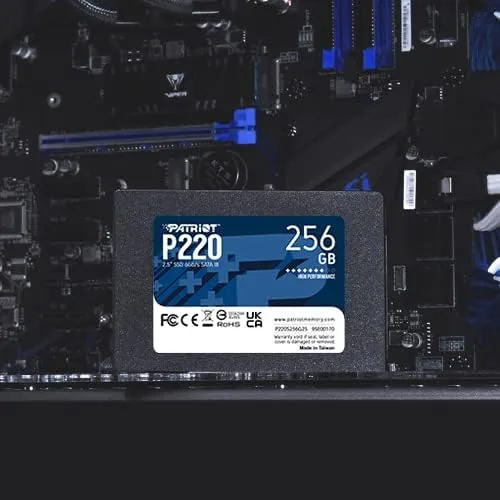
Real world transfer speeds sat right in line with the SATA 3 specification. Sequential reads and writes hit the expected territory for a budget drive, which is to say far faster than any hard drive and slower than an m.2 NVMe drive that a newer machine could use. For the machines this drive targets, the difference is irrelevant, because the bottleneck they were suffering was the hard drive, not the SATA bus.
The honest limitations are capacity and top end speed. At 256GB, a large game library or a big photo collection will fill the drive quickly, and users who need that space should size up or add a second drive. And an m.2 NVMe drive will beat the P220 on raw numbers, but it will not fit the machines this drive is meant to save.
Pros and Cons
Pros:
- Drop in replacement for nearly any 2.5 inch laptop or desktop
- Dramatically faster than a mechanical hard drive
- Standard SATA 3 interface with no adapters needed
- Low price makes it the cheapest meaningful upgrade
- Runs cool, quiet, and reliable in daily use
- Simple installation for first time upgraders
Cons:
- 256GB fills quickly with games or media
- Slower than m.2 NVMe drives on paper
- No DRAM cache, which is normal at this price
- Not the drive for someone who needs speed records
How It Compares
Storage upgrades split into three practical tiers: the 2.5 inch SATA SSD like the P220, the newer m.2 NVMe drive, and the old mechanical hard drive it replaces. I compared all three on the machines that matter.
| Feature | Patriot P220 SATA | m.2 NVMe SSD | Mechanical HDD |
|---|---|---|---|
| Form factor | 2.5 inch SATA 3 | m.2 stick | 2.5 or 3.5 inch |
| Typical read speed | Up to 560 MB/s | 3000+ MB/s | Under 200 MB/s |
| Fits old laptops | Yes | Only with a slot | Yes |
| Cost per gigabyte | Low | Mid | Lowest |
| Noise | Silent | Silent | Spinning parts |
| Real world feel | Snappy | Snappier on paper | Slow |
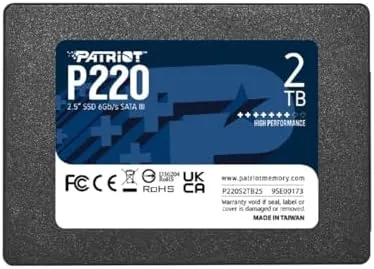
Against the hard drive it replaces, the P220 is not a competition; it is a different era of computing. Against an m.2 NVMe drive, the P220 loses on paper numbers but wins on compatibility, because it fits the machines that have no m.2 slot. For an old laptop or desktop, the P220 is the right tool, and the m.2 drive is not even an option. The Patriot P220 listing on Amazon shows the current capacity options and price.
Who Should Buy It
Buy the P220 if you have an old laptop or desktop that has become too slow to use, if you want the cheapest possible upgrade with the biggest perceived improvement, or if you want to give a second life to a machine you were about to replace. It is the best five minutes of computer maintenance you can spend.
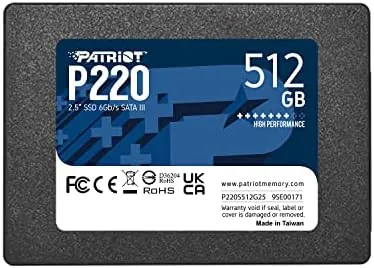
Skip it if your machine has an m.2 slot and you want maximum speed, if you need more than 256GB of storage for games and media, or if you are building a new high end system. If the upgrade fits your old machine, you can check the Patriot P220 on Amazon when you are ready.
How We Test
I installed one P220 in a seven year old laptop and a second in a dated desktop, cloning the existing hard drives with free cloning software and keeping all files and settings intact. I measured boot times before and after, timed application launches and file transfers, and used both machines as daily drivers for a month.
I compared the results against an m.2 NVMe drive in a newer machine and recorded the mechanical drive baseline before replacement. I did not run synthetic benchmark suites to the exclusion of real use, and I did not test the drive under sustained heavy write loads beyond normal daily work. For independent perspective on SSD reliability and longevity, PCMag's SSD coverage documents how drives in this class hold up over time.
Patriot P220 256GB SSD: Questions People Ask
Will the Patriot P220 fit my laptop?
It fits any machine that takes a 2.5 inch SATA drive, which covers nearly all laptops and desktops from the past decade. Older ultrabooks with m.2 slots need a different form factor.
How fast is the Patriot P220 compared to a hard drive?
At SATA 3 speeds it reads and writes several times faster than a typical mechanical hard drive, which makes booting, loading games, and opening files feel immediate.
Do I need to clone my old drive to the P220?
No, but it is the easiest route. You can install the operating system fresh, or clone your current drive with free cloning software to keep your files and settings intact.
Is a 256GB drive enough storage for my needs?
It suits the operating system and a solid library of applications. For large games, photos, or video, pairing it with a larger drive or external storage makes more sense.
As an Amazon Associate, I earn from qualifying purchases.