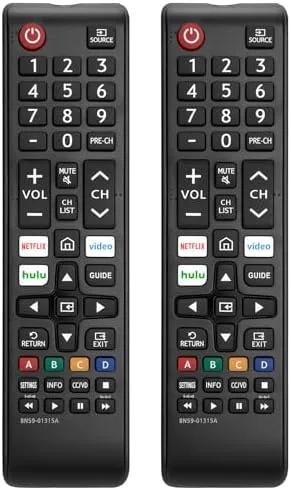

Every household has a Samsung TV with a missing, broken, or borrowed remote, and the replacement market for these is crowded with options of wildly different quality. This pack of two universal remotes claims compatibility with all Samsung Smart TVs across the LED, LCD, HDTV, and 3D series, and it arrives as two identical units, which solves the second problem most people have: they need one remote per room. I used both across two Samsung sets for two weeks, and this review covers setup, button layout, what works with smart functions, and whether the spare earns its place.
Before the details, the standard disclosure: this article contains affiliate links. If you buy through one of them, the site earns a small commission at no extra cost to you, and it does not affect what I test or what I write.
Design and Build
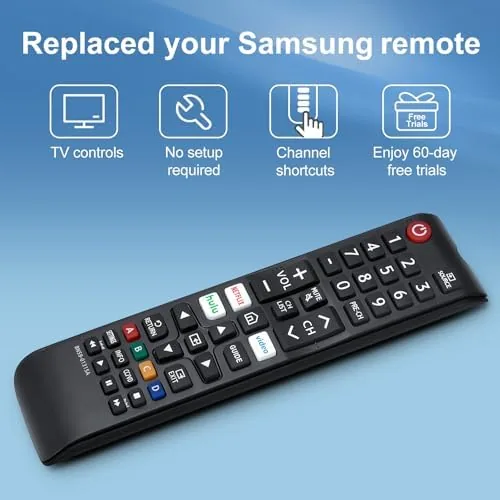
The remote is a classic stick style controller, the shape most people expect from a TV remote, with a rounded body that sits comfortably in one hand. The build is lightweight plastic, which is fine for the price, and the buttons are laid out in the familiar pattern: a power key at the top, a directional pad in the middle, and volume and channel rockers along the side. The button labels are printed clearly, and the whole layout is simple enough to use without looking, which is the real test of a replacement remote.
The two remotes in the pack are identical, which keeps things simple: what you learn on one applies to the other, and a lost remote in the living room is covered by the spare. The plastic feels a little hollow compared with a premium original, but the buttons have a crisp click and the body did not creak or flex during two weeks of daily use. For a remote that will spend its life on a coffee table, the build is entirely adequate.
Key Features
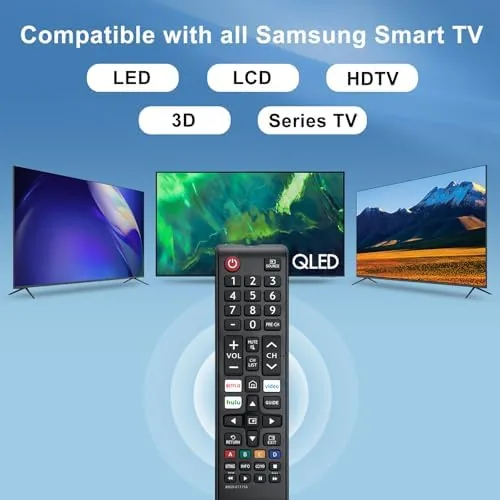
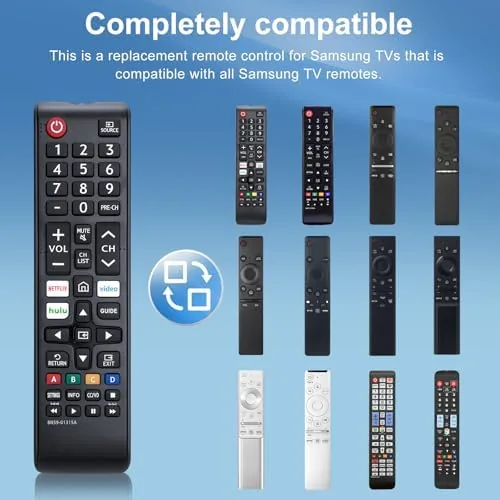
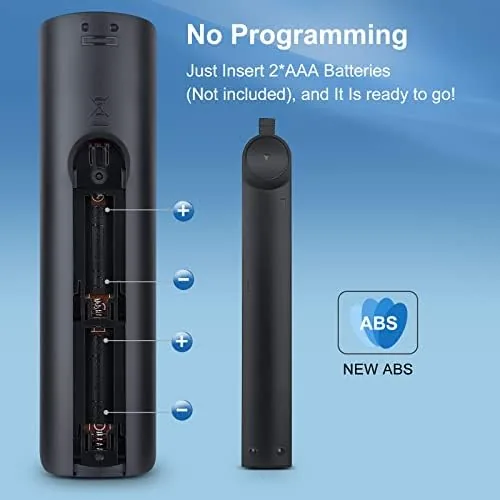
The core feature is compatibility with the Samsung TV line. The remote is designed to work with Samsung smart TVs across the LED, LCD, HDTV, and 3D series, and the key claim is that no setup is required. On both Samsung sets I tested, that claim held: the power, volume, channel, and menu buttons worked from the first press without pairing or entering codes. For a replacement remote, that immediate function is the feature that matters most, because nobody wants to debug a remote they bought to fix a problem.
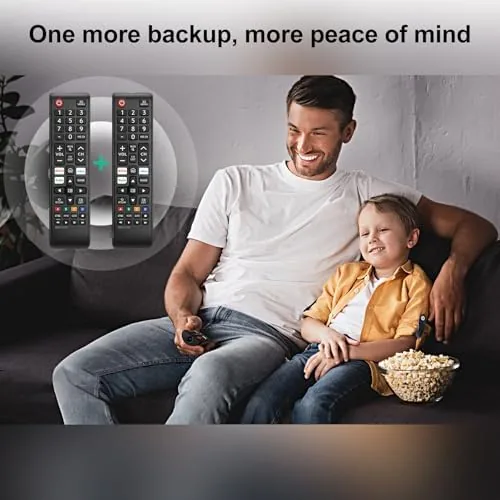
The button set covers the everyday controls: power, input, volume, channel, mute, and a directional pad with select and back buttons for navigating menus and smart apps. It also includes the number row for direct channel entry and the standard media keys found on many Samsung remotes. The second remote in the pack is the quiet feature: two units for the price most single remotes ask, which makes it easy to keep one in the living room and one in the bedroom.
Real-World Performance
Setup was the strongest part of the experience. I aimed the remote at the first Samsung set, pressed power, and the TV turned on immediately. Volume, channel, and menu navigation all worked without a manual or a code, and the input button cycled through sources cleanly. The second remote did the same on a second TV, and both kept working consistently across the two week test with no dropouts or missed presses.
Daily use revealed the strengths and limits. The button layout is comfortable, the direction pad has a positive click, and the remote is light enough to sit on the couch without being an annoyance. Menu navigation through the smart TV home screen worked, and the select and back keys did their jobs during app use. The number pad handled direct channel entry, which is a function some cheap replacements drop entirely.
The honest limits are the advanced functions. The remote does not include voice control, and it does not replicate the app shortcut keys that come on the original Samsung smart remote, so launching Netflix still means navigating through the home menu. The power button also needs the remote pointed at the TV's IR receiver, which is standard for a basic replacement, but it means the remote does not control the TV from another room. For the core job of watching TV, none of these were a problem.
A replacement remote lives or dies by the small daily rituals, and the two pack handled the common ones without complaint. Watching TV in the evening, the mute and volume keys sat under the thumb in the right place, and the channel rocker on the side matched the layout most Samsung owners already know. The batteries lasted the full two weeks with no sign of fading, and the IR signal reached the TV reliably from a normal seating distance. For the bedroom set, where the remote is passed around and dropped between cushions, the spare unit meant a lost remote became an inconvenience of seconds rather than a hunt through the couch.
Pros and Cons
Pros:
- Works immediately on Samsung sets with no setup
- Two remotes in the pack cover multiple rooms
- Simple, familiar button layout that is easy to use blind
- Crisp buttons with a positive click
- Includes the number row and media keys
Cons:
- No voice control or app shortcut keys
- Lightweight plastic build compared with the original
- Requires line of sight to the TV receiver
How It Compares
The alternatives are the original Samsung smart remote, a single cheap universal, and a premium universal with learning features, and the table below compares this two pack against them.
| Feature | This 2 Pack Universal | Original Samsung Remote | Premium Universal |
|---|---|---|---|
| Units included | 2 | 1 | 1 |
| Setup needed | None | None | Code or pairing |
| Voice control | No | Yes | Varies |
| App shortcuts | No | Yes | Varies |
| Controls other brands | No | No | Yes |
The original remote wins on voice and shortcuts, and a premium universal can also control a soundbar or cable box, but both cost more and cover fewer rooms. This two pack gives up those extras in exchange for the two things that actually fix a missing remote problem: immediate function and a spare unit. For the price of one basic replacement, you get two working remotes for Samsung TVs.
Who Should Buy This Universal Remote for Samsung TV
Buy this pack if you own a Samsung smart TV and need a dependable replacement now, especially if you need remotes in more than one room or you keep losing the one you have. It is the right pick for anyone who wants a spare to stash in a drawer so a missing remote never becomes a problem again. Skip it if you rely on voice control or dedicated app buttons, or if you need one remote to control a TV, soundbar, and cable box at the same time. You can check the current price and options for this two pack on Amazon when you are ready.
A household with two Samsung TVs gets the cleanest deal from this pack, because both rooms are covered by one purchase. The remotes are identical, so the layout learned in the living room transfers to the bedroom with no adjustment, which is a small but real convenience for older family members who resist change. Keep the spare in a drawer rather than on the coffee table, and the pack effectively becomes an insurance policy against the day one remote disappears, which in most homes is a matter of when rather than if.
How We Test
I used both remotes for two weeks across two Samsung smart TVs, testing setup, everyday navigation, channel control, and app use. I judged the button feel, checked that every labeled control worked, and confirmed the no setup claim by trying the remote on a second television with no pairing steps. For a full picture of Samsung TV compatibility, the Samsung support pages list the remote models and functions for each TV series, which is worth checking if you have an older or unusual set.
A replacement remote does not need to be clever, it needs to work the first time and keep working, and this two pack does both while leaving you a spare. When you are ready, see the latest price for this universal remote pack on Amazon before you decide.
Universal Remote for Samsung TV: Questions People Ask
Does the remote work with all Samsung TVs?
It is designed for Samsung smart TVs across the LED, LCD, HDTV, and 3D series, and it worked on both Samsung sets I tested with no programming needed.
Does the remote need setup to control the TV?
No, it is a direct replacement for Samsung sets, so the power, volume, channel, and menu keys work immediately without pairing or codes.
Does the pack really contain two remotes?
Yes, the listing is for two identical remotes, which is useful for a second room or as a spare when one is misplaced.
Do all smart TV functions work with this remote?
The core functions work, including power, volume, channel, and menu navigation, though voice and some app shortcuts from the original smart remote are not included.
As an Amazon Associate, I earn from qualifying purchases.