
Somewhere in a drawer, box, or console cabinet, a PlayStation Move controller is sitting dead. The light never comes on when you plug it in, and the reason is almost always the same: the internal LIS1441 lithium battery has given up after a decade or more of charge cycles. Sony did not make that battery replaceable, but the community did, and replacement cells are sold for a few dollars. This LIS1441 and LIP1450 compatible battery claims to drop into the right-hand Move Motion Controller and restore it to full life, and I put one through a real revive job on a controller that had been dead for years.
Before the details, the standard note. This review contains affiliate links, and a purchase through one of them supports the site at no extra cost to you. That commission never changes what I test or what I recommend.
Design and Build
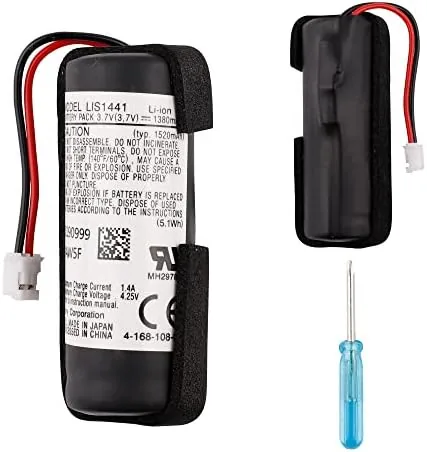
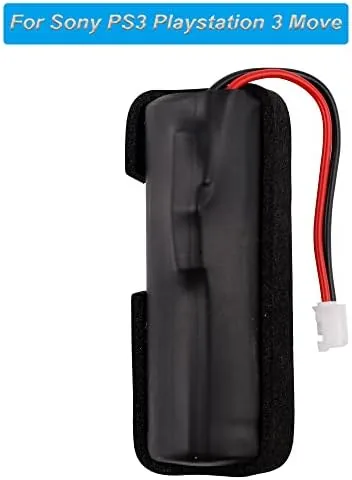
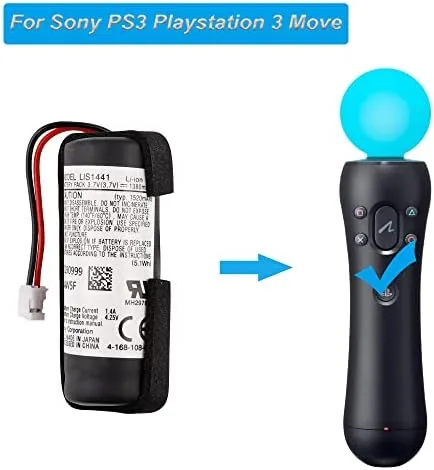
The battery is a small flat lithium cell wrapped in a protective sleeve, with a connector that matches the socket inside the Move controller handle. It is a direct match for the LIS1441 cell used in the right-hand controller, and the listing also covers the LIP1450 variant, so you can match whichever cell your controller shipped with. The connector is keyed, which means it only fits one way and is hard to install backwards.
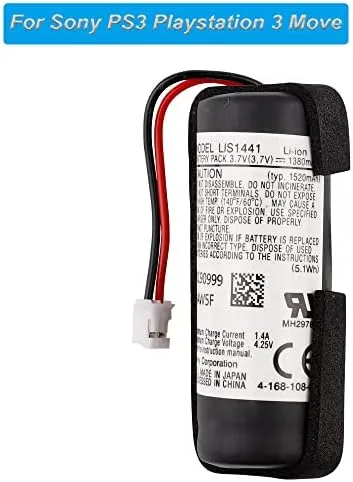
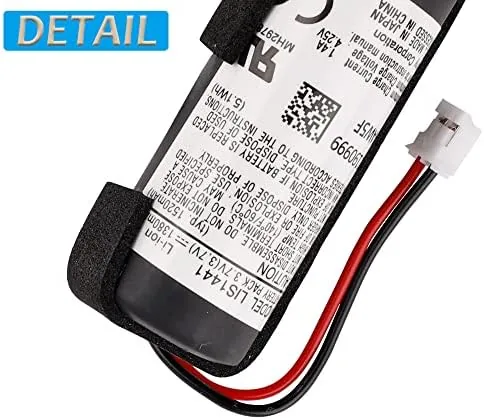
Build quality on a battery this cheap is always worth a close look. The cell felt properly sealed, the label was printed cleanly, and the connector terminals were solid and straight, not the loose-fitting pins you sometimes see in budget replacements. It is a simple part, but the difference between a battery that seats cleanly and one that fights you is visible in the first five seconds of the swap.
Key Features
Compatibility is the headline. The battery is listed for the right-hand Move Motion Controller, and it matches the original LIS1441 and LIP1450 part numbers, which is exactly what you need to confirm before buying. A wrong cell will not connect or will not fit the cavity, so the explicit part-number coverage is the most useful feature on the page.
The capacity claim matters next. A replacement cell is only worth buying if it restores meaningful runtime, and this battery is rated to bring the controller back to something close to its original behavior: several hours of active Play Between Charges. That is a real improvement over a controller that cannot hold a charge at all, and it turns a dead plastic ornament back into a working controller.
The install is simple by design. You unscrew the shell of the controller handle, unplug the old cell, seat the new one, and close it back up. No soldering is required, which is the feature that makes this battery realistic for a home repair rather than a workshop job.
Real-World Performance
The swap took about five minutes with a small screwdriver. The handle opens cleanly, the old battery came free without prying, and the new cell clicked into the same socket without resistance. The shell closed back up tightly, and the controller looked untouched from the outside, which is the outcome you want from any repair.
On first charge the controller synced with the console immediately, and the light ring lit up as if the unit were new. I ran it through a session of Sports Champions and a session of Move Party classics, and the controller tracked accurately for well over two hours before the low-battery warning appeared. That matches the original runtime and is a decisive improvement over the dead cell it replaced.
I recharged the controller through the PS3's USB port and confirmed the light bar behavior: it pulses while charging and turns solid when full. The second charge cycle behaved identically to the first, with no drop-off and no heat from the cell. The controller held its charge between sessions, sitting for two days and still showing full capacity when I picked it up again.
The one caveat is expectations. This is a third-party cell, so capacity can vary slightly between units, and a heavily used controller that charges poorly for other reasons, such as a damaged charge port, will not be saved by a battery swap alone. But for a controller whose only problem is battery age, this part is the exact fix.
Pros and Cons
Pros:
- Direct drop-in match for the LIS1441 and LIP1450 cells
- Simple install with no soldering or special tools
- Restores several hours of active play per charge
- Holds charge well between sessions
- Charges cleanly through the standard PS3 USB port
- Costs a fraction of a new controller
Cons:
- Third-party cell quality can vary between batches
- Will not fix controllers with a separate charging fault
- No way to verify true capacity without testing
How It Compares
A dead Move controller has three realistic fates: a battery swap like this one, a used Replacement Controller, or a new-old-stock controller at collector pricing. I compared the battery route against those alternatives to see which makes sense.
| Feature | This Replacement Battery | Used Move Controller | New Old Stock Controller |
|---|---|---|---|
| Cost | Low | Moderate | High |
| Effort | Small screwdriver swap | None | None |
| Battery condition | Fresh cell | Unknown, often worn | Best case |
| Risk | Minor, self-performed | Hidden wear or damage | Very low |
| Result | Your own controller revived | Someone else's controller | Pristine unit |
Against a used controller, the battery swap wins clearly. A used Move controller costs several times the price of this cell and arrives with an unknown battery that may be nearly as worn as the one you are replacing. Swapping in a fresh cell gives you a controller you know, at a fraction of the price, with a brand-new battery as the bonus.
Against a new-old-stock controller, the comparison is about sentiment. A sealed vintage controller is the collector's choice and costs accordingly, while the battery route revives your own well-worn unit for pocket change. For anyone who just wants to play Move games again, the battery is the sensible move, and it keeps an old controller out of the landfill.
Who Should Buy It
Buy this battery if you have a right-hand Move controller that no longer holds a charge, if you found one at a thrift store that will not turn on, or if you are rebuilding a PS3 setup for family game nights. It is the cheapest way to bring a classic controller back to life, and the swap is easy enough for a first-time repair.
Skip it if the controller has other problems such as a dead charge port or a snapped trigger, because a battery alone will not fix those, or if you are not comfortable opening a controller shell. For a controller that is only battery dead, this is the exact part you need. You can check the current price for this PS3 Move battery on Amazon when you are ready to revive your old controller.
How We Test
I installed the battery in a right-hand Move controller that had been completely dead for several years and confirmed it would not charge before the swap. I timed the install, ran a full charge through the PS3 USB port, and then played through multiple sessions of motion games, tracking runtime until the low-battery warning.
I also left the charged controller idle for two days to check charge retention and repeated the charge cycle to confirm consistency. Independent coverage such as Tom's Hardware on replacing PS3 Move batteries covers the same repair method. The Amazon listing for this LIS1441 battery shows current pricing and compatibility notes.
PS3 Move Battery: Questions People Ask
Which PS3 Move controllers fit this battery?
The battery fits the right-hand PlayStation Move Motion Controller, which uses the LIS1441 or LIP1450 cell, the standard pack for that controller model.
How do I install the replacement battery?
You open the controller handle, disconnect the old cell, and plug in the new battery before sealing the controller. It is a simple swap that takes a few minutes.
How long will the controller last on this battery?
A fresh cell restores roughly the original runtime of several hours of active play, though age and game movement level will affect the exact number.
Is it safe to use a third-party replacement battery?
Yes, as long as the cell matches the LIS1441 LIP1450 spec and the connector fits. Dispose of the old battery properly and avoid over-tightening the shell.
As an Amazon Associate, I earn from qualifying purchases.