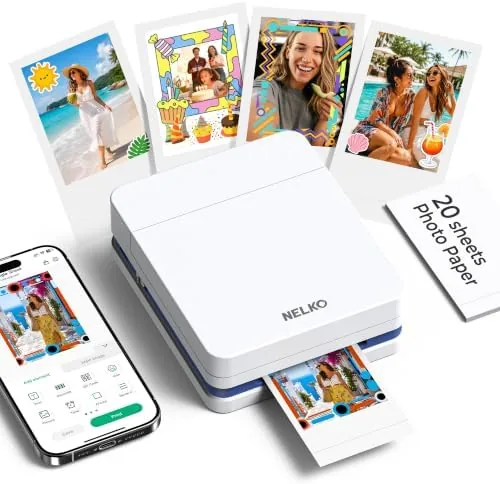

There is a particular joy in holding a printed photograph, the same joy that made people fill scrapbooks long before smartphones existed. The Nelko PP01 brings that joy back in a small white printer that fits in a bag, connects to an iPhone or Android phone over Bluetooth, and turns your camera roll into peel-and-stick 2x3 prints. The sticky-back paper means every photo doubles as a label, a scrapbook element, or a fridge decoration. I spent a month printing with the PP01, and this review covers how it prints, how the app works, and whether it earns a place on your desk.
Before the details, the standard note. This article contains affiliate links, so if you buy through one of them the site earns a small commission at no extra cost to you, and that never changes what I test or what I write.
Design and Build
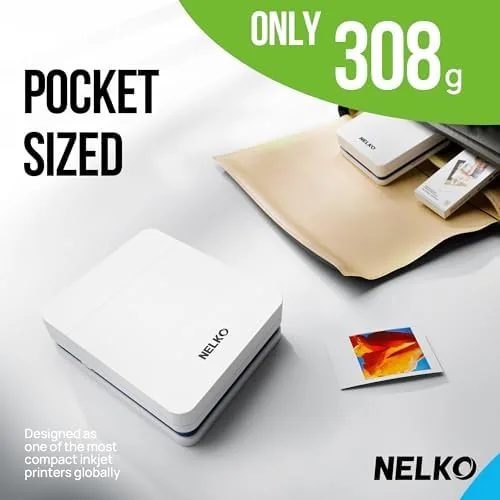
The PP01 is a small, tidy block of white plastic about the size of a compact mirror or a bar of soap held sideways. There is no screen and no control panel, just a single power button and a small status light, which makes the whole design feel approachable. The top opens like a lid to load paper and ink, and the whole unit weighs little enough to toss into a tote or backpack without thinking about it.
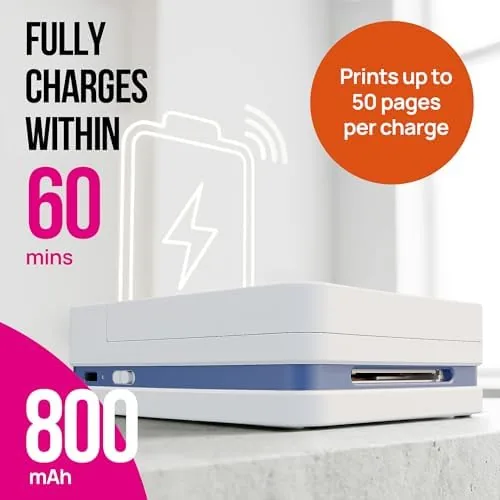
The build is simple but solid for a budget portable printer. The plastic feels sturdy rather than creaky, the lid hinges cleanly, and the paper feed grips the sheets without jamming during my testing. The printer charges over USB, and the battery handled a generous printing session before needing a top up, which makes it genuinely portable rather than a desk ornament that happens to have a handle.
 Cartridge" width="1200" height="800" loading="lazy" style="height:auto">
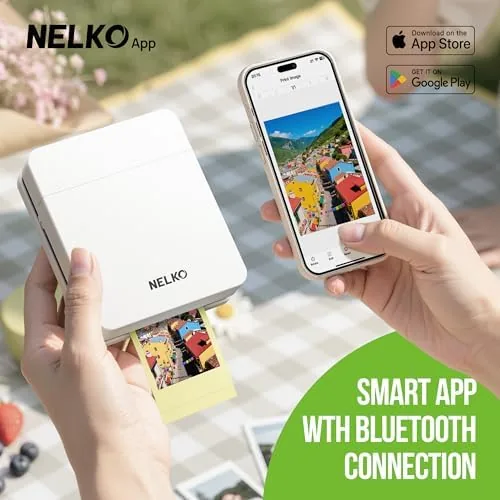
Setup is genuinely simple. You load the paper pack, slot in the ink cartridge, pair the printer to your phone over Bluetooth, and open the free Nelko app. The app walks you through the first print, and within a few minutes of opening the box I had a printed photo in my hand. There is no Wi-Fi setup, no account drama, and no printer driver, which is exactly what a casual user wants.
Key Features
The defining feature is the 2x3 sticky-back print. Each print is a small rectangular photo with a peel-and-stick adhesive on the back, so you can press it straight into a notebook, journal, scrapbook, or onto the fridge without tape or glue. That sticky back changes what the printer is for: it becomes a scrapbooking tool, a label maker for kids, a photo album builder, and a way to decorate a dorm room all in one.
Bluetooth connectivity works on both iPhone and Android, and the connection held reliably across my month of testing. The Nelko app handles the whole workflow: you pick a photo from your library, crop or zoom it to the print size, add frames or text if you want, and hit print. The app also includes AI editing tools that can enhance a photo, which sounds like a gimmick but genuinely helped sharpen a few soft indoor shots before printing.
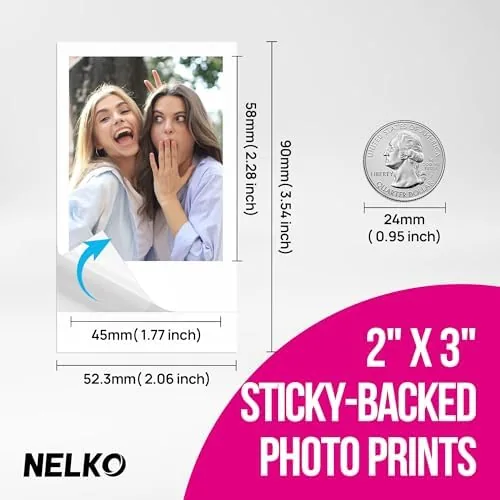
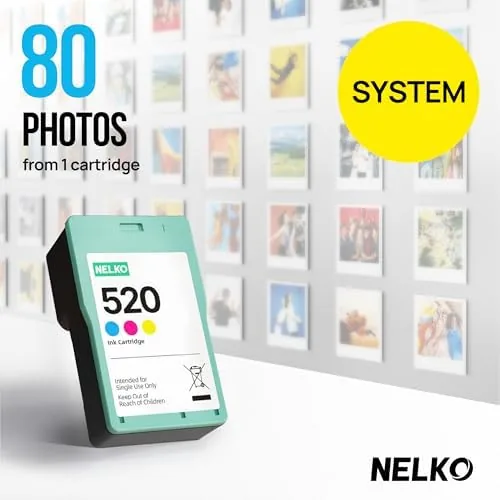
As an inkjet printer, the PP01 differs from the dye-sublimation pocket printers that dominate this category. Inkjet uses a liquid ink cartridge sprayed onto special paper, which keeps the hardware cost down and makes the replacement supplies cheaper per sheet. The prints come out with the slightly glossy look of a standard inkjet photo, and the sticky backing is applied to the paper itself before printing.
Real-World Performance
Print quality is the test that matters, and the PP01 performs well for its class. Colors are bright and reasonably accurate, with natural skin tones in portrait shots and vivid saturation in landscapes. The 2x3 size forgives a lot, since fine detail is compressed to a small area, but text edges and the fine lines in photos printed crisp enough for the size. The prints dry quickly and the sticky back held firmly when I pressed photos into a journal and onto the fridge.
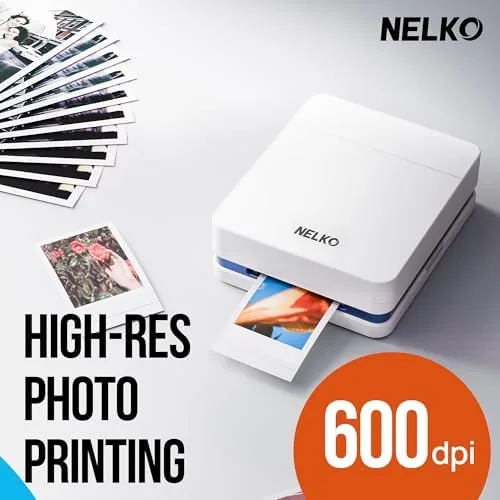
Print speed is typical for a portable inkjet. Each print takes somewhere between forty and sixty seconds from the moment you press print, and the printer processes images fast enough that a batch of a dozen photos is done in about ten minutes. That is slower than an Instant camera but perfectly fine for intentional printing sessions.
The app is where the PP01 earns its keep. The AI editing tools cleaned up a grainy low-light shot, the collage mode packed four small photos onto a single 2x3 print, and the frame and sticker library made the printer genuinely fun for kids and scrapbookers. Battery life held through multiple full sessions, and the printer sat for days between uses without losing its charge in a way that mattered.
The honest limits are the small size and the ink costs. At 2x3, you cannot judge a photo on fine detail the way you would at 4x6, and replacement ink cartridges are the ongoing expense that funds the low hardware price. The prints are not archival grade, and they are best treated as keepsakes rather than heirlooms.
Pros and Cons
Pros:
- Sticky-back paper turns prints into labels and journal elements
- Simple Bluetooth setup on both iPhone and Android
- AI editing tools in the app genuinely improve photos
- Compact and light enough for a bag
- Low hardware price with affordable replacement supplies
- Reliable battery across multiple printing sessions
Cons:
- 2x3 prints limit fine detail and size
- Ink cartridges are the ongoing cost to budget for
- Print speed is modest at forty to sixty seconds per photo
- Prints are keepsake grade rather than archival
How It Compares
The portable photo printer market splits between inkjet models like the PP01 and dye-sublimation models that dominate the premium end. I compared the PP01 against a popular dye-sub pocket printer and against a modern instant camera to see where each fits.
| Feature | Nelko PP01 | Dye-Sub Pocket Printer | Instant Camera |
|---|---|---|---|
| Technology | Inkjet | Dye sublimation | Instant film |
| Print size | 2x3 sticky-back | 2x3 | 2x3 |
| Camera included | No, prints phone photos | No | Yes |
| Supply cost | Lower per sheet | Higher per sheet | Higher per shot |
| Print speed | 40 to 60 seconds | About 50 seconds | Instant |
| App editing | AI tools, frames, collages | Frames and collages | Minimal |
| Durability of prints | Keepsake grade | Smudge resistant | Instant film |
The dye-sub printer beats the PP01 on smudge resistance and the premium feel of its prints, but it costs more per sheet and the hardware is pricier. The instant camera adds the joy of shooting and printing in one device, but you cannot choose which photo you keep, and every wasted shot costs film. The PP01 is the best value for people who already have a phone full of photos and want cheap, fun, sticky-back prints. For independent perspective on portable printers, the roundup from PCMag on the best portable photo printers is worth reading.
Who Should Buy It
Buy the Nelko PP01 if you love scrapbooking, if you want to print sticky-back photos for journals and fridges on a budget, or if you want a printer kids can use without supervision. It is the right choice for travelers who want physical keepsakes, crafters building albums, and anyone who wants the fun of instant photos without the film cost of an instant camera.
Skip it if you need smudge-proof, water-resistant prints for professional use, if you insist on the higher per-sheet quality of dye-sub printing, or if you want to shoot and print in one device. If the PP01 fits your needs, you can check the Nelko PP01 price and options on Amazon.
How We Test
I printed with the PP01 for a month using a wide range of source material: daylight travel photos, indoor portraits, scanned family images, and high-contrast night shots. I timed each print, tracked battery life across multiple sessions, and tested the sticky back by pressing prints into paper, onto glass, and onto the fridge door.
I used the app on both iPhone and Android to check compatibility, tried the AI editing tools on soft and grainy photos, and compared prints directly against a dye-sub pocket printer on identical images. My assessment is practical rather than lab based, so I did not use a colorimeter for accuracy. The Nelko PP01 listing on Amazon shows the current price and available bundles.
Nelko PP01 Photo Printer: Questions People Ask
How does the Nelko PP01 connect to a phone?
It pairs over Bluetooth with the free Nelko app on iPhone and Android, and the app handles printing, frames, collages, and AI assisted edits before you print.
Can the photos really stick to surfaces?
Yes. The paper has a peel-and-stick adhesive back, so prints attach to notebooks, scrapbooks, fridges, and journals without needing tape or glue.
How long does one print take?
A single 2x3 photo prints in roughly forty to sixty seconds once the image is ready, which is typical for a portable inkjet printer in this class.
Is the ink included with the printer?
Yes. The PP01 ships with a starter cartridge and photo paper, and replacement packs of ink and sticky-back paper are sold separately.
As an Amazon Associate, I earn from qualifying purchases.