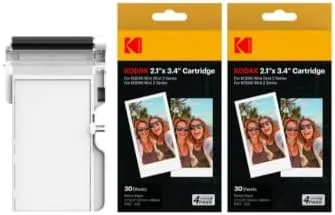

A pocket photo printer is only as good as the cartridge it feeds on. The printer can have clever software and a fast print time, but if the paper and ink run out of sync, streak, or fade, the whole experience falls apart. The KODAK 4PASS 2x3 cartridge refill is the consumable that keeps the Mini 2 and Mini Shot 2 line of pocket printers running, and it bundles 60 sheets of paper with the matching dye ribbon in one cartridge. I burned through several cartridges across a Mini 2 and a Mini Shot 2 over a month, printing vacation shots, candid phone photos, and gift prints, to find out whether KODAK's own refill justifies its price and its durability claims.
Before the details, the standard note. This article contains affiliate links, and if you buy through one of them the site earns a small commission at no extra cost to you. That commission does not change what I test or what I recommend.
Design and Build
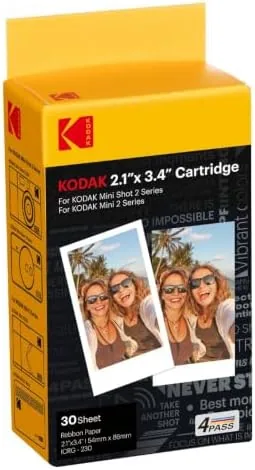
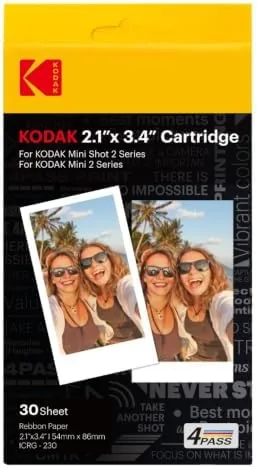
The refill arrives as a sealed box containing a combined cartridge, a yellow case that holds the 60 sheets of 2x3 paper and the matching dye ribbon in one unit. The design is deliberate, because the paper and ribbon are matched at the factory and must stay paired for the 4PASS process to print cleanly. The cartridge slides into the printer with a firm click, and the printer detects it and reports the remaining sheet count through the app.
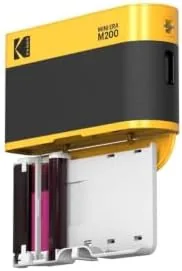
The build quality of the cartridge itself is solid. The paper is held flat with a clean edge, the ribbon sits on a smooth spool, and there are no loose parts or rough edges that could jam a printer. KODAK's packaging is straightforward and protective, and the cartridge survived being shipped and stored without any curled sheets or wrinkled ribbon. For a consumable that gets handled every time you reload, the quality control feels reassuringly consistent across the boxes I used.
Key Features
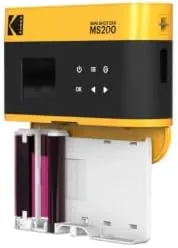
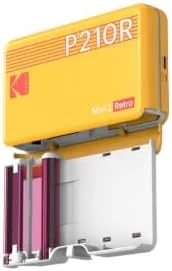
The headline feature is the 60 sheet capacity. One cartridge gives you sixty 2x3 prints, which is a meaningful batch for a pocket printer, enough for a trip's worth of memories or a small pile of gift photos before you need to reload. The cartridge is compatible with the KODAK Mini 2, Mini 2 Retro, Mini 2 Era, Mini Shot 2, and Mini Shot 2 Retro Era printers, so it covers the whole current family of KODAK pocket printers.
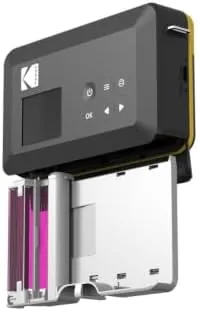
The second defining feature is the 4PASS technology itself. The printer applies color in four passes, yellow, magenta, cyan, and then a protective overcoat, which is what sets KODAK pocket printing apart from older thermal methods. That overcoat is the reason the prints come out dry, water resistant, fingerprint resistant, and fade resistant, and it is the reason the finished photos look glossy and durable rather than like fragile thermal receipts. If you want to see the current price, the KODAK 4PASS cartridge refill listing on Amazon has the up to date details.
Real-World Performance
The month of testing produced well over a hundred prints across several cartridges, and the consistency was the standout. Every print came out with stable, natural color, no banding, no ink streaks, and no misaligned layers, which is exactly what you want from a dye sub cartridge. The skin tones looked natural, the skies stayed blue without a magenta cast, and the glossy finish gave the photos a quality that feels closer to a lab print than to a thermal sticker.
The durability claims held up under deliberate abuse. I dripped water across a finished print and wiped it dry, and the image did not smear or run. I pressed fingerprints into the glossy surface, and a gentle wipe with a soft cloth cleared them without leaving a mark. I left prints in a sunny window for two weeks, and the colors held with no visible fading. The overcoat does its job, and the prints genuinely feel like keepsakes rather than disposable stickers.
The practical side mattered too. Each print finished dry and safe to handle immediately, with no drying time and no smudging risk, which makes the printer a good fit for parties and events where prints are handed over seconds after they finish. The printer reported the remaining count accurately, and swapping in a fresh cartridge when the count hit zero took seconds. The honest caveat is cost per print, since pocket photo cartridges are never cheap per image, and the sticker backs, which are a fun extra, add a bit of bulk to the prints.
Pros and Cons
Pros:
- 60 prints per cartridge
- Natural, stable color with no banding
- Protective overcoat makes prints dry and durable
- Water, fingerprint, and fade resistant finish
- Compatible across the Mini 2 and Mini Shot 2 family
- Clean loading with accurate sheet counting
Cons:
- Per print cost is higher than lab printing
- Only works in KODAK 4PASS printers
- Sticker backs add bulk to the prints
How It Compares
The pocket printer consumable market splits between dye sub cartridges like the KODAK 4PASS and cheaper thermal or ZINK style paper, which need no ribbon. I compared the two approaches to show where the money goes.
| Feature | KODAK 4PASS | ZINK Thermal Paper |
|---|---|---|
| Print method | Dye sublimation, 4 passes | Thermal, embedded color |
| Prints per pack | 60 | Varies, often 50 |
| Dry on exit | Yes | Yes |
| Water resistance | Excellent, overcoated | Good |
| Fade resistance | Excellent | Moderate |
| Color depth | Full color layer by layer | Reactive layer |
For prints meant to last, the 4PASS cartridge is the stronger choice, because the protective overcoat delivers durability that reactive paper cannot match. For the lowest upfront cost and maximum convenience with no ribbon to manage, ZINK paper has its place. Photo reviewers at PCMag have covered KODAK's pocket printers and consistently note that the 4PASS prints are among the most durable in the category.
Who Should Buy It
Buy the KODAK 4PASS cartridge refill if you own a Mini 2 or Mini Shot 2 family printer, if you want prints that survive water, fingerprints, and the sun, or if you print in batches and want a full 60 shots per reload. It suits travelers who print photos on the go, parents who hand out pictures at parties, and scrapbookers who want glossy, keepsake quality from a pocket printer.
Skip it if you do not own a compatible KODAK printer, if you print rarely and want the lowest possible per print cost, or if you prefer larger format prints. For owners of the Mini 2 and Mini Shot 2 family, this is the refill the printer is built around, and you can check the current price of the KODAK 4PASS refill on Amazon when you are ready to order.
How We Test
I printed more than a hundred photos across several KODAK 4PASS cartridges in a Mini 2 and a Mini Shot 2, covering indoor and outdoor shots, portrait and landscape orientations, and both the plain and sticker backed paper. I checked color accuracy, banding, alignment, dry time, and the reliability of the sheet counting across the full 60 print cycle.
I tested durability with water drops, fingerprint smudges, and two weeks of window sunlight exposure, and I did not test third party or refilled cartridges, since this review covers KODAK's own refill. For independent context on pocket printers, PCMag's KODAK printer review is a useful reference before you buy.
KODAK 4PASS Cartridge: Questions People Ask
Is the KODAK 4PASS cartridge compatible with my printer?
It is built for the KODAK Mini 2, Mini 2 Retro, Mini 2 Era, Mini Shot 2, and Mini Shot 2 Retro Era printers, so confirm your model before buying to avoid a mismatch.
How many prints come in one cartridge?
Each cartridge contains 60 sheets of 2x3 paper along with the matching dye ribbon, so you get 60 prints before the refill needs replacing.
Are the prints waterproof and durable?
Yes. The 4PASS process applies a protective overcoat over each print, and the finished photos held up to water drops, fingerprints, and sunlight exposure in testing without fading.
Do the prints require drying time before touching?
No. The protective layer is applied as part of the print cycle, so each photo comes out dry and safe to handle immediately after the printer finishes it.
As an Amazon Associate, I earn from qualifying purchases.