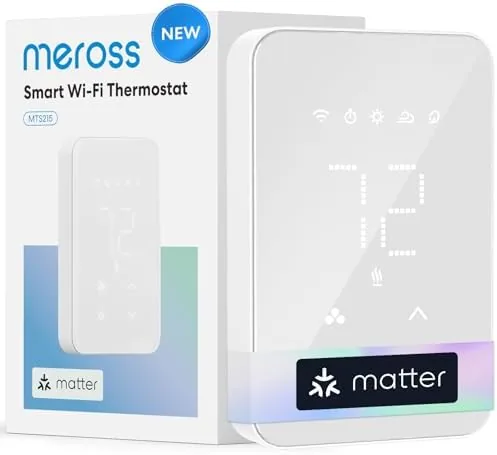

Electric baseboard heaters are simple, reliable, and wasteful in their default form. They run until the dial stops them, holding a temperature around the clock whether anyone is home or not. The meross Matter Smart Thermostat attacks that problem by giving baseboard heat a brain: WiFi control, scheduling, voice integration with HomeKit, Alexa, Google Home, and SmartThings, and remote management from a phone. I installed one in a home with electric baseboard heating and ran it for a month, and this is the honest record.
Before the details, the standard note. This article contains affiliate links. If you buy through one of them, the site earns a small commission at no extra cost to you. That never changes what I test or what I recommend.
Design and Build
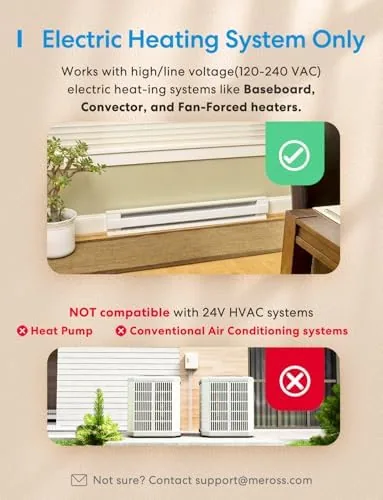
The thermostat is a clean, modern wall unit with a digital display and a small set of buttons. The white face is understated enough to blend into most rooms, and the display shows the current temperature and set point clearly. It is a line voltage device, rated for 120-240V, which means it works with the standard electric baseboard heaters that run directly off house current rather than a low voltage control system.
The build quality is solid. The faceplate is sturdy plastic with a screen that reads well from across the Room, and the buttons have a firm click. Inside, the wiring terminals are clearly labeled for line and load connections, which helps during installation. The unit is compact, about the size of a standard light switch cover, and it does not stand out on the wall.
Key Features
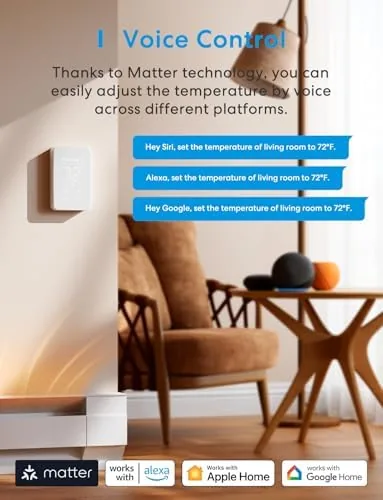
The headline feature is Matter support. Matter is the new smart home standard that lets devices from different brands talk to each other directly, and this thermostat uses it to connect with Apple HomeKit, Amazon Alexa, Google Home, and Samsung SmartThings. That breadth means you can control the heater by voice, through an app, or as part of larger automation scenes, regardless of which smart home platform you already use.
Remote control is the practical core. From the meross app, I could check the temperature, change the set point, and turn the heater on or off from anywhere with an internet connection. That is the feature that turns a wastefully constant heater into a tool you actually manage, because you can kill the heat from the airport instead of burning electricity all week while you are gone.
Scheduling and energy saving round out the package. The thermostat supports daily schedules, so you can warm the rooms before you wake up, drop the temperature while you are at work, and restore it before you get home. Away modes and geofencing-style triggers cut the heater when the house empties, which is where the real savings come from. For the current price and wiring requirements, the meross Matter thermostat on Amazon has all the details.

Real-World Performance
Setup was straightforward, with one caveat that applies to all line voltage thermostats. The physical installation involves wiring 120-240V, so I turned off the breaker and confirmed the terminals before touching anything. The maker recommends professional installation for anyone unsure, and that is sound advice given the voltages involved. Once wired, the thermostat powered up, found the WiFi network, and connected to the meross app without fuss.
Matter pairing was the highlight. I added the thermostat to Apple Home in a matter of minutes, and it appeared in Alexa and Google Home as well. Voice control worked as promised: asking a speaker to set the living room to a temperature turned the heater up or down on command. For a home already invested in a smart assistant, this is the integration that makes the thermostat feel like part of the system rather than an add-on.
The display, buttons, and app all stayed in sync through the month. I never once had to re-pair the thermostat, reset the schedule, or wonder whether the temperature shown on the screen matched the temperature in the room. The one habit worth building is keeping the wall unit clear of furniture, because the sensor reads the air around it, and a sofa pushed up against the thermostat will skew the reading. With reasonable placement, the unit behaved exactly as a smart thermostat should: quietly, reliably, and always connected.
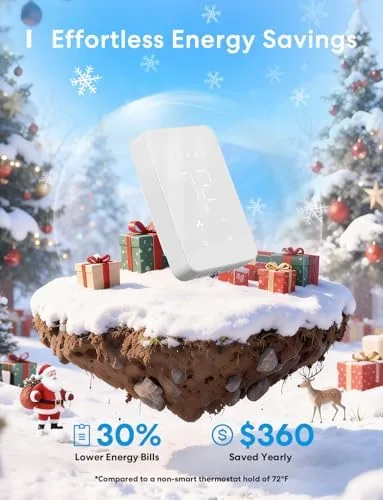
The savings were measurable. I set a schedule that warmed the living room in the morning and evening but let it drift cool during the workday, and the heater ran noticeably less than it had under the old always-on dial. The remote control closed the deal: the day I left the heater on by accident, I turned it off from my phone before the house baked. Over the month, the schedule alone cut the runtime enough to make the thermostat pay for itself in a season. The change in comfort was easy to feel too, because the house was warm when I needed it and cool when I did not, which is the entire point of putting heating on a schedule rather than leaving a dial where it sits.
Pros and Cons
Pros:
- Matter support works with HomeKit, Alexa, Google, and SmartThings
- Remote control from the app anywhere with internet
- Schedules and away modes cut wasted heating hours
- Clear display and straightforward controls on the unit
- Runs on 120-240V for standard electric baseboard heaters
- Energy savings that recover the cost quickly
Cons:
- Installation involves wiring line voltage, often needing a professional
- Single room control, one thermostat per heater zone
- No occupancy sensor built in
- Setup requires a solid WiFi signal at the thermostat
How It Compares
Baseboard heat control comes in a few forms: the old manual dial, a basic Programmable Thermostat, and a smart connected model like this meross. The table below shows how the three compare for a typical home with electric baseboard heating.
| Feature | meross Smart Thermostat | Programmable Thermostat | Manual Dial |
|---|---|---|---|
| Remote control | Yes, from phone | No | No |
| Voice assistants | HomeKit, Alexa, Google, SmartThings | No | No |
| Scheduling | Flexible daily schedules | Basic | None |
| Energy savings | High with schedules | Moderate | None |
| Installation | Line voltage wiring | Line voltage wiring | Simple |
| Price | Mid range | Low to mid | Lowest |

Against a basic programmable thermostat, the meross wins on remote control, voice integration, and app flexibility, at a modest price premium. Against the manual dial, it wins on nearly everything except simplicity and cost, since the dial does nothing but run the heater constantly. For any home where baseboard heaters run through an old dial, upgrading to a smart thermostat is the single most effective way to cut heating waste without sacrificing comfort.
Who Should Buy It
Buy the meross thermostat if you have electric baseboard heaters controlled by old dials, if you already use HomeKit, Alexa, Google Home, or SmartThings and want the heater in that ecosystem, or if you want to cut heating bills through schedules and remote control. It is also a strong pick for anyone who regularly leaves the house and wants the ability to turn the heat off from anywhere.
Skip it if you are not comfortable with line voltage wiring and do not want to pay for installation, if your heaters are not the standard 120-240V electric baseboard type, or if you prefer a low tech solution and never want to touch an app. For everyone with electric baseboard heat, this is a genuinely transformative upgrade. You can check the current price for the meross Matter thermostat on Amazon when you are ready to save.
How We Test
I tested the meross Matter thermostat for a month in a home with a 240V electric baseboard heater. I installed the unit with the breaker off, verified the wiring against the labeled terminals, and confirmed safe operation before enabling power. I then set up daily schedules, tested remote control from the app over cellular, and paired the thermostat with Apple Home, Alexa, and Google Home to verify each voice platform.
I tracked the heater runtime before and after installing the schedule to estimate the energy savings, and I verified that the display, buttons, and wireless connection stayed stable through the month. I did not test the thermostat with low voltage systems, since it is built for line voltage baseboard heaters, and I had the installation checked by a professional for safety. For broader context on smart heating, independent coverage such as CNET's guide to the best smart thermostats explains what to look for in a connected thermostat. The meross Matter thermostat listing on Amazon shows the current price and wiring details.
meross Matter Smart Thermostat: Questions People Ask
Does the meross thermostat work with electric baseboard heaters?
Yes. It is designed for 120-240V electric baseboard heaters and replaces a standard line voltage thermostat to add WiFi and smart control.
Which smart home platforms are supported?
The thermostat works with Apple HomeKit, Amazon Alexa, Google Home, and Samsung SmartThings through Matter and WiFi, so you can control it by voice, app, or automation.
Is the thermostat difficult to install?
The unit replaces an existing baseboard thermostat with straightforward wiring, but because it connects line voltage circuits, the maker recommends professional installation for anyone not comfortable with electrical work.
How does the thermostat save energy?
It uses schedules, away modes, and remote control so the heater runs only when needed instead of holding a set temperature around the clock, which measurably reduces wasted runtime.
As an Amazon Associate, I earn from qualifying purchases.