
There was a time when decent microphone audio required a mixer, an interface, and a willingness to learn gain staging. That era is over. A modern USB condenser microphone plugs straight into a computer, and within seconds it delivers sound that would have been impossible to capture on a budget even a decade ago. The MAONO A04 sits at the affordable end of that category, promising a metal body, a cardioid pickup, and plug-and-play simplicity for podcasts, gaming, and streaming.
I recorded with the A04 for several weeks, using it for voice notes, podcast-style conversations, and quiet desk commentary, and this review is the record of that time. Before the details, the standard note: this article contains affiliate links, and if you buy through one of them the site earns a small commission at no extra cost to you. That commission does not change what I test or what I recommend.
Design and Build
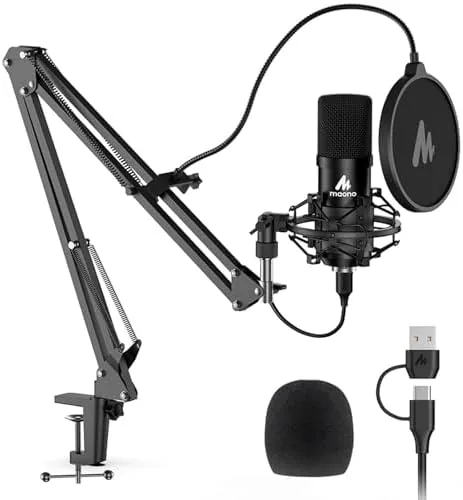
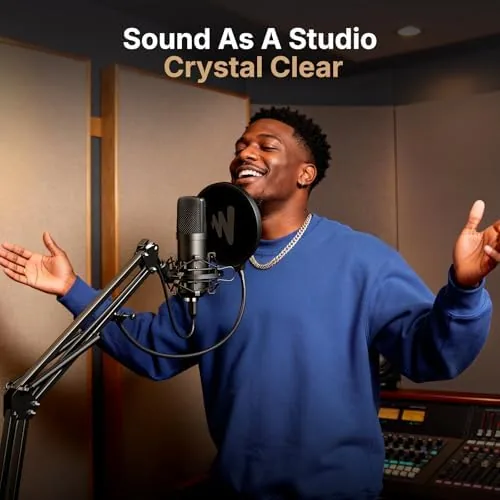
The A04 looks more expensive than it is. The body is a full metal shell rather than the cheap plastic you might expect at this price point, and the finish gives it a professional presence on a desk. The cardioid pickup pattern is printed on the front grille, and the whole unit mounts on a compact desktop tripod that folds down for storage. The look is clean and unpretentious, which suits both a gaming setup and a home office.
The kit covers the essentials without excess. Alongside the microphone you get the tripod stand, a small pop filter that clips between you and the capsule, and a USB cable long enough to reach a desktop tower under a desk. The pop filter matters, because plosive consonants like p and b can pop a condenser capsule without protection, and having it included means you have no excuse to skip it.
Key Features
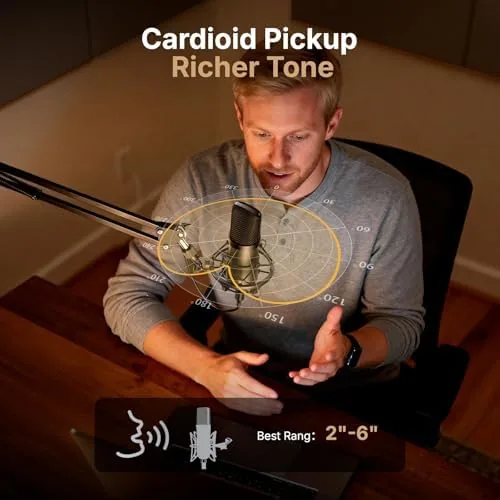
The defining feature is the cardioid condenser capsule, which captures sound from the front and rejects most of what comes from the sides and rear. That directionality is the difference between a usable gaming microphone and an unusable one, because it lets you sit near a keyboard without the clicks drowning out your voice. The pickup is the entire reason this type of microphone exists.
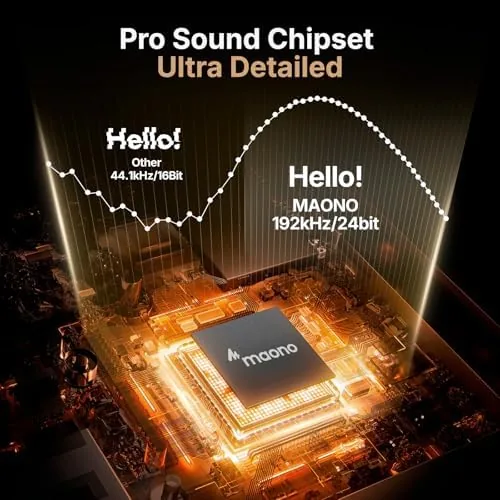
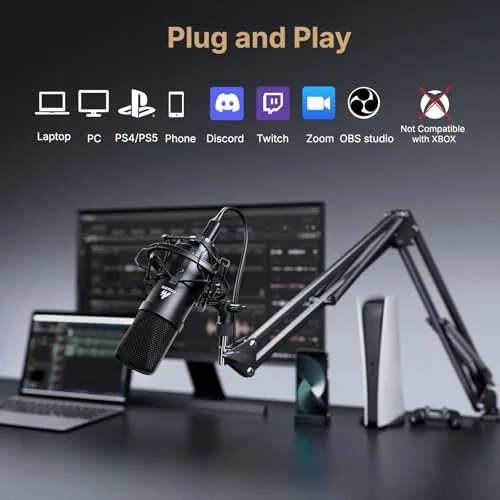
Under the shell sits a pro-grade audio chipset that supports up to 192kHz and 24-bit recording, which is far more headroom than your ears or your streaming platform will ever use. What that spec actually buys you is a clean, noise-free signal path at the sample rates that matter, because a microphone is only as good as the quietest part of its chain. The mic connects over a single USB cable with true plug-and-play behavior, so there are no drivers, no setup wizards, and no interface to configure. The practical consequence of the 192kHz spec is less obvious than the marketing implies. You will hear no difference between 48kHz and 192kHz recordings on any platform you actually use, because streaming services and podcast hosts downsample everything anyway. What the higher spec buys is headroom and a quieter analog stage, which shows up as a clean signal rather than a specific frequency number, so treat the big numbers as a sign of quality rather than a feature you need to configure.
Real-World Performance
I tested the A04 the way most buyers will use it: plugged into a laptop, sitting at a desk, talking into it from about six inches away. The first recording was immediately usable, which is the highest praise a plug-and-play microphone can earn. Voices come through with warmth and clarity, and there is a noticeable jump in quality compared to the built-in microphone on any laptop or headset.
Background noise behaves exactly as the cardioid pattern promises. Keyboard clicks from a mechanical board at normal typing distance still register, because the capsule is sensitive, but they sit far below the voice in the mix rather than competing with it. A fan a few feet away is barely audible. That is the honest reality of any cardioid condenser, and it means the A04 wants to sit close to your mouth, roughly a hand span away, with the pop filter between you and the grille.
For gaming and streaming, the practical test is how your voice sounds to the people on the other end. In voice chat and a short Discord call, teammates could not tell I had switched microphones until I mentioned it, and the audio carried the same presence in a recorded podcast-style conversation between two people alternating on one mic. The mic handles a single close voice beautifully; it is not built for a round table, and trying to capture a group with one A04 will sound distant for everyone off-axis. Within that single-voice role, the A04 also plays well with free recording software, because the recorded signal is clean enough that a small amount of noise reduction and compression in post does not expose any ugly digital artifacts. I ran the recorded audio through a light cleanup chain and the voice stayed natural rather than hollow, which is the test that separates a genuinely decent capsule from a merely acceptable one.
Pros and Cons
Pros:
- Truly plug-and-play with no drivers to install
- Metal body that feels far more expensive than it is
- Cardioid pickup rejects most side and rear noise
- Kit includes stand, pop filter, and USB cable
- Clean, warm voice capture right out of the box
Cons:
- Still picks up keyboard and room noise when you sit far away
- Best performance requires the microphone close to your mouth
- No hardware gain knob or mute button on the body
How It Compares
The A04 competes with the budget USB condenser class, and the closest comparisons are the Blue Snowball iCE and the Samson Go Mic. All three are plug-and-play USB mics aimed at the same buyer, and the differences are smaller than the marketing suggests.
| Feature | MAONO A04 | Blue Snowball iCE | Samson Go Mic |
|---|---|---|---|
| Body material | Metal | Plastic | Plastic |
| Pickup pattern | Cardioid | Cardioid | Cardioid and omni |
| Max sample rate | 192kHz / 24-bit | 48kHz / 16-bit | 44.1kHz / 16-bit |
| Included accessories | Stand, pop filter, cable | Desk stand, cable | Tabletop stand, cable |
| Best for | Podcast, gaming, streaming | Streaming, voice chat | Travel, calls |
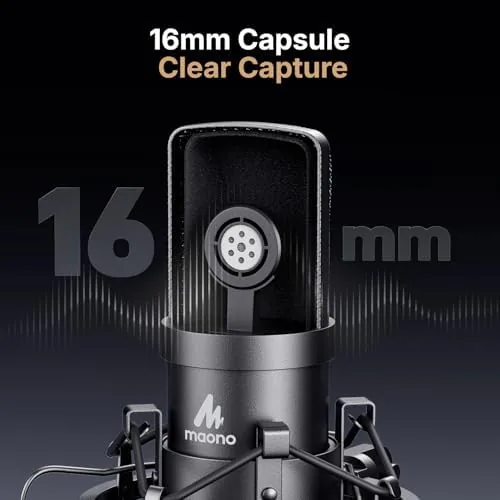
Against the Snowball iCE, the A04 brings a metal body and a higher sample rate to the same fight, and the included pop filter is a small but real win. Against the Samson Go Mic, the A04 trades portability for a bigger capsule and a more stable desktop tripod. None of these microphones will embarrass you, but the A04 is the best value of the three for a fixed home setup where you are the only voice in front of the capsule.
Who Should Buy It
Buy the MAONO A04 if you are starting a podcast, streaming games, or doing voiceovers and you want a serious step up from your headset without spending a fortune. It is also a strong pick for anyone whose work is full of video calls, because a proper condenser with a pop filter makes you sound like you care about your audio, and that impression carries real weight in professional settings.
Skip it if you need to record a group around a table, if you want a boom arm mount out of the box, or if you move between locations and need a travel microphone. For a fixed desk, the A04 is one of the easiest recommendations in its class. You can check the current MAONO A04 price on Amazon when you are ready.
How We Test
I tested the MAONO A04 over several weeks, recording voice notes and podcast-style dialogue on a Windows laptop and a desktop PC, both over USB with no additional software. I evaluated voice clarity at a range of distances, checked how much keyboard and room noise leaked into recordings, and compared the captured audio against the built-in laptop microphone and a higher-end USB Microphone as a reference.
I did not perform laboratory frequency measurements, and I did not test the microphone on macOS or game consoles, though The USB class audio standard suggests those should work. Independent coverage such as PCMag's guide to the best USB microphones is a useful place to compare the A04 against the wider category before you decide.
The MAONO A04 listing on Amazon shows the current price and what is included in the kit.
Questions People Ask
Is the MAONO A04 truly plug and play?
Yes. You connect it over USB, and Windows, macOS, and game consoles recognise it as a standard audio device with no drivers to install.
Does the MAONO A04 pick up a lot of background noise?
The cardioid pickup pattern is front-focused, so it rejects most sound from the sides and rear, but it still hears keyboard clicks and room noise when you sit close.
What is included in the MAONO A04 kit?
The kit ships with the microphone, a desktop tripod stand, a pop filter, and a USB cable, so you can start recording right away.
Does the microphone work with consoles?
It works as a standard USB audio device on the PlayStation and on desktop setups, though some platforms limit the higher sample rates.
As an Amazon Associate, I earn from qualifying purchases.