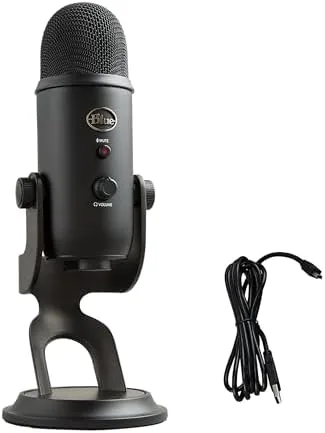

Some products become the noun for their own category, and the Blue Yeti is one of them. For over a decade the Yeti has been the default desktop microphone, the one you see in every streamer's room and every podcast setup, and the Blackout edition of today is the same recognizably rounded capsule sitting on its chunky stand. I used a Blue Yeti as my main mic for a month, across streams, podcasts, video calls, and a few songs, and this review tests whether the legend still earns its place on your desk or whether it is coasting on the name.
Before I get into it, the disclosure: this article contains affiliate links. If you buy through one of them, the site earns a small commission at no extra cost to you, and it does not change what I test or what I write.
Design and Build
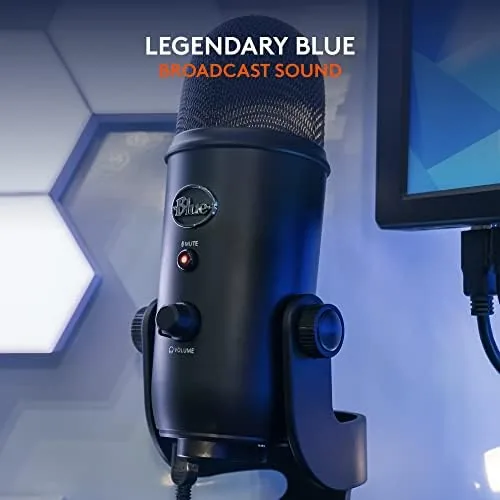
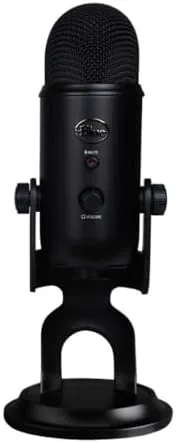
The Yeti is a statement piece before it is a microphone. The capsule is a heavy, rounded cylinder of metal and mesh standing about a foot tall on its integral desktop stand, and the Blackout finish makes it look like it means business. It is unmistakable on a desk, and it is also simply big, it takes up a real chunk of your workspace, and it weighs enough that the included stand is rock solid.
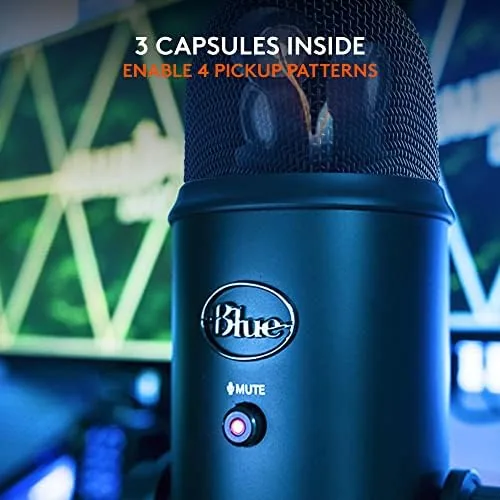
On the front of the capsule is the mute button and the headphone volume dial, and on the back is the gain knob and the pickup pattern selector. That rotating dial is the Yeti's signature trick. It clicks through four positions and changes how the three internal capsules listen, which is a level of control most USB mics simply do not offer. The whole package feels built to last, metal body, metal grill, weighted base, no creaks and no wobble.
Key Features
The headline feature is the four pickup patterns, and each one serves a real purpose. Cardioid listens to the front for a single voice. Stereo captures a wide image for instruments and ambience. Omnidirectional picks up the whole room for conference calls or group recordings. Bidirectional listens to the front and back for face to face interviews across one mic. Turning the dial instantly reconfigures the mic, and it works without drivers.
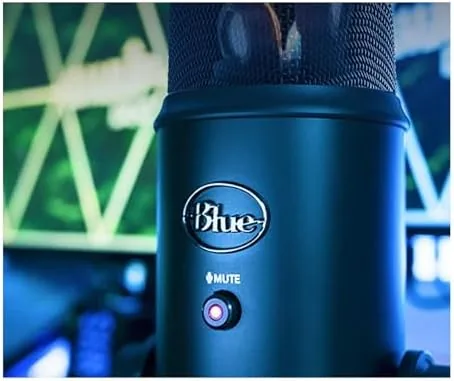
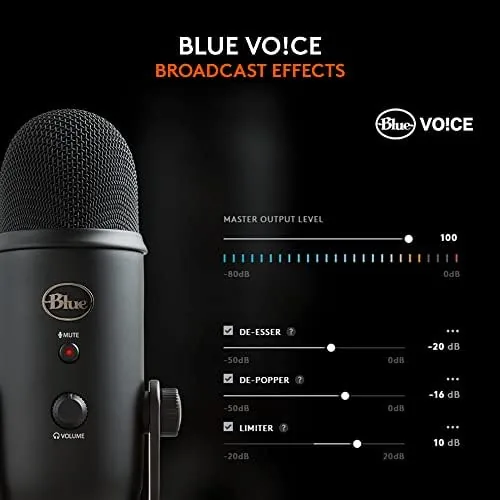
Beyond the patterns, the Yeti records at 24 bit and 48kHz, which is plenty for voice and most music. It offers a headphone output with zero latency monitoring, so you can hear yourself while you talk, a mute button that lights up when active, and a gain dial for getting the level right without software. On a PC, the Logitech G HUB software unlocks Blue VO!CE effects, presets, and EQ that polish the sound further, a feature the older Yeti models never had.
Real-World Performance
Plug in the Yeti, set the pattern to cardioid, and you have a voice That Sounds warm, full, and present. The triple capsule design gives a rich, broadcast style character that flatters most speaking voices, and detail in the highs is good for the price. On Streams and calls, people routinely asked if I had upgraded my setup, which is the highest compliment a mic can earn.
The four patterns genuinely work. In stereo mode I recorded acoustic guitar with a natural sense of space, and in omnidirectional mode a three person meeting sounded balanced around the room. Bidirectional did a clean two person interview across one mic. Few desktop mics give you that range, and the fact that you can switch live is genuinely useful.
The Yeti's limits are well documented and real. It is a condenser mic that hears everything, so it rewards a quiet room and punishes a loud one, and you will hear keyboard clacks and room echo if you sit too far away. It is also heavy and wide, so it eats desk space and is a poor choice for a cramped setup. And the gain has a personality of its own, the bottom of the dial picks up almost nothing while a few degrees higher can be plenty hot, so find your sweet spot early. None of these are deal breakers, but they are why the Yeti is not the right mic for everyone.
On the software side the Blue VO!CE effects proved genuinely useful for tuning how I sounded. A light compression preset plus a touch of EQ kept my voice steady in the mix instead of jumping around, and it was far easier than building the same chain in a separate plugin. That bundled processing is a real reason to choose the Yeti over a plain cardioid mic, because you get the hardware and the polish in one tidy package that stays with you.
Pros and Cons
Pros:
- Four pickup patterns cover voice, music, rooms, and interviews
- Warm, broadcast style voice with real presence
- Solid metal build and stable stand
- Zero latency monitoring and a handy mute button
- Blue VO!CE software effects add polish on PC
Cons:
- Large footprint and heavy on a desk
- Sensitive to noise in untreated rooms
- Gain dial is touchy at the low end
- Position matters, the stand does not adjust much
- Many cheaper mics now match it for a single voice
How It Compares
The Blue Yeti faces a crowd of challengers these days. A basic cardioid mic like a Fifine or a budget Maono costs a fraction and captures a single voice almost as well, which makes the Yeti a hard sell if you only ever use cardioid. The RØDE NT-USB offers a cleaner single pattern and a better pop filter for a similar price, while the Yeti wins when you need switchable patterns. If you want the most flexible single mic on a desk without an interface, the Yeti still has the edge.
| Feature | Blue Yeti | RØDE NT-USB | Budget Cardioid Mic |
|---|---|---|---|
| Pickup patterns | Four | Cardioid | Cardioid |
| Voice character | Warm and full | Clean and neutral | Varies by model |
| Software effects | Blue VO!CE | None | None |
| Desk footprint | Large | Medium | Small |
| Best for | Flexible setups | One dedicated voice | First time buyers |
Who Should Buy It
Buy the Blue Yeti if you want one microphone that handles more than a single voice, if you record group chats, interviews, or instruments as well as your own podcast, or if you like having a reliable, recognizable workhorse on your desk that never needs a driver. The Blackout finish is the pick for a serious looking setup.
Skip it if your desk is small, your room is noisy, or you only ever record one voice and want to save money, because a cheaper cardioid mic will do that job almost as well. If the Yeti sounds right for you, you can check the current price of the Blue Yeti on Amazon for the Blackout and other finishes.
The pattern dial is more than a gimmick, it changes how the room is captured in ways you can hear. In stereo mode the acoustic guitar took on a wide, honest image, and in omnidirectional mode a group conversation sat in the room with some depth. Being able to switch live between these without touching a cable or a menu is the feature that keeps the Yeti relevant even as cheaper mics match its cardioid voice. A set of fixed single-pattern mics simply cannot offer that.
How We Test
I used the Blue Yeti for a month as my main desktop mic, covering streams, a weekly podcast, video calls, and acoustic recordings. I worked through all four pickup patterns, tested the mute and monitoring, and used the Blue VO!CE software on a PC to judge how much the effects changed the sound.
I compared it on the same desk with a RØDE NT-USB and a budget cardioid mic, so the verdict comes from direct listening rather than reputation. My findings track closely with the analysis in Tom's Guide's Blue Yeti review, which reached a similar conclusion about its strengths and its place in a crowded market.
The Blue Yeti listing on Amazon shows the current price and which color options are in stock.
Questions People Ask
What are the four pickup patterns on the Blue Yeti?
They are cardioid for one voice, stereo for two, omnidirectional for room audio, and bidirectional for face to face interviews, and you rotate the dial to switch.
Does the Blue Yeti need special drivers?
No. It is truly plug and play over USB and just works once you attach it, then you can add Blue VO!CE effects, such as compression and presets, in the software.
Is the Blue Yeti good for gaming and streaming?
For a single voice it is crisp and reliable, and the mute dial and monitor output make it handy on a busy stream. Just keep it within about a foot of your mouth to avoid room echo.
As an Amazon Associate, I earn from qualifying purchases.