
There is a microphone that has become the default answer whenever someone asks what to buy for a first podcast, a new stream, or a home studio on a budget. The Blue Yeti has carried that reputation for years, and in its current form it carries the Logitech name and the Blue VO!CE software suite. It is a USB condenser microphone with four pickup patterns, a design that still turns heads on a desk, and a sound that has launched a thousand YouTube channels. This review is the record of recording with the Blue Yeti across podcasts, voiceovers, and gaming streams, and whether it still deserves its status as the go to first microphone.
Before the details, the standard note. This article contains affiliate links, and if you buy through one of them the site earns a small commission at no extra cost to you. That commission does not change what I test or what I recommend, and every product here is treated the same way I would treat one bought with my own money.
Design and Build
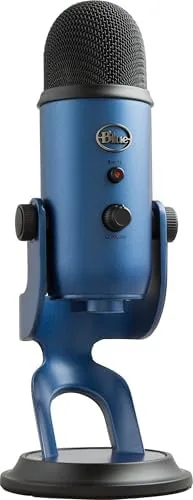
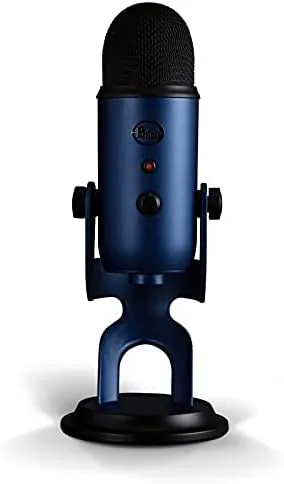
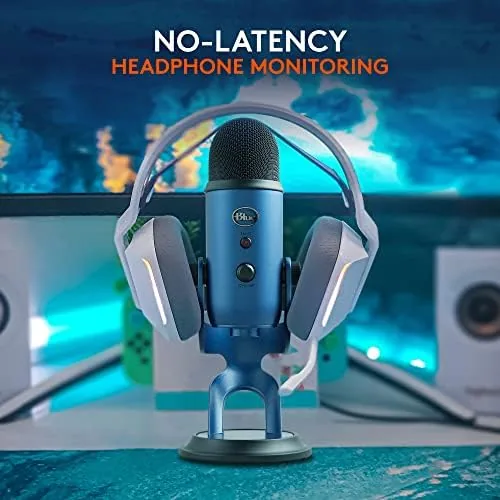
The Blue Yeti looks like nothing else on a desk, and that is part of its appeal. The Midnight Blue finish in this version pairs a deep blue body with dark mesh grilles, giving the mic a premium, studio look that photographs well for streams and video calls. The design is heavy and unmistakably solid, which is a good sign for a piece of equipment that sits in front of you every day.
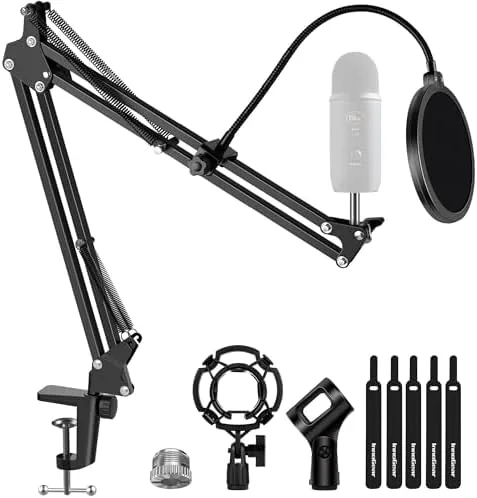
The Yeti is built around a thick body with a sturdy metal frame, and it sits on a desktop stand that lets you tilt the mic to face your voice. The stand has a decent amount of weight to it, so the microphone stays put during enthusiastic use, and it can also be removed entirely if you want to mount the mic on a boom arm. The built in shock absorbing mount around the capsules helps isolate the mic from desk vibrations and bumps.
The controls are laid out clearly on the front of the mic. A mute button sits at the top, and below it a volume dial controls the headphone monitoring level, a separate gain dial sets the microphone sensitivity, and the pickup pattern selector cycles through the four modes with a subtle click and a label on the front panel.
Key Features
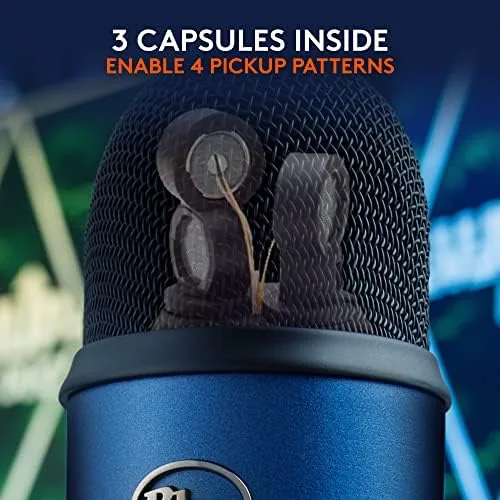
The defining feature of the Blue Yeti is its four pickup patterns, controlled by three separate condenser capsules inside the body. In cardioid mode the mic captures sound from the front, which is the setting for a single voice. Stereo mode records a wide left and right image, ideal for an acoustic guitar or a two person performance. Bidirectional mode picks up from the front and back for an interview across a table, and omnidirectional mode hears sound from every direction, which suits a roundtable discussion.
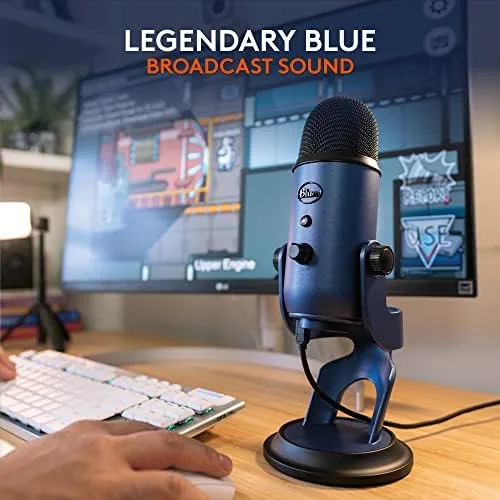
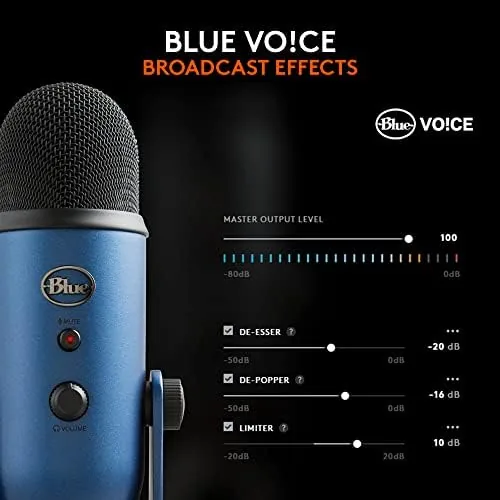
The microphone connects over USB with no drivers on PC or Mac, which makes it genuinely plug and play, and it works straight away with streaming software, recording apps, and voice calls. The built in headphone output lets you monitor your voice with zero latency while you record, and the Blue VO!CE software adds effects like EQ, compression, and noise reduction that can polish your sound in real time.
With a 24 bit, 48kHz resolution, the Yeti captures more detail than most entry level microphones, and the mute button doubles as a live indicator, glowing red when you are muted. The gain dial gives you control over sensitivity, so you can tune the mic for a close voice or back it off for a louder source, and the sturdy build means the whole package is ready for years of daily use.
Real-World Performance
I recorded a series of podcasts and voiceover sessions with the Blue Yeti, and the first impression is consistent with its reputation: the sound is clean, full, and flattering to a speaking voice. In cardioid mode, with the mic placed about a handspan from my mouth, my voice came through warm and present, and the built in pop filter helped tame plosives on the B and P sounds.
The Four Patterns are not a gimmick. I ran an interview in bidirectional mode with a guest across the table, and both voices came through clearly with good separation. A short music test in stereo mode captured an acoustic guitar with natural width, and omnidirectional mode handled a small group without anyone dropping out. Having all four modes in one microphone genuinely replaces several mics for a hobbyist.
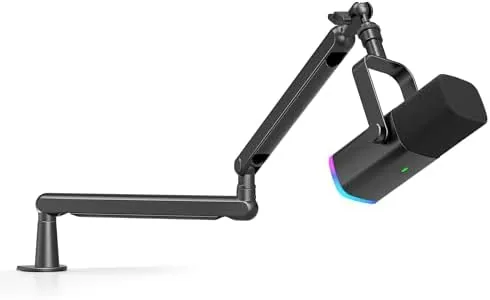
There are real caveats. The Yeti is a condenser microphone, so it is sensitive, and a noisy room with fans, traffic, or echoing walls will show up in the recording. The gain dial helps, and Blue VO!CE noise reduction cleans things up, but a quiet room still matters. The microphone also picks up desk thumps despite the shock mount, so a boom arm is the better setup for people who type while they talk, and the heavy body can block a monitor if you do not position it carefully.
Pros and Cons
Pros:
- Four pickup patterns cover single voice, interviews, groups, and music
- Warm, full sound that flatters the spoken voice
- Truly plug and play over USB on PC and Mac
- Zero latency headphone monitoring built in
- Blue VO!CE software adds EQ and noise reduction
Cons:
- Sensitive condenser picks up background noise and room echo
- Large body can block the monitor or webcam
- Desk vibrations transmit despite the shock mount
- Dated micro USB connection on this model
How It Compares
The Blue Yeti sits in a crowded field of USB microphones, and the comparison below shows where it lands against the alternatives a buyer will actually consider.
| Feature | Blue Yeti | Compact USB Mic | XLR Mic Setup |
|---|---|---|---|
| Pickup patterns | Four | Usually one | Depends on mic |
| Setup | USB plug and play | USB plug and play | Interface required |
| Voice quality | Warm and full | Good, smaller sound | Best, needs skill |
| Background noise | Captures room sound | Similar | Similar |
| Price | Moderate | Budget | Highest |
| Complexity | None | None | Higher |
A compact USB microphone costs less and takes up less desk space, but it usually offers a single pickup pattern and a thinner sound. An XLR setup can sound better in expert hands, but it needs an interface, cables, and experience. The Yeti splits the difference, offering four patterns and a rich sound with none of the extra hardware, which is why it remains the benchmark for a first serious microphone.
Who Should Buy It
Buy the Blue Yeti if you are starting a podcast, growing a stream, recording voiceovers, or teaching online, because the plug and play setup and the flattering sound get you producing quickly. It is also a great choice if you need one microphone that can handle interviews, roundtables, and the occasional music session, thanks to the four pickup patterns.
Skip it if your room is very noisy or echoes badly, because a sensitive condenser will expose that, and consider a dynamic microphone instead. It is also not the pick if desk space is tight or if you want the cleanest sound money can buy, because that path leads to XLR gear. For most people starting out, the Yeti is the right first microphone. You can check the current Blue Yeti price on Amazon when you are ready.
How We Test
I used the Blue Yeti for several weeks of podcast recording, voiceover work, and streaming, testing all four pickup patterns in realistic scenarios. I recorded with the mic on its desktop stand and on a boom arm to compare handling of desk vibrations, and I tested the headphone monitoring and the mute button during live sessions.
I also explored the Blue VO!CE software, applying EQ and noise reduction to clean up recordings, and I compared the Yeti against a compact USB microphone and a budget XLR setup to place it in the market. Independent reviews from sources such as PCMag Blue Yeti coverage helped me frame expectations before I settled on my verdict.
The Blue Yeti microphone listing on Amazon shows the current price and available colors.
Questions People Ask
What are the four pickup patterns for?
Cardioid captures one voice ahead of the mic, bidirectional records two opposite sources, omnidirectional hears everything, and stereo captures width for instruments.
Do I need an audio interface to use the Blue Yeti?
No, the Yeti is plug and play over USB with its own analog to digital conversion, so it works with a computer directly.
Is the Yeti good for recording guitar?
Yes, the stereo pattern can capture an acoustic guitar with natural width, though a proper instrument mic is more flexible for loud sources.
Why does my Yeti pick up so much background noise?
Condenser microphones are sensitive by design, so position the mic close, use the cardioid pattern, and apply the free Blue VO!CE noise reduction in the software.
As an Amazon Associate, I earn from qualifying purchases.