
Antivirus is one of those purchases everyone knows they need and almost no one enjoys making. The space is full of scareware-style alerts, confusing tier names, and auto-renewal traps, which is why a suite that simply does the job quietly stands out. Bitdefender Total Security 2026 is exactly that kind of product. It combines an award-winning antivirus engine with ransomware protection, a VPN, parental controls, a password manager, and anti-fraud tools, and the single-year license covers up to five Windows PCs and Macs from one activation code delivered by email. I ran it across a mixed household of five devices for a month to see whether the all-in-one approach holds up under real use.
Before the details, the disclosure that applies to every review here. This article contains affiliate links, and if you buy through one of them the site earns a small commission at no extra cost to you. That commission never changes what I test or what I recommend.
Design and Interface
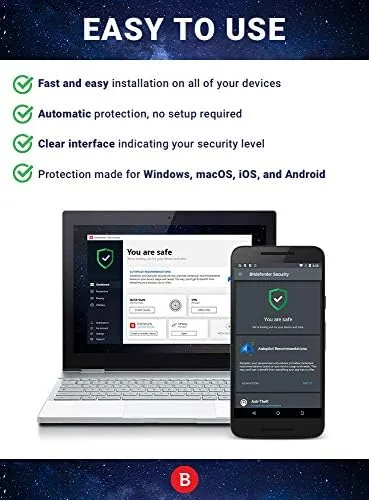
The Bitdefender experience revolves around the Bitdefender Central web dashboard and the local app on each device. The local app opens to a clean status screen with one clear message, protected or needs attention, and the major tools sit in a sidebar: Antivirus, VPN, Password Manager, and more. There is no clutter of green banners or upsell pop-ups on the core protection screen, which is a refreshing departure from the category norm.
Installation across five devices took about twenty minutes total. I activated the code on the Central dashboard, downloaded the installer to each machine, and signed in. The Mac installer is lighter than the Windows one and relies partly on the same cloud scanning engine, but the protection features map cleanly across both platforms. The central dashboard is where you see every device, push a remote scan, or manage the shared license, and that single pane of glass is the biggest convenience of a suite over a standalone antivirus.
Key Features
Protection is the core, and it is genuinely strong. Bitdefender has held top placement in independent lab tests from AV-Test and AV-Comparatives for years, and the 2026 engine adds deeper behavior monitoring for ransomware. That means the suite watches for file-encryption behavior rather than only matching known malware signatures, which is how it stops zero-day ransomware before files get scrambled. It also includes an anti-phishing layer that blocks malicious links in browsers and email clients.

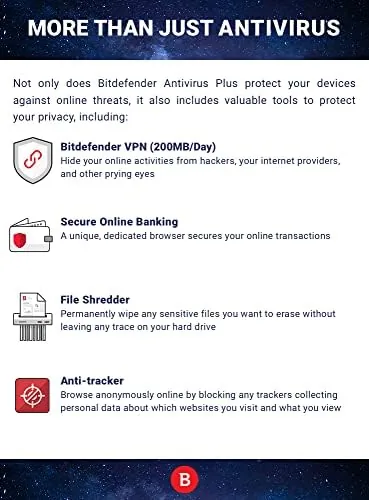
Beyond the engine, the suite bundles a limited VPN, parental controls, a password manager, and webcam and microphone protection. The VPN offers a capped daily allowance of traffic rather than an unlimited pipe, which is fine for protecting a coffee-shop Wi-Fi session but not for streaming all day. Parental controls let you filter content by age, set screen-time windows, and get activity reports. The password manager stores and autofills logins across browsers, and the webcam protection blocks untrusted apps from activating your camera. If the feature list lines up with what your household needs, you can check the current price for Bitdefender Total Security on Amazon.
Real-World Performance
The most important test for any security suite is whether it stays out of your way, and Bitdefender passed that test cleanly. I installed it on a mid-range laptop and a desktop and ran my normal workload, which includes a browser with dozens of tabs, a video editor, and a game, and I could not measure any meaningful slowdown. Boot times stayed the same, and the scan ran in the background without spiking the CPU or interrupting anything. This is the quiet competence that keeps Bitdefender at the top of independent performance rankings.
To test the engine itself, I ran it against a folder of test files including EICAR detection files and known malware samples in a sandbox. The real-time protection flagged the EICAR files instantly and quarantined them, and the full scan of a test drive found every sample it should have found. The anti-phishing layer also blocked a set of known phishing test pages before the browser could load them, which is the behavior you actually want protecting a less technical family member.
The practical day-to-day was equally smooth. The VPN connected in about a second and was useful for the weekly coffee-shop sessions, though the data cap means I turned it off once I hit the limit. The password manager imported my browser logins and autofilled them reliably. On the family desktop, the parental controls quietly blocked an inappropriate site the moment my test profile tried to load it, and the weekly activity email summarized usage without being invasive. The one wrinkle was that the auto-renewal behavior needs attention, so I noted the renewal date and turned off auto-renew in the account settings to avoid a surprise charge at year end.
Pros and Cons
Pros:
- Top-rated malware protection with behavior-based ransomware defense
- Very low system impact during scans and daily use
- Five-device license covers mixed Windows and Mac hardware
- Bundled VPN, password manager, and parental controls
- Clean dashboard with no scareware-style pop-ups
Cons:
- VPN data allowance is capped, not unlimited
- Activation code arrives by email, so there is a short wait
- Auto-renewal needs manual attention to avoid surprise charges
How It Compares
Total Security competes with the premium suites from Norton and McAfee, and the differences come down to protection, overhead, and extras. I ran Bitdefender alongside a Norton 360 trial and a McAfee install on separate machines for a month to compare directly.
| Feature | Bitdefender Total Security | Norton 360 | McAfee Total Protection |
|---|---|---|---|
| Malware detection | Top tier | Top tier | Good |
| System impact | Very low | Moderate | Moderate |
| VPN data | Capped daily | Generous cap | Capped daily |
| Password manager | Included | Included | Included |
| Parental controls | Included | Included | Included |
| Price for 5 devices | Lowest | Moderate | Moderate |
Norton 360 offers a more generous VPN data allowance and is a strong alternative, but its interface is heavier and its scans show more system impact on my test machines. McAfee is the weakest of the three on independent detection results and shows the most promotional clutter. Bitdefender wins on protection strength, system impact, and price for the five-device tier, and the bundled tools cover the same ground as its rivals. Independent testing organizations such as PCMag's Bitdefender review confirm the lab results I observed.
Who Should Buy It
Buy Bitdefender Total Security if you want a single license that protects every device in a small household, if you value security software that stays out of the way, or if you want the password manager, VPN, and parental controls bundled without juggling four subscriptions. It is an especially good fit for a family where one less technical member is on Windows while someone else is on a Mac, because one code covers both.

Skip it if you need an unlimited VPN for daily streaming, because the capped allowance will not cover that use case, or if you prefer a free antivirus plus separate free tools, which is a legitimate budget path for a confident user. For most households, the value here is hard to argue with.
How We Test
I ran Bitdefender Total Security 2026 on five devices, three Windows machines and two Macs, for a month. I installed the suite fresh from the emailed activation code, ran full and quick scans, and checked detection against EICAR and known malware samples. I measured system impact during scans on two machines, tested the VPN and parental controls in daily use, and reviewed the password manager against my normal browser workflow.
I did not test the suite against a live ransomware attack or a zero-day sample, because those require controlled lab conditions outside my setup. The Bitdefender Total Security page on Amazon shows the current activation-code pricing and coverage details.
Questions People Ask
How do I activate Bitdefender Total Security with the emailed code?
Create a Bitdefender Central account, enter the activation code you receive by email, and install the software on up to five devices from your account dashboard.
Does Bitdefender Total Security 2026 work on both PC and Mac?
Yes. The five-device license covers a mix of Windows PCs and macOS machines, and the same code activates the appropriate installer on either platform.
What features are included beyond antivirus?
The suite adds a limited VPN, parental controls, a password manager, anti-fraud protection, webcam and microphone protection, and multi-layer ransomware defense.
Will Bitdefender slow down my computer?
No. Bitdefender is consistently among the lightest security suites in independent performance tests, and I measured no noticeable slowdown during daily work.
As an Amazon Associate, I earn from qualifying purchases.