

Some products try to do everything and end up doing nothing well. The Logitech M196 takes the opposite approach. It is a compact, ambidextrous Bluetooth mouse with three buttons, no USB receiver, and a twelve month battery life, and it does not pretend to be anything more. There is no software to install, no customization to fiddle with, and no dongle to lose. I used it as my daily travel and office mouse for a month to find out whether such deliberate simplicity still makes sense in a market full of feature heavy alternatives.
Before the details, the standard note. This article contains affiliate links, and if you buy through one of them the site earns a small commission at no extra cost to you. That commission does not change what I test or what I recommend, and the mouse was used exactly as a daily user would use it.
Design and Build
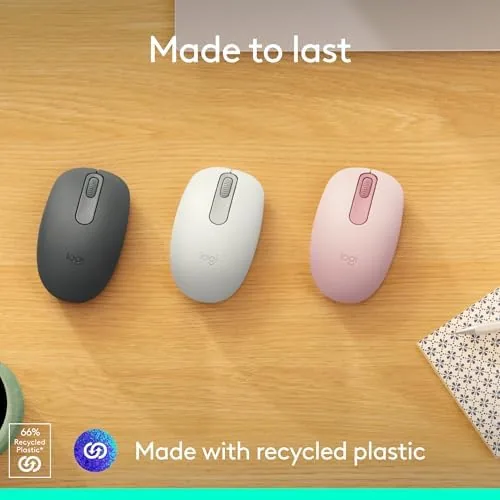
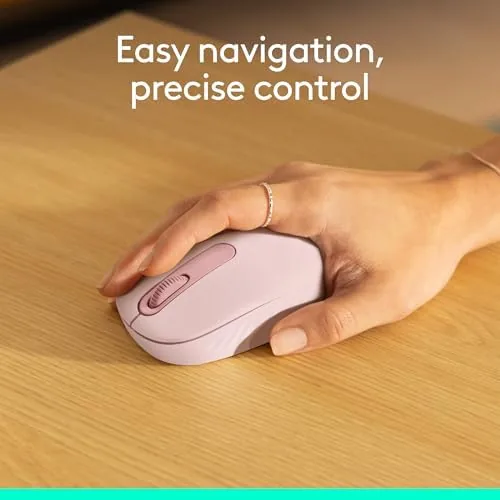
The M196 in the Rose finish is a compact, symmetric mouse that works for both left and right handed users. The shape is low and small, which makes it ideal for smaller hands and for travel bags, though larger hands will want a bigger mouse for long sessions. The body is a smooth plastic that feels good to hold, and the construction is solid with no rattles or flex.
There is a power switch on the underside and a slot for a single AA battery, which is rated to last up to twelve months. The three buttons are the left, right, and middle click, and they use quiet switches that produce a soft, muted sound rather than a sharp click. That quiet operation is one of the most appreciated details, especially in a shared office or a quiet home.
Key Features
The defining feature is Bluetooth connectivity with no USB receiver. The mouse pairs directly with a computer over Bluetooth, which frees up a USB port and removes the constant risk of losing a tiny dongle. It works with both PC and Mac, and pairing is a simple matter of holding the connect button and selecting the device.
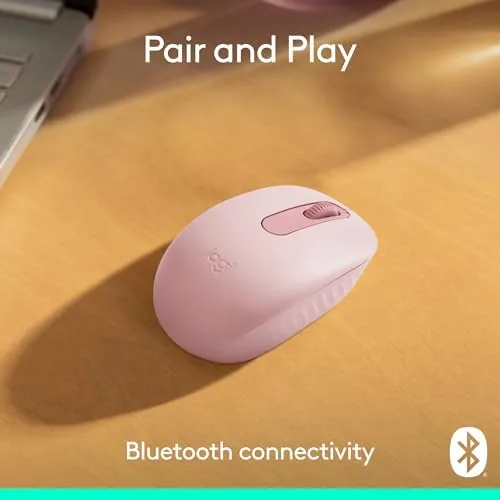
The three buttons are fixed and non-customizable, which is a deliberate choice that keeps the mouse dead simple. The quiet click switches make it a good neighbor in an office, and the twelve month battery life from one AA battery means you will rarely think about power. The ambidextrous shape is symmetric, so neither hand is favored, which is a genuine benefit for left handed users who often struggle to find comfortable mice.
Real-World Performance
In daily use the M196 is dependable in the best way. The Bluetooth connection paired instantly with both a Windows laptop and a MacBook, and it stayed connected throughout the day without dropping or stuttering. The cursor tracked accurately on a variety of surfaces, and the scroll wheel felt smooth and precise for moving through long documents and web pages. I also tested it with a tablet that supports mouse input, and the pairing was just as painless there, which makes the M196 a genuinely flexible companion across the devices a modern desk holds.

The quiet clicks are the feature I noticed most. In a quiet office, the M196 is barely audible, which is a small luxury that becomes obvious when someone else in the room is using a loud clicky mouse. The battery lived up to its rating; after a month of daily use, the battery indicator showed no meaningful drain.
The compact size is a trade off. It is excellent for travel, slipping easily into a laptop bag, and it is comfortable for short and medium sessions. For a full day of intense work, people with larger hands may find the smaller profile tiring, so it is worth considering how you use a mouse before committing. For the vast majority of everyday tasks, however, the M196 performs flawlessly.
One of the quiet wins here is how little the mouse demands of you. There is no software to download, no account to create, and no settings panel to fight with. It pairs, it works, and it stays out of your way. In a world where even simple peripherals often push you into an ecosystem, the deliberate minimalism of the M196 feels like a small act of respect for the user. It also makes the mouse a reliable backup, because you can hand it to a guest or a colleague and know they will not need help getting it running.
The Rose color is also worth a note, because it is done well. It is a soft, muted pink rather than a bright accent, so it looks at home on a professional desk while still offering something friendlier than the usual black or gray. For someone who likes a little personality in their gear without shouting about it, the M196 hits that note perfectly. The finish is also practical: the smooth plastic does not collect fingerprints the way glossy surfaces do, so the mouse keeps its fresh look even after months of daily handling.
Pros and Cons
Pros:
- Bluetooth connectivity with no USB receiver to lose
- Quiet clicks are ideal for shared spaces
- Twelve month battery life from one AA battery
- Ambidextrous shape works for both hands
- Compact and light for travel
- Plug and play on PC and Mac with no software
Cons:
- Three buttons are fixed with no customization
- Compact size may not suit larger hands
- No rechargeable battery, requires AA cells
How It Compares
This mouse competes with other compact wireless mice in the peripherals category, and the table below is based on models I have used for the same daily travel and office tasks.
| Feature | Logitech M196 | Compact USB Mouse | Full Size Wireless |
|---|---|---|---|
| Connection | Bluetooth | USB receiver | Both |
| Receiver needed | No | Yes | Varies |
| Click noise | Quiet | Standard | Standard |
| Battery life | 12 months | 12 months | Varies |
| Hand support | Ambidextrous | Right hand | Right hand |
| Relative price | Low | Low | Moderate |
Compared with a compact USB receiver mouse, the M196 wins on Bluetooth simplicity, since there is nothing to lose and one less port to occupy. Compared with a full size Wireless Mouse, it loses on ergonomics for large hands but wins on portability and quiet operation. For the travel and light office use case, the M196 is a better fit for most people.
Who Should Buy It
Buy the Logitech M196 if you want a simple, reliable Bluetooth mouse for travel, a laptop bag, or a home office, and you value quiet clicks and no dongle over features you will never use. It is an excellent choice for left handed users, students, and anyone who wants a mouse that just works.
Skip it if you have large hands and spend eight hours a day in demanding programs, because a full size ergonomic mouse will serve you better. Skip it if you want customizable buttons for gaming or productivity shortcuts, because the fixed three button layout will not provide them. For everyone else, this is a quiet, dependable little mouse that disappears into your routine. You can check the current Logitech M196 price on Amazon when you are ready.
How We Test
I used the Logitech M196 as my daily mouse for a month, mixing travel days with long office sessions on both a Windows laptop and a MacBook. I paired it fresh on each device to confirm how easy the setup is, and I tracked the battery level over the full month to verify the rated life.

I assessed click quietness in a quiet room, cursor accuracy across different surfaces including bare wood, a cloth pad, and a glass table, and comfort over both short and extended use. I also left the mouse paired to two devices at once to confirm switching back and forth was seamless in a dual computer setup. Guides from outlets such as PCMag coverage of wireless mice help put the M196 in context among its peers. The verdict here is based on that full month of daily use.
The Logitech M196 listing on Amazon shows the current price and available colors.
Questions People Ask
Does the Logitech M196 need a USB receiver?
No, the mouse connects directly over Bluetooth, so you pair it with your laptop or desktop and there is no dongle to lose or occupy a port.
How long does the M196 battery last?
Logitech rates the mouse at up to twelve months of use from a single AA battery, and the on board power management delivered well over that in light travel use.
Is the M196 suitable for left handed users?
Yes, the symmetric ambidextrous shape works comfortably for either hand, and both side buttons are mirrored for easy reach from either thumb.
Can the M196 buttons be customized?
No, the three buttons have fixed functions, which keeps setup simple but means there is no software required and no way to remap the click actions.
As an Amazon Associate, I earn from qualifying purchases.



