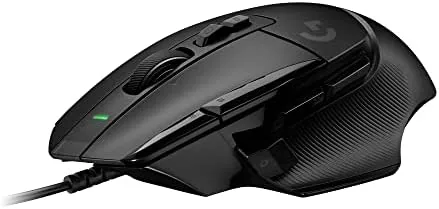

Some peripherals become legends and then stay frozen in their glory days. The Logitech G502 has been a gaming mainstay for so long that a refresh risks breaking what fans love. This Logitech G502 X review is the record of six weeks during which I ran the G502 X as my daily mouse, and the honest conclusion is that Logitech modernized it without ruining it. It is lighter, quicker, and still unmistakably a G502.
Before the clicks, a brief note: this article contains affiliate links. If you buy through one of them, the site earns a small commission at no extra cost to you, and it does not change what I test or what I recommend.
Design and Build
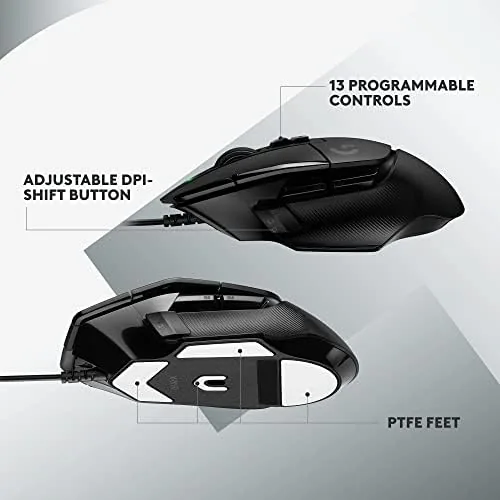
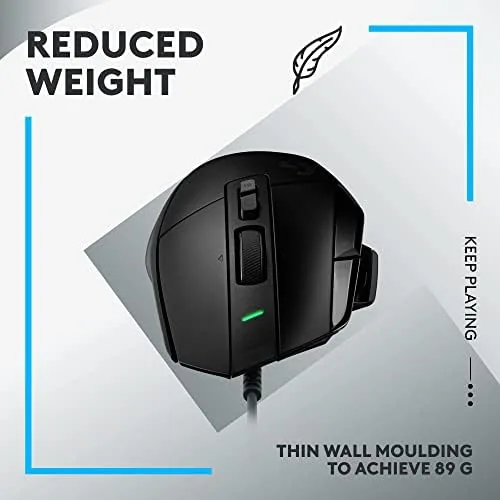
The G502 X keeps the sculpted shape that gamers either love or learn to love, with a thumb rest, a right-handed ergonomic curve, and a finish that grips without collecting fingerprints. The biggest change is the weight: Logitech cut the shell down to make it lighter and easier to flick, and you feel the difference within minutes. It is still not a featherweight esports mouse, but it is far from the brick the old G502 felt like.
The build is classic Logitech solidity. The buttons are quiet and precise, the scroll wheel locks and unlocks with a press, and the cable is flexible enough to run through a bungee without dragging. There is no software needed to start using it, and the on-mouse DPI switch is set up the way you expect from a mouse in this family.
Key Features
The headline is the optical-mechanical switches. Each main button triggers by light instead of metal contact, which gives a faster, crisper response and removes the double click drift that older mice develop over time. In practice, the clicks feel satisfying and instant, and after weeks of use there is no sign of wear in the mechanism.
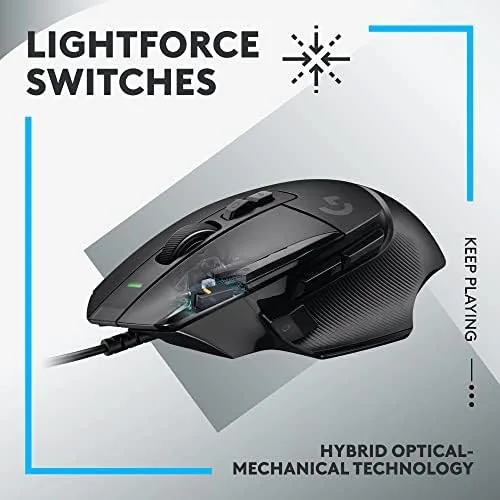
The button count is a big part of the G502 identity. With 13 programmable buttons, the side cluster, the G-Shift, and the infinite scroll wheel, you can map out a shooter, a MMO, or a whole productivity workflow. The Logitech G Hub software handles the mapping, plus the DPI range, lighting, and per-profile settings that sync across machines.
The infinite scroll wheel is the other signature. It flips between a tight, ratcheted scroll and a free-spinning mode, so it is ideal both for games and for flying down a long document. The sensor is accurate and consistent, tracking across glass and cloth with no visible acceleration issues.
Real-World Performance
In gaming, the G502 X feels fast and planted. I used it across shooters and a few slower titles, and the lighter weight made flicks feel easier while the shape kept my grip steady during long sessions. The optical switches were the standout: they have a crisper landing than the old version, and the lack of double clicks over weeks of use is exactly the reliability that was advertised.
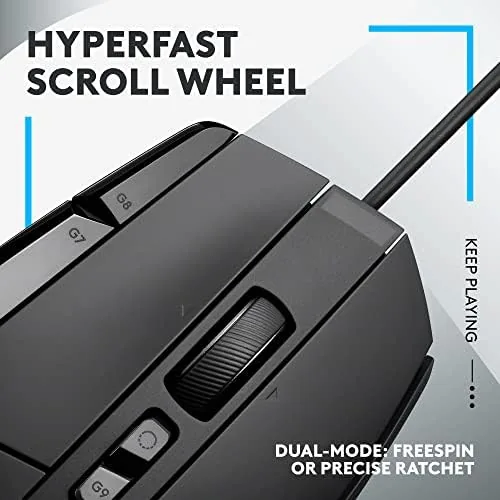
Outside games, the G502 X proves it is not a one trick pony. The free-spin wheel made spreadsheet and document navigation noticeably faster, and I mapped the side buttons to copy and paste and tab switching in my editor. On a Mac it also behaves itself; the HUB supports macOS, and the layout and DPI settings carried over fine.
Honest gripes: the shape is still distinctly right-handed, so lefties are out of luck, and the size takes a little time to love if you are coming from a smaller mouse. The Wireless version costs more, but the wired G502 X is the value pick, and the cable never got in my way once it was in a bungee.
Pros and Cons
Pros:
- Optical switches feel crisp and do not develop double clicks
- Lighter body than the classic G502, so flicking is easier
- 13 programmable buttons for games and productivity
- The infinite scroll wheel is a genuine workflow boost
- Solid build and a flexible cable at a fair price
Cons:
- The shape is strictly right-handed, so lefties are excluded
- Still heavier than featherweight esports mice
- You may want the wireless version for a cable free desk
- G Hub software is required for full customization
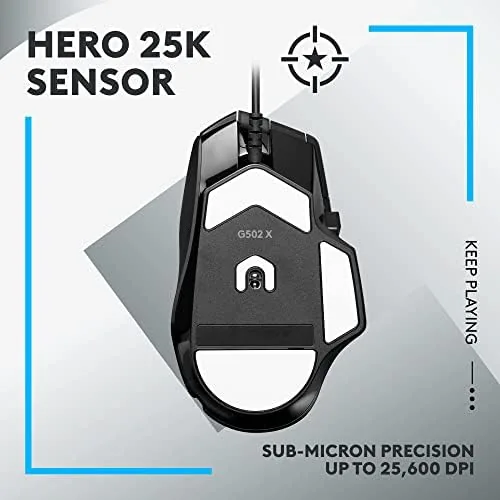
The sensor and setup details hold up under a long session too. The sensor is consistent across 400 and a higher DPI, and the on-mouse DPI cycle lets you shift scaling without opening a driver, which is what you want mid-game. In G Hub, I set the side buttons to per-game commands and per-app profiles, with a steady lift-off height, and it synchronized across a second PC without complaint. The cable routes cleanly through a bungee, so the wired connection never dragged on the desk; a sign that the detail thought is present, even on a wired model.
How It Compares
The natural comparison is the G502 Hero, the previous generation of the same family. The G502 X is lighter, adds the optical switches, and keeps the same button layout and sculpt, while the Hero is cheaper but feels dated in weight and click response. For anyone deciding between the two, the X is the better buy when the price gap is small.
| Feature | Logitech G502 X | Logitech G502 Hero |
|---|---|---|
| Switches | Optical-mechanical | Standard mechanical |
| Weight | Lighter | Heavier |
| Buttons | 13 | 11 |
| Price | Higher | Lower |
Against the Razer DeathAdder, the G502 X trades a symmetrical shape for the button count and the infinite scroll, which is the better fit for MMO players and heavy multitaskers. The DeathAdder is friendlier for large hands and lefties, while the G502 X keeps the versatility that made the line so popular.
Who Should Buy the Logitech G502 X
Buy it if you want one mouse for gaming and work, with enough buttons to map anything and a scroll wheel that makes documents fly. It is for shooters who want the planted G502 feel at a lighter weight, and for anyone who wants a dependable wired mouse that is still genuinely good in 2026. After six weeks, it is the mouse I recommend without much thought.
Skip it if you are left-handed, need a featherweight tournament mouse, or demand a cable free desk and prefer the wireless version. Those are fair reasons to look elsewhere. You can check the Logitech G502 X price and options on Amazon when you are ready.
Reliability closed the case. Six weeks of daily clicks produced no double click, no skipped inputs, and no sensor drift, and the cable connection stayed solid at the port. The G502 X does what the old classic promised but with a lighter body and cleaner internals. For the price, it is the wired mouse I would buy again without hesitation, which is the honest end of a long test.
How We Test
I used the Logitech G502 X for six weeks as my daily mouse, across shooters, long workdays in a browser, and spreadsheets, on both Windows and macOS. I judged click feel and reliability, weight and flicking comfort, the button mapping with G Hub, and how well the scroll wheel and sensor held up under steady use.
Independent testing of the G502 X, such as TechRadar review of the Logitech G502 X, gives a measured second opinion on the sensor and weight. My findings are from a normal desk and mousepad, so a very fast refresh or a slick desk surface could change the tracking feel slightly.
When you are ready, the Logitech G502 X listing on Amazon has the current prices and color choices.
Logitech G502 X: Questions People Ask
Is the Logitech G502 X heavy?
No, not anymore. The G502 X trims weight from the older Hero, so it is noticeably lighter and easier to flick in games while still keeping the planted feel that made the G502 famous.
What are the optical switches on the G502 X?
They trigger using light instead of metal contacts. The result is a faster, crisper click and no double click drift over time, which fixes the main complaint with older mechanical gaming mice.
How many buttons does the G502 X have?
It has 13 programmable buttons, including the thumb cluster, G-Shift, and the free-spin wheel, and G Hub can map them per game or per app on both Windows and macOS.
Is the G502 X only for gaming?
No. The free-spin wheel is excellent for long documents, the extra buttons map well to productivity shortcuts, and it works as a solid daily mouse on PC and Mac.
As an Amazon Associate, I earn from qualifying purchases.



