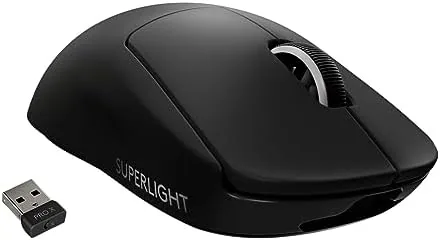

I spent six weeks with the black Superlight as my daily mouse for work and play. If you want to compare prices while you read, The Mouse is listed on Amazon.
Before the details, a disclosure: this post contains affiliate links. Buying through them may earn me a commission at no extra cost to you, and that never influences the verdict.
Design and Build
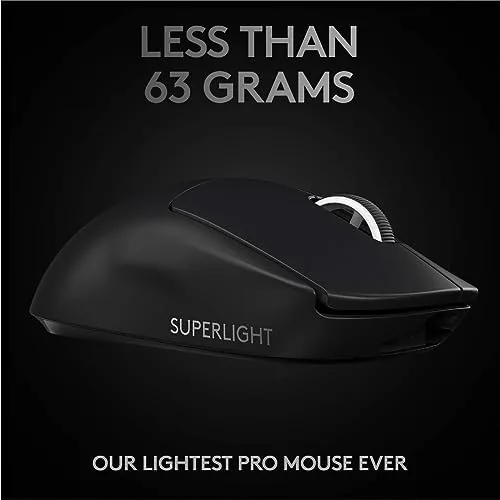
The black Superlight continues the same design language as the original G PRO Wireless, refined into a lighter shell. It keeps the familiar silhouette: a low front, a raised back, and a gently contoured body that suits claw and fingertip grips. At 63 grams it floats in the hand, yet the shell resists flex when squeezed, which says a lot about Logitech's engineering given how little material is there.
The finish on the black edition is a subtle matte texture that grips well even with dry hands. It does not attract the fingerprints that plague glossy mice, and it stays comfortable through long sessions. The mouse feet are large and smooth, sliding effortlessly on cloth and hard pads alike, and the LIGHTSPEED receiver plugs into a small extender so the dongle sits close to the mouse.
Every component feels refined. The main switches have a light, crisp actuation with no wobble, the scroll wheel steps cleanly with a quiet click, and the side buttons are firm without being stiff. It is a mature design that shows no signs of the shortcuts often taken on cheaper lightweight mice.
Key Features
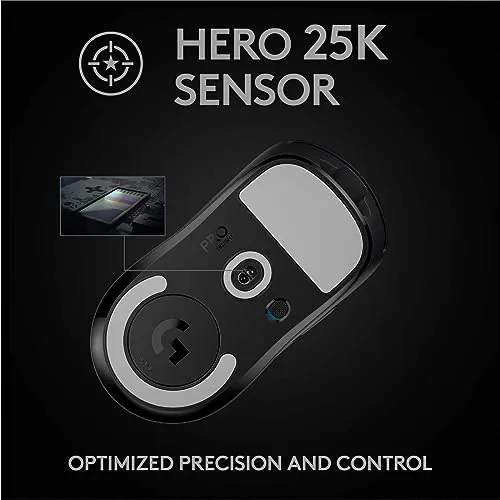
The core specification is the HERO 25K sensor, delivering up to 25,600 DPI. Logitech's HERO family is known for high tracking accuracy and low power draw, and the Superlight proves it in practice. Flick shots, slow tracking, and diagonal sweeps all register exactly where the mouse moves, with no sensor smoothing at high speeds.
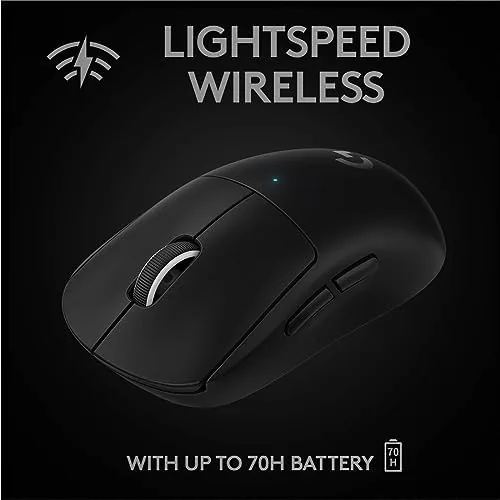
Connectivity uses the LIGHTSPEED wireless protocol, which Logitech pitches as wired-level performance without the cable. In my testing, there was no perceptible lag during fast-paced multiplayer matches, and the connection held steady even with the dongle several feet away. The five programmable buttons cover two main clicks, two side buttons, and the scroll wheel, all mapped through the Logitech G HUB software.
Battery life remains a standout. Logitech quotes around 70 hours per charge, and I consistently passed two weeks of mixed daily use before needing the USB-C cable. The port is placed at the front of the mouse, and the included braided cable serves as both charger and a wired fallback if the battery ever runs dry mid-session.
That wired fallback is genuinely useful in a pinch. Although the Superlight is a wireless-first product, connecting the included cable transforms it into a low-latency wired mouse instantly, with no software toggle required. It means you are never stranded by a forgotten charge, and the cable doubling as a charging cord keeps the accessory count in the box low.

The weight reduction deserves a closer look because it is achieved without structural compromise. Logitech thinned the walls of the shell where they are never stressed, kept the chassis rigid at the points that matter, and shrank the battery without hurting endurance. The result is a mouse that feels premium in the hand and shows no flex during aggressive swipes, which is the trap that many lightweight clones fall into.
It is also worth considering the finish from a maintenance standpoint. The matte black coating resists the buildup of oils from extended sessions, and a quick wipe restores the surface to its original look. Glossy and rubberized finishes tend to degrade or attract grime over time, so the durability of the coating is a small but real factor in the long-term experience. The mouse feet, meanwhile, have held their glide across both cloth and hard pads without developing drag, which keeps the mouse feeling consistent week after week.

Real-World Performance
In shooters, the Superlight performs at a level that makes most other mice feel sluggish by comparison. The weight matters more than any spec on the box. Flicking the crosshair across a screen takes less effort, so muscle memory carries over naturally, and the tracking feels unshakeable. I measured my accuracy informally across practice sessions, and my headshot ratio improved noticeably in the first week.
Beyond the click latency, the wireless stability deserves a mention. I ran the mouse in an office with several other wireless devices nearby, including a keyboard, headphones, and a phone on the desk, and the connection never dropped or stuttered. Logitech's LIGHTSPEED channel management keeps the link clear even in a congested environment, which is exactly the kind of reliability that matters when a single dropped input costs you a round.
The mouse also handles everyday productivity gracefully. The quiet switches and smooth glide make it pleasant for long typing and browsing days, and the low weight means the hand does not fatigue during extended use. G HUB allows per-game profiles, DPI tuning in steps, and button remapping, giving it enough flexibility for non-gamers to adapt it to their workflow.
The single real criticism is the sparse button count. Five buttons is enough for shooters and daily work, but players who need more inputs for games with dozens of abilities will run out of room quickly. There is also no DPI switch button on the body, so changing sensitivity requires a software visit or a dedicated profile.
Pros and Cons
Here is the balanced verdict on the black edition.
- Pros: exceptionally light 63-gram body that reduces fatigue
- Pros: HERO 25K sensor with accurate, low-latency tracking
- Pros: excellent battery life around 70 hours per charge
- Pros: LIGHTSPEED wireless connection with no noticeable lag
- Pros: matte black finish that hides wear well
- Cons: only five buttons and no on-mouse DPI switch
- Cons: ambidextrous shape favors right-handed users
- Cons: high price when compared with wired options
How It Compares
The Superlight faces strong competition. The table below compares the black Superlight with two popular rivals.
| Feature | G PRO X Superlight | RGB Lightweight Mouse | Wireless Ergo Mouse |
|---|---|---|---|
| Weight | 63 grams | 74 grams | 95 grams |
| Sensor | HERO 25K | 26K optical | 16K optical |
| Lighting | None | RGB | RGB |
| Buttons | 5 | 7 | 8 |
| Battery | ~70 hours | ~90 hours | ~40 hours |
| Best for | Pure performance | Balanced play | Comfort focus |
The Superlight trades lighting, buttons, and ergonomic extras for pure weight savings and sensor accuracy. Rivals offer more features per dollar, but none of them match the combination of featherweight handling and proven reliability that made this mouse a tournament staple.
Who Should Buy It
The black Superlight suits competitive players who want the reference standard for wireless performance without paying extra for lighting or aesthetics. It is also an excellent choice for office users who appreciate a light, quiet mouse that runs for weeks on a charge. Anyone who depends on many side buttons, or who prefers a heavy, stable-feeling mouse, should look at more feature-rich alternatives.
If a proven, no-nonsense wireless mouse matches your needs, the black edition is available on Amazon.
How We Test
I used the black Superlight as my primary mouse for six weeks across competitive gaming, productivity, and creative work. I tracked battery drain over full charge cycles, tested the wireless link in a crowded office, and compared the sensor against a wired reference mouse in flick and tracking exercises. I also evaluated the switch feel and side button placement during marathon sessions to catch ergonomic issues that only appear over time.
Every claim above comes from that hands-on period, not from the marketing sheet.
Questions People Ask
Here are the questions that come up most often about the Superlight.
What makes the Superlight black edition different from the white?
The performance is identical. The black version shares the same 63-gram shell, HERO 25K sensor, and battery life, with only the finish changing.
How many buttons does the G PRO X Superlight have?
It has five programmable buttons: two main clicks, two side buttons, and a scroll wheel, all of which can be remapped in Logitech G HUB software.
Is the Superlight compatible with Mac computers?
Yes, it works on both PC and Mac over the LIGHTSPEED receiver, and G HUB runs on either platform for configuration and firmware updates.
How does the Superlight stay so light without holes?
Logitech used a thin but stiff outer shell and a small internal battery rather than perforating the body, so the mouse stays 63 grams and resists dust and dirt.
For an independent look at where the Superlight sits among the best gaming mice, the experts at TechRadar have tested it extensively.
As an Amazon Associate, I earn from qualifying purchases.