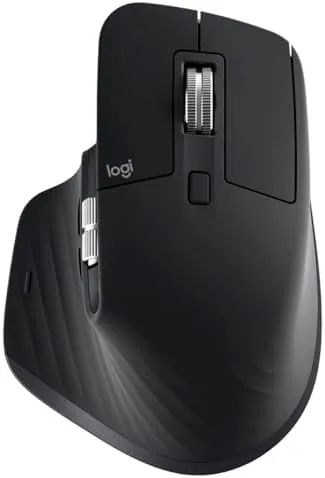

By the end of a long week my wrist used to ache in a way that a shorter mouse should have managed. This Logitech MX Master 3S review is the record of two months spent with the MX Master 3S as the only mouse on my desk. It is not cheap, and it is not tiny, but after two months it quietly earned its place with no moment of regret. The honest verdict: for the person who lives at a desk, this is still the work mouse to buy.
Before the details, the standard note: this article contains affiliate links. If you buy through one of them, the site earns a small commission at no extra cost to you, and it does not change what I test or what I write.
Design and Build
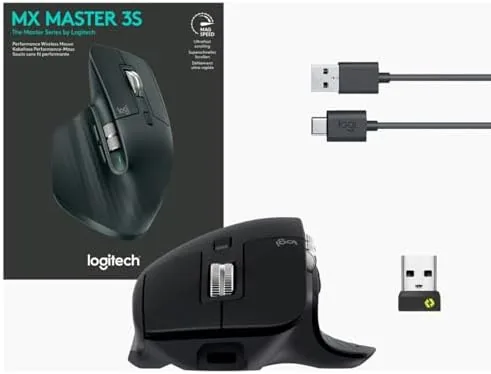
The MX Master 3S uses the tall, sculpted shape that has defined the line for years. The curved palm and the wide thumb rest give your hand something to hold rather than hover, and the matte body stays dry even in a warm room.
Build quality is at the top of its class. There is no shell flex, the wheel is solid, and the buttons feel consistent across a long session. The thumb wheel and the side buttons sit exactly where the thumb rests, so every control lands without reaching.
The defining change in the name is the S, and it means quieter clicks. Logitech softened the switches so each press is a gentle, muted bump rather than a loud ratchet, and the difference in a shared room or on a call is noticeable. It is the kind of quiet you only value once you have come from the old version.
Key Features
The headline spec is the 8K DPI sensor, and the real value is what it enables: tracking on glass. I dragged the cursor across a bare desk, paper, and a dark glass surface, and it held steady everywhere, which marks an improvement over the earlier MX range.
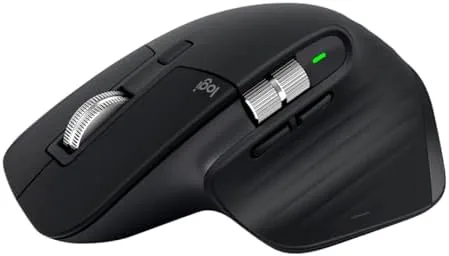
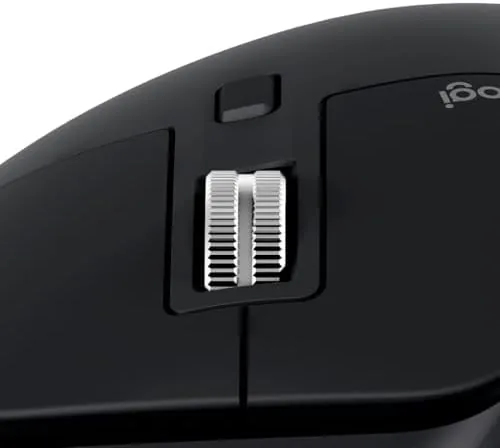
The MagSpeed scroll wheel toggles between a ratcheted, clicky mode and a free-spinning glide that sends a long page flying. Moving down a tall spreadsheet or a long file with a nudge of the free wheel is effortless, and it is the single feature I would miss most on any other mouse.
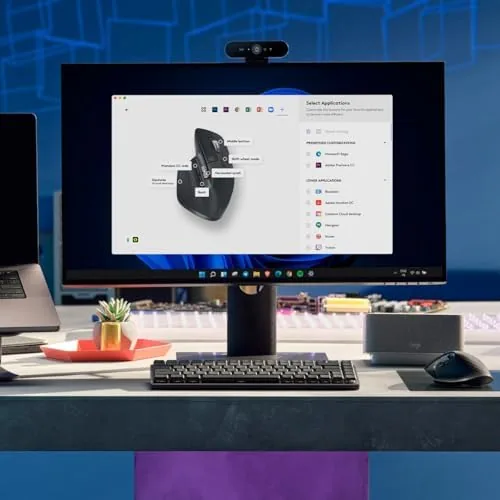
Connectivity is equally flexible. The mouse pairs with up to three devices over Bluetooth or the USB receiver and switches with one button, so I moved between a Mac, a Windows desktop, and a tablet without ever re-pairing. The Logi Options+ app adds per-app profiles, and the custom buttons turn it into a genuine workflow tool.
Real-World Performance
Here is where I put the spec sheet aside and describe what it is like to live with, because performance is the real test. After several weeks the ergonomics do the work I hoped they would. The wrist sits at a comfortable angle, and at the end of a long day my hand felt far less tired than it did with a flatter mouse.
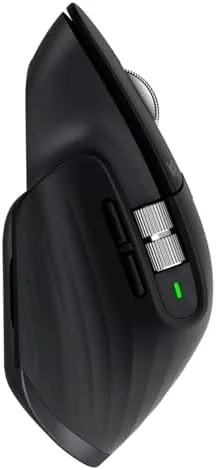
The sensor is a genuine pleasure. Dragging across two monitors, fine-tuning a graphic, or just browsing, the cursor tracks with precision and no nasty jumps. That glass surface test I mentioned is not a gimmick; it is what I reached for daily.
The quiet clicks pass the call test. When I recorded an audio session the mouse sound faded to nothing against my voice, which is a subtle but genuinely useful trait for anyone on meetings. In a shared room it is also far less intrusive for listeners around the desk.
An honest note. The free-spin wheel can be eager and run a long page farther than you want if you flick it hard, and the buttons, while precise, are tuned for productivity rather than twitch gaming. For office work that is a perfect fit; for competitive play it is not the tool.
Pros and Cons
Pros:
- Excellent ergonomics that ease wrist strain over long days
- Precise 8K sensor that tracks on glass and any surface
- Quiet clicks that vanish on calls and in shared rooms
- Fast, flexible MagSpeed scroll wheel
- Long battery with easy three-device switching
Cons:
- Priced high for a mouse
- Free-spin wheel can overshoot on very long pages
- Not built for competitive gaming input
How It Compares
The MX Master 3S tops Logitech's productivity lineup. Against the older MX Master, it adds the sharper 8K sensor and the quieter switches, while the budget MX Anywhere version stays lighter for travel at the cost of the palm-filling shape.
| Feature | MX Master 3S | MX Anywhere 3S |
|---|---|---|
| Sensor | 8K DPI | 8K DPI |
| Shape | Tall ergonomic | Compact travel |
| Scroll wheel | Large MagSpeed | Compact MagSpeed |
| Battery | Up to 70 days | Up to 70 days |
| USB-C charging | Yes | Yes |
Against a basic office mouse it is clearly the upgrade for anyone hunched over hours at a screen. Although a flagship gaming mouse beats it for raw response, the Master 3S wins on comfort, silence, and the workflow tools, which is the right trade for work.
Who Should Buy the Logitech MX Master 3S
Buy it if you spend long hours at a computer, work across more than one device, or want a quiet, precise input that protects your wrist. It is the kind of purchase whose comfort keeps paying off every single week.
Skip it if you are a competitive gamer who needs a light, hyper-accelerated sensor, or if you are on a strict budget where a simpler mouse will do. You can check the Logitech MX Master 3S price and options on Amazon when you are ready.
How We Test
I ran the MX Master 3S for two months as my only mouse across writing, editing, design, and calls. I judged it on ergonomic comfort, sensor reliability across surfaces, noise, battery life, and the app workflow.
I compared it with the standard MX, the MX Anywhere, and a gaming mouse so the verdict reflects the object rather than a spec sheet. Independent testing, such as CNET's MX Master 3S review, makes the same point about ergonomics and the 8K sensor.
When you are ready to decide, the Logitech MX Master 3S listing on Amazon has the current options.
Logitech MX Master 3S: Questions People Ask
Is the MX Master 3S good for large hands?
Yes. Its tall, sculpted shape fills a palm, and the thumb rest and thumb wheel suit medium and large hands well. People with small hands may find it bulky.
Does the MX Master 3S work on glass?
Yes. The 8K DPI sensor tracks reliably on glass and most surfaces without a pad, which is one of its best everyday traits.
How long does the battery really last?
Logitech rates it for up to 70 days on a full charge over USB-C, and I went for weeks at a time between top-ups during the review.
Can it connect to multiple computers?
Yes. It pairs with up to three devices over Bluetooth or the USB receiver and switches between them with one button press, ideal for a Mac and PC desk.
As an Amazon Associate, I earn from qualifying purchases.