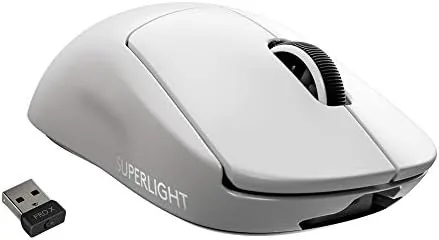

I used the white edition of the PRO X Superlight for over a month as my primary mouse, across shooters, strategy titles, and everyday desktop work. If you want to see the current price while you read, the mouse is available on Amazon.
A quick disclosure before the details: this article contains affiliate links. Purchases made through them may earn me a commission at no extra cost to you, and they do not influence the verdict below.
Design and Build
The first thing you notice lifting the Superlight is the absence of weight. At 63 grams, it feels almost empty in the hand, yet the shell is not flimsy. Logitech achieved the low mass by using a thin but stiff outer shell and a small battery, rather than cutting holes. The result is a mouse that is light, sturdy, and free of the dust-collecting gaps that define most lightweight rivals.
The shape is a classic right-handed ambidextrous form with a slightly raised back that fills the palm. It suits claw and fingertip grips best, though palm users with medium hands will find it comfortable. The white finish on this edition is clean and understated, with none of the gamer-grade RGB lighting that many players are happy to leave behind.
Build quality is excellent. The main buttons use the same tensioning system as the original G PRO Wireless, producing a crisp, tactile click with no pre-travel wobble. The mouse feet glide smoothly on almost any surface, and the receiver extender ensures a solid signal even from across a wide desk.
Key Features
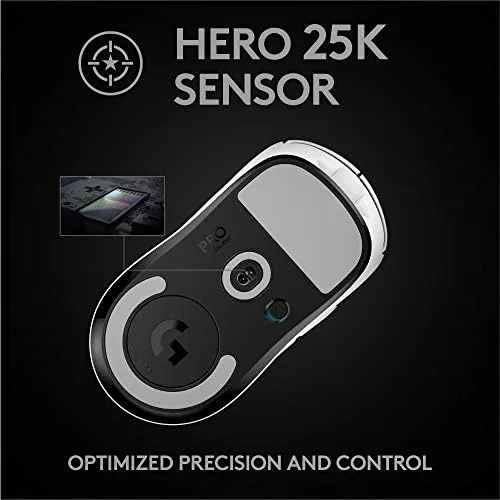
The defining feature is the HERO 25K sensor, which delivers up to 25,600 DPI with Logitech's trademark low power consumption. In practice, the sensor tracks flawlessly across the tested surfaces, with no acceleration, no smoothing at high speeds, and no jitter during fast flicks. It is the kind of sensor that disappears from your awareness because it simply never misbehaves.
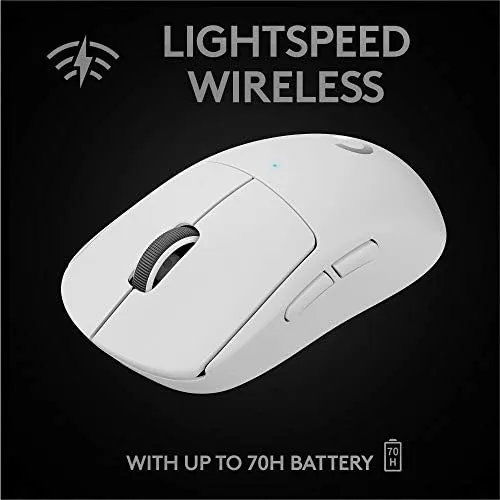
Wireless performance comes from the LIGHTSPEED protocol, which Logitech claims is as fast as a wired connection. In my testing, the input felt immediate during frantic firefights, and I could not detect any difference between the wireless connection and a wired mouse. The five programmable buttons cover the essentials: two main clicks, two side buttons, and a scroll wheel, all configurable through G HUB software.
Battery life is a headline number here. Logitech rates the Superlight for about 70 hours on a single charge, and my daily play schedule stretched that to roughly two weeks between charges. A quick USB-C charge tops it up fast, and the included cable works for charging as well as acting as a backup wired connection.

Real-World Performance
In fast-paced shooters, the Superlight excels. The low weight makes large sweeping flicks feel effortless, and the high tracking speed of the HERO sensor keeps up with the fastest movements without skipping. My aim consistency improved noticeably compared with the heavier mouse I used before, which is precisely what Logitech designed this product to achieve.
Outside gaming, the mouse is a fine daily driver. The quiet clicks do not annoy people in a shared office, and the lightweight shell reduces wrist fatigue during long sessions. The G HUB software lets you program buttons, tune DPI steps, and set profiles per game, which adds genuine utility without cluttering the experience.
It is also worth noting how the software integrates with the workflow. Profiles can be bound to specific applications, so the mouse switches its button layout automatically when you open a game or a creative tool. The onboard memory stores a profile directly in the mouse, which means your settings follow the device to any computer even if G HUB is not installed there. That portability is useful for players who compete on more than one machine.
The only performance quirk I found is that the side buttons sit slightly high for my grip, so reaching them takes a deliberate thumb movement. It is a minor ergonomic detail, and most users will adapt within a day, but it is worth noting for those who bind critical actions to the side buttons in competitive play.
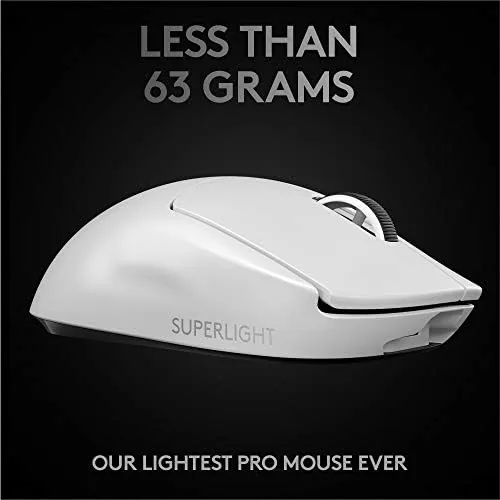
One detail that deserves attention is the sensor's power efficiency. The HERO 25K not only tracks well but does so with a fraction of the power older sensors used, which is a large part of why the battery lasts as long as it does. Logitech's engineering here is quietly impressive: the mouse does more work per milliwatt than most rivals, and that efficiency translates directly into days of extra playtime.
There is also the question of durability. The Superlight carries the same reputation for reliability that made the original G PRO Wireless a favorite among professionals, and the internal construction has been simplified and reinforced in the places that matter. After a month of daily use, including travel in a laptop bag, the shell shows no scuffs and the buttons still feel as crisp as day one. That kind of longevity matters when you are paying a premium price, because the alternative is replacing a cheaper mouse every few months when the switches start to double-click or the coating peels.
Pros and Cons
Here is the honest balance of what the Superlight does well and where it falls short.
- Pros: 63-gram shell that genuinely improves long gaming sessions
- Pros: HERO 25K sensor with flawless tracking up to 25,600 DPI
- Pros: LIGHTSPEED wireless with no detectable input lag
- Pros: around 70 hours of battery life between charges
- Pros: clean design with no flashy RGB lighting
- Cons: only five buttons, and no on-mouse DPI switcher
- Cons: side buttons are positioned high for some grips
- Cons: premium price compared with wired alternatives
How It Compares
The Superlight has clear rivals in the lightweight wireless category. The table below compares it with a heavy wireless mouse and a budget wired alternative.
| Feature | G PRO X Superlight | Heavy Wireless Mouse | Budget Wired Mouse |
|---|---|---|---|
| Weight | 63 grams | 100+ grams | 90 grams |
| Sensor | HERO 25K | Standard optical | Basic optical |
| Max DPI | 25,600 | 16,000 | 6,400 |
| Connection | Wireless LIGHTSPEED | Wireless | Wired |
| Buttons | 5 | 8+ | 6 |
| Battery life | ~70 hours | ~40 hours | N/A |
Against heavier wireless mice, the Superlight wins on weight and battery life, while sacrificing a few buttons and onboard DPI switching. Against budget wired mice, it is far more expensive but delivers a wireless experience that many competitive players consider worth the premium.
Who Should Buy It
The Logitech G PRO X Superlight is for competitive players who value speed, consistency, and reliability above features. If you play aim-heavy shooters and want a mouse that vanishes in your hand, this is one of the best options available. It is also a fine choice for anyone who wants a premium Wireless Mouse for mixed gaming and productivity, provided the price does not sting.
Casual players on a tight budget, or gamers who need many programmable buttons for MMOs and MOBAs, will find better value elsewhere. The Superlight is deliberately minimal, and that minimalism is exactly its appeal. You can pick up the white edition on Amazon if it sounds right for you.

How We Test
I tested the Superlight as my primary mouse for five weeks. I played competitive shooters daily to assess tracking and input latency, switched between desktop work and gaming to check versatility, and left the mouse on for days at a time to verify the battery claims. I also ran it across different mousepads and a bare desk surface to confirm the HERO sensor handled varied conditions, and I used G HUB to program buttons and test profiles.
The verdict is based on that extended hands-on period, not on spec sheets. The mouse performed exactly as advertised throughout, with only the ergonomic quirks noted above.
Questions People Ask
These are the questions players ask most about the Superlight.
How long does the Logitech G PRO X Superlight battery last?
Logitech rates the Superlight for around 70 hours of continuous play on a full charge, and in our testing it comfortably covered more than two weeks of nightly sessions.
Is the G PRO X Superlight good for casual gamers too?
Yes. The light body and accurate sensor benefit every genre, and the quiet switches and simple two-tone design also make it a pleasant mouse for everyday desktop work.
Does the Superlight work with a Mac?
It does. The mouse connects over the LIGHTSPEED receiver and is fully compatible with PC and Mac systems through Logitech G HUB software.
What is in the box with the Logitech G PRO X Superlight?
The box includes the mouse, a LIGHTSPEED wireless receiver, an extended receiver extender, a charging cable, and optional grip tape for added control.
For a broader look at how lightweight mice stack up, the reviews at Tom's Hardware provide useful independent context on the current field.
As an Amazon Associate, I earn from qualifying purchases.



