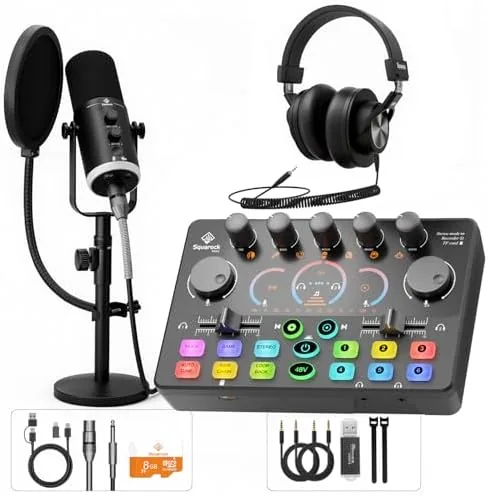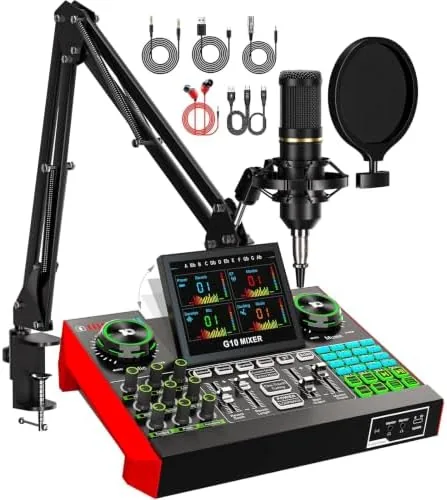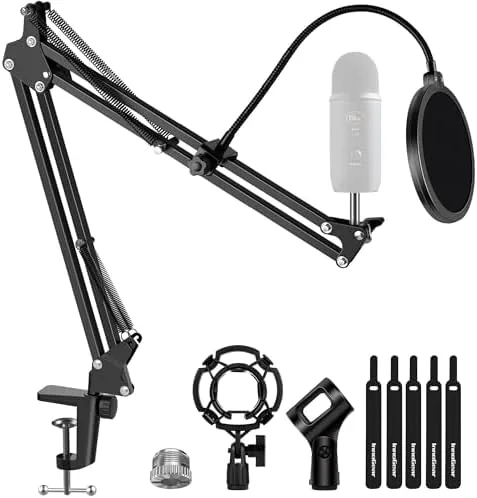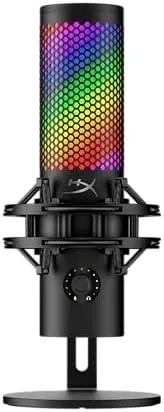

Sound is the first thing a viewer notices about a stream or a podcast. A muddy voice loses listeners in the first minute, while a clean one holds them for an hour, and the microphone is the single easiest upgrade that separates the two. The HyperX QuadCast 2 S is a USB condenser microphone aimed squarely at that audience, offering multiple polar patterns, onboard controls, RGB lighting, and a removable shock mount in a package that works with PC and Mac over USB-C. I used one for a month of streams, podcast recordings, and voice calls, and this review is the record of that time.
Before the details, the standard note. This article contains affiliate links, and if you buy through one of them the site earns a small commission at no extra cost to you. That commission does not change what I test or what I recommend, and the microphone reviewed here was set up exactly the way a buyer would set it up.
A USB microphone has to do two jobs at once: sound good on the recording and behave well in a busy software setup. The rest of this review covers the design, the key features, the recorded performance, and who should put the QuadCast 2 S on their desk.
Design and Build
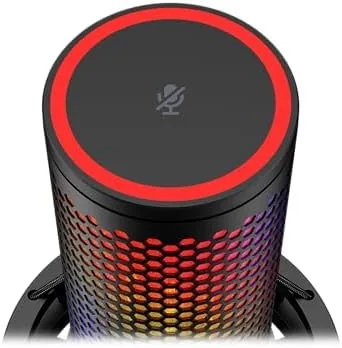
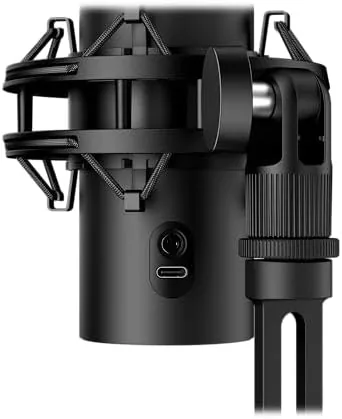
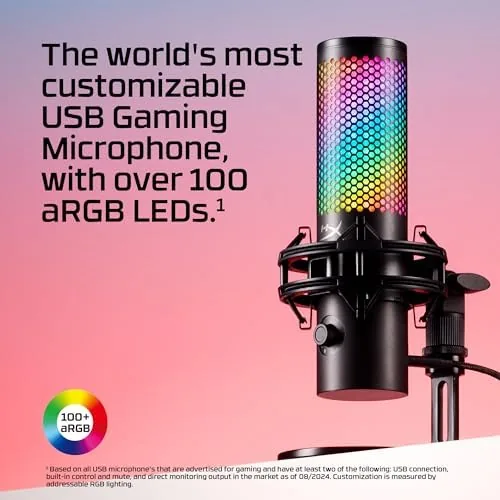
The QuadCast 2 S is a heavy, well finished condenser microphone with a metal body and a dense shock mount that isolates the capsule from desk thumps. It mounts on the included stand, which has a clean footprint for a desk, or it can move to a boom arm when the stand crowds the workspace. The RGB ring around the base lights up in a smooth, configurable glow that reads well on camera without looking like a toy.
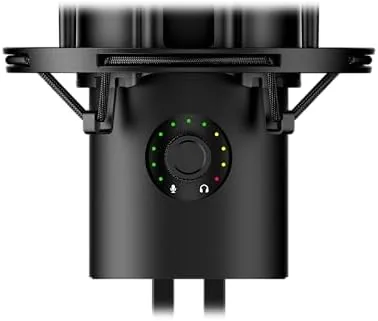
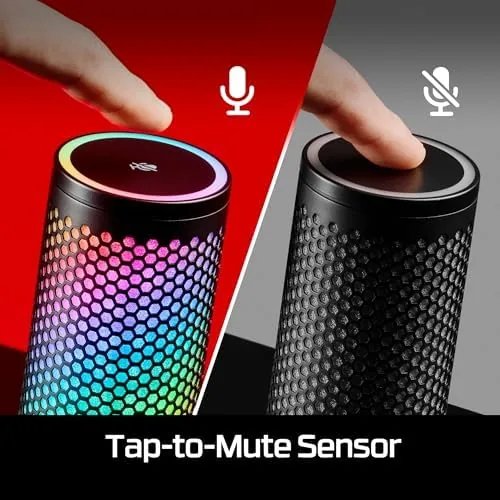
The build quality earns the price. The controls sit on the front where they are easy to find, the mute sensor on top responds to a quick tap, and the shock mount snaps around the mic with solid detents. Nothing rattles, nothing feels cheap, and the microphone feels like a permanent desk fixture rather than a temporary setup.
Key Features
The headline feature is the set of polar patterns. A switch on the back selects between cardioid for a single voice, bidirectional for two person interviews, omnidirectional for room audio, and stereo for wider captures. That range turns one microphone into several, which is a genuine advantage for creators who switch between formats.
The onboard controls are the other practical feature. A gain dial sets input level, a headphone output on the side gives zero latency monitoring, and the tap to mute sensor is quick enough to use mid stream. The RGB is adjustable, so you can match the color to a setup or turn it off entirely for a quieter look, and the whole unit runs over USB-C with no driver fuss.
Real-World Performance
The real test of a stream mic is how the voice sounds in the room it lives in, so I used the QuadCast 2 S for a month of live streams, podcast recordings, and daily voice calls. In cardioid mode, which is the default for most creators, the voice came through full and centered with no boxy tone, and the microphone handled normal speaking distance without needing aggressive gain.
The multi pattern feature paid off in practice. For a two person interview, bidirectional mode picked up both voices cleanly while rejecting the sides, and omnidirectional captured a roundtable without anyone leaning in. The RGB looked sharp on camera, the mute tap worked reliably mid sentence, and the zero latency monitoring meant I never heard my own voice echoing back through the headphones.
Positioning mattered more than I expected. Because The Cardioid pickup favors the front, keeping the microphone about a fist away from the mouth and pointed at the face produced the richest tone, while moving off axis thinned the voice noticeably. That is standard condenser behavior, but the gain dial had enough range to make close and distant positions both usable.
Setup took under five minutes. The microphone plugged into a PC over USB-C, was recognized immediately with no driver install, and the gain dial set a clean level on the first attempt. The shock mount did its job too, absorbing the occasional desk bump that would have thumped a mounted microphone straight into the recording.
Mixing into a live stream was equally painless. The microphone showed up as a standard USB audio device, which meant it worked with the usual streaming software without any configuration, and the onboard controls meant I never had to tab out of a game to adjust level or silence the channel.
The limits are honest ones. A condenser microphone picks up room noise, so a noisy space needs a noise gate or a quieter room, and the pattern switch does not eliminate that. Console users will need an adapter for full compatibility, since the microphone is designed around PC and Mac. And the RGB, while attractive, is a feature you pay for even if you never look at it.
One more detail earned respect over the month. The microphone produced consistently clean audio across every recording, with no dropouts, no crackle, and no drift in level between sessions. That reliability is the quiet part of the job that a streamer notices only when it breaks, and it never did.
Pros and Cons
Pros:
- Four polar patterns cover solo, interview, and room capture
- Clean, centered voice tone at normal speaking distance
- Onboard gain, tap to mute, and zero latency monitoring
- Adjustable RGB that looks good on camera
- Shock mount tames desk noise
- True plug and play over USB-C on PC and Mac
Cons:
- Condenser pickup needs a reasonably quiet room
- Console compatibility requires an adapter
- RGB adds cost for those who will never use it
How It Compares
The main choice for a streamer is between a multi pattern mic like the QuadCast 2 S and a single pattern XLR setup with an interface, and the difference comes down to simplicity versus upgrade path. The table below lines up the two.
| Feature | HyperX QuadCast 2 S | XLR Mic and Interface |
|---|---|---|
| Setup | One USB cable | Cable, interface, software |
| Patterns | Four on a switch | One, or extra capsules |
| Controls | Onboard gain and mute | On interface or software |
| Portability | Single compact unit | Multiple pieces |
| Upgrade path | Limited | Swap mics over time |
| Cost | One time | Interface plus mic |
If you want one clean solution that works the day it arrives, the QuadCast 2 S is the easy winner, because the USB connection and onboard controls remove every obstacle between you and recording. If you plan to grow into a multi mic studio with hardware processing, an XLR interface gives you that path. Match the mic to how far the setup is going to go.
Who Should Buy It
Buy the HyperX QuadCast 2 S if you are a streamer, podcaster, or content creator who wants great audio without the complexity of an interface, and you value the flexibility of switching between solo, interview, and room capture. It is also a strong pick for a home office where voice quality matters on calls.
Skip it if you already have an XLR setup, if your room is too noisy for a condenser, or if you prefer to build a studio piece by piece. For a ready to run microphone that sounds good on camera and off it, this is the one. You can check the current price of the HyperX QuadCast 2 S on Amazon when you are ready.
How We Test
I used the HyperX QuadCast 2 S for a month of live streams, podcast recordings, and daily voice calls over USB-C on a PC. I tested all four polar patterns, checked the gain range across quiet and loud voices, exercised the tap to mute during live sessions, and monitored through the headphone output for latency and bleed.
I did not test every streaming software configuration or console setup, so follow the compatibility notes for your gear. For a deeper look at choosing a microphone, SoundGuys has a guide to podcast and streaming microphones that covers patterns and interfaces. The HyperX QuadCast 2 S listing on Amazon shows the current price and bundle contents.
HyperX QuadCast 2 S: Questions People Ask
Which polar patterns does the QuadCast 2 S offer?
The microphone switches between cardioid, bidirectional, omnidirectional, and stereo patterns, so you can tune it for solo voice, interviews, room audio, or two person shows.
Does the microphone work with a game console?
It is designed for PC and Mac through USB-C, and while it can pick up a desk setup, most console users will still need an adapter for full compatibility.
Can I hear myself while recording?
Yes, the 3.5mm headphone output provides zero latency monitoring, so you hear your own voice clearly while you speak.
How do I mute the microphone quickly?
A tap on the mute sensor on top instantly silences the audio, and the RGB ring changes color so you always know when you are live.
As an Amazon Associate, I earn from qualifying purchases.