
There is a moment every new streamer and every remote worker hits: the laptop camera makes you look like a witness in a budget documentary, and the laptop microphone makes everyone ask whether you are calling from a wind tunnel. The standard answer is to buy a webcam and a separate microphone, and the Logitech C922x Pro Webcam paired with the Blue Yeti Nano is the most common first step up that ladder. It is a bundle sold as a single purchase, which simplifies the decision, and it promises 1080p video with a real microphone instead of a webcam mic. This review is the record of my time with both devices sitting on a desk together, through video calls, streams, and recorded sessions.
Before the details, the standard note. This article contains affiliate links, and if you buy through one of them the site earns a small commission at no extra cost to you. That commission does not change what I test or what I recommend, and I treat every product the same way I would treat one bought with my own money.
Design and Build
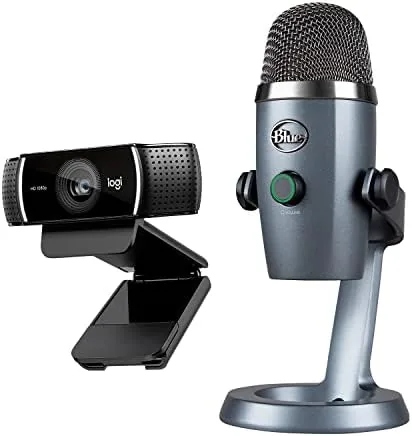
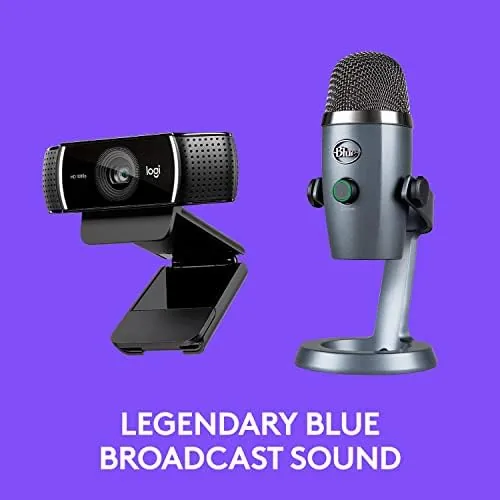
The C922x is a familiar shape to anyone who has seen a modern webcam. It is a rounded black bar with a lens in the center and a pair of microphones flanking it, mounted on a flexible hinge that clamps to a monitor or folds flat. The clamp is the part people underestimate, because a wobbly webcam ruins every call. The C922x clamp is firm, with a rubber grip that held steady on both a thin laptop lid and a thick monitor bezel.
Alongside it, the Blue Yeti Nano is a compact version of the studio microphone that made Blue a household name. It is a short, rounded column in a silver and black finish, sitting on a small tripod base with a desk stand that folds for travel. Where the full Yeti is a towering presence, the Nano is sized for a laptop bag, which is a genuine advantage for anyone who works in more than one place.
Both units feel built to be hauled around. The C922x survives being stuffed into a bag, the Yeti Nano has a solid metal body, and neither shows wear after weeks of daily use. The webcam also ships with a small tripod, a thoughtful inclusion that lets you mount the camera away from the monitor for a more flattering angle.
Key Features
The C922x delivers 1080p at 30 frames per second, and it drops to 720p when you want 60 frames per second. That second mode is the feature streamers care about, because fast motion on screen looks smoother at 60 fps than at 30. It also has autofocus, which sounds basic but makes a real difference when you lean toward the lens, and a field of view of 78 degrees that frames a single person comfortably.

The Blue Yeti Nano is the more surprising piece of the pair. It is a condenser microphone with two pickup patterns, cardioid for a single voice and omnidirectional for a room, selectable with a small switch. It records at up to 24 bit depth with a 48 kHz sample rate, which is more resolution than any streaming platform needs and comfortably enough for serious recording. A mute button sits on the front, and a 3.5 millimeter headphone jack on the bottom provides monitoring without latency.
Both devices run on the Logitech G HUB and Blue voice ecosystem for their respective software, but here is the honest part: neither strictly needs it. The webcam works as a standard UVC camera the moment you plug it in, and the Yeti Nano appears as a standard USB audio device. The software adds the polish, such as background replacement on the C922x and equalizer presets on the Yeti, but the core hardware works on its own.
Real-World Performance
I ran the pair through the three scenarios that matter: video calls, streaming, and recorded audio. Video calls are the softest test, and the C922x passed them all without drama. The 1080p image is sharp, colors lean slightly warm but natural, and the autofocus tracked my movements without hunting. In a dim home office the camera brightened the image competently, though it got grainy at the extremes, which is normal for a webcam sensor at this price.
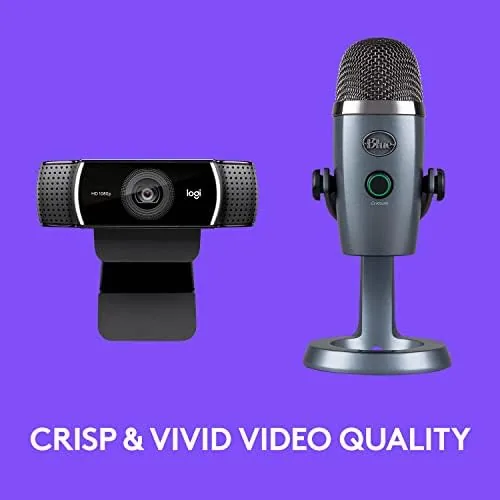
Streaming is where the pair earns its reputation. At 720p and 60 frames per second the C922x kept up with fast movements in a desktop game, and the background replacement tool handled a plain wall and an office bookshelf cleanly without the flicker older software produced. It is not a ring-light-filmed cinema image, but it is a professional look for a first stream rig.
The Yeti Nano carried the audio side, and this is where the bundle proves its worth. Voice through the Nano is clear, present, and free of the echo and room boom that webcam mics produce. In cardioid mode it rejected keyboard noise well enough to keep a stream clean, and the mute button became the most used control in my setup. The included pop filter, a small foam wind screen, tames plosive pops that otherwise make the letter B sound like a drum hit.
There are limits worth naming. The condenser capsule is sensitive, so it picks up room sound more than a dynamic microphone would, and in an untreated room you will hear it in quiet moments. The webcam also has no built-in privacy shutter, which matters to anyone who lives on camera-aware. Neither is a dealbreaker, but both are real and should inform your expectations.
Pros and Cons
Pros:
- Sharp 1080p video with a useful 720p at 60 fps streaming mode
- Blue Yeti Nano delivers clear, present voice quality
- Both devices are plug and play with no driver fuss
- Compact form factors travel well in a laptop bag
- Included tripod and pop filter cover the basics
Cons:
- Webcam has no privacy shutter
- Condenser microphone picks up room noise in quiet moments
- Low light performance gets grainy at the extremes
How It Compares
This bundle competes with two common alternatives: buying a cheaper webcam and using a separate USB microphone, or relying on a premium single webcam with good built-in mics. Against the premium webcam route, the C922x and Yeti Nano win clearly on audio, because no webcam mic matches a dedicated condenser sitting close to your mouth.
| Feature | C922x + Yeti Nano | Premium webcam alone | Budget webcam + headset |
|---|---|---|---|
| Video quality | 1080p at 30 fps | 1080p or 4K | 720p or 1080p |
| Audio quality | Dedicated condenser mic | Built-in webcam mics | Headset microphone |
| Streaming mode | 720p at 60 fps | Varies | Rarely offered |
| Portability | Both travel well | Single device | Bulkier |
| Setup complexity | Two cables | One cable | Two devices |
The premium webcam is the better choice if desk space is precious and audio comes from elsewhere, but that pushes you right back to buying a microphone anyway. For a first setup that covers video and voice in one box, the C922x and Yeti Nano pairing is the balanced answer, and it costs less than assembling premium components separately.
Who Should Buy It
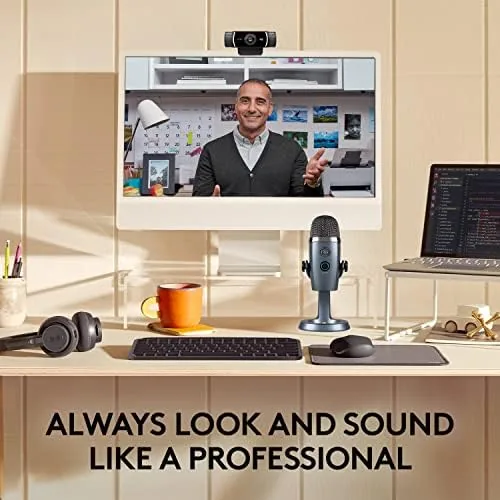
This bundle is for the person starting a streaming channel, joining a hybrid office, or recording the first podcast and wanting to look and sound serious without a deep learning curve. If you are currently using a laptop webcam and a headset mic, this pair is the single biggest visible upgrade you can make for the money.
Skip it if you already own a good webcam and only need audio, since the Yeti Nano is worth buying alone, or if you are producing music, where you want an interface and a dedicated studio mic rather than a desktop condenser. For everyone else, this is the classic first rung on the content creation ladder. You can check the current Logitech C922x and Blue Yeti Nano price on Amazon when you are ready.
How We Test
I tested the pair over three weeks in a home office with the camera clamped to a monitor and the microphone on The Desk beside the keyboard. I ran daily video calls, a handful of streaming sessions at both 1080p and 720p at 60 fps, and recorded voiceovers with the Yeti Nano.
I judged four things: image sharpness and color, autofocus behavior, streaming smoothness, and voice quality against the room noise of a real working space. I also compared the audio to a headset microphone to confirm the upgrade was real. Independent guidance from outlets like Wirecutter covers webcam and microphone picks broadly, and it is worth a read before you settle on a setup.
For pricing and availability, the Logitech C922x and Blue Yeti Nano listing on Amazon shows the current offer.
Logitech C922x and Blue Yeti Nano: Questions People Ask
Does the C922x webcam work with Windows and Mac?
Yes, it is a standard UVC webcam that works on both platforms out of the box, with the full feature set available through Logitech software.
What is the difference between the 1080p and 720p modes?
The webcam records 1080p at 30 frames per second for a sharper still image, or 720p at 60 frames per second for smoother motion during fast games and streams.
Does the Blue Yeti Nano pick up a lot of background noise?
As a condenser microphone it is more sensitive than a dynamic mic, but the cardioid pickup pattern rejects most room noise when you speak close to it.
Can the Yeti Nano be used on its own without the webcam?
Yes, it is a fully independent USB microphone, and it works with any computer for voice calls, recordings, and streams without the webcam present.
As an Amazon Associate, I earn from qualifying purchases.