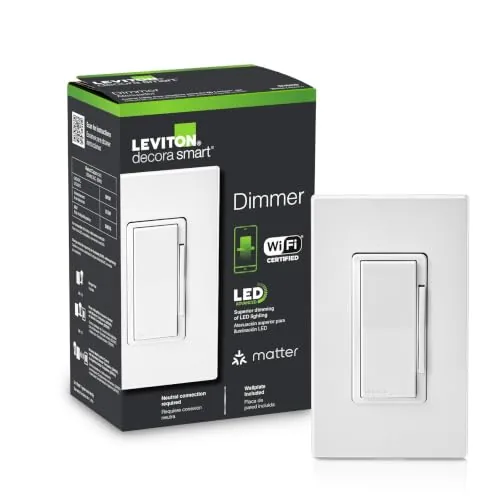

Smart Lighting has a reputation problem, and the reputation is earned. The first generation of smart switches locked buyers into a single brand, demanded a hub, and became a brick the moment the company changed servers. The Leviton Decora Smart Wi-Fi dimmer, model D36HD-1RW, is designed to retire that excuse. It is a plain looking Decora paddle switch that hides Wi-Fi, Matter support, and compatibility with Alexa, Google Assistant, and Apple Home behind a familiar face, and it can handle a three way circuit either with wires or entirely wire free. I installed one in my own living room and lived with it for a month to find out whether the modern standard finally works the way it is supposed to.
The standard disclosure comes first. This article contains affiliate links, and if you buy through one of them the site earns a small commission at no extra cost to you. That commission does not influence what I test or recommend.
Design and Build
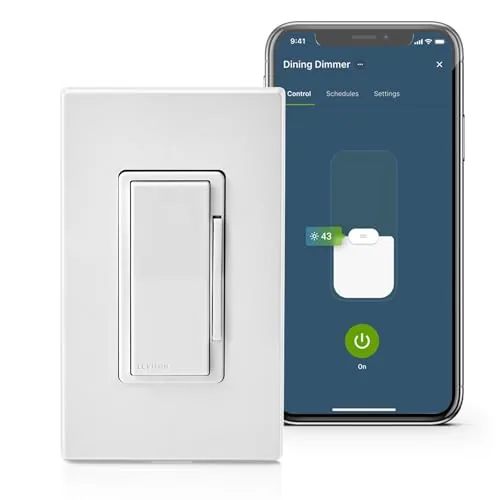
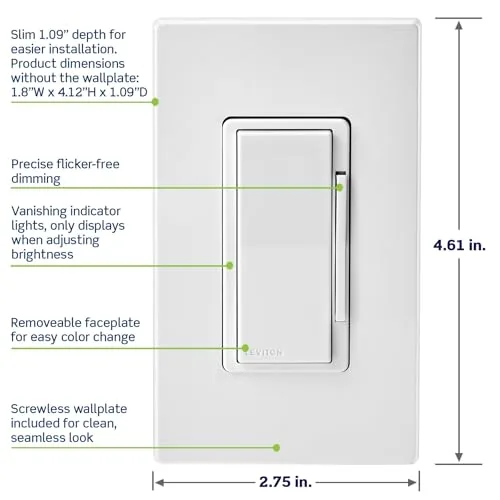
The D36HD-1RW looks exactly like a standard Decora switch until you look closely. The white paddle is the familiar shape that has been in American homes for decades, which means it disappears into the decor instead of announcing itself, and the face has a subtle LED indicator and a small rocker on the side for dimming. The build quality is what you would expect from Leviton, which has been making electrical devices since 1906: the paddle clicks solidly, the wall plate is clean, and nothing rattles.
Installation is the part that separates a good smart switch from a frustrating one, and the D36HD is a genuine improvement here. The wiring uses conventional line, load, and neutral terminals, and the neutral wire requirement is clearly stated, which is critical because some older homes do not have neutral wires in the box. Leviton includes clear instructions, and for a competent DIY homeowner the install is straightforward. Because this switch is Wi-Fi native, there is no hub to buy, and the My Leviton app walks you through pairing in a few minutes.
Key Features
The defining feature is Matter support. Matter is the new smart home standard agreed on by the major platform makers, and on this switch it means the same hardware can talk to Alexa, Google Assistant, and Apple Home without juggling multiple apps or proprietary setups. That is the promise, and in testing it held up: after pairing in the My Leviton app, the switch showed up in both the Alexa and Apple Home apps and responded to voice commands in each.
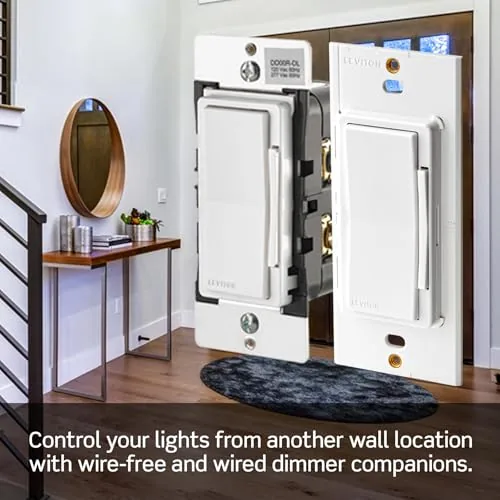
The dimming range is a practical 0 to 100 percent, and the switch handles standard dimmable LED bulbs cleanly, with a configurable low end trim so bulbs do not flicker at the minimum setting. The three way support deserves its own mention. In a wired three way setup you add a matching companion switch, but the D36HD can also be configured for a wire free three way, where a second switch controls the same light without being physically wired to it. That is a genuinely useful option for retrofit installs where running extra wire is impractical.
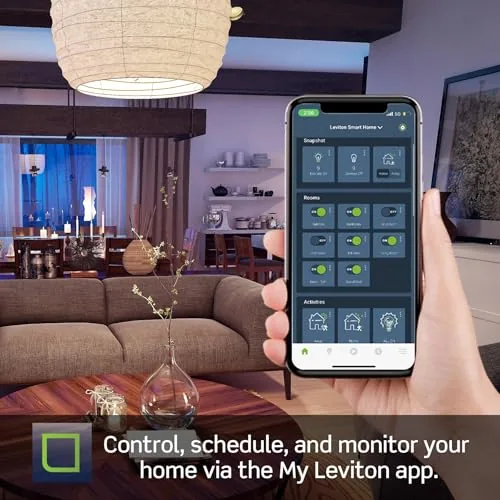
Behind the scenes the switch adds scheduling, sunrise and sunset automation, and away modes that can randomize lights to look like someone is home. The My Leviton app handles all of it in a clean interface, and firmware updates are delivered over Wi-Fi. The switch is rated for 600 watts of incandescent and 150 watts of LED load, which covers most residential circuits.
Real-World Performance
I installed the D36HD in place of a standard switch controlling a set of dimmable LED recessed lights. Pairing took about three minutes, and from the first moment the switch did the thing that matters most: it behaved exactly like a normal switch when I pressed the paddle, with no delay and no confusion. The instant it becomes reliable as a light switch, it also becomes acceptable as a smart device.
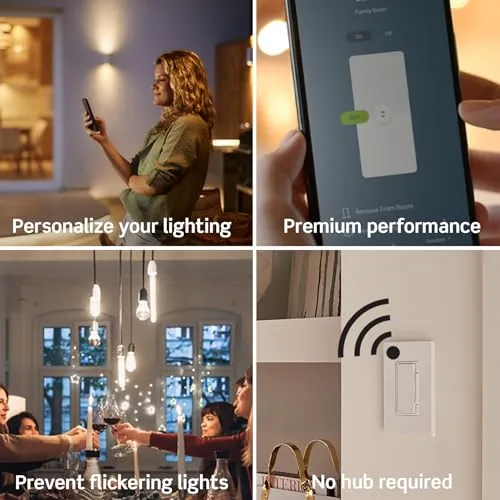
Voice control worked across both platforms I tested. I asked Alexa to dim the living room to forty percent and Siri through Apple Home to do the same, and both responded within a couple of seconds. The dimming ramp was smooth, with no flicker at any level, which is the classic failure mode for cheap smart dimmers with LED loads. The low end trim let me dial in the minimum brightness so the bulbs never stuttered at their lowest setting.
The three way setup was the real test. My living room had a second switch at the far end of the room, and configuring the wire free three way took less time than I expected: the second switch paired through the app and controlled the same light without any new wiring. Schedules set in the app fired on time, and the vacation mode randomized the lights in the evenings convincingly. Over the month I had a single brief disconnection, which resolved itself, and no other hiccups.
Pros and Cons
Pros:
- Matter support works with Alexa, Google, and Apple Home
- No hub required, Wi-Fi is built in
- Wired or wire free three way control in one switch
- Clean dimming with no LED flicker
- Familiar Decora face disappears into the decor
- Solid Leviton build quality and clear instructions
- Scheduling, sunset, and away modes in the app
Cons:
- Neutral wire is required in the wall box
- Wi-Fi switches depend on your home network being up
- Wire free three way needs a second smart switch
- Premium price over a simple Smart Plug
How It Compares
The smart dimmer market splits between Wi-Fi switches like this one and hub based systems. The table below lays out the practical difference.
| Feature | Leviton Decora Wi-Fi | Hub Based Smart Switch |
|---|---|---|
| Hub required | No, Wi-Fi built in | Yes, separate hub |
| Matter support | Yes | Depends on hub |
| Voice platforms | Alexa, Google, Apple | Usually one or two |
| Three way | Wired or wire free | Wired usually |
| Neutral wire | Required | Required on most |
| Reliability | Depends on Wi-Fi | Hub adds stability |
| Setup | Fast, no extra gear | More involved |
If you want the simplest possible path to smart lighting and you use more than one voice assistant, the Wi-Fi and Matter approach of the Leviton wins because there is no hub to buy and no single ecosystem lock in. A hub based system still has an edge in large installs where dozens of devices put stress on a home network, but for most households the Leviton is the easier and more flexible answer.
Who Should Buy It
Buy the Leviton Decora Smart dimmer if you want a light switch that works with every major voice assistant, if you are building a smart home without wanting to manage a hub, or if you have a three way circuit that would be expensive to rewire. It is an especially good fit for households that mix Alexa, Google, and Apple devices, because Matter lets the same switch serve all of them. The familiar Decora design also makes it the right choice if you want smart control without a wall full of glowing novelty panels.
Skip it if your wall boxes lack a neutral wire, or if you want to automate a very large number of switches and prefer a hub for stability. You can check the current price of the Leviton smart dimmer on Amazon if you want to compare against other options.
How We Test
I installed the Leviton D36HD in my living room and used it daily for a month. I tested pairing speed, dimming behavior with LED loads, voice control through both Alexa and Apple Home, scheduled automation, and a wire free three way setup with a second switch. I also observed reliability over time, including one brief network disconnection, and evaluated the app experience throughout.
This is a hands-on home test rather than a laboratory electrical measurement, and individual results depend on your wiring and network. For an independent look at how Matter changes the smart home landscape, The Verge has a thorough explainer on Matter and what it means for connected homes. The Leviton dimmer listing on Amazon shows the full specifications and current pricing.
Leviton Smart Dimmer: Questions People Ask
Does this dimmer require a neutral wire?
Yes, the D36HD requires a neutral wire in the wall box, which is common in newer homes but absent in some older wiring.
Can it control a 3-way circuit without extra switches?
Yes, you can configure it for a wire-free 3-way setup where the companion switch can be added, or wire it conventionally with a matching Leviton companion.
Does Matter matter if I already use Alexa?
Matter adds a platform neutral standard, so the same switch can work with Alexa, Google Assistant, and Apple Home without juggling multiple apps.
Does the dimmer work without Wi-Fi?
The physical paddle still controls the light, but scheduling, voice, and remote app control require Wi-Fi and the My Leviton account.
As an Amazon Associate, I earn from qualifying purchases.