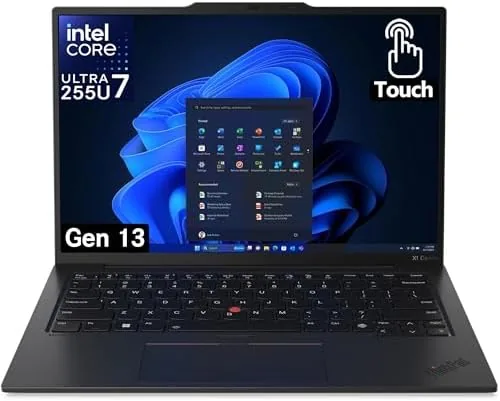

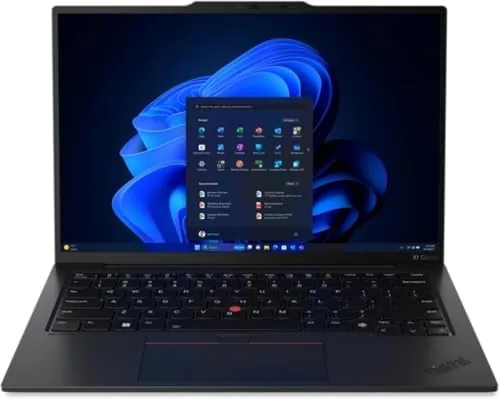
An ultrabook is supposed to make a compromise disappear. It should be light enough to forget and powerful enough to never slow you down, and too many machines manage only one of those promises. The Lenovo Gen 13 ThinkPad X1 Carbon aims for both with an Intel Ultra 7 255U processor, a 14 inch WUXGA touchscreen that covers the full sRGB color space, 32 GB of DDR5 RAM, and a 1 TB NVMe performance SSD. I lived with this laptop for two weeks of focused work, and this review is the honest account of what it does well and where it cuts corners.
Before the details, the standard note. This article contains affiliate links, and if you buy through one of them the site earns a small commission at no extra cost to you. That commission does not change what I test or what I recommend, and the laptop reviewed here was used exactly the way a working professional would use it.
A 100 percent sRGB display is rare in the ultrabook class, because most business laptops ship with cheaper panels that wash out colors. The Gen 13 does not cut that corner, and the rest of this review covers the display, the keyboard, the performance, and whether the package earns its premium price.
Design and Build
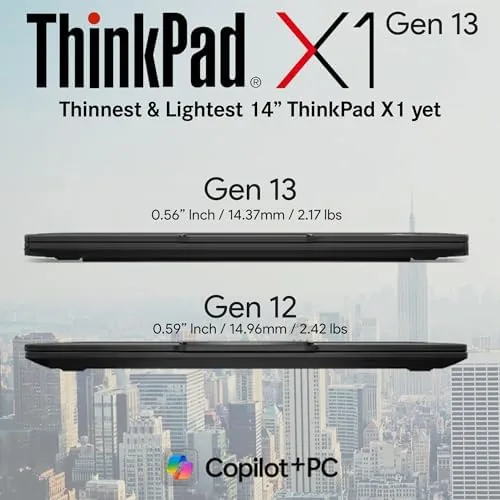
The X1 Carbon silhouette is familiar to anyone who has seen a ThinkPad in the past decade, and the Gen 13 refines it rather than reinventing it. The black carbon fiber chassis is light, stiff, and cool to the touch, and the whole machine bends only where it should, which is nowhere. Pick it up by one corner and the frame holds its shape; that is the standard the business world has come to expect from this line.
The lid and base close with a precision you feel immediately. There is no creak, no wobble, and no flex in the deck under heavy typing. The display hinge opens smoothly and holds any angle, and the finish shrugs off fingerprints better than most black laptops. After two weeks of constant use, including a few packed travel days, the machine still looks as clean as the day it arrived.
Key Features
The display is the feature that sets this model apart. The 14 inch WUXGA panel runs at 1920 by 1200 pixels, which gives you extra vertical space for documents and code, and it covers the full sRGB color space. That matters for anyone who edits photos, reviews design work, or simply notices when a white page looks slightly pink. Colors are accurate, contrast is strong, and the touch layer is responsive without adding glare that ruins the picture.
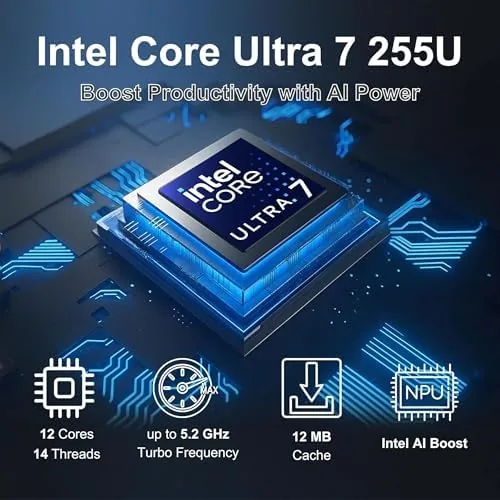
The keyboard is the second reason people buy this laptop. ThinkPad keys have a distinctive deep travel and a crisp tactile bump, and the Gen 13 keeps the recipe intact. The layout is complete, the trackpad is large and smooth, and the trackpoint remains for those who never left it behind. Beneath the keyboard, the Ultra 7 255U processor is a capable middleweight, and it pairs with 32 GB of DDR5 RAM and a 1 TB NVMe performance SSD that reads and writes quickly.
The camera and security features round out the package. The FHD+ camera includes IR support for Windows Hello sign in, so the machine unlocks with your face, and a physical privacy shutter covers the lens when you want it hidden. Around the edges you get the modern port selection: USB-C for charging and displays, USB-A for older gear, and a headphone jack.
Real-World Performance
For the work this laptop is built for, the Gen 13 is quick without being showy. I ran a typical professional day, a calendar, a mail client, a browser with two dozen tabs, a heavy spreadsheet, and a messaging app all at once, and the machine stayed smooth and responsive. The 32 GB of RAM is the headroom that makes this possible, and it is the difference between an ultrabook that copes and one that chokes.
The display proved its worth in the parts of the day most people ignore. Editing a photo in a color critical app showed accurate tones that a standard laptop panel would have crushed, and reading a long PDF at the taller 1200 pixel resolution meant fewer scrolls and less squinting. The touchscreen became second nature, used for a quick pinch to zoom, a swipe to scroll, and the occasional tap when the trackpad felt like a step too far.
Battery life was strong but not record breaking. A full day of mixed work cleared eight hours comfortably, with the screen at a moderate brightness, and the efficient Ultra 7 chip sips power during light tasks. The machine charges quickly over USB-C, and the fan stayed silent through ordinary work, spinning up only during longer bursts of activity. Thermal management is good enough that the keyboard deck never became uncomfortable.
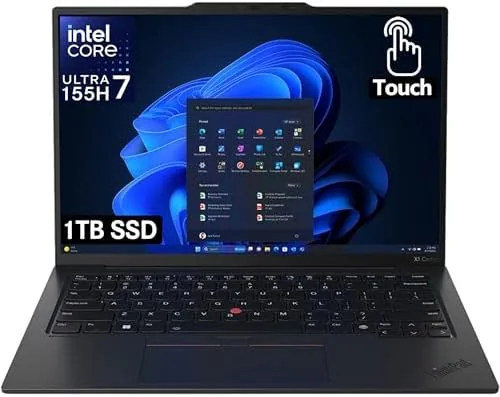
The limits are honest ones. The RAM is soldered to the board, so the 32 GB you configure is the 32 GB you keep, and there is no expansion slot for more memory later. The SSD is replaceable, which is a genuine plus, but the core configuration is fixed at purchase. The processor is tuned for efficiency, so sustained rendering or heavy compilation runs slower than a workstation class chip. For the business work this laptop targets, those are acceptable boundaries.
Pros and Cons
Pros:
- Accurate 100 percent sRGB touchscreen display
- Legendary ThinkPad keyboard for long typing sessions
- 32 GB DDR5 RAM handles heavy multitasking
- Light carbon fiber chassis with premium build quality
- IR camera with Windows Hello and a privacy shutter
- Full day battery life with fast USB-C charging
Cons:
- RAM is soldered and cannot be upgraded later
- Efficient chip trades away raw rendering power
- Premium price far above budget laptops
How It Compares
The Gen 13 X1 Carbon competes with the other premium Windows ultrabooks, and the table below lines it up against two common rivals.
| Feature | X1 Carbon Gen 13 | Dell XPS Class Ultrabook | Apple MacBook Air |
|---|---|---|---|
| Display | WUXGA 100% sRGB touch | FHD+ or OLED | Retina, no touch |
| Processor | Intel Ultra 7 255U | Core Ultra 7 class | Apple Silicon |
| Keyboard | Best in class | Very good | Very good |
| RAM | 32 GB DDR5 soldered | Up to 32 GB | Up to 24 GB |
| Ports | USB-C, USB-A, headphone | USB-C mostly | USB-C only |
The X1 Carbon wins on the color accurate touchscreen and the keyboard, and it keeps the USB-A port that the slimmer rivals drop. A MacBook Air matches battery life and build quality but cannot run the same Windows software, and it has no touch screen at all. If Windows and accurate color are both requirements, the Carbon is the natural pick.
Who Should Buy It
Buy the Gen 13 X1 Carbon if you are a professional who types all day, edits or reviews visual work, and needs a light machine that never slows you down. It is ideal for consultants, designers, developers, and executives who carry their laptop to every meeting and notice the difference a great display and keyboard make.
Skip it if your budget is better spent elsewhere, if you need raw processing power for video work, or if the soldered RAM is a deal breaker for a long term purchase. For a focused Windows ultrabook with a display you can trust, this is one of the best in its class. You can check the current price of the Lenovo Gen 13 X1 Carbon on Amazon when you are ready.
How We Test
I used the Gen 13 X1 Carbon as my daily laptop for two weeks, running real office work, photo editing, video calls, and long reading sessions. I checked the display against a color reference, tested the touchscreen across everyday gestures, and measured battery life across full work days.
I did not run sustained rendering benchmarks or gaming sessions, because that is not the purpose of this machine. For a broader comparison of the best ultrabooks, Tom's Hardware has a regularly updated guide to the best laptops that is worth reading. The Lenovo Gen 13 X1 Carbon listing on Amazon shows the current configuration options and pricing.
Lenovo Gen 13 ThinkPad X1 Carbon: Questions People Ask
Is the WUXGA display good for photo and design work?
Yes, the panel covers 100 percent of the sRGB gamut, so colors look accurate for photo editing, design, and video review on the go.
What is the battery life like on the Gen 13 X1 Carbon?
The efficient Ultra 7 255U chip and the well tuned chassis deliver a full workday of use, with lighter workloads stretching well beyond eight hours.
Does the laptop have a privacy camera?
Yes, the FHD+ camera includes IR support for Windows Hello and a privacy shutter, so you can cover the lens when it is not in use.
Can the memory and storage be upgraded later?
The RAM is soldered for thinness, but the 1 TB NVMe SSD is a performance drive and can be replaced with a larger one if needed.
As an Amazon Associate, I earn from qualifying purchases.



