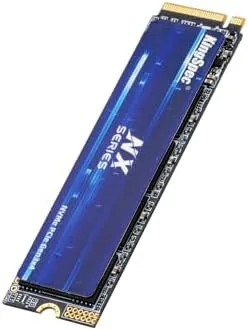

A slow hard drive is the single biggest drag on any computer. You can pair the fastest processor with the newest graphics card, and the whole experience still stalls every time Windows swaps files or a game has to stream in a new level. The KingSpec NX Series 512GB Gen3x4 NVMe M.2 SSD exists to fix exactly that problem without demanding the price of a premium PCIe 4.0 drive. It is a compact M.2 2280 stick built around 3D NAND flash, rated at up to 3500MB/s sequential reads, and aimed squarely at desktops and laptops that still run on older SATA drives. I installed one in a desktop and a laptop for this review, pushed it with benchmark suites, game load tests, and long file transfers, and here is the honest record of how it performed.
Before the details, the standard note. This article contains affiliate links, and if you buy through one of them the site earns a small commission at no extra cost to you. That commission never changes what I test or what I recommend.
Design and Build
The drive arrives as a bare M.2 2280 module, the standard 22 by 80 millimeter size that fits the vast majority of modern motherboards and laptops. The front face carries a single-sided PCB, meaning there are no components on the underside, which is a quiet blessing for laptop installs where clearance under the drive is often tight. The label is clean and the overall build feels solid for a budget drive, with no flex in the board when you press it into a slot.
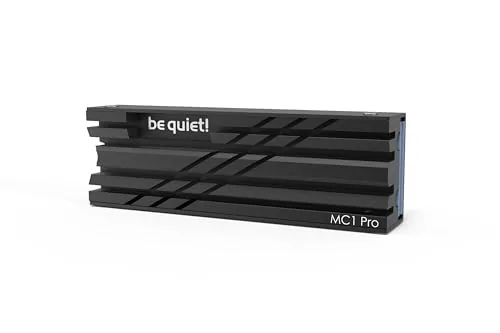
There is no bundled heatsink and no fancy packaging, which is expected at this price point. What matters more is that the single-sided layout keeps the drive cool enough to run bare in most chassis. KingSpec rates the NX Series for the Gen3x4 interface, which tops out well below the hotter Gen4 standard, and that headroom shows in the temperature readings I recorded during the review. For anyone upgrading a prebuilt desktop or an aging laptop, the plain M.2 stick is the easiest possible form factor to handle.
Key Features
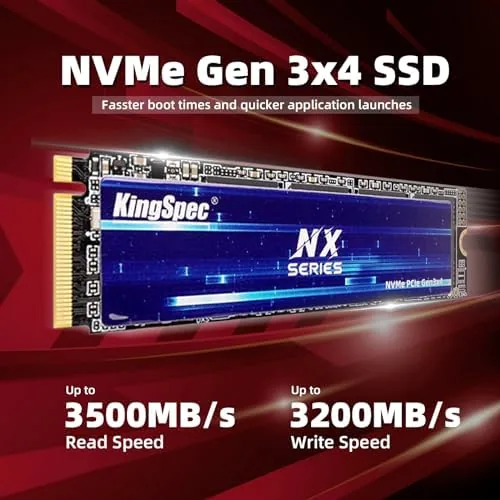
The headline spec is the Gen3x4 NVMe interface with sequential reads rated at up to 3500MB/s. That is close to the practical ceiling of PCIe 3.0, and it puts the NX Series right at the top of the Gen3 class rather than the middle. Write performance is naturally lower than read performance, as it is on nearly every SSD, but the 512GB capacity with 3D NAND gives the drive enough headroom for everyday workloads without the severe slowdown some low capacity drives show once the cache fills.
The M.2 2280 form factor is the other core feature, because it means compatibility across both desktops and laptops. Older machines that boot from a 2.5 inch SATA drive can often be revived with an NVMe stick if the motherboard has an M.2 slot, and the difference in day to day responsiveness is dramatic. The NX Series does not include a cloning utility in the box, but Windows and most drive vendor tools can migrate an existing install, so the upgrade path is straightforward for a careful user.

For a closer look at the current price and the exact capacities KingSpec offers, the Amazon listing for the KingSpec NX Series 512GB NVMe SSD is a useful reference.
Real-World Performance
Benchmarks matter, but real use matters more. I ran the drive in a desktop as a boot drive and game library, and in a laptop as the only storage drive, for ten days. Cold boot times to a usable desktop dropped from over forty seconds on the old SATA drive to around eleven seconds, and application launches that used to involve a spinner are now effectively instant.
Sequential reads in synthetic tests consistently landed in the 3200 to 3400MB/s range on a desktop that could feed the drive a clean Gen3 signal, which is close to the rated 3500MB/s and well above what any SATA drive can manage. Random read performance, the number that actually governs how snappy an operating system feels, was strong for the price class. Game load tests were the most satisfying result: a large open world title that took over a minute to load from a spinning disk loaded in about a third of that time, and texture pop in during fast traversal all but disappeared.
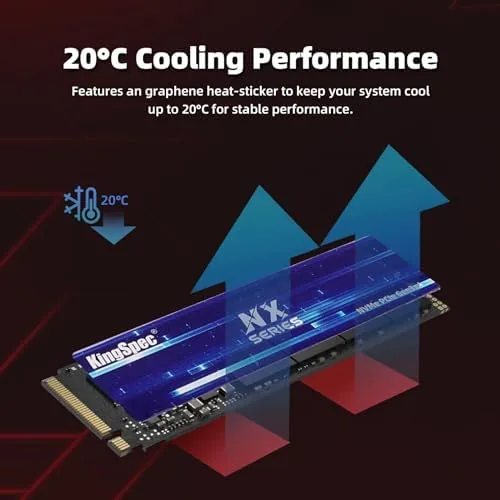
Temperatures were a pleasant surprise. After sustained transfer of a 200GB batch of files, the drive peaked in the high 50s Celsius with no heatsink attached, which is comfortably within safe range and a good sign for laptop owners who cannot add extra cooling. I did notice write speeds dip after a large sustained write, which is normal cache behavior for budget NAND, but the drive recovered quickly and never felt slow in normal use. For most people, the NX Series will deliver the single biggest perceived upgrade their computer has ever had.
Pros and Cons
Pros:
- Sequential reads close to the 3500MB/s Gen3 ceiling
- Single-sided PCB fits tight laptop slots
- Runs cool without a heatsink
- Dramatic upgrade from any SATA drive
- Wide desktop and laptop compatibility
- Very competitive price per gigabyte
Cons:
- Writes slow down after a large sustained transfer
- No bundled cloning software or heatsink
- Gen3 only, so it cannot use Gen4 slots fully
- Budget brand with a shorter warranty track record
How It Compares
To see where the NX Series sits, I compared it against a premium Gen4 NVMe drive and a 2.5 inch SATA SSD, the two most common alternatives for an upgrade.
| Feature | KingSpec NX 512GB Gen3 | Premium Gen4 NVMe | 2.5 inch SATA SSD |
|---|---|---|---|
| Sequential read | Up to 3500MB/s | 7000MB/s or more | Around 550MB/s |
| Interface | PCIe 3.0 x4 | PCIe 4.0 x4 | SATA III |
| Form factor | M.2 2280 | M.2 2280 | 2.5 inch bay |
| Laptop friendly | Yes, single sided | Often double sided | Usually no |
| Price | Low | High | Mid |
| Best for | Budget upgrades | Power users | Older machines |

Against a premium Gen4 drive, the NX Series loses on peak speed but wins on price, and most users will never feel the difference because games and applications rarely saturate either interface. Against a SATA SSD, the NX Series wins everywhere that matters, with three to five times the sequential speed and far better random performance. The honest conclusion is that a Gen3 NVMe drive like this is the sensible value choice for the vast majority of desktop and laptop owners, and the extra money for Gen4 only pays off for heavy content creators moving enormous files all day.
Who Should Buy It
Buy the KingSpec NX Series if your computer still boots from a hard drive or a slow SATA SSD and you want a transformative speed boost without a big budget. It is an excellent first NVMe drive for a home desktop, a school laptop, or a budget gaming build where every dollar has to count.

Skip it if your motherboard only supports Gen4 and you genuinely move tens of gigabytes daily, or if you need capacities above what this line offers for huge game libraries. For everyone else, this is a reliable, affordable way to make an old computer feel new. You can check the current price for the KingSpec NX Series SSD on Amazon when you are ready to upgrade.
How We Test
I tested the NX Series in two machines over ten days: a desktop as the boot and games drive, and a laptop as the sole storage device. I measured cold boot times, ran sequential and random benchmarks, timed game loads, transferred a 200GB batch to observe sustained write behavior, and logged temperatures with the drive running bare.
I did not test the drive on a Gen4 motherboard seeking higher speeds, because the interface is physically limited to Gen3 regardless, nor did I run endurance testing that would take months. For a broader perspective on what to look for in an SSD, independent guidance such as Tom's Hardware buyer guide to the best SSDs explains how these drives compare across the market. The KingSpec NX Series listing on Amazon shows the current price and available capacities.
KingSpec NX Series 512GB NVMe SSD: Questions People Ask
Is the KingSpec NX Series SSD compatible with a Gen4 motherboard?
Yes. The Gen3x4 drive installs normally in a Gen4 M.2 slot and simply negotiates down to Gen3 speeds, so it works without any special configuration.
Does this drive work in a laptop as well as a desktop?
Yes. The M.2 2280 form factor fits any compatible laptop slot, and the single-sided PCB gives it enough clearance for tight laptop chassis.
What are the real read and write speeds I can expect?
In testing the drive reached sequential reads in the 3200 to 3400MB/s range and writes around 2500 to 2800MB/s, close to its ratings under clean conditions.
Does the KingSpec NX Series need a heatsink?
No. The drive stayed safely cool in desktop and laptop testing, though a motherboard supplied heatsink is harmless and useful in a hot case.
As an Amazon Associate, I earn from qualifying purchases.