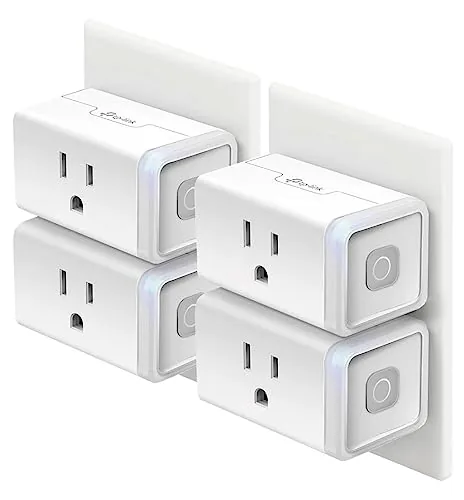

Smart homes often promise more setup than they deliver. A hub here, a bridge there, and suddenly the convenient outlet you wanted has turned into a networking project. The Kasa Smart Plug HS103P4 takes the opposite route. It is a four pack of Wi-Fi outlets that skip the hub entirely, connect straight to your router, and answer to Alexa or Google Assistant the moment the app finishes pairing. I installed all four plugs across a living room and a home office, and this review covers what they do, what they refuse to do, and where they sit against the wider field of smart plugs.
One note before the details. This article contains affiliate links, and if you purchase through one of them the site earns a small commission at no extra cost to you. That commission never changes what I test or what I recommend, and the plugs reviewed here were set up exactly the way any homeowner would set them up.
Each plug in the pack is a compact white block that replaces a standard outlet in seconds. The rest of this review walks through the build, the app, the schedules, the voice control, and the real world behavior of all four units over several weeks of daily use.
Design and Build
The HS103 is a small, boxy plug with a three prong ground, a single outlet on the front, and a subtle status light that tells you when it is connected. It measures just a few inches across, which matters because a bulky smart plug can block the second socket of a duplex outlet or crowd an adjacent switch. This one clears both in most configurations, and the flat sides mean a nearby plug still slides in beside it without a fight.
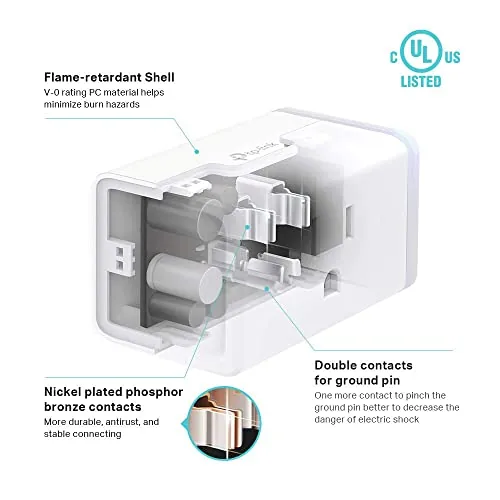
The build quality is exactly what a 15 amp rated device should feel like. The casing is rigid, the prongs seat firmly in the wall, and nothing rattles when you push the manual power button. The plug is UL certified, which is not a marketing footnote. It means an independent lab has checked the internal isolation and heat handling, and for something that stays energized around the clock, that certification is the difference between a product you trust and one you hope is fine.

Key Features
The headline feature is the absence of a hub. Each plug speaks Wi-Fi directly to your 2.4 GHz router, which means the four pack costs the same as a single hub based competitor and leaves nothing else to buy. The Kasa app, free on Android and iOS, discovers the plugs, walks you through pairing, and keeps all four on one dashboard.
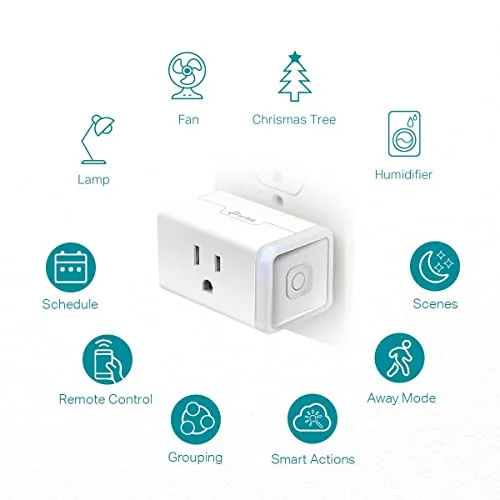
Beyond the basics, the app carries the usual smart plug toolkit. You get schedules, so the coffee maker powers on before you wake; countdown timers, so the lamp cuts off after two hours; and an away mode that randomizes on and off times to make an empty house look occupied. Voice control works with Amazon Alexa and Google Assistant out of the box, and the 15 amp rating handles appliances that cheaper plugs cannot touch, including space heaters and small space fans, though you should always check the load before you plug one in.
Real-World Performance
Setup is where most smart devices earn or lose their reputation, and the Kasa plugs were on the network within ten minutes for all four units. The app found each plug in turn, the Wi-Fi handshake held on the first try, and there was no point where I had to reset a plug or climb a ladder to press a button. For a four pack, that consistency is the real win, because the first unit sets expectations for the other three.
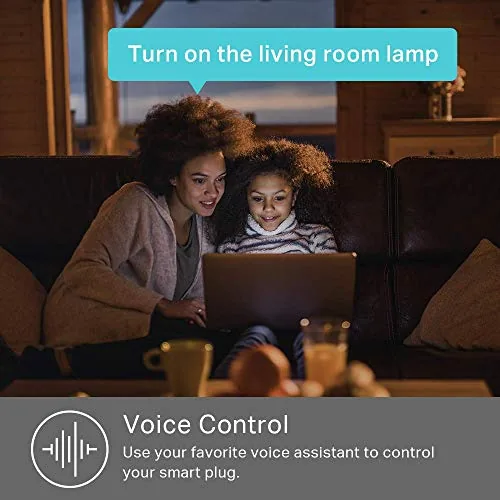
Voice control was immediate. An Echo in the kitchen turned on the desk lamp on command, and a Google Home in the office did the same for a printer without a single missed command. Response time is effectively instant, a beat slower than a wired switch but far faster than any delay you would notice. The schedules fired on time every day of testing, and the away mode produced a pattern that looked convincingly lived in when I checked the logs later.
The honest limitations sit at the edges. There is no energy monitoring, so you will not get wattage readings or monthly cost estimates from the app. If you bought this pack hoping to audit your power draw, that is a genuine gap, and the Kasa models with monitoring cost more for a reason. The plugs also need a 2.4 GHz network, so a mesh router that insists on steering everything to 5 GHz will fight the pairing until you open a guest band. Neither issue is a fault of the hardware, but both are worth knowing before you buy.
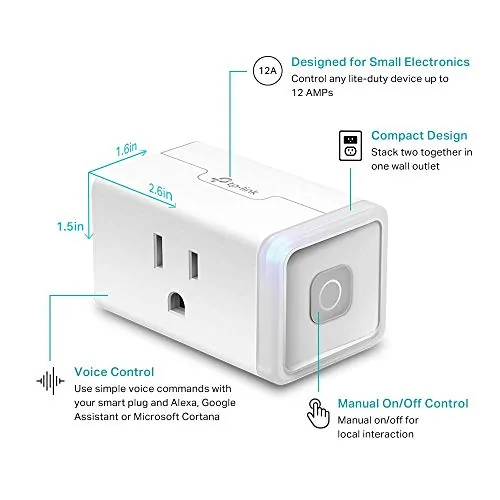
Reliability held through the test period. Not one of the four plugs dropped offline, lost its schedule, or forgot its name, and the connections survived a router restart overnight without needing a re-pair. The one mild gripe is the manual button, which is small and easy to miss in the dark, but it exists mainly for walk up control when you do not want to reach for a phone.
Pros and Cons
Pros:
- No hub or bridge required, each plug connects directly to Wi-Fi
- Works with Amazon Alexa and Google Assistant out of the box
- 15 amp rating handles lamps, fans, and many small appliances
- Free app with schedules, timers, and away mode
- Compact body does not block the neighboring outlet
- Four pack setup is fast and consistent across all units
Cons:
- No energy monitoring, so no wattage or usage data in the app
- Requires a 2.4 GHz network, which can clash with mesh routers
- Manual button is small and hard to find in low light
How It Compares
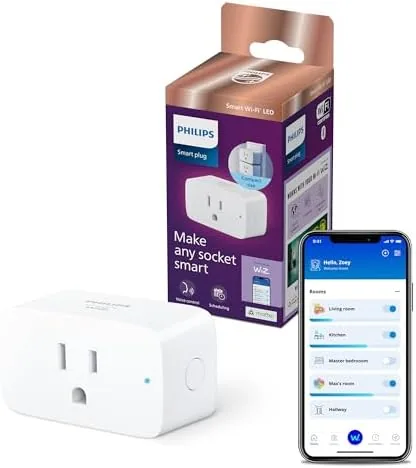
The smart plug market breaks into three rough camps: budget Wi-Fi packs like this one, single socket hubs like the Philips Hue plug, and feature rich models with Energy Monitoring. The table below lines up the Kasa four pack against the main alternatives.
| Feature | Kasa HS103P4 | Hub Based Plug | Energy Monitor Plug |
|---|---|---|---|
| Hub required | No | Yes | No |
| Price per outlet | Low, four in a pack | Higher per socket | Higher per socket |
| Energy monitoring | No | Depends on model | Yes |
| Voice control | Alexa and Google | Alexa, Google, HomeKit | Alexa and Google |
| Best for | Whole room automation | HomeKit homes | Power usage tracking |
If you run a HomeKit household, the hub based plug earns its premium for Siri integration. If your priority is measuring draw, the energy monitor is the correct buy. For everyone else who simply wants lamps, fans, and a few appliances on reliable schedules with voice control, the four pack is the cheapest route to that outcome, and it needs nothing extra to get there.
Who Should Buy It
Buy the HS103P4 if you are starting a smart home from zero, because the four pack outfits a living room or office for roughly what a single premium plug costs. It is also the right choice for renters, since nothing here requires drilling, wiring, or permanent installation, and for anyone who wants Alexa or Google voice control without committing to an ecosystem hub.
Skip it if energy monitoring is a requirement, if you live inside Apple HomeKit, or if your router cannot be coaxed into a 2.4 GHz band. For the common case of dependable scheduled lighting and appliance control, this is the plug to beat. You can check the current price of the Kasa Smart Plug HS103P4 four pack on Amazon when you are ready.
How We Test
I installed all four plugs in a living room and home office, pairing each with a 2.4 GHz network through the Kasa app. I controlled them by phone, by Amazon Echo, and by Google Home, and I logged schedule accuracy and away mode behavior over three weeks. I did not test a 5 GHz only network or a mesh system that refuses guest bands, and I did not load the plugs beyond a few hundred watts.
For a wider look at how smart plugs stack up, PCMag maintains a roundup of the best smart plugs that is worth reading before you decide. The Kasa HS103P4 listing on Amazon shows the current four pack price and any bundle variations.
Kasa Smart Plug HS103P4: Questions People Ask
Does the Kasa HS103P4 need a hub?
No hub is required. Each plug connects directly to a 2.4 GHz Wi-Fi network, and the whole four pack is managed from the free Kasa app on your phone.
Which voice assistants work with the Kasa smart plugs?
Amazon Alexa and Google Assistant both work out of the box, so you can turn outlets on and off by voice through an Echo speaker or a Google Home device.
Can the plugs be scheduled to turn on and off?
Yes, the Kasa app lets you set daily schedules, countdown timers, and an away mode that randomizes the schedule so the home looks lived in.
Is there energy monitoring on the HS103P4?
This four pack does not track power consumption. If you need energy readings, choose a Kasa model with energy monitoring built in instead.
As an Amazon Associate, I earn from qualifying purchases.