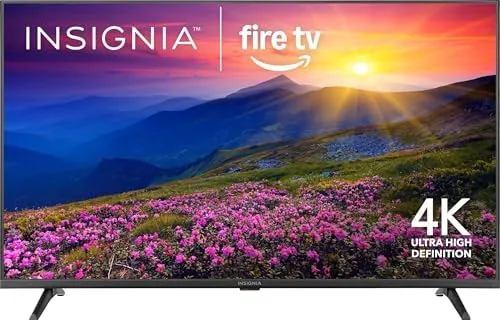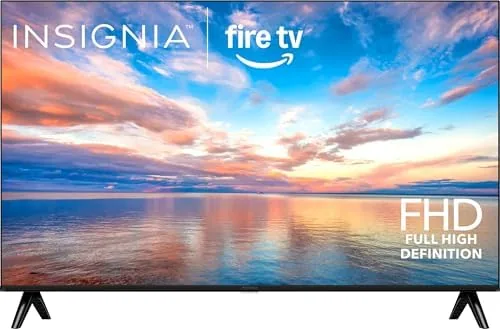

There is a comfortable argument that a smart TV no longer needs to be a flagship investment. For many living rooms and bedrooms, a dependable 1080p panel with a fast streaming interface is all that is required to cover the nightly routine: a streaming app, a cable box, a game console, and an occasional sports broadcast. The INSIGNIA 40 inch FE Series sits squarely in that camp, pairing a Full HD LED panel with Fire TV built in and an Alexa voice remote in the box. I mounted one in my living space for two weeks of movies, shows, and gaming, and this review is the honest record of what a budget Fire TV actually delivers.
Before the details, the standard note. This article contains affiliate links. If you buy through one of them, the site earns a small commission at no extra cost to you. That commission never influences what I test or what I recommend.
Design and Build
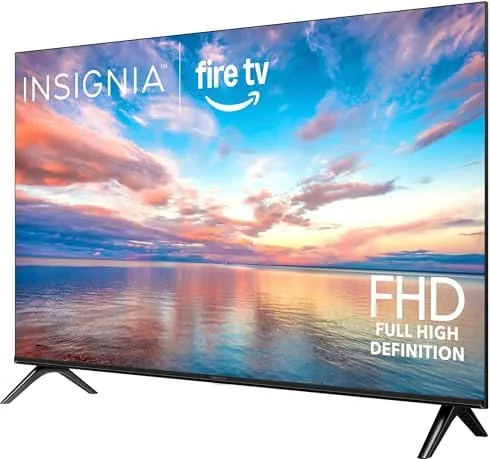
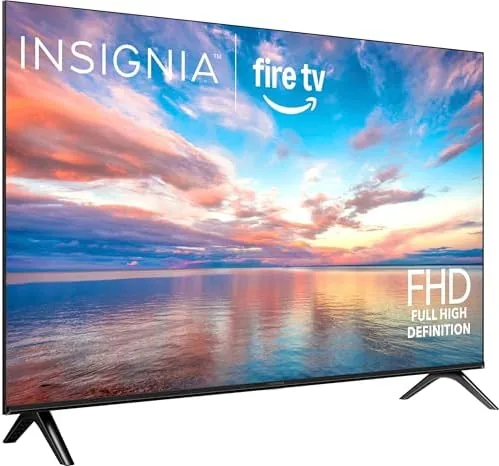
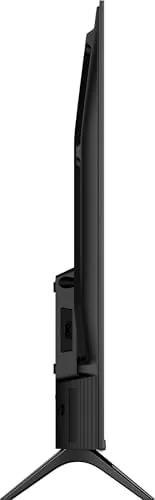
The INSIGNIA FE Series is a conventional LED TV in a thin dark bezel. The frame around the panel is narrow enough to disappear during viewing, and the build quality is respectable for the price, with a rigid plastic back and sturdy stand legs that click into place without tools. The set is light enough that one person can safely lift it onto a stand or wall mount, which is welcome at this size.
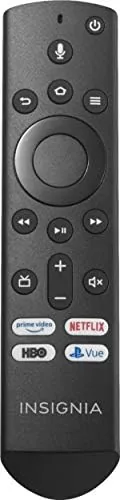
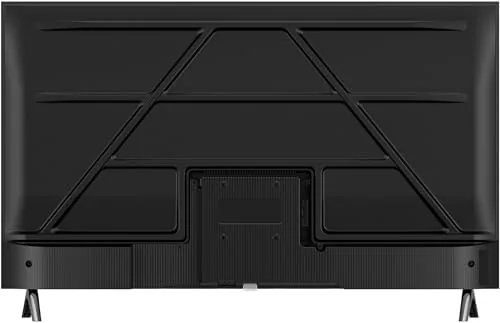
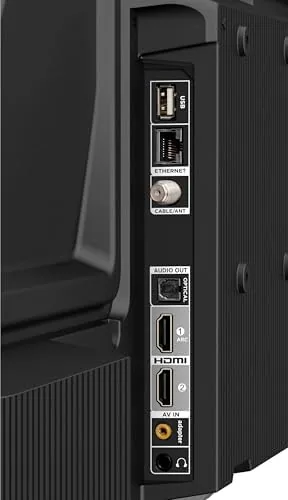
Port placement is sensible. The rear carries three HDMI inputs, a USB port, an antenna input for over the air broadcasts, and an optical audio output. That array covers a streaming device, a cable box, and a console without any adapter juggling. The included Alexa voice remote is a highlight of the package: it pairs automatically with the set, and its dedicated buttons for popular streaming apps get you into a service in a single press.
Key Features
The headline is Fire TV built in. There is no separate streaming stick required, because the operating system lives in the television. You sign in once, and every major service appears in a unified home screen that organizes apps, live channels, and recommendations in one place. For anyone tired of juggling inputs, that integration is the reason to consider this class of television.
The Alexa voice remote is the second major feature. Press the mic button and speak a command, and the TV responds: launching a show, searching a service, checking the weather, or controlling compatible smart home devices. The voice recognition was consistently accurate in my testing, and the remote even works hands free with Alexa enabled, so you can say the wake word from across the room and ask it to play a title.
The panel itself is a Full HD LED display with a 60 hertz refresh rate. That is not a 4K panel, and it does not pretend to be, but for cable television, streaming apps, and most gaming it delivers a bright, colorful picture with good contrast for a budget set. For a current look at pricing and available sizes, the Amazon listing for the INSIGNIA 40 inch FE Series is a useful reference.
Real-World Performance
I watched streaming content almost every evening during the test, and the Fire TV interface performed well. Netflix, Prime Video, and YouTube all launched quickly, and the recommendation carousel loaded without the long pauses that plagued older budget smart TVs. Picture quality in a dimly lit room is solid: colors are reasonably saturated, blacks are acceptable for a budget LED, and motion during sports looked smooth at the 60 hertz panel rate.
I connected a game console to test the gaming experience. At 1080p the console output looked clean, and input latency felt acceptable for casual play, with no obvious display lag during racing and platforming titles. The Full HD resolution means you will not get the fine detail of a 4K set, but at a typical viewing distance of eight to ten feet, the difference is far less dramatic than spec sheet reading suggests.
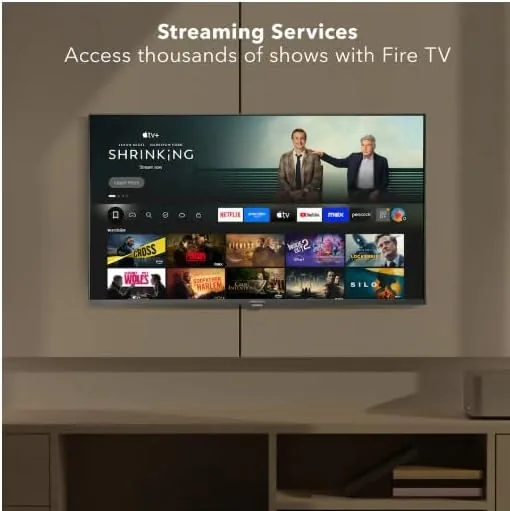
Voice control was the most pleasant surprise. I used the remote mic to search for a title, launch apps, and pause playback, and the TV understood nearly every command on the first try. Hands free Alexa also worked when I asked it to play a show from across the room, which is the kind of convenience that makes a smart TV feel genuinely smart. The internal speakers are the clear weakness: they are fine for dialogue at moderate volume but lack bass and get strained at high levels, so a soundbar is a worthwhile pairing.
Set up took minutes rather than an evening. The television walked me through network connection and app sign in automatically, and by the end of the first session the home screen had rearranged itself around the services I actually use. For a family or a guest bedroom, that ease of setup is worth as much as the picture quality, because a television that requires a technician is a television that never gets used.
Pros and Cons
Pros:
- Fire TV built in with no separate streaming device needed
- Alexa voice remote included and easy to use
- Bright Full HD panel with good colors for the price
- Three HDMI inputs cover streaming, cable, and console
- Light and easy to wall mount or place on a stand
- Low power consumption for a 40 inch television
Cons:
- Full HD resolution, not 4K
- Internal speakers sound thin and lack bass
- No local dimming, so blacks are not deep
- Heavy streaming apps can pause briefly while loading
How It Compares
Budget television shoppers usually weigh a 1080p Fire TV like this one against a budget 4K set and a bare panel that needs a separate streaming stick. I compared the three approaches to show where the FE Series lands.
| Feature | INSIGNIA FE Series | Budget 4K TV | Bare TV + Stick |
|---|---|---|---|
| Resolution | Full HD 1080p | 4K UHD | Varies |
| Smart platform | Fire TV built in | Varies | Add streaming stick |
| Voice remote | Alexa included | Varies | Depends on stick |
| Price | Budget | Higher | Two devices |
| Setup steps | One device | One device | Two devices |
| Best for | Cable and streaming | 4K content | Mix and match |
Against a budget 4K television, the FE Series wins on price and simplicity, but the 4K set clearly resolves more detail on native 4K content from streaming services. Against a bare panel plus a streaming stick, the FE Series is simpler and usually cheaper, because the Fire TV platform is already inside and the voice remote is already in the box. For someone whose viewing is mostly cable, streaming apps, and casual gaming at 1080p, the FE Series is the most practical and least complicated choice of the three.
Who Should Buy It
Buy the INSIGNIA FE Series if you need a dependable television for a bedroom, apartment, dorm room, or second living space where 4K is not a priority. It is also an excellent choice for anyone who is not comfortable setting up multiple devices, because everything from streaming to voice control works out of the box in a single unit.
Skip it if you already own a large collection of 4K discs or subscribe to 4K streaming tiers, if you want deep black levels for a dark home theater room, or if you have a serious sound system in mind. For everyone else, this is a genuinely sensible budget purchase. You can check the current price for the INSIGNIA 40 inch Fire TV on Amazon when you are ready to buy.
How We Test
I tested the INSIGNIA FE Series over two weeks in a typical living space, watching streaming services daily, connecting a game console, and using the Alexa voice remote for search and playback control. I evaluated picture quality in both bright daylight and dim evening conditions, measured streaming load times across major apps, and verified hands free Alexa responses from across the room.
I did not perform professional color calibration or measure input latency with laboratory equipment, so those impressions are based on careful observation rather than instrumented testing. For broader perspective on choosing a budget television, the budget TV buying guides from CNET explain how 1080p and 4K sets compare across price ranges. The INSIGNIA 40 inch FE Series listing on Amazon shows the current price and available configurations.
INSIGNIA 40 Inch FE Series: Questions People Ask
Is the INSIGNIA 40 inch FE Series a 4K TV?
No. The FE Series uses a Full HD 1080p LED panel, so it is best for cable, streaming, and gaming sources that do not require 4K resolution, which covers most everyday viewing.
Does this TV work with Alexa?
Yes. The included voice remote uses Alexa, and the TV itself is Alexa compatible, so you can ask it to launch apps, control playback, answer questions, and control other smart home devices.
How many HDMI ports does it have?
The set typically includes three HDMI inputs, one USB port, and an optical output, which is enough for a streaming stick, console, and cable box connected at the same time.
Is the Fire TV interface fast enough for streaming?
Yes for most apps. Popular services load quickly and the interface feels responsive, though the busiest streaming apps can occasionally pause briefly while their content loads.
As an Amazon Associate, I earn from qualifying purchases.