
Streaming sound used to be an afterthought. You plugged in a headset, opened a broadcast, and hoped the viewers could hear you clearly enough not to complain. The HyperX QuadCast 2 exists to change that expectation, a USB microphone built specifically for gaming, streaming, and podcasting that brings onboard controls, an LED ring, and a removable shock mount to the desk. I used this microphone as my daily capture device for a full month to find out whether it earns a permanent spot in a streaming setup.
Before the details, the standard note. This article contains affiliate links, and if you buy through one of them the site earns a small commission at no extra cost to you. That commission does not change what I test or what I recommend, and the microphone was used exactly as a streamer would use it.
Design and Build
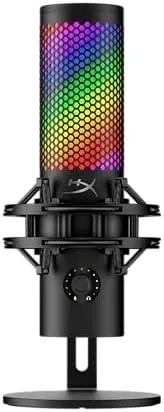
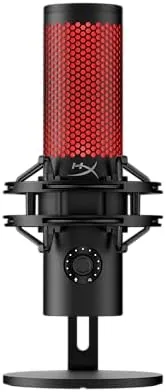
The QuadCast 2 follows the design language of the original QuadCast, and that is a good thing. It is a tall, cylindrical condenser microphone with a rounded grille, and the black finish looks serious and premium on a desk. The build quality is excellent, with a dense metal body that feels like it will survive years of use and the occasional clumsy reach across the desk.
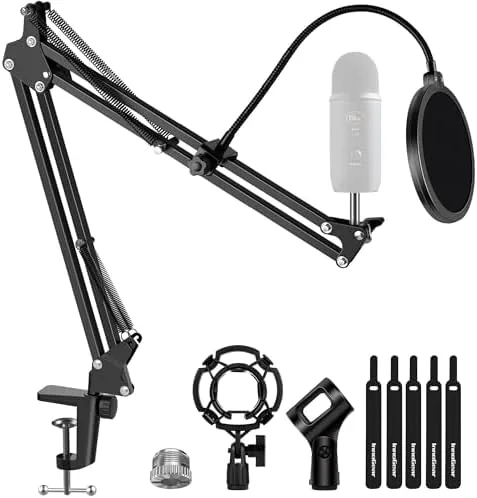
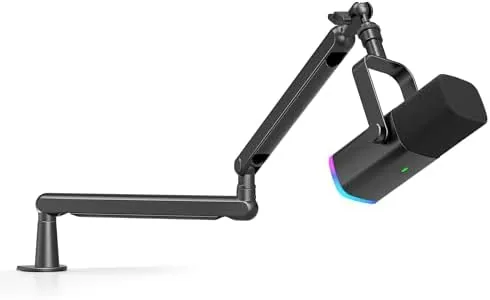
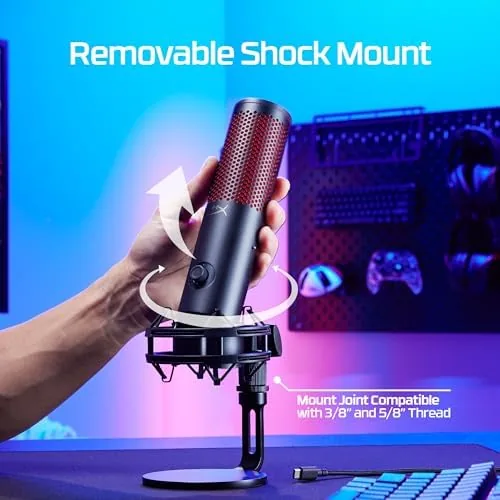
The shock mount is removable, which is a genuine improvement over fixed mounts. You can pop the microphone out of the suspension cradle and attach it directly to a Boom Arm, or leave it in the mount on the included stand. The stand is weighted and stable, and the whole assembly sits firmly on the desk without creeping. Everything about the hardware feels considered and well finished.
Key Features
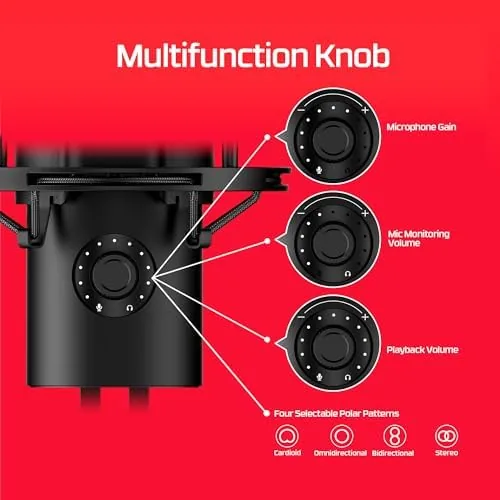
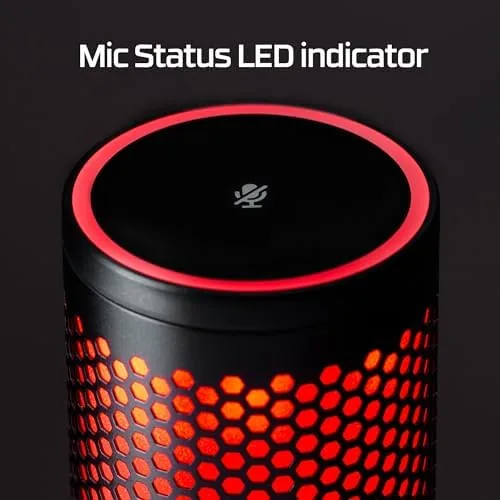
The defining feature set is on the microphone itself. A tap to mute sensor sits on top, and the LED ring turns red when muted so you always know your state on a live stream. There is a gain dial on the base for quick level adjustment, a headphone jack for zero latency monitoring, and a polar pattern switch on the back that selects between different pickup patterns for solo or group recording.
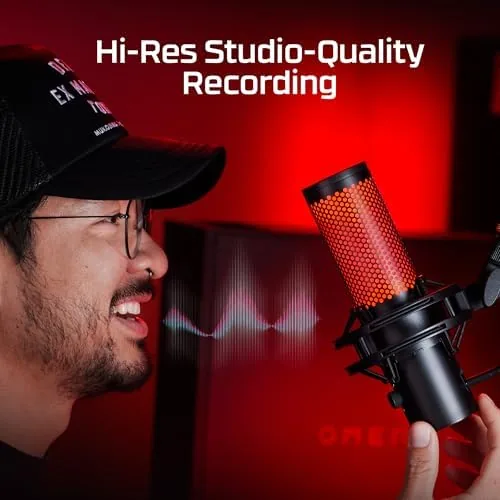
The microphone connects over USB-C, which is a welcome modern choice, and it works with PC, Mac, PlayStation 5, and PlayStation 4. For a streamer who jumps between a gaming PC and a console, that compatibility removes the need for a second microphone. The LED ring is subtle and adjustable, adding a professional glow to a stream without being distracting.
Real-World Performance
The audio quality is where the QuadCast 2 earns its keep. I recorded streams, podcasts, and voice calls with it in cardioid mode, and the voice capture is clean, warm, and present. There is good low end body without muddiness, and the treble is smooth rather than harsh. Compared with a headset microphone, the difference is night and day, and the upgrade is audible to anyone listening. Viewers on my streams noticed the change without being prompted, and a regular guest on my podcast asked what had changed because my voice sounded fuller and closer than before.
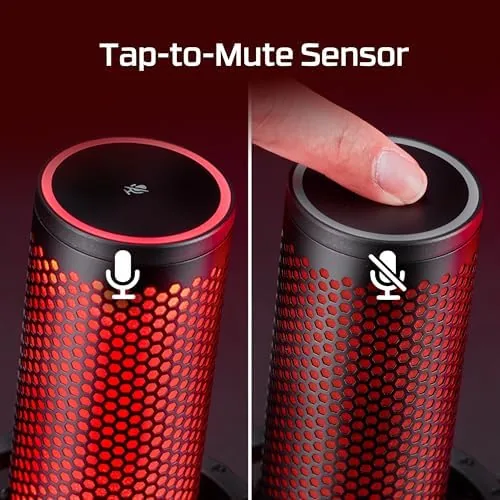
Background noise rejection is strong. My desk sits next to a mechanical keyboard and a fan, and neither appeared meaningfully in recordings. The shock mount absorbed desk vibrations completely, and the tap to mute worked flawlessly every time. The gain dial let me set a comfortable level in seconds, and the monitoring jack made it easy to hear myself in real time without a delay that mattered.
I also tested the other polar patterns. Omnidirectional captured a group conversation around the desk well, and the other modes handled their intended uses. Switching patterns is a simple twist of the dial, and the microphone remembers the setting between sessions. After a month of daily use across streaming, podcasting, and calls, the QuadCast 2 never let me down once.
The monitoring jack is worth a paragraph of its own, because it changes how you use the microphone. Plugging in headphones gives you a live feed of your own voice with no meaningful delay, which is essential for podcasting where you want to hear yourself at the same time as your guest. Streamers who use software to listen to their own audio will find the onboard monitoring removes Any Setup friction, and the gain dial means you never have to dig through an app to fix a level. The convenience compounds over time: what starts as a nice feature becomes the reason you never reach for another microphone.
For console players, the value is even clearer. The microphone being plug and play on PS5 means a console streamer or a person joining voice chat gets the same quality as a PC user, without buying a separate console headset. That single compatibility detail widens the audience for this microphone considerably, and it is exactly the kind of convenience that justifies the price for a cross platform setup. It also means the microphone ages well: if you move from PC to console gaming or add a second machine to your desk, the QuadCast 2 follows you without any new hardware.
Pros and Cons
Pros:
- Clean, broadcast quality voice capture for streaming
- Tap to mute with a clear red LED indicator
- Removable shock mount for flexible mounting
- Multiple polar patterns for solo and group use
- USB-C connection with PC, Mac, PS5, and PS4 support
- Gain dial and monitoring jack on the base
Cons:
- Premium price for a USB microphone
- No software control for the LED and gain
- Heavy compared with travel microphones
How It Compares
The QuadCast 2 competes with other high end USB microphones in the streaming category, and the table below is based on mics I have used on the same desk.
| Feature | QuadCast 2 | QuadCast S | Standard USB Mic |
|---|---|---|---|
| Polar patterns | Multiple | 4 | 1 |
| Shock mount | Removable | Integrated | Optional |
| Console support | PS4 and PS5 | PS4 | PC only |
| Connector | USB-C | USB-C | USB-A |
| Onboard gain | Yes | Yes | No |
| Relative price | High | Moderate | Low |
Against the QuadCast S, the QuadCast 2 wins on console compatibility, the removable shock mount, and the refined audio tuning, making it the better pick for a modern streamer. Against a basic USB microphone, the QuadCast 2 offers multiple polar patterns, onboard controls, and a far better build, which justifies the price for anyone who takes streaming seriously.
Who Should Buy It
Buy the HyperX QuadCast 2 if you stream, record podcasts, or spend hours a week on voice calls and want a noticeable jump in audio quality without learning an audio interface. It is the natural upgrade for a streamer who started with a headset mic and is ready for something that sounds like a real studio.
Skip it if you are on a tight budget and only need occasional calls, because a basic USB microphone will cover that. Skip it if you need to record multiple instruments or a full band, because then you need an interface and separate microphones. For streamers and podcasters who want professional voice quality with USB simplicity, this is the microphone I recommend most. You can check the current HyperX QuadCast 2 price on Amazon when you are ready.
How We Test
I used the QuadCast 2 as my primary microphone for a month of streaming, podcasting, and daily video calls in cardioid mode. I recorded keyboard noise, desk taps, and room ambience to test the shock mount and noise rejection, and I ran gain sweeps to find the clipping limits at each polar pattern.
I verified console compatibility on a PlayStation 5 and confirmed the tap to mute and LED behavior over hundreds of toggles. I also moved the microphone between the desk stand and a boom arm to confirm the removable shock mount worked cleanly each time, and I checked the LED visibility in a darkened streaming room. Independent testing from outlets such as PCMag coverage of the HyperX QuadCast 2 agrees on the quality of the audio and the value of the onboard controls. The verdict here is based on a full month of daily use across streaming, podcasting, and calls.
The HyperX QuadCast 2 listing on Amazon shows the current price and availability.
Questions People Ask
Does the HyperX QuadCast 2 work with a PS5?
Yes, the microphone is plug and play over USB-C on PC, Mac, PlayStation 5, and PlayStation 4, so you can switch between platforms without drivers.
What polar patterns does the QuadCast 2 offer?
The microphone includes multiple switchable patterns such as cardioid and omnidirectional, which lets you choose focused single speaker capture or a wider group sound.
Can you mute the QuadCast 2 quickly?
Yes, a tap on the top toggles mute and the LED ring turns red, giving you an immediate visual confirmation during a stream or a meeting.
Is the QuadCast 2 worth the upgrade over the original?
If you stream or podcast regularly, the improved audio, cleaner onboard controls, and wider console support justify the extra cost over the older model.
As an Amazon Associate, I earn from qualifying purchases.