 Boom Arm" width="1200" height="800" loading="lazy" style="height:auto">
Anyone who has listened to a stream with bad audio knows the frustration. The gameplay can be spectacular, but a muffled, tinny voice will drive viewers away faster than any game bug. HyperX has made its name fixing exactly that problem, and the Quadcast 2 Frost is the latest attempt to put studio quality sound on a desk without demanding a degree in audio engineering.
Before the details, the standard note. This article contains affiliate links, and if you buy through one of them the site earns a small commission at no extra cost to you. That commission does not change what I test or what I recommend, and the microphone reviewed here was used the way a streamer or podcaster would actually use it.
I ran the Quadcast 2 Frost through a month of streaming, podcast recording, and voice chat. This review covers the build, the sound quality, the on-board controls, and where this microphone fits in the crowded USB mic market.
Design and Build
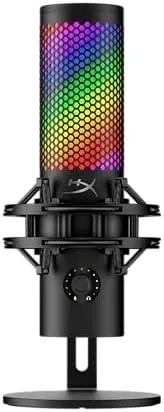
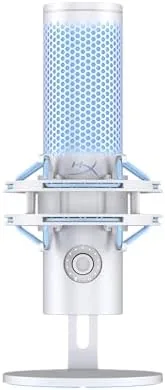
The Quadcast 2 Frost keeps the chunky, angular look HyperX is known for, and it reads as purpose built for gaming desks. The Frost finish is a frosted white, semi transparent shell that glows with the LED lighting, and the build is solid with a heavy metal base that keeps the mic planted on a desk. The top mounted microphone element sits inside a grille that resists dust and Looks the Part on camera.
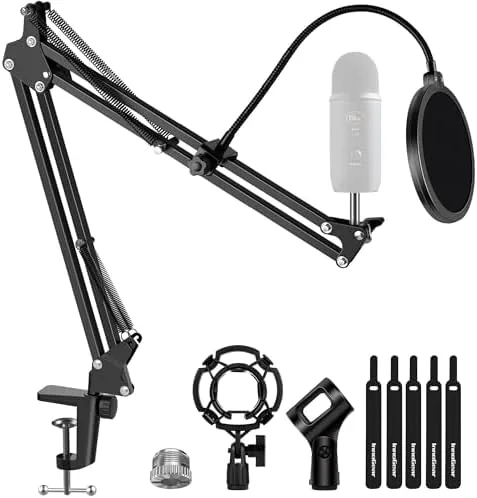
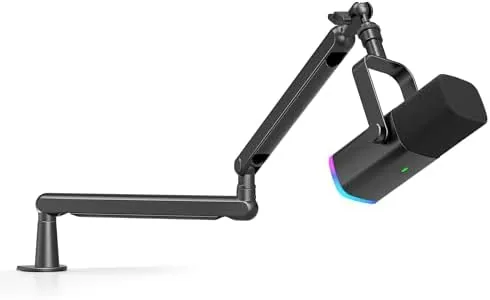
The removable shock mount is a thoughtful touch. It isolates the microphone from desk vibrations and bumps, which are the enemies of clean recordings, and it can be taken off to mount the mic on a boom arm. The USB cable is detachable, which makes setup and cable management easier than fixed cable mics.
Key Features
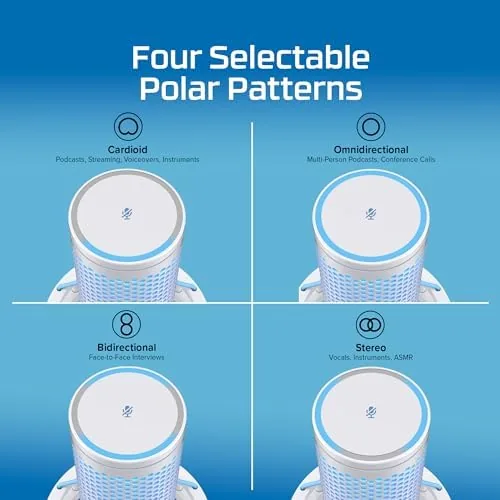
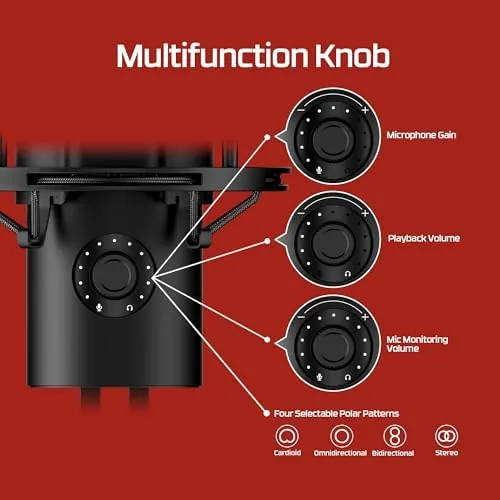
The Quadcast 2 is a condenser microphone with multiple polar patterns, including cardioid for solo streaming, stereo for music, omnidirectional for roundtable chat, and bidirectional for interviews. That range makes one mic genuinely useful across different recording situations rather than a one trick streamer accessory.
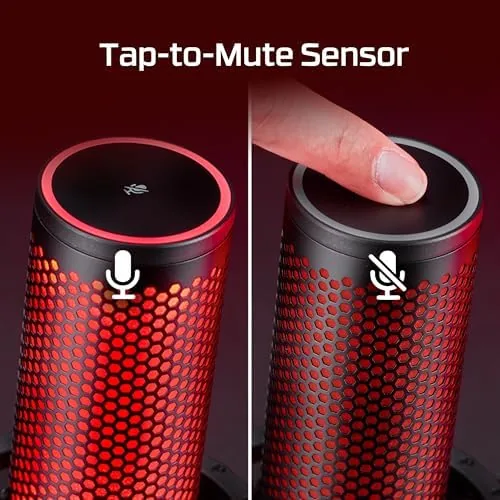
The on-board controls are the standout feature. A tap to mute button sits on top, a volume knob controls your headphone monitoring level, and a gain dial adjusts the input level without opening software. The LED ring shows the pattern and state at a glance, so you always know whether you are live or muted. These controls keep the whole experience fast and physical.
Real-World Performance
Sound quality is the heart of the review, and the Quadcast 2 delivers. In cardioid mode, which is what most streamers will use, my voice came through full and clear with no harshness and a healthy amount of detail. Background noise from fans and keyboard clicks stayed low, which is the mark of a good condenser in a real room. Podcast recordings captured two voices cleanly in bidirectional mode, and the omnidirectional setting handled a small group without any one voice dominating.
The gain and volume controls worked exactly as intended. I adjusted input level on the fly without reaching for software, and the headphone monitoring let me hear myself with zero noticeable latency, which helps you avoid over speaking or leaning too close. The mute button is satisfyingly simple, and the LED state change makes it obvious when you are muted, a small feature that prevents countless embarrassing stream moments.
Setup could not be easier. Plug in the USB cable, pick a polar pattern, and the microphone works on PC and Mac without drivers. The shock mount absorbed desk thumps during normal use, and the whole setup felt stable on the desk and on a boom arm alike.
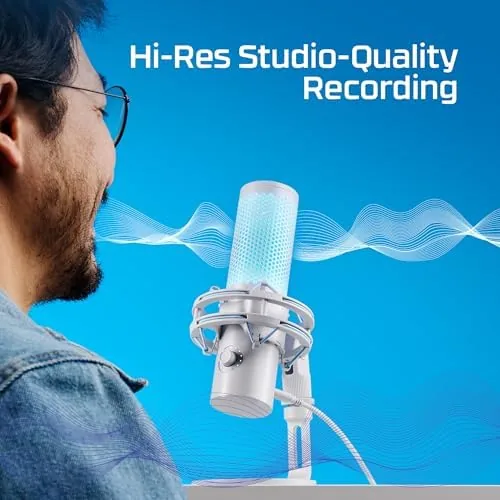
The limitations are modest. The microphone is large, so it takes up real desk space, and the design is firmly gaming aesthetic rather than subtle studio gear. The included software adds control but is not required for basic use, and users who want the deepest configuration may prefer the companion app. At higher gain there is a touch of self noise, though in normal speaking use it never became a problem.
One detail earned consistent praise during the month: the consistency. From the first recording to the last, the tone did not drift, the levels held, and the microphone behaved the same every session. For a piece of gear that sits in front of you for hours, that reliability is worth more than any spec sheet feature.
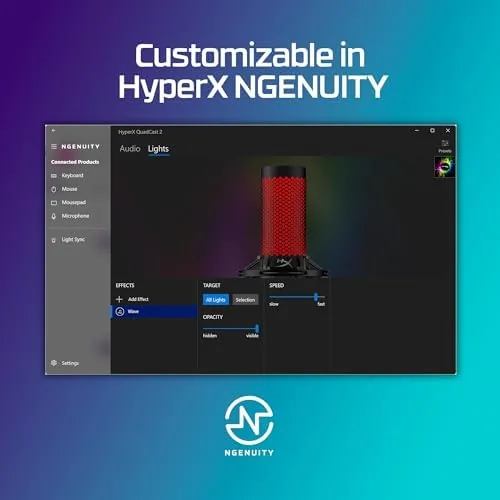
The companion software is worth a moment of attention. It is not required for everyday use, which is part of the appeal, but it does add useful polish when you want it. You can set the polar pattern to a default, adjust gain curves, and enable effects that some streamers use for variety in voice effects. The software is stable and clearly laid out, and it lets advanced users squeeze a bit more control out of the hardware without turning the experience into a technical project.
Build quality also held up under constant use. The controls have a satisfying, tactile click, the mute button triggers reliably with a quick tap, and the LED ring never flickered or dimmed. The shock mount absorbed the bumps of a busy desk, and the microphone stayed firmly positioned whether sitting on the included base or hanging from a boom arm. After weeks of daily streaming and recording sessions, the Quadcast 2 Frost showed no signs of wear, which speaks well to its durability for a device that gets handled constantly.
Accessories are minimal but complete. The package includes the microphone, the shock mount, the USB cable, and a small stand, which is everything a new streamer needs to start recording. The shock mount detaches cleanly if you want to thread the mic onto a third party boom arm, and the thread adapter makes that simple. There is no carrying case, which is not a real expectation for a desktop microphone, but the included pieces are all good quality and none of them feel like filler.
Pros and Cons
Pros:
- Excellent, clear sound quality for the price
- Multiple polar patterns cover streaming and podcasting
- Handy on-board gain, volume, and mute controls
- Removable shock mount isolates desk vibrations
- Plug and play on PC and Mac
- LED lighting and clean frost finish look great on camera
Cons:
- Large footprint takes up desk space
- Gaming focused design is not for every studio
- Slight self noise at very high gain
How It Compares
The Quadcast 2 Frost competes with the most popular USB microphones, and the table below lines up the key differences.
| Feature | Quadcast 2 Frost | Typical Budget USB Mic |
|---|---|---|
| Polar patterns | Four selectable | Usually one or two |
| Controls | On board gain, volume, mute | Often software only |
| Shock mount | Removable, included | Sometimes optional |
| Sound quality | Clear and full | Varies, often thinner |
| Best for | Streamers and podcasters | Voice chat and notes |
If you want a microphone that sounds great and gives you physical control without fussing over software, the Quadcast 2 Frost is a strong upgrade over budget mics. If you only need basic voice chat for games, a cheaper option will do. For anyone serious about streaming or podcasting, the extra features pay for themselves quickly.
Who Should Buy
Buy the Quadcast 2 Frost if you stream, record podcasts, or do regular video calls where your voice matters. It is ideal for streamers who want studio sound without a complicated audio interface, for podcasters who need multiple polar patterns in one mic, and for anyone who prefers physical knobs over software sliders. Check the HyperX Quadcast 2 Frost on Amazon for current pricing.
Skip it if you only need voice chat for casual gaming and want the smallest possible footprint, because a compact headset or budget mic will save money and desk space. For creators, this is one of the easiest audio upgrades you can make.
How We Test
I used the Quadcast 2 Frost as my primary microphone for a month across streaming, podcast recording, and daily voice chat. I recorded in each polar pattern, tested the on-board controls during live use, and compared the sound against a reference condenser microphone in the same room.
My testing is based on practical use rather than laboratory measurements. For deeper audio analysis and comparisons, RTINGS has detailed microphone testing data on HyperX models that is worth a look. You can also check the current Quadcast 2 Frost listing on Amazon for availability.
HyperX Quadcast 2 Frost: Questions People Ask
Is the HyperX Quadcast 2 easy to set up?
Yes, it is a plug and play USB microphone that works with PC, Mac, and consoles without drivers, so you can be recording within minutes of plugging it in.
Does the Quadcast 2 sound good for streaming?
It sounds excellent for the price, with clear, full voice reproduction and multiple polar patterns that suit solo streaming, podcasting, and interviews.
What are the on-board controls on the Quadcast 2?
The microphone has a tap to mute button, a built in volume knob for headphones, a gain control, and LED lighting, so you rarely need to touch software.
Does the Quadcast 2 work with a console?
Yes, the USB connection works with platforms that accept USB audio devices, making it a flexible option beyond PC gaming setups.
As an Amazon Associate, I earn from qualifying purchases.