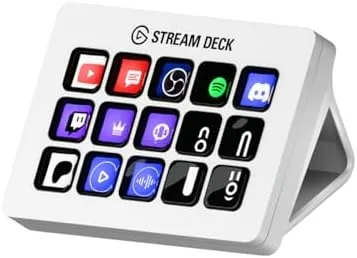

Most desk accessories are either toys or furniture, but every so often a device arrives that quietly rewires how you work. The Elgato Stream Deck MK.2 looks like a small grid of buttons, and in the hands of a streamer it is exactly that. Yet the deeper truth is that this 15 key Controller is a general purpose shortcut machine, one that can launch apps, type commands, control lighting, switch scenes, and fire off macros with a single press. After weeks of running a live stream, editing audio, and doing ordinary desk work with the MK.2 beside me, I can tell you it earns its reputation.
Before the details, the standard note. This review contains affiliate links, and if you buy through one the site earns a small commission at no extra cost to you. That never changes what I test or recommend.
Design and Build
The MK.2 keeps the layout that made the original Stream Deck famous: fifteen physical keys in a three by five grid, each one a tiny LCD screen capable of showing any icon you assign. The white finish of this version is a deliberate design choice, and it is a good one. On a light desk it looks clean and modern rather than aggressively gamer, and the white housing has a soft touch texture that feels premium without being slippery.
The build quality is reassuring. The keys have a crisp mechanical feel with clear actuation, and the whole unit is heavy enough to stay planted on a desk without sliding around when you press the buttons hard during a frantic stream. The angled stand folds flat for travel, and the USB-C connection is a genuine improvement over the older micro USB Stream Deck, both for durability and for cable neatness. On the underside, a subtle mount gives you the option to screw the device onto a studio monitor arm if you want it off the desk entirely.
Setup is unremarkable in the best way: you install the Stream Deck software, and the device is recognized instantly over USB. The software handles profiles, keys, and integrations, and it is the real engine behind the hardware.
Key Features
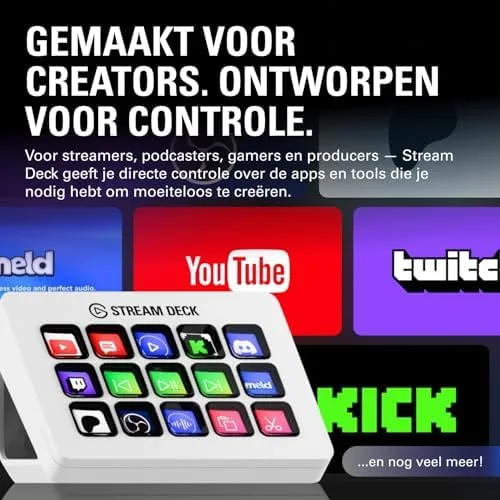
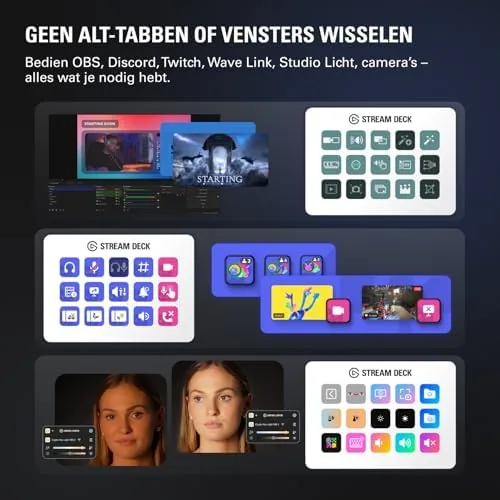
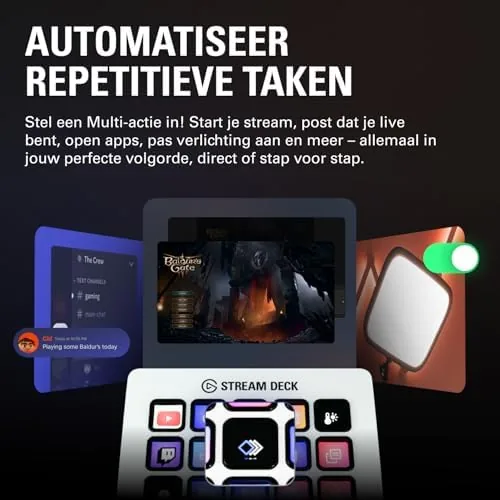
The defining feature of the MK.2 is the software, because the hardware is intentionally simple. Each of the fifteen keys can be programmed to perform an action: switch a scene in OBS, mute a microphone, press a hotkey, type a string of text, open an application, run a script, or control a smart home device. The LCD keys update instantly to show the icon you assign, and the device can hold multiple pages of keys, so the effective control surface is much larger than fifteen buttons.
Integration is where the Stream Deck earns its keep. The software ships with deep support for OBS Studio, which is the core of most streaming setups, and it extends to Twitch, Discord, Spotify, Zoom, and a huge catalog of third party plugins. For audio work, there are integrations for popular mixers, and for creators there are integrations for editing software that let you map common actions to a single press.
The MK.2 model adds the detachable USB-C cable and the updated angled stand, while keeping the same 15 key hardware. Profiles are stored on the device itself, which is a subtle but important feature: you can move the Stream Deck between computers and your layout follows it. The white version is otherwise identical to the black MK.2, so the choice is purely about desk aesthetics.
Real-World Performance
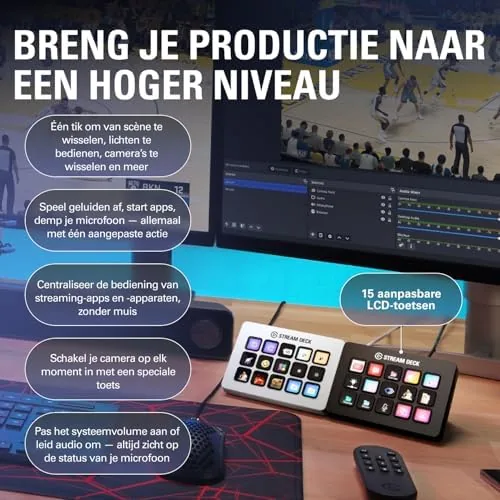
I used the MK.2 in two very different roles over the test period, and it delivered in both. During live streaming sessions, the payoff is immediate. I mapped scene switches, mic mute, camera toggles, and chat commands to single keys, and I never once reached for a keyboard shortcut mid stream. The ability to switch a camera angle, trigger a sound effect, and type a chat line with three separate button presses, each one landing instantly, is exactly why streamers swear by this device. The keys respond with no perceivable latency, and the icons update in real time so the layout always reflects the current state.
For ordinary productivity, the value is just as real but less obvious. I built a page of keys for audio editing, mapping cut, split, save, and zoom actions to single buttons, and the speed gain was immediate. I set a key to insert my full email address, another to open a specific folder, and a third to run a daily backup command. Each of these is a small convenience, but they compound across a full workday, and the device quickly became one of those tools I reach for without thinking.
The software is easy to use, with a drag and drop interface that makes building profiles genuinely fun. My one criticism is that the device is so capable that you can fall down a customization rabbit hole, and the initial setup can take an afternoon if you let it. But that is not a flaw; it is the product doing its job. The LCD keys are bright and readable, the device runs cool, and after weeks of heavy use the keys still feel exactly as crisp as day one.
Pros and Cons
Pros:
- Fifteen programmable LCD keys with instant visual feedback
- Deep OBS, Twitch, Discord, and third party integrations
- Multiple profiles and pages expand the effective control surface
- Detachable USB-C cable and improved stand
- Profiles stored on the device for easy transfer
- White finish looks clean on a modern desk
Cons:
- Requires the companion software to be running
- Initial customization can be time consuming
- No wireless connection
- Premium price for what is essentially a shortcut pad
How It Compares
The Stream Deck competes with smaller versions of itself and with rival macro pads. The table below shows how the options line up.
| Feature | Stream Deck MK.2 | Stream Deck Mini | Generic Macro Pad |
|---|---|---|---|
| Keys | 15 LCD | 6 LCD | 12 LED keys |
| Software | Elgato ecosystem | Elgato ecosystem | Varies by brand |
| OBS integration | Deep | Deep | Often shallow |
| Profiles | Multiple, on device | Multiple | Usually one layout |
| Connection | USB-C | USB-C | USB-C or Bluetooth |
| Typical price | Mid | Lower | Lower |
The Stream Deck Mini offers the same software power with six keys for less money, which suits a minimalist setup. A generic macro pad is cheaper, but its software is usually far less capable, and the LCD icons that make the Stream Deck intuitive are missing entirely. The MK.2 sits at the sweet spot for most streamers and power users, offering a full key grid and the deepest ecosystem in the category. This is a conclusion that mirrors the broader consensus in streaming hardware coverage, such as Tom's Hardware streaming gear guides.
Who Should Buy It
Buy the Stream Deck MK.2 if you stream, because it will genuinely change how you run a broadcast. Scene switching, audio control, and chat management become one press instead of a scramble across keyboard shortcuts. It is also worth it for editors, audio producers, and anyone who lives in software and wants their most used actions one press away. The white version is a natural fit for a light, modern desk.
Skip it if you rarely touch the same app more than a few times a day, because the convenience needs repetition to pay off. It is also unnecessary if your budget is tight and a six key Mini would cover the few actions you care about. For streamers and power users, the MK.2 is the definitive version of the idea. You can check the current Stream Deck MK.2 price on Amazon.
How We Test
I used the Stream Deck MK.2 as a daily desk device for several weeks, including live streaming sessions, audio editing work, and general productivity. I built custom profiles for OBS Studio, a digital audio workstation, and everyday shortcuts, and I ran long sessions to check reliability and key feel.
I tested the device across two computers to confirm that profiles travel with it, and I verified the USB-C connection held up over repeated plugging and unplugging. I did not measure key actuation force with lab instruments, so the feel notes come from direct daily use. For current pricing, availability, and the full list of supported apps, the Stream Deck MK.2 listing on Amazon is the best reference.
Questions People Ask
Do I need the Stream Deck software running for the keys to work?
Yes, the free Stream Deck app handles all key configuration and must be running for the keys to work, and it saves profiles to the device itself.
Is the Stream Deck MK.2 compatible with Mac and Windows?
Yes, the Stream Deck software supports both Windows and macOS, and it works with apps like OBS, Twitch, Discord, and hundreds of others.
Can the keys be customized for non-streaming tasks?
Absolutely, each of the 15 keys can trigger shortcuts, open apps, type text, or run macros, so it works just as well for editors and office workers.
What is new in the MK.2 model?
The MK.2 is the current version of the 15 key Stream Deck, with the same core hardware and a detachable USB-C cable that improves desk setup.
As an Amazon Associate, I earn from qualifying purchases.