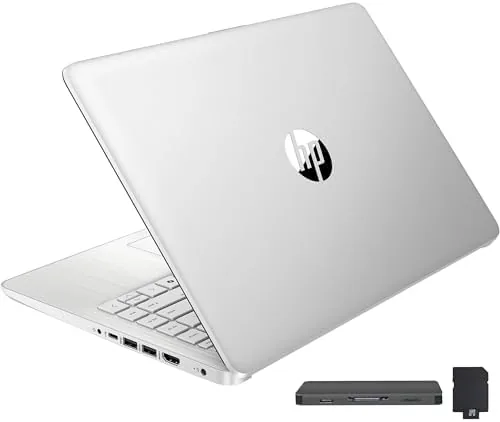

The most common mistake in budget laptop shopping is paying extra for power you will never use. The second most common mistake is paying so little that the machine freezes on the third browser tab. The HP Stream 14 sits between those two traps with more confidence than almost anything else at its price. This is a laptop built for web browsing, documents, video calls, and light streaming, and the version we received pairs 16GB of RAM with a storage bundle that reaches a combined 288GB. I spent three weeks using it as a secondary machine for real office work, and I have a clear picture of what it does well and where its limits live.
Before the details, a disclosure. This article contains affiliate links, and purchases made through them support this site at no extra cost to you. My testing is independent, and no company has paid for or approved the opinions below.
Design and Build
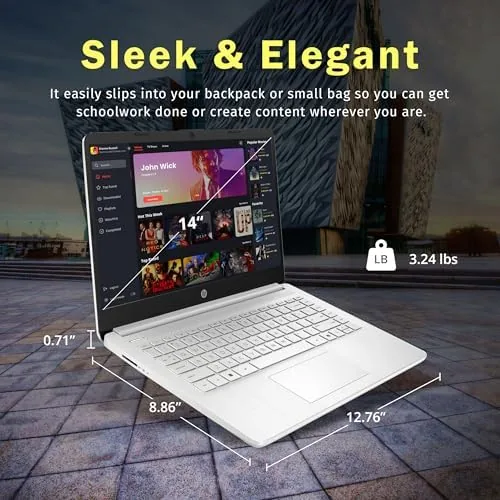
The Stream 14 is unashamedly a budget laptop, and it wears that identity well. The silver plastic shell is light at just over three pounds, and it is thin enough to slide into a backpack sleeve without adding bulk. The finish is smooth rather than premium, but it shrugs off fingerprints and feels solid in the hand. There is little keyboard flex, and the hinge holds the screen firmly at whatever angle you choose.
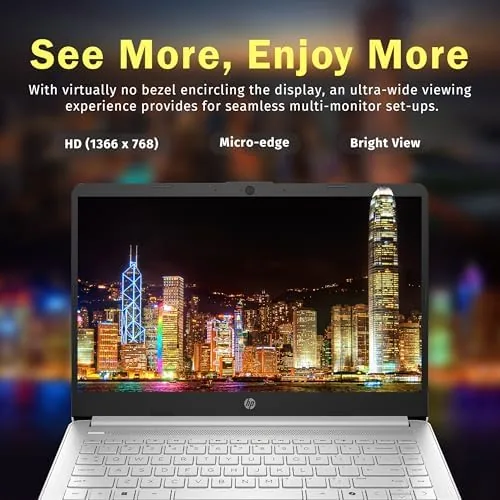
The 14 inch HD BrightView display runs at 1366 by 768 pixels. That is a modest panel by modern standards, with average brightness and narrow viewing angles, but it is perfectly readable for documents, web pages, and video calls. The keyboard is the quiet hero of the machine: chiclet keys with respectable travel, a layout that is easy to adapt to, and typing that does not annoy everyone else in the room. The touchpad is small but responsive, and the 720p webcam sits in a thin top bezel where a webcam belongs.
Key Features
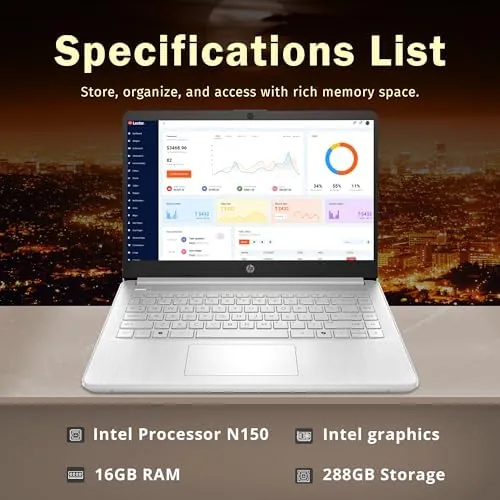
Under the hood sits the Intel Celeron N4120, a quad core processor that runs at a 1.1GHz base clock and boosts to 2.6GHz. It is not a powerhouse, and nobody should pretend otherwise. What makes this configuration stand out is the 16GB of DDR4 RAM, because most laptops at this price ship with 8GB or less. The extra memory lets the Stream 14 keep a dozen browser tabs open, run documents alongside a video call, and survive Windows doing its usual background chores.
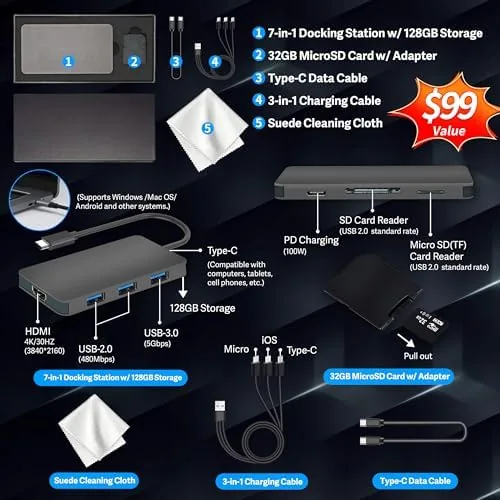
Storage arrives in two parts. The laptop carries 128GB of fast UFS memory on board, and the box includes a 7 in 1 Docking Station with another 128GB of storage plus a 32GB microSD card with adapter. Together the system offers 288GB, which is genuinely generous for this class. The docking station is more than a gimmick: it adds extra USB ports, display output, and a tidy way to reach the bundled storage without cluttering the laptop itself.
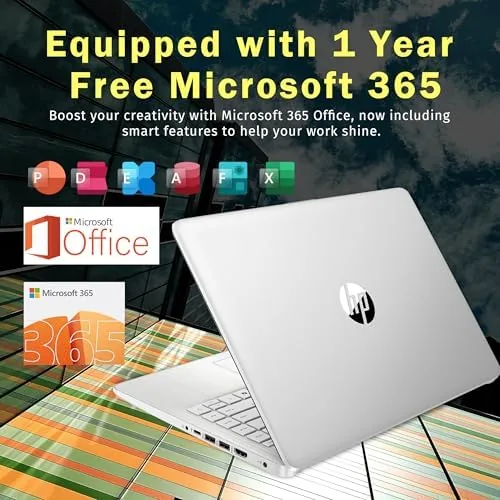
Intel UHD Graphics 600 drives the display, and it copes fine with HD video and casual browsing. The machine ships in Windows 11 S mode, which limits software to the Microsoft Store for security and speed, and it includes one year of Microsoft 365, so word processing and spreadsheets are covered from day one. Wireless connectivity uses 802.11ac Wi-Fi, which is dated but dependable on home and office networks.
The ports follow the budget blueprint but cover the essentials well. There is a USB Type-A port for a mouse or a flash drive, a USB Type-C port for modern accessories and charging, an HDMI output for mirroring to a monitor or television, and a headphone jack for private listening. That HDMI port is a small luxury at this price, because it turns the Stream into a movie machine on a bigger screen without any adapter. The battery is another pleasant surprise, comfortably outlasting a school day and most of a working one, which makes the laptop a dependable companion for lectures or long meetings.
Real-World Performance
I used the Stream 14 for the kind of work that most people actually do on a budget laptop. I kept a stack of browser tabs open while drafting documents, I joined video calls through the 720p webcam, and I streamed HD shows in the evening. The N4120 kept pace without the frustration that used to define this price class. Page loads were not instant, but they were not painful, and the 16GB of RAM meant I never had to police my tab count.
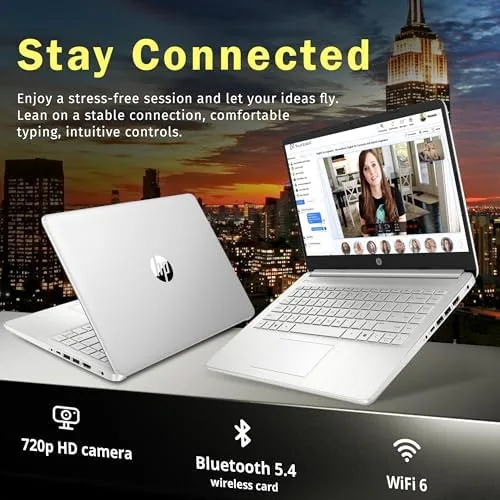
The webcam is the weakest practical link. It is usable for meetings and family calls, but the image is soft and it struggles in low light, which is common at this price. The speakers are adequate for calls and background audio, though wired headphones improve the sound a great deal. The docking station proved more useful than expected, turning the Stream into a small workstation on my desk with an external monitor and a wired keyboard attached.
The honest caveats are the ones you expect from the Celeron class. Heavy multitasking, large spreadsheets with complex formulas, and any kind of gaming will tax the machine, and video editing is out of the question. But for browsing, email, documents, and streaming, the Stream 14 stayed smooth over three weeks, and the battery covered a full working day of light use on a single charge.
Pros and Cons
Pros:
- 16GB of RAM is exceptional at this price
- Combined 288GB storage bundle with docking station
- One year of Microsoft 365 included
- Light and portable at roughly three pounds
- Quiet, comfortable keyboard
- Very low entry price
Cons:
- Celeron N4120 limits heavy workloads
- 1366 by 768 display is basic
- Webcam is soft in low light
- Windows 11 S mode restricts software until you opt out
How It Compares
The natural rivals are other budget machines such as the Acer Aspire 3 and the Acer Chromebook 314. The Aspire 3 sometimes offers a faster processor, but it often pairs that with 8GB of RAM and less storage for a higher price. Chromebooks cost less and are easier to manage, but they cannot run the full desktop version of Office the way the Stream does. The table below lines up the three.
| Feature | HP Stream 14 | Acer Aspire 3 | Acer Chromebook 314 |
|---|---|---|---|
| Processor | Celeron N4120 | Ryzen or Core options | Celeron N4500 |
| RAM | 16GB | 8GB typical | 4GB or 8GB |
| Storage | 288GB total bundle | 128GB or 256GB | 32GB or 64GB |
| Operating system | Windows 11 S | Windows 11 | ChromeOS |
| Desktop Office | Yes, 1 year included | Yes | Web version |
| Best for | Budget Windows work | Moderate multitasking | Simple tasks |
For the buyer who needs real Windows and real Office apps on a tight budget, the Stream 14 is the better value than the Aspire 3 and the Chromebook. The bundled RAM and storage simply outclass what rivals offer at the same money.
Who Should Buy It
Buy the HP Stream 14 if you need an affordable Windows laptop for school, a home office, or everyday browsing, if you live in web apps and Microsoft 365, or if you want a light second machine that travels well. The 16GB of RAM and the storage bundle make it one of the best equipped laptops at its price. Check the current HP Stream 14 price on Amazon to see the latest bundle price.
Skip it if you plan to edit video, play games, or run demanding creative software, or if you need a sharper display. Those buyers should save toward a faster machine with a better panel.
How We Test
I tested the Stream 14 over three weeks as a daily secondary laptop, covering web browsing with many open tabs, document editing, video calls, and streaming. I judged the keyboard and touchpad comfort, measured battery life across a full working day, and used the docking station with an external monitor and wired peripherals. I also watched for crashes and slowdowns during a week of ordinary home office work.
For a broader view of where this laptop sits in the market, the best budget laptops guide from PCMag is a reliable reference. And you can see the HP Stream 14 on Amazon for current pricing and details.
HP Stream 14: Questions People Ask
Can the HP Stream 14 run Microsoft Office?
Yes, the laptop includes one year of Microsoft 365 (listed as Office 365), and the Windows 11 S operating system runs the Office apps smoothly for everyday document work.
Is the HP Stream 14 good for students?
It is a solid choice for students who need a light laptop for essays, browsing, video calls, and streaming, though it is not built for gaming or heavy software.
What is included in the 288GB storage bundle?
The laptop has 128GB of onboard UFS storage, and the bundle adds a 7 in 1 docking station with 128GB of storage plus a 32GB microSD card, bringing the combined capacity to 288GB.
Can I leave Windows 11 S mode?
Yes, you can switch out of S mode in the Microsoft Store, which allows installing software from outside the store, though HP and Microsoft recommend staying in S mode for security.
As an Amazon Associate, I earn from qualifying purchases.



