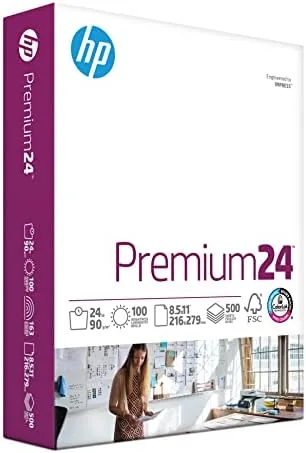

Most printing is unremarkable. The page goes in, the ink comes out, and nobody thinks twice. Then comes the document that needs to look as good as it reads: a resume, a client proposal, a school presentation. For that kind of work, the paper itself becomes part of the result, and that is where HP Premium 24 lb paper earns its name. I spent a month printing resumes, presentation slides, brochures, and photo pages on this 100 brightness stock to find out whether the premium is worth it or whether it is just marketing on a paper wrapper.
Before the details, the required note: this article contains affiliate links, and if you buy through one of them the site earns a small commission at no extra cost to you. That never changes what I test or how I describe it.
Design and Build
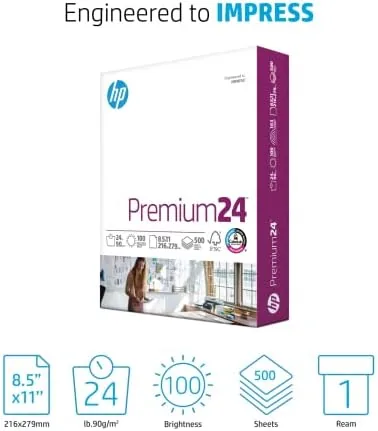
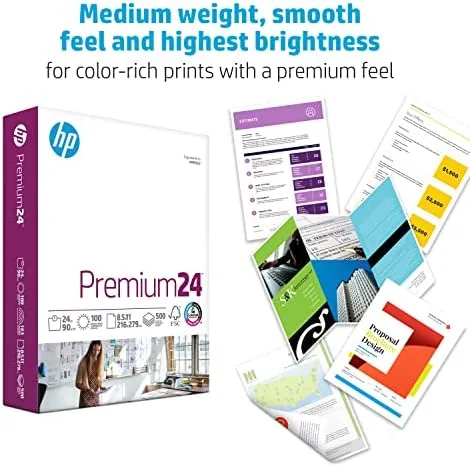
HP Premium is a 24 lb basis weight paper with a 100 brightness rating, and both numbers are visible the moment you lift a sheet. The paper is heavier and stiffer than the 20 lb stock most homes keep, with a confident snap when you flick a corner. It also looks brighter than budget paper, a clean white base that makes text and images stand out rather than sink into a grayish background.
The surface has a noticeably smoother finish than standard copy stock. Run your finger across a sheet and you can feel that it is engineered for ink, not just toner. That smoothness helps color inkjet output land on the page in clean, well-defined drops, and it gives printed graphics a slightly more polished, printed feel than the toothy texture of economy paper.
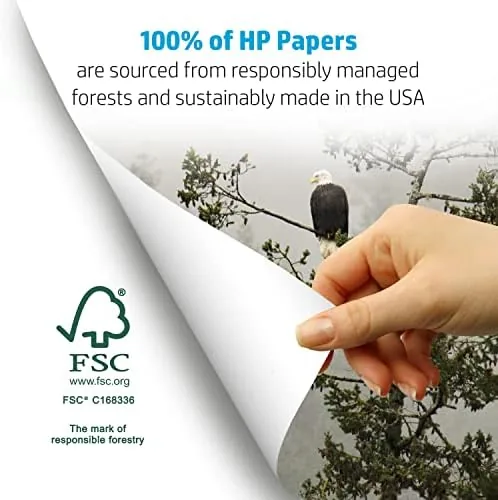
The ream packaging follows HP's usual design: a clean tear strip, a rigid base, and a moisture barrier that keeps the stack flat and dry. The sheets arrived free of curl, damage, or dust in my testing, and the cut edges were uniform across all 500 sheets. Made in the USA and FSC certified, the paper also carries the environmental credentials that matter to buyers who read the fine print.
Key Features
The 100 brightness rating is the headline spec. Brightness measures the light a sheet reflects, and at 100 this is among the highest common grades for everyday office paper. The practical result is high contrast output: black text reads as deep and dense, colors look vivid and true, and pages photograph or scan cleaner because the base is closer to white than to gray.
The 24 lb weight does more than feel good in the hand. Heavier paper feeds more reliably through printers, resists the curl that plagues light stock in dry rooms, and stands up to repeated handling. A resume or report printed on 24 lb paper is less likely to tear, crease, or look crumpled after a day in a folder or a binder.
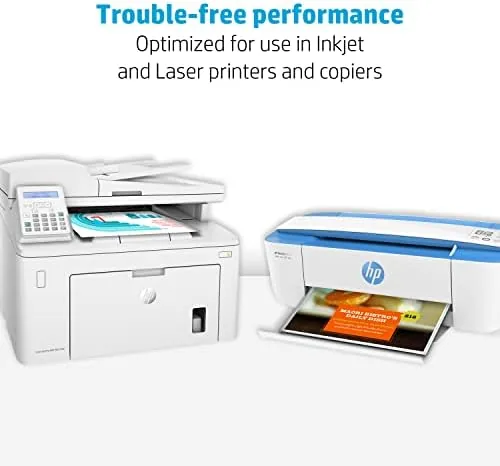
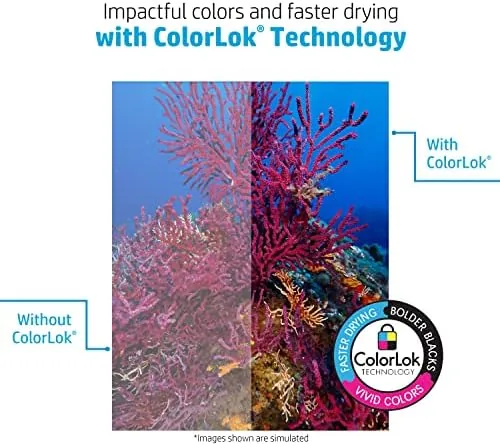
The surface is engineered for both inkjet and laser printing. ColorLok Technology certification means the paper is designed to work with pigment based inks, delivering bolder black text, faster drying, and less smearing. In a busy office, where a printed page often goes straight into a report cover or an envelope, that fast-drying behavior prevents the fingerprint smudges that ruin freshly printed work.
Real-World Performance
I started with the task the paper is made for: a resume and cover letter printed on an inkjet. The difference from standard copy paper was immediate and obvious. Text came out sharp and dense, the header bar of the resume printed in a clean, even blue, and the finished page had the crisp, substantial feel that hiring managers notice when they pick it up. If the goal is to stand out before a single word is read, this paper does the work.
Presentation slides and a color brochure followed. Here the 100 brightness showed its value: the white areas of the slides looked clean rather than cream, the charts and graphics held their color without looking washed out, and the smooth surface gave the graphics a slightly glossy, printed finish. On a standard 20 lb sheet the same slides looked flat and dull by comparison. Side by side, the premium stock made the same content look like it had been produced by a different, more careful office.
I also tested duplex printing, since any premium paper should hold up to being used on both sides. The 24 lb weight kept show through to a minimum. Text on the reverse side of a dense page was faintly visible at the very edges but never enough to interfere with reading the front, and the sheets fed cleanly in both an inkjet and a laser printer with no jams and no misfeeds.
The one compromise is price. HP Premium costs more than standard copy paper, and if you are printing internal drafts or one time notes, that cost is wasted. For documents that cross a desk, get signed, or get handed out, the premium is easy to justify, but it is a product for people who care about how their output looks, not for high volume scratch printing.
Pros and Cons
Pros:
- 100 brightness delivers clean white pages and vivid color
- 24 lb weight feels premium and resists curl and tearing
- Smooth surface produces sharp, polished print output
- Good ink handling with fast drying on inkjet
- Minimal show through in double sided printing
- Made in the USA with FSC certification
Cons:
- Costs more than standard 20 lb Copy Paper
- Overkill for drafts, notes, and internal printing
- Not a true photo paper for gallery quality prints
- Single ream packaging suits occasional use better than heavy volume
How It Compares
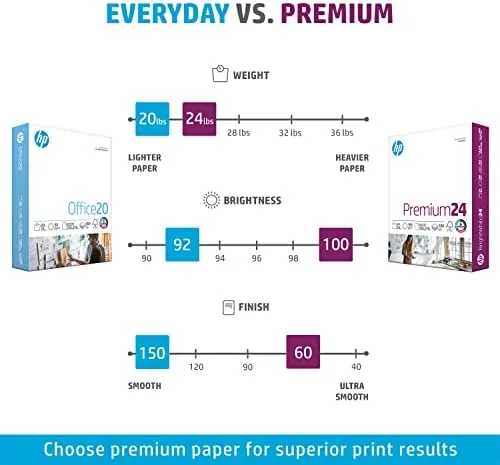
To place the paper in context, I compared it with standard 20 lb copy paper and with HP BrightWhite, the brand's mainstream 24 lb sheet. The table below reflects a month of side by side printing.
| Feature | HP Premium 24 lb | HP BrightWhite 24 lb | 20 lb Copy Paper |
|---|---|---|---|
| Basis weight | 24 lb | 24 lb | 20 lb |
| Brightness | 100 | 100 | 92 to 96 |
| Surface finish | Smoother, polished | Standard office | Toothy economy |
| Color output | Most vivid | Strong | Flatter |
| Feed reliability | Excellent | Excellent | Good |
| Best for | Presentations, resumes | Everyday office work | Drafts and notes |
BrightWhite is the smarter buy for everyday office printing, since it matches the weight and brightness at a lower price. The Premium sheet pulls ahead only where its smoother, more polished surface shows, which is in color-heavy documents and presentation work. The 20 lb economy stock wins purely on price and loses everywhere else. For a home office that prints a mix of daily work and important documents, BrightWhite is the value pick, and Premium is the polish pick.
Who Should Buy It
Buy HP Premium if you regularly print documents that represent you: resumes, proposals, marketing materials, school projects, or client-facing reports. If your printing habits include anything that will be read, signed, or handed out by someone else, the 24 lb weight and 100 brightness turn that output into something visibly more professional, and the cost per sheet is small compared with the impression it makes.
Skip it if your printer mostly produces pages for the recycle bin. For drafts, packing slips, and homework scratch sheets, a 20 lb multipurpose ream is the right economy, and the savings are real across a year. For everything that leaves your desk with your name on it, this is the sheet to reach for. You can check the current price of HP Premium 24 lb paper on Amazon when you are ready.
How We Test
I tested a full ream over a month, printing resumes, cover letters, presentation slides, a color brochure, and double sided documents through both an inkjet and a laser printer. I judged brightness against a standard 20 lb sheet, assessed ink handling and drying time, checked duplex show through, and compared the results side by side with HP BrightWhite to separate the two premium lines.
For broader context on choosing the right paper for a home office, the Wirecutter guide to the best printer paper is a helpful reference. My verdict here is based on the month of real printing.
The HP Premium paper listing on Amazon shows the current price and pack sizes.
Questions People Ask
What is the difference between HP Premium and HP BrightWhite paper?
Both are 24 lb and 100 brightness, but the Premium line carries a smoother, polished surface optimized for high impact documents and vivid color output, while BrightWhite suits everyday office work at a lower price.
Is this paper good for inkjet photo printing?
It is not a photo paper, but the bright surface handles color inkjet output well, with sharp edges and fast drying suitable for presentations, brochures, and mixed documents.
Can I print double sided on HP Premium paper?
Yes, the 24 lb weight and high brightness reduce show through, and the paper handled duplex printing cleanly in both laser and inkjet tests.
Is the paper made in the USA?
Yes, HP Premium 24 lb paper is made in the USA and carries FSC certification for responsibly sourced fiber.
As an Amazon Associate, I earn from qualifying purchases.