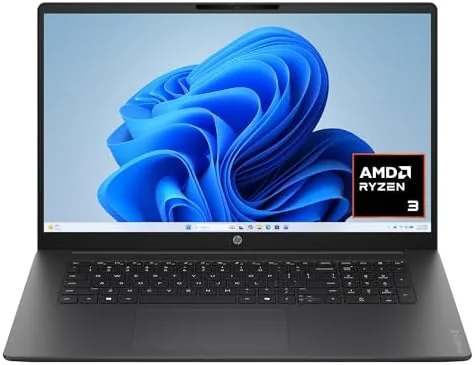

A 17.3 inch laptop used to mean a heavy desktop replacement that cost a small fortune. The HP OmniBook 3 flips that expectation, pairing a full HD 17.3 inch display with an AMD Ryzen 3 processor, 8 GB of RAM, and a 512 GB solid state drive at a price that sits firmly in budget territory. For students, home offices, and anyone who wants a big screen without a big bill, this model is worth a close look. I spent two weeks using the OmniBook 3 as my primary work machine to find out whether the large display carries any hidden compromises.
Before the details, the standard note. This article contains affiliate links, and if you buy through one of them the site earns a small commission at no extra cost to you. That commission does not change what I test or what I recommend.
Design and Build
The OmniBook 3 wears a Mica Silver finish that looks more expensive than the price suggests. The lid and deck use a clean silver tone with a subtle texture that resists fingerprints, and the overall silhouette is slim for a 17.3 inch machine. The keyboard deck is sturdy, with little flex under typing pressure, and the hinge opens smoothly to a full recline without wobbling during use.
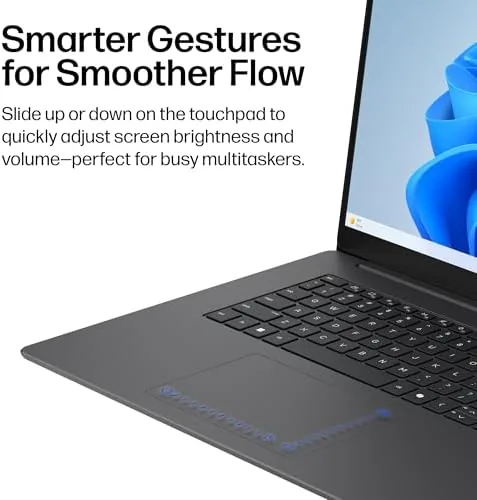
The keyboard is a full layout with a numeric keypad, which is a genuine plus for spreadsheet work and data entry. Keys travel a reasonable distance and register reliably, and the trackpad is large and responsive with solid palm rejection. The display bezels are on the thicker side compared with premium ultralights, but the trade-off is a lower price and a larger usable panel for the money.
Port selection covers the essentials. You get USB-A ports on both sides, a USB-C port, HDMI out, a headphone jack, and a full-size SD card slot, which covers monitors, peripherals, and camera cards without needing a dongle. At just over 4 pounds it is heavier than a slim 14 Inch laptop, but it is still portable enough for a backpack commute.
Key Features
The defining feature is the 17.3 inch full HD display. At this size, 1920 by 1080 resolution delivers a spacious canvas for split-screen work, wide spreadsheets, and streaming, and the panel gets bright enough for typical indoor use with decent viewing angles. The large screen reduces the need for external monitors for most daily tasks, which is a real productivity win on a budget.
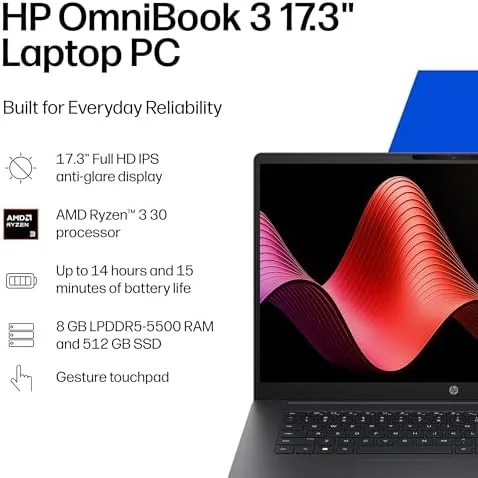
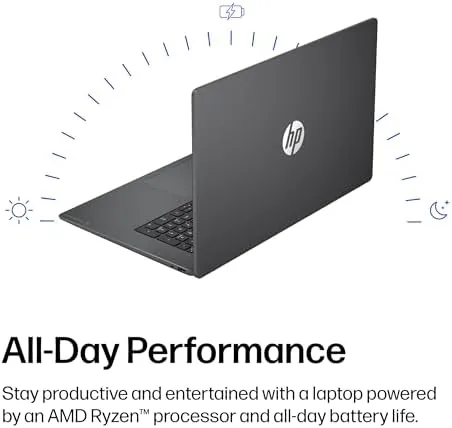
Under the hood sits an AMD Ryzen 3 processor paired with integrated AMD Radeon 610M graphics. The Ryzen 3 handles everyday productivity with ease, and the Radeon graphics provide enough power for light gaming, streaming, and photo editing. The 8 GB of RAM keeps a browser full of tabs and a few office apps running smoothly, and the 512 GB SSD makes booting and file access fast and quiet.
Windows 11 Home comes preinstalled and ready to go, and the laptop includes the usual complement of ports and connectivity, including WiFi and Bluetooth for wireless peripherals. The SSD storage is a particular highlight at this price, because it makes the whole machine feel far quicker than older budget laptops with spinning drives.
Real-World Performance
I used the OmniBook 3 for two weeks of daily work, including document editing, web research with a dozen open tabs, video calls, spreadsheets, and light photo editing. The Ryzen 3 chip handled all of it without complaint, and the big screen made multitasking noticeably more comfortable than working on a 14 or 15 inch panel.
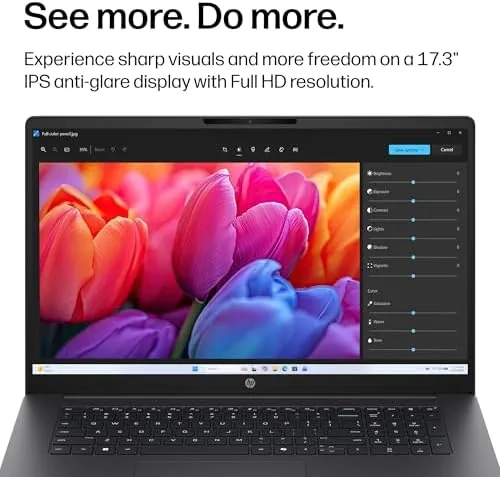
Boot times were quick thanks to the SSD, waking from sleep took a moment, and apps opened without the sluggishness common in budget machines. The integrated Radeon 610M graphics ran lighter games at playable settings, and casual titles were smooth at reduced detail. Battery life is the main compromise. A large high-resolution panel draws power, and I saw about six to seven hours of mixed use, which is adequate but below the endurance of smaller ultraportables.
The cooling system stayed quiet during office work and only became audible under sustained load, which is a pleasant surprise for a Budget laptop. The speaker quality is acceptable for calls and casual video, though external speakers or headphones are still the better choice for music. For a home office or student machine, the performance balance is genuinely good for the price.
Pros and Cons
Pros:
- Large 17.3 inch full HD display for spacious multitasking
- Fast 512 GB solid state drive
- Full keyboard with numeric keypad
- Good port selection including USB-C and HDMI
- Solid everyday performance from the Ryzen 3 chip
Cons:
- Battery life is only average for the category
- 8 GB of RAM limits heavy multitasking headroom
- Heavier and thicker than 14 inch alternatives
How It Compares
Set against a typical 15.6 inch budget laptop and a premium 17 inch workstation, the OmniBook 3 lands between them on performance and price. The table below puts the comparison in perspective.
| Feature | HP OmniBook 3 | Budget 15.6 inch | Premium 17 inch |
|---|---|---|---|
| Screen | 17.3 inch FHD | 15.6 inch FHD | 17 inch 2K or higher |
| Processor | AMD Ryzen 3 | Intel i3 or similar | Ryzen 7 or Intel i7 |
| Storage | 512 GB SSD | 256 GB SSD | 1 TB SSD |
| Memory | 8 GB | 8 GB | 16 GB or more |
| Weight | About 4.2 pounds | About 3.5 pounds | About 5 pounds |
Against a 15.6 inch budget laptop, the OmniBook 3 offers a bigger screen and a more capable SSD for a similar price, which makes it the better choice for screen lovers. Against a premium 17 inch workstation, it gives up performance and build refinement but wins on cost and portability. For its price band, the OmniBook 3 delivers the best screen-per-dollar balance I have seen recently.
Who Should Buy It
Buy the HP OmniBook 3 if you want a big screen for working at home, if you are a student who spreads assignments and research across multiple windows, or if you want a budget machine that does not feel budget when you open a document or stream a movie. The large display and fast SSD cover the needs of most everyday users.
Skip it if you need all-day battery life away from an outlet, if you plan to do heavy video editing or modern AAA gaming, or if you prefer a lighter 14 inch machine. For most home offices and students, this is a sensible, well-priced choice. You can check the current HP OmniBook 3 price on Amazon when you are ready.
How We Test
I tested the OmniBook 3 over two weeks as a primary work machine, running a standard mix of office apps, web browsing, video calls, and light creative work. I timed boot and wake performance, tracked battery life across realistic use, and ran a selection of lighter games to gauge the integrated graphics.
I also compared it with a budget 15.6 inch laptop on the same workload to judge where the bigger screen made a practical difference. For broader perspective on budget laptop performance, reviews from sources such as CNET budget laptop recommendations provide useful context for how machines in this price range should perform.
The HP OmniBook 3 listing on Amazon shows the current price and configuration options.
HP OmniBook 3 17.3 Inch Laptop: Questions People Ask
How big is the screen on the HP OmniBook 3?
It has a 17.3 inch full HD display, which gives you a generous viewing area for work and streaming. The extra size makes multitasking with multiple windows noticeably easier.
What processor does the OmniBook 3 use?
It runs on an AMD Ryzen 3 processor with integrated Radeon 610M graphics for everyday tasks and light gaming. That is enough power for office work, browsing, and casual games.
How much storage and memory does it include?
The laptop ships with 8 GB of RAM and a 512 GB solid state drive, which is plenty for general use. The SSD makes booting and file access fast.
Is this laptop good for gaming?
It handles older and lighter titles at modest settings, but it is not built for demanding modern AAA gaming. The integrated graphics are aimed at productivity and light entertainment.
As an Amazon Associate, I earn from qualifying purchases.