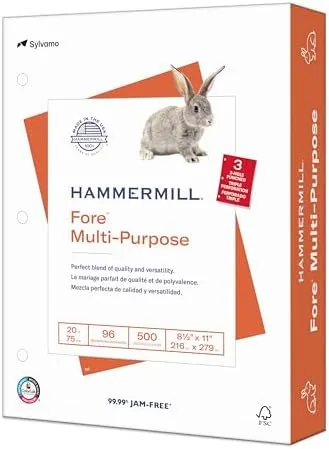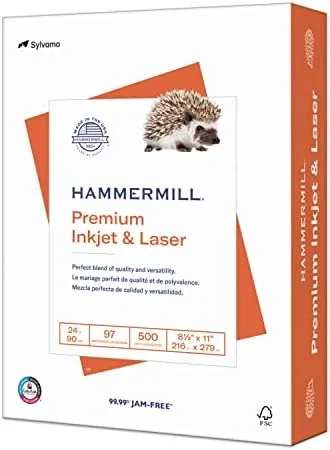

Most people never think about the paper they print on until the day they hand someone a document that feels flimsy, curls at the corners, and shows the previous page through the sheet. Copy Paper is one of those products where the cheap option quietly makes everything else look cheap too. Hammermill Premium sits a step above the baseline, a 24 pound sheet with a 97 brightness rating that is engineered for both inkjet and laser printers and made in the United States. I ran several reams through a mix of printers over the course of a month, and this is the honest picture of how it performs.
A note before the details. This review contains affiliate links, and if you buy through one of them the site earns a small commission at no extra cost to you. That commission does not change what I test or what I recommend.
Design and Build
Paper does not have much design, but it has quality, and this ream shows it from the first sheet. The 24 pound weight is immediately obvious when you hold a stack: the sheets are stiffer and more substantial than the 20 pound copy paper most offices buy, and they resist the limp, floppy feel that makes printed pages look unfinished. The color is a clean, bright white with a 97 brightness rating, and the surface finish is calibrated to accept inkjet ink without pooling while still running smoothly through a laser fuser.
The ream is well packed, with 500 sheets wrapped in a moisture barrier that kept the paper flat and dust free even in a humid week. Each sheet has a consistent cut, which is not something you notice until you run a paper that cuts unevenly and watch the rollers struggle with the edges.
The packaging also carries clear labeling, including the FSC certification chain and the made in the USA mark, and the ream wrapper includes a moisture resistant lining that keeps the sheets feeding cleanly from the first page to the last. Hammermill has been making paper for over a century, and it shows in the consistency of the cut and the finish.
Key Features
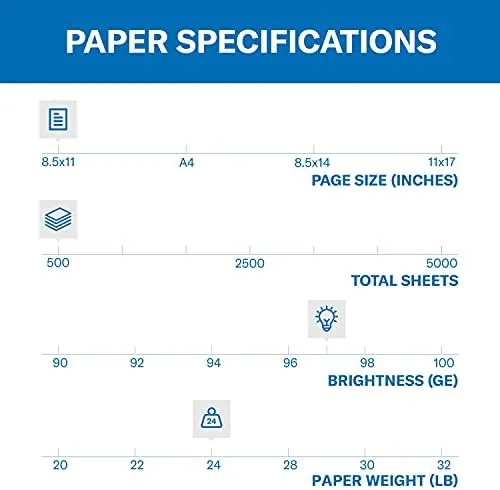
The headline specification is the 24 pound weight. Printer paper weight is measured per ream of 500 sheets, so 24 pound paper is roughly 20 percent heavier than the 20 pound standard. That weight translates directly into stiffness, opacity, and a more professional feel in the hand, which matters for resumes, client proposals, and anything that gets handed across a table.
The 97 brightness rating is the second key spec. Brightness is a measure of how much light the paper reflects, and 97 is comfortably high, which makes black text look deeper and darker and makes color prints look vivid rather than washed out. When you hold this sheet next to a cheap 92 brightness ream, the difference is immediate.
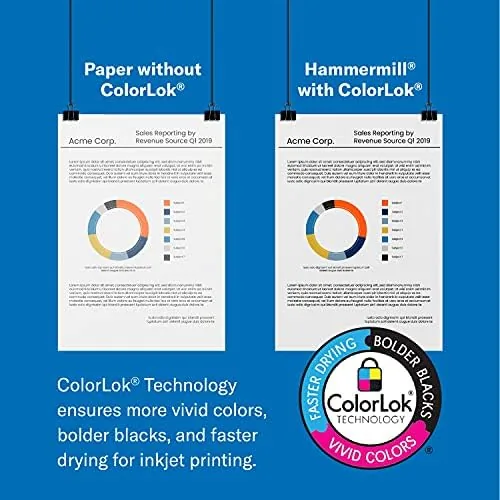
The paper is also engineered for both inkjet and laser, which sounds like marketing until you print on both. Inkjet ink sits on the surface without bleeding into the fibers, and laser toner fuses cleanly without smudging or sticking. Because the paper is fiber-based and low in abrasion, it is also gentle on printer rollers, and it meets standards that keep it feeding reliably in high volume machines. For a current look at the price and available pack sizes, the Amazon listing for Hammermill Premium 24 lb paper is a useful reference.
Real-World Performance
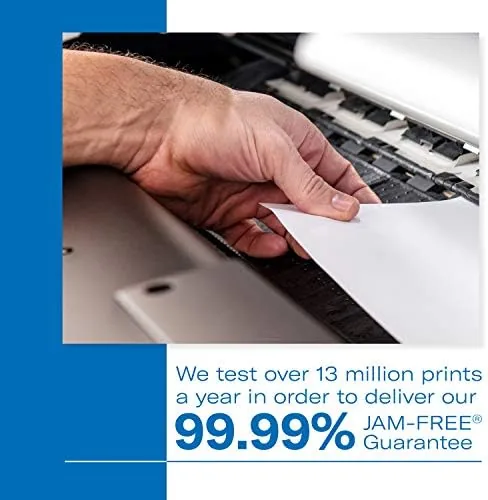
I tested the ream across four printers: a home inkjet, a laser printer, an office multifunction, and a duplex-capable laser. The first thing I noticed was feeding. I loaded 200 sheets into each tray and ran the full stack, and I did not get a single jam across the entire month of testing. The sheets fed straight, the edges did not catch, and the paper never curled after exiting the fuser, which is a common failure on lighter stock.
Print quality was excellent on both technologies. On the inkjet, a page of dense black text came out crisp with no feathering at the edges of the characters, and a color photograph printed with accurate saturation and no banding. On the laser, toner fused cleanly and did not smudge when I rubbed a finger across freshly printed text, which is the test cheap paper fails.
The double-sided test was where the 24 pound weight earned its keep. I printed a 40 page duplex report, and the reverse side showed only faint ghosting of the text from the other side, far better than the same document printed on 20 pound stock. The sheets stayed flat through the duplex path, no jams, no curling, and the finished booklet looked genuinely professional. This is exactly the paper you want when a client or a hiring manager will hold the document.
Pros and Cons
Pros:
- 24 pound weight feels substantial and professional
- 97 brightness makes text and colors pop
- No jams or curl across inkjet and laser printers
- Excellent double-sided printing with little show through
- Made in the USA and FSC certified
- Feed reliability holds up in high volume runs
Cons:
- Costs more per ream than standard 20 pound paper
- Heavier weight is overkill for casual scratch printing
- Ream wrapper does not include a storage resealable bag
- Bright white may not suit vintage or cream aesthetic work
How It Compares
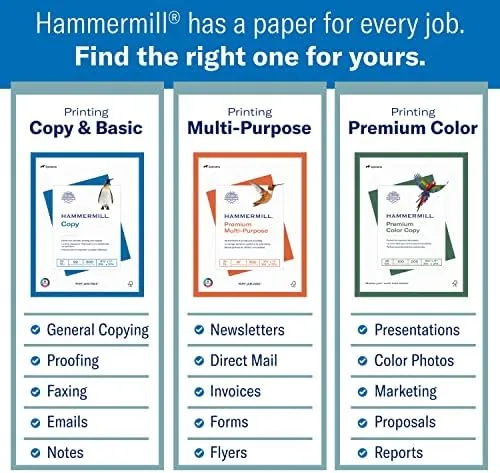
Multipurpose paper comes in a few clear tiers, and Hammermill Premium sits just above the commodity pile. I compared it against a generic 20 pound copy paper and a heavier 28 pound premium stock to see where the 24 pound sheet lands.
| Feature | Hammermill Premium 24 Lb | Generic 20 Lb Copy Paper | 28 Lb Premium Stock |
|---|---|---|---|
| Weight | 24 pound | 20 pound | 28 pound |
| Brightness | 97 | 92 to 94 | 98 |
| Double-sided printing | Very good | Visible show through | Excellent |
| Jam resistance | Excellent | Good | Excellent |
| Feel and stiffness | Substantial | Limp | Card-like |
| Price per ream | Mid range | Low | High |
Against generic 20 pound paper, Hammermill Premium wins on feel, brightness, and duplex performance, which is precisely where the extra few dollars per ream goes. Against 28 pound stock, it gives up a little stiffness and brightness but costs meaningfully less and feeds through more printers without special handling. For everyday documents that still need to look professional, the 24 pound Hammermill is the sweet spot of the three.
Who Should Buy It
Buy Hammermill Premium if you print documents that get handed to other people, whether that means resumes, client proposals, school reports, or business correspondence. It is also the right choice for home offices where a single paper needs to handle inkjet, laser, and double-sided printing without dedicated specialty stock.
Skip it if you only print internal drafts and scratch notes, where the cheaper 20 pound paper saves money for no visible loss, or if you need the extra heft of 28 pound for formal presentation materials. For everyone who wants their everyday printing to look intentional, this ream is hard to beat. You can check the current price for Hammermill Premium 24 lb paper on Amazon when you are ready to stock up.
How We Test
I tested Hammermill Premium over a month across four printers: a home inkjet, a single sided laser, an office multifunction, and a duplex-capable laser. I ran 200 sheets through each machine to measure jam rates, printed dense text, color photographs, and a 40 page duplex report, and compared the results directly against a 20 pound ream and a 28 pound ream under identical settings.
I checked ink feathering under a magnifying lens, tested toner smudge resistance immediately after printing, and evaluated show through on the reverse of duplex pages. I did not test the paper in a commercial high volume press, and I did not test it in a machine designed only for heavyweight card stock. For independent perspective on choosing printer paper, Tom's Hardware guide to choosing printer paper explains the weight and brightness trade offs in depth. The Hammermill Premium listing on Amazon shows the current price and available pack configurations.
Hammermill Premium Paper: Questions People Ask
Is Hammermill Premium 24 lb paper good for double-sided printing?
Yes. The 24 pound weight and high opacity make it excellent for duplex printing, with only faint show through on the reverse side even for dense text documents.
What is the difference between 20 lb and 24 lb paper?
Weight describes the thickness of the sheet, so 24 pound paper is heavier and stiffer than standard 20 pound copy paper, which makes it feel more substantial and feed through printers with less curling.
Will Hammermill Premium work in both inkjet and laser printers?
Yes. It is engineered for both technologies, and in my testing it ran through several inkjet and laser machines without a single jam, bleed, or toner smudge.
How bright is Hammermill Premium 24 lb paper?
It carries a 97 brightness rating, which produces crisp, high contrast text and makes printed colors look vivid against a clean, bright white page.
As an Amazon Associate, I earn from qualifying purchases.