
I have reviewed a lot of smart home gear, and I will say this plainly: most strip lights are bought with good intentions and forgotten within a month. They get stuck to a wall, turned on twice, and then sit in a dull static glow until someone finally peels them off. The Govee 16.4ft RGBIC LED strip lights are the first strip that stayed interesting in my house past the novelty stage, and they did it for a price that surprised me.
This Govee RGBIC LED strip lights review is built on several weeks of real use. I ran the strip behind a desk, along the headboard of a bed and across the edge of a home office wall, which meant I saw them in working light, dark rooms and everything between. I wanted to know whether the app is actually usable, whether the multiple colors on one line look as good in person as they do in the marketing, and whether the whole kit earns the space it takes up.
Before the details, the standard note. The links in this article are affiliate links, and if you buy through one the site earns a small commission at no extra cost to you. That never changes what I test or how I report it.
Design and Build: What the 16.4ft Kit Gives You
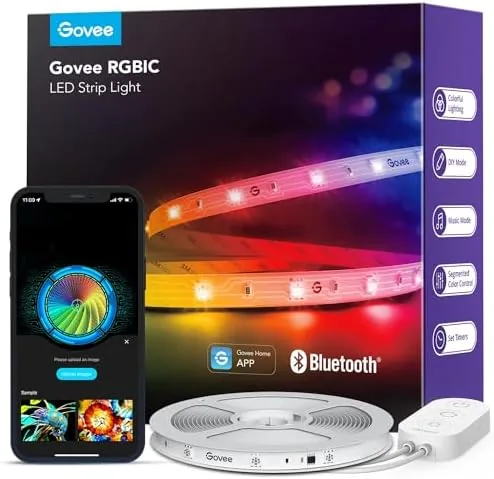
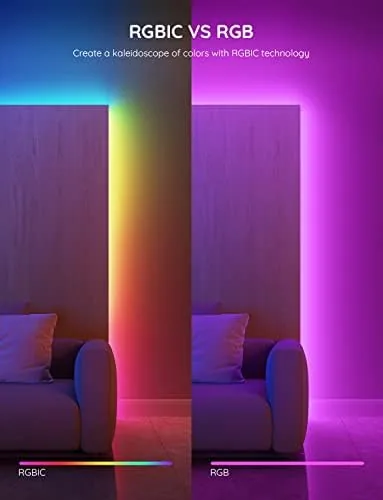
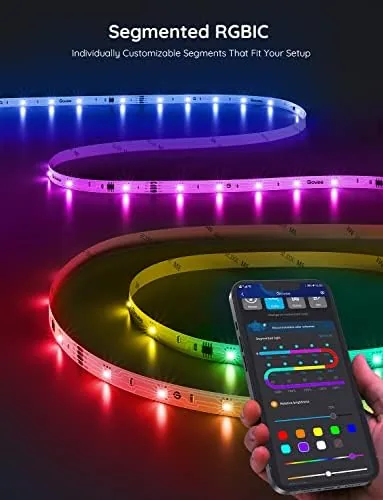
The box contains a 16.4 foot strip of RGBIC LEDs, a small Controller, a power adapter and a set of mounting clips. RGBIC is the detail that matters. It stands for addressable segments, which means different sections of the same strip can show different colors at the same time, instead of the entire strip being locked to one hue like older RGB strips.
The strip has a self adhesive back, and the adhesive held firmly on painted wall and clean desk surfaces through weeks of use with no sagging. There are marked cut lines every few inches if you need a shorter run, though cutting removes the ability to use that section again, so I left mine at full length. The included clips helped around the corners of the headboard where the adhesive alone was not quite enough.
The controller is a small inline box that sits between the strip and the power brick. It fits in hand easily and is the brain of the whole setup. The whole kit is indoor rated, so this is not a product for outside rails or bathroom steam, and that limitation is worth remembering before you plan a layout.
Setup: Peel, Stick, Plug, Pair
Setup genuinely takes about five minutes. Peel the backing, stick the strip where you want it, plug in the power, and open the Govee app to pair over Bluetooth. There is no hub, no bridge and no login required for the basic functions, which is a relief compared to many smart lighting systems I have tested.
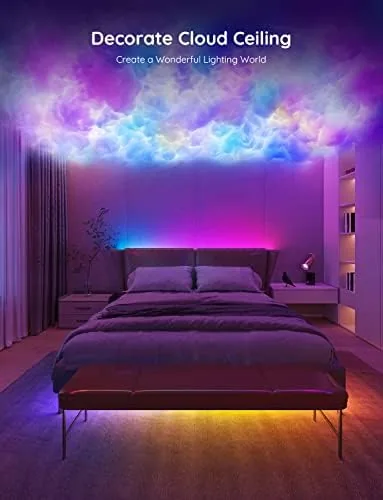
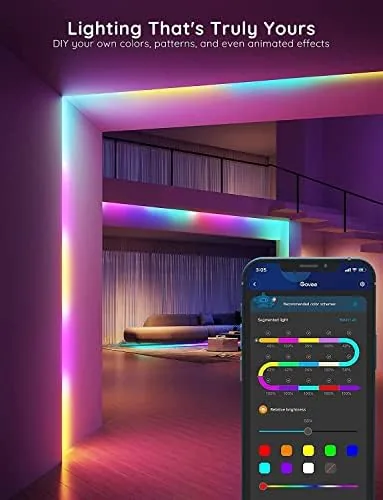
The app is where the strip comes alive. You get a color wheel, preset scenes, a music sync mode and a DIY section where you can paint different colors onto different segments of the strip by hand. Because the hardware is RGBIC, those hand painted segments hold their colors independently, which turns a plain strip into something that actually feels designed.
I am not going to pretend the app is perfect. It is packed with scenes, modes and effects, and the menu tree takes a few sessions to learn. But the everyday controls, brightness, color, scene selection, live right on the home screen, and once I saved my favorite presets I barely opened the menu again.
Key Features: DIY Colors, Scenes and Music Sync
The headline feature is DIY multiple colors on one line. I set up a calm teal and warm white split across the wall behind my desk, and it looked like intentional interior design rather than a light show. That effect alone separates this strip from the single color competition, and it is the reason I kept the strip running instead of turning it off after the first week.
The preset scenes include flowing gradients, color sweeps and a set of themed palettes for gaming, party, romance and reading. The transitions are smooth rather than stuttery, which is the difference between a quality controller and a cheap one, and I found myself using a calm reading scene far more than I expected.

Music sync reacts to sound and shifts colors along the strip in time with the beat. It is more of a party trick than a precision tool, but it tracked the rhythm well enough to be entertaining during a movie night, and it is a fun extra that costs nothing to enable.
Real-World Performance: Color and Brightness in Daily Use
The color output is vivid and even, with no obvious hot spots along the length of the strip. Behind a monitor it created a soft bias glow that reduced eye strain during late work sessions, and along the headboard it turned the whole bed area into a warm accent zone that made the room feel finished.
I want to be honest about brightness. This is an accent light, not a room light. It fills a corner, edges a wall and throws a beautiful glow, but it will not light a room for reading or working on its own. If you go in expecting ambient lighting, you will be delighted. If you expect a replacement for your ceiling fixture, you will be disappointed.
Two practical notes from living with it. First, the strip connects over Bluetooth, so range to your phone matters a little. In a normal room it never bothered me, but if the controller is across a large room you may need to stand closer to change colors. Second, the strip remembers its last state, so it comes back on in the mode you left it, which is exactly the right behavior.
On reliability, the strip held its color through an evening with no drifting toward green or pink, which is a common failure on cheap strips as they warm up. The brightness ramp was smooth with no visible steps when dimming, and the adhesive stayed put through warm afternoons without peeling at the ends.
Pros and Cons
Pros:
- RGBIC shows multiple colors on one line
- Easy Bluetooth setup with no hub required
- Capable app with scenes, DIY painting and music sync
- Smooth color transitions and even brightness
- Good value for a 16.4 foot kit
Cons:
- Bluetooth only, so no control away from home
- Accent light, not a replacement for a main light
- Indoor rated only
- Adhesive needs a clean surface to grip well
How It Compares: Govee RGBIC vs the Strip Field
The Govee kit competes against basic single color strips and pricier WiFi enabled models. The table below shows how it compares with a generic RGB strip and a premium RGBIC WiFi model.
| Feature | Govee RGBIC 16.4ft | Basic RGB Strip | RGBIC WiFi Model |
|---|---|---|---|
| Segment colors | Multiple on one line | Single color | Multiple, brighter |
| Connectivity | Bluetooth | Remote or app | WiFi and Bluetooth |
| Music sync | Yes | Sometimes | Yes |
| Scenes and DIY | Full library | Limited | Full library |
| Hub required | No | No | No |
| Price tier | Budget | Cheapest | Mid range |
Against a generic single color strip, the Govee wins on every axis that matters, and the segment colors alone justify the small price difference. Against a pricier WiFi RGBIC model it loses on remote access and peak brightness but keeps the same core experience for less money. For a first smart light or a bedroom upgrade, this is the sweet spot, a conclusion consistent with the CNET guide to the best smart lights.
Who Should Buy the Govee RGBIC LED Strip Lights
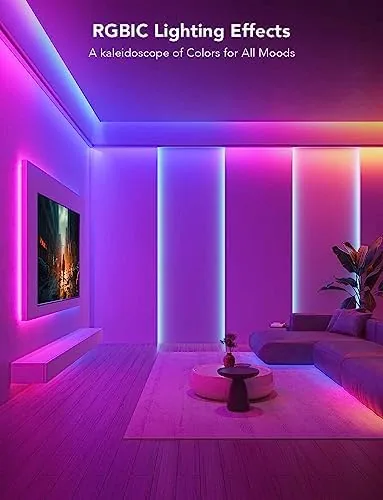
Buy these if you want to add Colorful accent lighting to a bedroom, desk, TV area or home office without spending much, and especially if you want the multi color look rather than a single color strip. They suit renters too, because the peel and stick install leaves no trace when you take it down.
Skip them if you need WiFi control from another room or away from home, if you want to light a whole room for working, or if you plan an outdoor install. For everyone else, this is one of the easiest smart home upgrades you can make, and you can check the current price of the Govee RGBIC LED strip lights on Amazon.
How We Test
I installed the strip in three real locations, a desk, a bedroom headboard and an office wall, and lived with it for several weeks. I tested setup time, adhesive durability, color accuracy across the spectrum, smoothness of transitions, music sync and practical brightness in both dark and lit rooms.
I compared the Govee kit against a generic single color strip and a premium RGBIC WiFi model at the same install spots so the lighting conditions were identical. I also pushed the strip through multiple scene cycles to check for drift or stutter in the transitions. I did not measure exact lumens with a meter, so brightness observations are practical comparisons rather than laboratory numbers.
If you are ready to try it, the Govee RGBIC strip listing on Amazon has the current price, length options and customer photos worth a look before ordering.
Questions People Ask
Can the Govee RGBIC strip show multiple colors at once?
Yes, RGBIC means different segments of the strip can show different colors at the same time, which lets you run two tone gradients and flowing effects instead of a single flat color.
How long is the Govee LED strip?
The strip is 16.4 feet long, which is enough to run behind a desk, bed or TV. Cut lines every few inches let you shorten it if your layout needs less.
Do the Govee strip lights need a hub or bridge?
No, this kit connects directly to your phone over Bluetooth with no extra hub, bridge or login required for basic functions.
Can I sync the lights to music?
Yes, the Govee app includes a music sync mode and preset scenes for different moods, and the strip shifts colors in time with the audio playing nearby.
As an Amazon Associate, I earn from qualifying purchases.