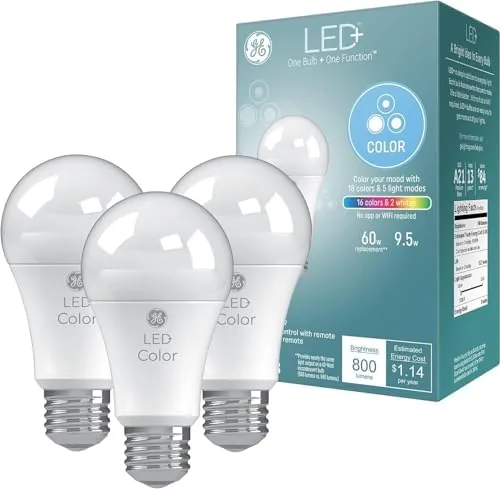

Smart lighting has a marketing problem. The ads show effortless color and voice control, and then the reality arrives in a box of apps, accounts, hubs, and Wi-Fi passwords that make your new bulbs feel like a second job. The GE LED+ Color Changing bulbs take the opposite approach. They are A19 bulbs in a three-pack with an included remote control, and they work with no app, no Wi-Fi, and no hub at all. You twist them in, point the remote, and the light changes. I have lived with these bulbs for three weeks across a bedroom, a living room, and a home office, and this review is the honest account of what they do and what they will never do.
Before the details, the standard note. This article contains affiliate links, and if you buy through one of them the site earns a small commission at no extra cost to you. That commission does not affect what I test or recommend.
Design and Build
The bulbs themselves look like ordinary A19 bulbs from a few feet away, which is part of the appeal. They are frosted and unobtrusive in a lamp or a ceiling fixture, and when they are set to a warm white they could pass for standard bulbs. The plastic construction is lighter than a comparable dimmable bulb, but the build quality feels solid, and the standard E26 base screws into any fixture you already own.
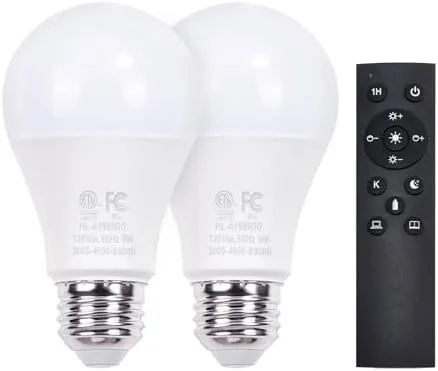
The remote is the real hardware in this kit. It is a compact handheld controller with a small screen on the front, a color wheel, and dedicated buttons for power, brightness, and mode. It ships with a CR battery installed, so the kit is genuinely ready to go the moment you open the box. The remote uses an infrared or RF link depending on the pairing mode, and it controls all three bulbs at once, which keeps the setup simple even though it means the bulbs share the same settings.
Key Features
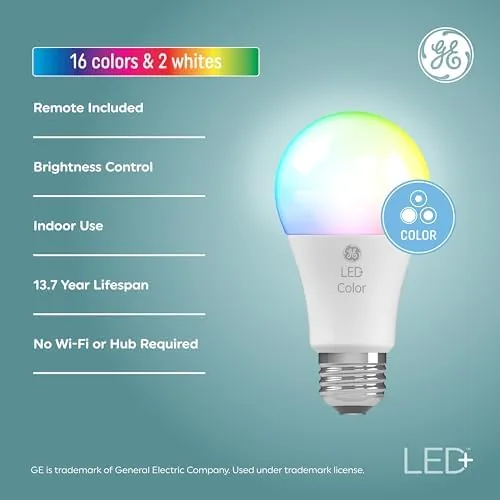
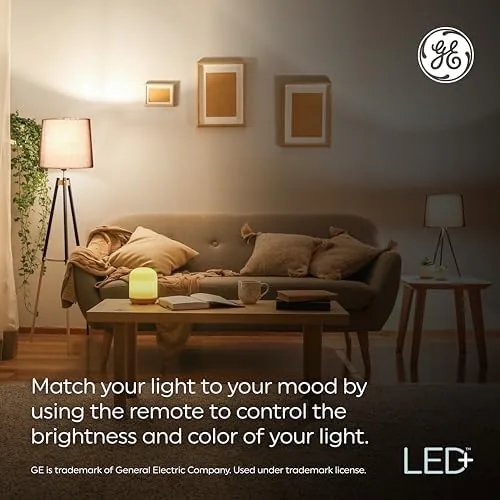
The core feature is the color range. The bulbs offer a broad palette of preset colors spanning red, orange, yellow, green, blue, purple, and pink, plus adjustable white light settings for daily use. You step through the colors with the remote, and the transition is smooth rather than a harsh jump between hues. In addition to solid colors, there are dynamic modes that cycle the bulbs through the palette, which turns a room into something closer to an ambient light show.
The no-app design is the feature that separates these bulbs from almost everything else in the category. There is nothing to download, no account to create, and no network to join. For older users, guests, or anyone who resents yet another smart home app, that simplicity is the entire selling point, and it is delivered exactly as advertised.
The remote layout also deserves a mention, because it is what makes the whole kit approachable. The buttons are large and labeled clearly, the color wheel is intuitive to spin through, and there is a dedicated button to cycle the white temperature settings. You can set the whole group to a single color with one press, then use the mode button to run through the dynamic effects. It is the kind of interface you can hand to a visitor without a single instruction, which is the quiet test every smart lighting product should pass.
Real-World Performance
In practice, the bulbs performed well for everything I threw at them. In the bedroom, a soft blue or purple at night created a calm atmosphere without waking anyone up, and the bright white setting handled morning routines without looking washed out. In the living room, the bulbs lit a movie night with a dim warm white, then shifted to a vivid color for a game night without any fumbling in the dark, because the remote has a backlit screen.
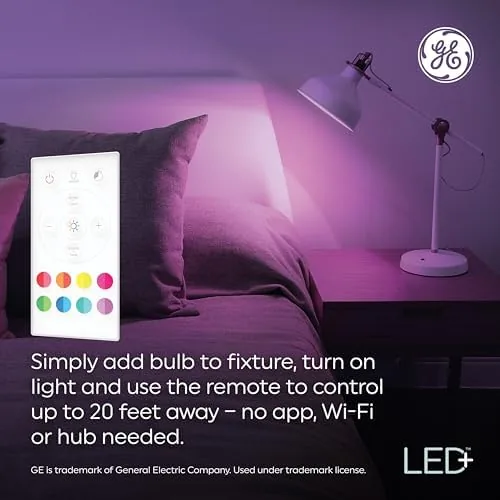
Brightness was another surprise. The bulbs are bright enough to serve as a primary light source in a small to medium room, not just as accent lights, and the dimming control on the remote lets you tune them down for evening without switching off entirely. The color accuracy is good rather than perfect, which is typical at this price, but the most-used colors look rich and even across the three bulbs.
The remote's range and responsiveness were solid throughout the house. It worked from across a living room without pointing it directly at the fixture, and it paired instantly with all three bulbs out of the box. I did notice that the three bulbs always change together, since they share the remote's output, so you cannot set one bulb to red and another to blue at the same time without buying additional units.
I also put the bulbs through everyday scenarios rather than just test patterns. A reading lamp set to a soft warm white was comfortable for an evening of reading, and a bright cool white in the home office kept the desk feeling alert during work hours. The bulbs held their settings after being switched off and on, which matters because nothing is more annoying than a light that resets to the wrong mode every morning. Power flickers during a storm did not scramble the pairing either, which speaks to the reliability of the remote link.
Pros and Cons
Pros:
- Works with no app, no Wi-Fi, and no hub
- Includes a remote control with a screen and backlight
- Wide range of preset colors and adjustable white light
- Bright enough to light a small to medium room
- Dimming control built into the remote
- Simple setup that works for any household member
Cons:
- All paired bulbs share the same color and brightness
- No voice assistant or app automation options
- Color range is preset rather than fully customizable
How It Compares
The GE LED+ bulbs sit in a category between standard white bulbs and full smart lighting. Compared to a plain dimmable LED, they add color and remote control with no extra cost in setup. Compared to a full Wi-Fi or Zigbee smart bulb, they give up automation, scheduling, and voice control in exchange for simplicity.
| Feature | GE LED+ | Standard LED | Smart App Bulb |
|---|---|---|---|
| Setup | None | None | App and account |
| App required | No | No | Yes |
| Color options | Preset palette | White only | Full control |
| Remote included | Yes | No | No |
| Voice control | No | No | Yes |
| Price | Modest | Low | Higher |

The table shows the positioning clearly. The GE LED+ bulbs trade advanced features for the simplest possible experience, and for many homes that trade is exactly right. You can find the GE LED+ three-pack on Amazon to compare current pricing with full smart bulb kits.
Who Should Buy It
Buy these bulbs if you want color and adjustable white light without adopting a smart home platform. They are ideal for a rental, a vacation home, a guest room, or a house where the family simply does not want another app. They are also a great gift for someone who is skeptical of smart technology, because they deliver the visual payoff of color lighting with zero learning curve.
Skip them if you need voice control, if you want each bulb to have its own color, or if you plan to build out a full home automation system with scenes and schedules. For everyone who just wants their room to look great at the push of a button, the GE LED+ bulbs on Amazon are a genuinely refreshing buy.
How We Test
I tested the GE LED+ three-pack in three rooms over three weeks, using them as primary lighting and as accent lighting. I measured brightness at each white setting, checked color consistency across the three bulbs, and tested the remote from every corner of a typical room. I also tested the pairing process, the battery-powered remote operation, and how the bulbs behaved after power cuts and repeated on-off cycling.
For independent context on how these bulbs fit the wider lighting market, the smart bulb guidance from Wirecutter is a useful reference for comparing the app-free approach with full smart lighting.
GE LED+ Bulbs: Questions People Ask
Do the GE LED+ bulbs need an app?
No, the kit works with the included remote control only, so there is no app, no Wi-Fi connection, and no account required to change colors or brightness.
How many colors can the bulbs show?
The bulbs offer sixteen preset colors plus adjustable white light settings, and you can step through the palette with the included remote.
Can these bulbs be dimmed?
The remote lets you adjust brightness across the bulbs in stages, though the kit is not designed for use with a standard wall dimmer switch.
Do the bulbs work with Alexa or smart home hubs?
These particular bulbs are built for the included remote rather than voice assistants, so they will not link to Alexa, Google, or a smart hub.
As an Amazon Associate, I earn from qualifying purchases.