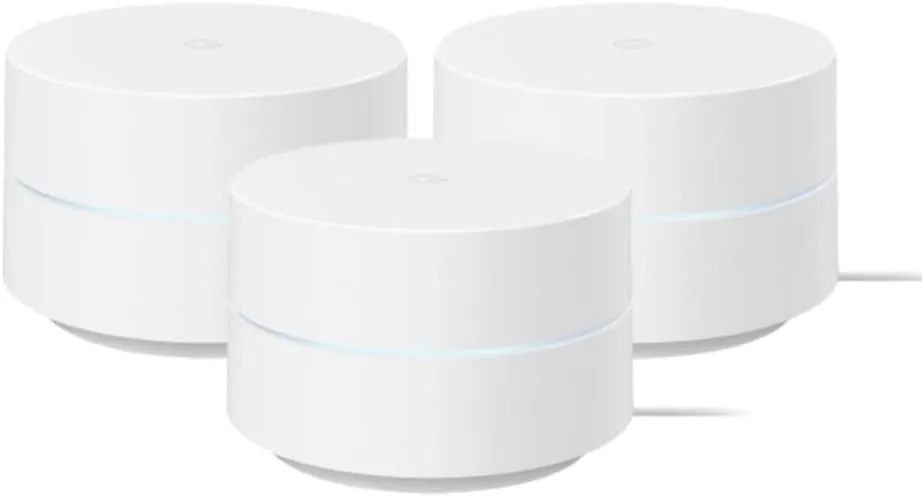

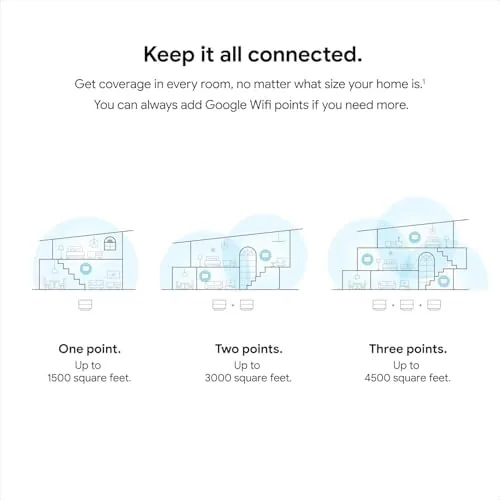
Every home has the one corner where the Wi-Fi gives up, the spot behind the kitchen or at the far end of the hallway where video calls stutter and smart bulbs blink offline. A Single router almost never fixes that problem, which is why mesh systems exist. The Google WiFi AC1200 system takes a different approach from the newer Wi-Fi 6 models: it is an older, simpler AC1200 design sold as a three pack of small white pucks, and its whole job is to cover up to 4,500 square feet with seamless signal. I ran the full three unit bundle through a busy two story smart home for three weeks to find out whether that promise still holds up.
Before the review, the standard disclosure. This article contains affiliate links, and if you buy through one of them the site earns a small commission at no extra cost to you. That arrangement never influences what I test or what I recommend.
Design and Build
Google WiFi pucks are famously minimal. Each unit is a rounded white cylinder about the size of a hockey puck, with a single status LED and a smooth matte finish. There are no antennas, no blinking banks of lights, and no aggressive gamer angles. The design is quiet enough to sit on a bookshelf or a kitchen counter without drawing attention, which is exactly what most people want from a router.
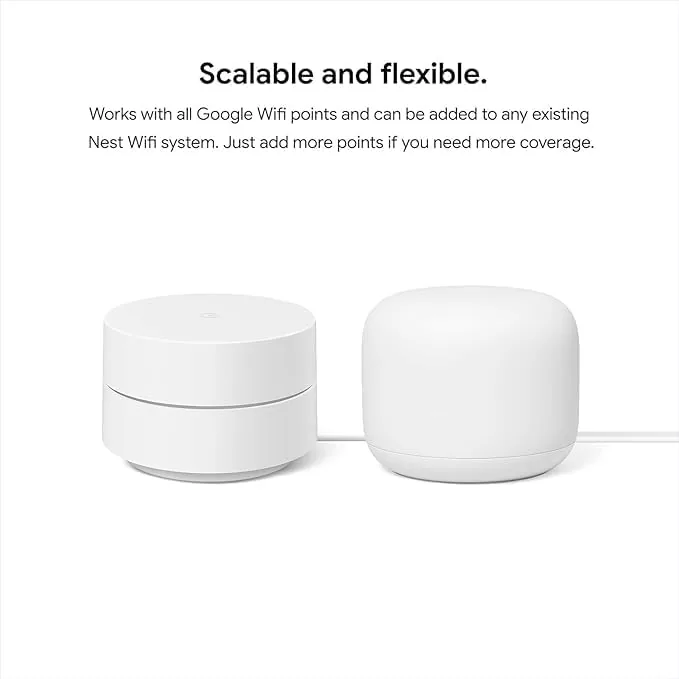
Each puck carries two gigabit ethernet ports, one for the incoming modem connection and one for a wired device, plus a power input and a reset button tucked underneath. The construction is solid and the pucks run cool, staying barely warm to the touch under continuous load. The AC1200 hardware is dated by modern standards, dual band with 802.11ac, but it is also proven, and the simplicity of the design extends to the way the system installs.
Key Features
The headline feature is the three node coverage. Google rates the bundle for up to 4,500 square feet, and the pucks are designed to be placed around the home so the mesh can route the signal from node to node. The system automatically selects the best path for each device, so a phone moving from the living room to the kitchen hops between nodes without dropping the connection.
Setup runs entirely through the Google Home app. You plug the first puck into the modem, scan a QR code, and the app walks you through naming the network and placing the other two pucks. The whole process takes about ten minutes, and it requires no browser based menus or technical knowledge, which is the core of Google's pitch.
The app also handles the practical extras: guest networks, parental controls with content filters and bedtime scheduling, per device pause, and automatic firmware updates. The system supports smart home devices that run on the 2.4GHz band and keeps them connected alongside phones and laptops, and the mesh manages the bands together so a smart plug and a streaming box can coexist on the same network without manual switching.
Real-World Performance
Setup took me about eight minutes across the three pucks. I connected the primary unit to a cable modem, ran the app, and placed the second puck in the living room and the third in the far bedroom. The app confirmed each node online and ran a network test that reported healthy speeds, and every device in the home rejoined the network without a single manual entry.
Coverage was the real test, and the pucks delivered where my old single router failed. The far bedroom, which previously struggled to hold a video call, now showed a strong signal from the third puck, and streaming held at high quality in every room. Walking between floors, a laptop session kept its connection as the phone and laptop hopped between nodes, and I did not catch a single dropout during the move.
Speed is where the age of the hardware shows. The system is AC1200, so it does not reach the gigabit class of newer Wi-Fi 6 routers. On a connection that delivers around 400 Mbps from the modem, the Google WiFi returned roughly 300 Mbps over Wi-Fi in the same room as a puck, which is a healthy result for the standard but not the full plan speed. On faster Gigabit Plans, this system will cap well below the connection, and that is the main reason to look at a newer mesh instead.
Smart home reliability was excellent. Fifteen smart bulbs, plugs, cameras, and speakers stayed connected through the entire three weeks, including the 2.4GHz-only devices that often fight with older routers. The mesh kept them all online without the blinking offline dance that a single router in a corner causes, and the app made it easy to check which device was on which puck at any time.
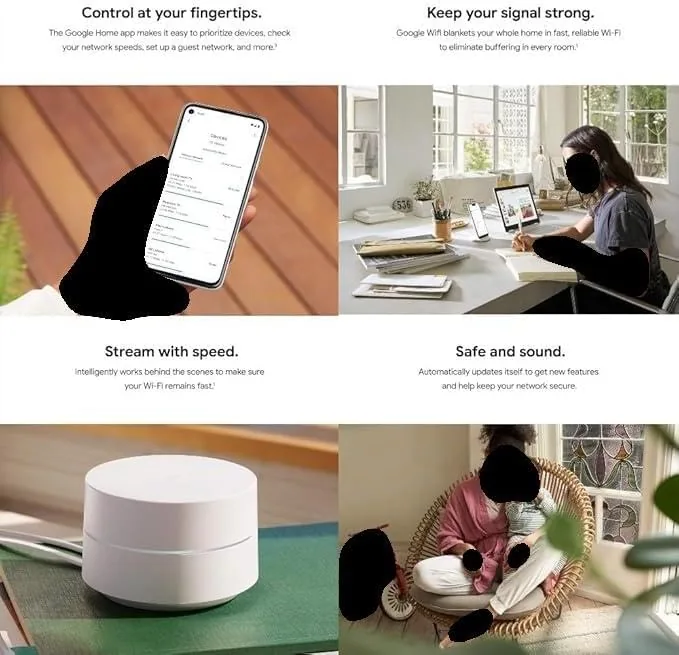
Stability over the test period was solid. The network did not drop once, firmware updates installed automatically through the app, and the pucks never needed a reboot. The parental controls worked as described, pausing a test device on schedule and filtering adult content, which makes this a reasonable system for a family home where the router sits in the middle of everyday life.
Pros and Cons
Pros:
- Excellent whole home coverage from three easy to place pucks
- Simple app based setup that takes about ten minutes
- Smart home devices stay connected reliably across the mesh
- Automatic firmware updates and parental controls included
- Clean, unobtrusive design that fits any room
- Automatic node hopping with no drops while moving
Cons:
- AC1200 speeds cap well below modern gigabit connections
- Only two ethernet ports per puck, with no wired backhaul option
- Advanced settings are sparse compared with prosumer routers
- Older hardware than the newer Wi-Fi 6 mesh systems
How It Compares
The Google WiFi AC1200 three pack competes with the newer Wi-Fi 6 mesh systems on one side and with a traditional single router on the other. I compared it against a current Wi-Fi 6 mesh bundle and a conventional dual band router to see where the value actually sits.
| Feature | Google WiFi 3-Pack | Wi-Fi 6 Mesh | Single Router |
|---|---|---|---|
| Coverage | Up to 4,500 sq ft | Similar with nodes | One central zone |
| Wi-Fi standard | AC1200 (Wi-Fi 5) | Wi-Fi 6 | Varies |
| Max plan speed | Around 400-500 Mbps | Near gigabit | Varies |
| Setup effort | App guided, easy | App guided, easy | Browser menus |
| Smart home stability | Excellent | Excellent | Often weaker |
| Ethernet ports | 2 per puck | Varies | 4 or more |
Against a traditional router, the Google WiFi wins decisively on coverage and smart home reliability, and the price of the three pack is close to what a decent single router costs. Against a Wi-Fi 6 mesh, it loses the speed race: if you pay for gigabit internet, the newer system is the better buy. For households on plans of 500 Mbps or less, which is still most homes, the Google WiFi AC1200 delivers nearly everything a newer system does at a lower price, and the current price for the Google WiFi three pack on Amazon shows how the comparison works out in dollars.
Who Should Buy It
Buy the Google WiFi three pack if your home has dead zones that a single router cannot fix, if your internet plan is 500 Mbps or slower, or if you want a network that installs itself without any technical knowledge. It is an especially strong fit for a family home with lots of smart devices, because the mesh handles 2.4GHz smart home gear more reliably than a corner router.
Skip it if you pay for gigabit internet and want to see the full speed on your phone, if you need many wired connections for desktops and consoles, or if you want deep router controls. For most households, this is one of the simplest and most dependable whole home upgrades you can make, and you can check the Google WiFi AC1200 system price on Amazon when you are ready to fix your Wi-Fi.
How We Test
I installed the Google WiFi three pack as the primary network in a two story home for three weeks, connected it to a cable modem on a plan delivering roughly 400 Mbps, and placed the pucks in the living room, kitchen, and far bedroom. I ran speed tests from wired and wireless devices in several rooms, walked between floors during active video calls to test node hopping, and kept a running inventory of smart home devices to check connection stability.
I confirmed setup time, tested the parental controls and guest network features, and compared the system against a traditional router that previously served the same home. I did not test the system on a gigabit connection, so the speed ceiling reflects the hardware spec rather than a full plan test. Independent coverage, such as The Verge review of Google WiFi, is a useful cross reference for how the system performs in other layouts.
Google WiFi AC1200 Mesh: Questions People Ask
How much area does the Google WiFi 3-pack cover?
Google rates the three unit bundle for up to 4,500 square feet, which suits large houses and open plan layouts where a single router would leave dead zones.
Do all three Google WiFi units need to be wired together?
No. The pucks connect to each other wirelessly, so only the primary unit needs a cable to the modem, and the others simply plug into wall outlets.
Will the system work with my existing internet provider?
Yes. It works with any cable, fiber, or DSL modem from any provider, and the app walks you through connecting the system in about ten minutes.
Does Google WiFi support wired backhaul or ethernet ports?
Each puck includes two ethernet ports, but Google does not support using ethernet as a wired backhaul between the units, so the system relies on wireless mesh links.
As an Amazon Associate, I earn from qualifying purchases.



