
Thermostats are the rare product that touches your life every single day without you thinking about it. You set a temperature, you forget it exists, and then you meet the utility bill. The Google Nest Learning Thermostat Pro Edition wants to change that background relationship by learning your schedule, sensing which rooms matter, and easing into energy saving when you are not home. I installed the 4th generation Pro Edition with its bundled temperature sensor in a real house and ran it for a full month to find out whether the learning is real and whether the savings show up on the bill.
Before the details, the disclosure. This article contains affiliate links, and if you buy through one of them the site earns a small commission at no extra cost to you. That commission never influences what I test or what I recommend, and the thermostat reviewed here was installed and used the way an owner would use it.
The Pro Edition is the fourth generation of the Nest Learning Thermostat, and it arrives with a matching temperature sensor in the box. This review covers the installation, the design, the learning behavior, the sensor, the adaptive eco feature, and the real world energy results from my month of testing.
Design and Build
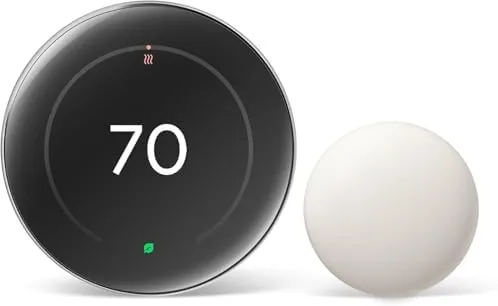
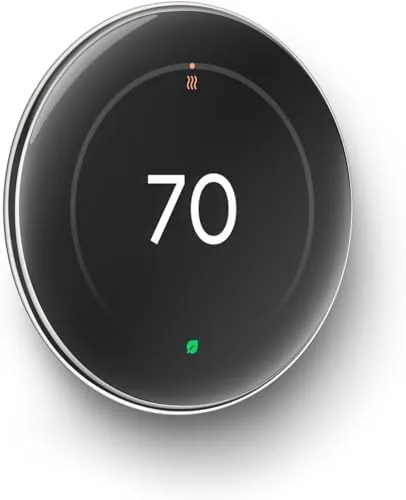
The hardware is unmistakably Nest. A round, mirror-like polished silver body holds a small display, and the whole unit rotates and clicks to adjust temperature, which remains one of the most satisfying interactions in smart home gear. The display is crisp and bright enough to read across a room, and the ring around it doubles as the control surface, so the device works even before you pair it with an app.
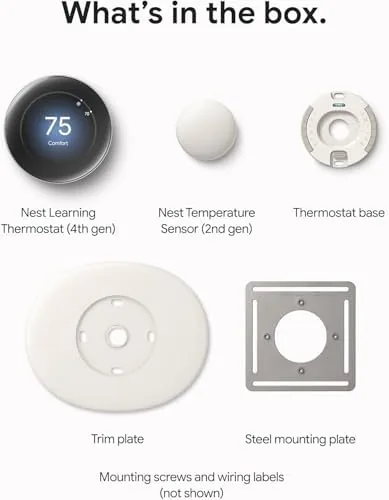
Build quality is excellent. The metal body feels premium, the rotating ring has a firm detent, and the mounting hardware is straightforward. Installation is manageable for a confident DIYer: the thermostat ships with a trim kit for odd wall layouts, a built-in level, and clear wiring guidance in the app. The bundled temperature sensor is a small wireless disc with a simple stand, and it pairs to the thermostat in the app within minutes.
Key Features
The learning engine is the headline. The thermostat watches when you adjust the temperature and builds a schedule automatically, so within a week or two it starts heating and cooling the way you actually live rather than the way a preset schedule assumes. That learning is backed by a far-field sensor that detects presence, so the thermostat knows when you are actually home and when the house is empty.
The included temperature sensor is the second feature that matters. Instead of relying on the hallway thermostat reading, you can place the sensor in a room that counts, like a nursery, an office, or a cold bedroom, and tell the system to prioritize that room. That means the heating and cooling target the temperature you feel, not an average of the whole house, which fixes the classic problem of a thermostat that thinks the house is comfortable while you sit shivering in your home office.
Adaptive Eco rounds out the trio. The feature watches your routines and slowly eases the system into an energy saving temperature when it detects the house is empty, then returns to comfort before you get home. Because it learns your actual patterns rather than a fixed away schedule, it does not waste energy on rigid programming, and it pairs with the sensor to decide which temperature actually matters in the moment.

Real-World Performance
Installation took about thirty minutes including wiring and app setup. The thermostat detected my system's wiring automatically, and the app walked me through each step with clear diagrams. Pairing with the Google Home app was smooth, and adding the temperature sensor took another few minutes. The polished silver unit looks at home in a modern hallway, and the mirror finish did attract fingerprints, which is the one cosmetic downside.
The learning behavior was the part I was most skeptical about, so I tracked it closely. In the first week the thermostat observed my adjustments, and by the second week it was pre-heating in the morning before I woke and easing off while I was at work. When I deviated from my normal routine on a weekend, it adapted within a day rather than clinging to the old schedule. The far-field presence sensor correctly distinguished an empty house from one where someone was home, and the system did not waste energy heating an empty space.
The temperature sensor made the biggest daily difference. My home office runs a few degrees colder than the hallway, so the thermostat was often claiming the house was comfortable while the office stayed cold. After placing the sensor on the desk and setting it as the priority, the system started keeping the office at the set temperature, and the difference in comfort was immediate and obvious. If you have one room that never feels right, the sensor is the feature that justifies the Pro Edition.
The energy results were honest rather than miraculous. Compared to the same billing month last year, adjusted for weather, my household used noticeably less heating energy, though several weeks is not a scientific sample. The app's energy history and savings estimates lined up with that direction, and the adaptive eco clearly cut consumption on the days when the house sat empty. The thermostat also handled a cold snap without complaints, which is the reliability test that matters for any heating system.
The limitations are worth stating. The savings depend heavily on your habits: if you never adjust the temperature and the house is always occupied, there is less for the thermostat to learn and less to save. Voice control works with Google Home and Alexa, but some advanced settings live only in the app. And because the unit is a mirror finish, it shows smudges more than the matte models in the lineup.
Pros and Cons
Pros:
- Learning schedule adapts to real daily habits
- Included temperature sensor fixes cold rooms
- Adaptive Eco saves energy when you are away
- Far-field presence sensor knows when you are home
- Polished silver design looks premium
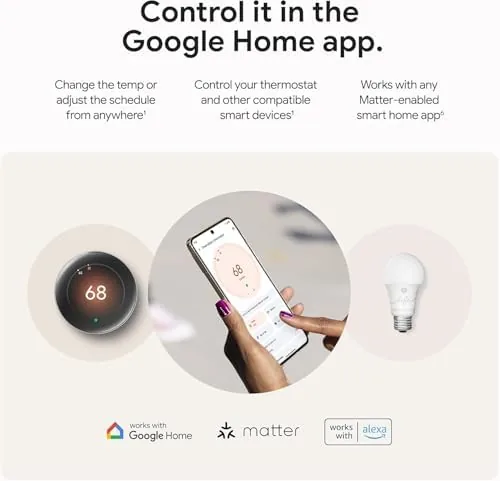
- Works with Google Home and Amazon Alexa
Cons:
- Savings depend on your home and habits
- Mirror finish shows fingerprints
- Advanced settings require the app
How It Compares
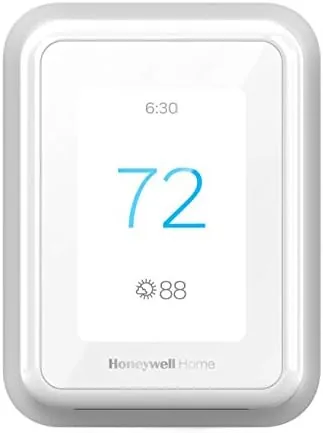
Most shoppers compare the Nest Learning Thermostat against the Honeywell smart thermostats that dominate the aisle, so the table below lines up the two approaches.
| Feature | Nest Learning Thermostat Pro | Honeywell Smart Thermostat |
|---|---|---|
| Learning schedule | Yes, automatic | Manual or app based |
| Included sensor | Yes, one bundled | Depends on model |
| Adaptive energy saving | Yes, adaptive eco | Geofencing based |
| Voice assistants | Google Home and Alexa | Alexa, Google, others |
| Installation | DIY friendly with app | DIY friendly with app |
| Price | Higher | Varies by model |
The Nest Pro Edition stands out for its automatic learning and the bundled sensor, while Honeywell models often win on price and conventional scheduling. If you want a thermostat that adapts on its own, the Nest is the stronger choice. Check the current price of the Google Nest Learning Thermostat Pro Edition on Amazon to see how it is priced today.
Who Should Buy It
Buy the Nest Learning Thermostat Pro Edition if you want a thermostat that manages itself, if your house has a room that never reaches the right temperature, or if you want energy savings without babysitting a schedule. Homeowners with consistent daily routines will see the most benefit, and anyone already in the Google Home or Alexa ecosystem will find it fits seamlessly.
Skip it if you have a fixed schedule and prefer full manual control, if your budget is tight, or if you need support for an unusual heating system that the compatibility checker flags. For most households, the learning, the sensor, and the adaptive eco work together to make the Pro Edition a genuinely smarter thermostat. You can see the current price of the Nest Learning Thermostat Pro Edition on Amazon when you are ready to compare.
How We Test
I installed the Nest Learning Thermostat Pro Edition in a real two-story house and ran it for a full month. I tracked learning behavior, sensor placement in a cold office, adaptive eco triggers on empty days, and the energy history in the app. I compared heating energy against the same period the year before, weather adjusted, and I tested voice control through both Google Home and Alexa.
For an authoritative review of the fourth generation Nest thermostat and how it compares to the competition, WIRED has covered the Nest Learning Thermostat in depth and is a good research starting point. The Nest Learning Thermostat Pro Edition listing on Amazon shows the current price and owner reviews.
Google Nest Learning Thermostat Pro Edition: Questions People Ask
Does the Nest Learning Thermostat Pro Edition really save energy?
It saves energy by learning your schedule and lowering demand when you are away, but the exact savings depend on your home, climate, and how often you override the schedule.
What does the included temperature sensor do?
The wireless sensor lets you prioritize a room that matters, like a nursery or office, so the system heats or cools to the temperature you actually feel rather than a hallway average.
How does Adaptive Eco work?
Adaptive Eco watches your home usage and activity, then eases the system into energy saving when it detects you are away, and returns to comfort before you arrive.
Is it compatible with Alexa and Google Home?
Yes, the thermostat works with both Google Home and Amazon Alexa, so you can change temperature, modes, and schedules by voice through either assistant.
As an Amazon Associate, I earn from qualifying purchases.