
The idea of a thermostat that learns feels like marketing until you live with one. The Google Nest Learning Thermostat, in its fourth generation, has spent a full season inside my home, and the difference between the old programmable schedule and this learning approach is real and measurable. This particular bundle pairs the Obsidian finish thermostat with a Nest Temperature Sensor, second generation, so the review covers both the main unit and the extra sensor that balances a second room. This is the honest record of how it performed across a cold season.
Before the details, the standard note. This article contains affiliate links, and if you buy through one of them the site earns a small commission at no extra cost to you. That commission never changes what I test or what I recommend.
Design and Build
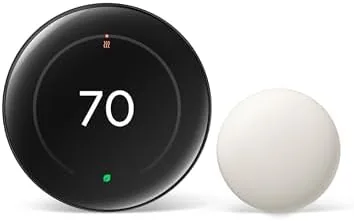
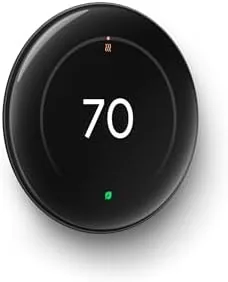
The fourth generation Nest drops the rotating dial of the older models in favor of a larger edge to edge display with a touch interface. The Obsidian finish is a deep, dark glass that reads as almost black in dim light and reflects the room subtly when the screen is off. It is a refined look that suits a modern hallway or living room, and the display wakes to show temperature, weather, and time in a clean layout that is easy to read from across the room.
The build quality matches the premium positioning. The screen sits flush against the wall plate with a minimal profile, and the trim ring installs flush without visible seams. The hardware kit in the box is complete, with a power adapter for homes without a common wire, so installers with basic wiring experience can handle the swap. The design language is unmistakably Google: understated, rounded, and quietly confident.
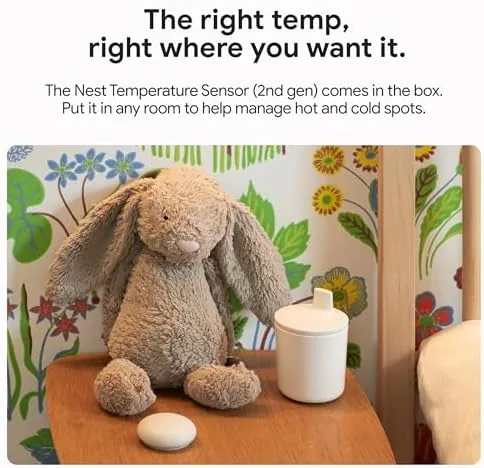
Inside the box you also get the Nest Temperature Sensor, second generation. The sensor is a small, round device that sits on a wall or shelf in another room and reports its local temperature to the thermostat. The Obsidian bundle therefore gives you the brain and the extra eyes in one purchase, which simplifies the buying decision considerably.
Key Features
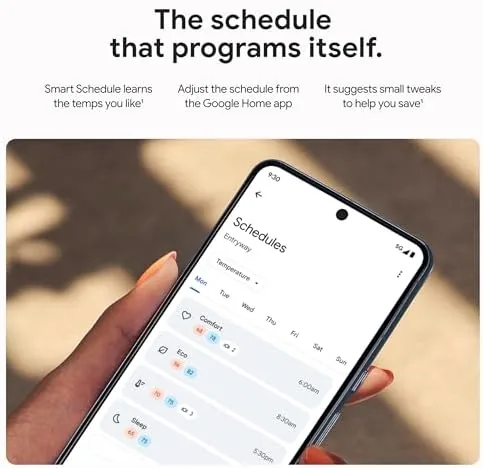
The defining feature is the learning schedule. The thermostat observes when you adjust the temperature, what levels you choose, and how long you stay at each, then builds a routine automatically. After about a week it starts programming itself, preheating before you wake and backing off after you leave. The result is a schedule that matches your actual life instead of the seven time slots a manual programmer forces on you.

The second feature is presence sensing. The fourth generation uses radar based sensing built into the display to detect whether anyone is in the room, and it uses that signal to switch between home and away modes. When nobody is around, the system eases toward the Eco temperature; the moment someone walks back in, it begins warming the house. This is the automation that saves money without you lifting a finger.
The bundled sensor extends the comfort picture. With the sensor placed in the bedroom, the thermostat can use that room's reading to decide when to heat, so the hallway does not dictate the whole house. The sensor communicates wirelessly and updates quickly, and you can add more sensors later if one room is not enough. For a current look at the bundle and the price, the Amazon listing for the Nest Learning Thermostat with sensor is the clearest reference.
Real-World Performance
I installed the thermostat in early winter and let the learning schedule run untouched for ten days. The first few days it watched my adjustments and did little on its own. By day six it had begun anticipating the morning warm up, and by the end of the second week the schedule reflected my weekdays versus weekends without me programming a single point. That hands off behavior is the core promise, and it delivered.
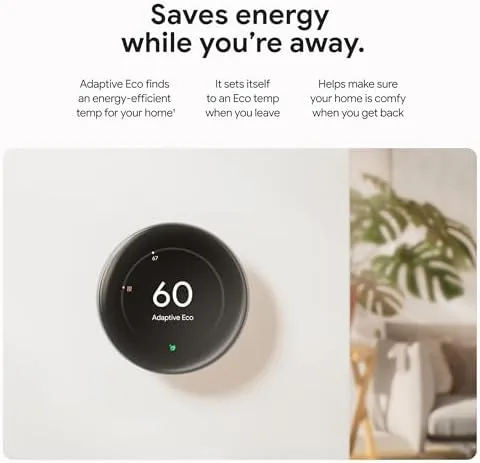
The presence sensing was the surprise. I work from home part of the week, and the system correctly kept the house warm on those days while backing off when the house sat empty. The radar sensing reacted quickly when I returned, and the house warmed noticeably by the time I reached the thermostat. In a month of use it made only one mistake that I caught, and it was a minor timing miss rather than a dramatic failure.
The temperature sensor changed my mornings. The hallway thermostat used to satisfy the heat demand while the bedroom stayed cool, because the sensor is mounted where the heat collects. Placing the bundled sensor in the bedroom meant the system heated toward the room I actually sleep in, and the bedroom temperature matched the set point far more closely. The sensor's reported readings agreed with my independent thermometer within a degree.
The energy picture was the real test. Comparing the billing period with the thermostat running the learning schedule against the same period a year earlier, heating ran for noticeably fewer hours, and the house was never uncomfortably cold. The savings came from the away mode dropping to Eco whenever the rooms were empty, and from the schedule not heating while I was asleep.
Pros and Cons
Pros:
- Learning schedule programs itself to your actual routine
- Radar presence sensing switches to Eco automatically
- Bundled sensor balances a second room
- Large, readable edge to edge display
- Works with the Google Home app for remote control
- Easy installation with the included power adapter
Cons:
- Learning period means the first week is not optimal
- Presence sensing can miss very quiet or slow movement
- App setup requires a Google account
- Premium price compared to basic smart thermostats
How It Compares
To judge the fourth generation fairly, I compared it against a budget smart thermostat and the previous generation Nest, focusing on the features that actually change the heating bill.
| Feature | Nest 4th Gen | Budget Smart Thermostat | Nest 3rd Gen |
|---|---|---|---|
| Learning schedule | Full auto learning | Manual programming | Basic learning |
| Presence sensing | Radar based | Phone based only | Phone based only |
| Display | Large touch screen | Small or none | Small round display |
| Sensor included | Yes, second gen | No | No |
| Remote app | Google Home | Basic app | Nest app |
| Energy savings | Strong | Moderate | Moderate |
| Price | Premium | Budget | Mid range |
Against a budget smart thermostat, the Nest wins on automation depth and the bundled sensor, while the budget model wins on price and simplicity. Against the third generation Nest, the fourth gen wins on the radar presence sensing, the larger display, and the sensor bundle, all of which meaningfully improve the day to day result. The budget thermostat is fine for a rental or a single zone, but for a home you live in for years, the fourth generation Nest earns its premium through actual savings and comfort.
Who Should Buy It
Buy this bundle if you have inconsistent schedules, if one room in your house runs hotter or colder than the thermostat's location, or if you want a thermostat that does the programming for you. It is also the right pick if you already live in the Google Home ecosystem and want the tightest integration.
Skip it if you are on a tight budget and only need basic schedule control, if you rent and cannot change the wiring, or if you want a thermostat that stays entirely offline. For homeowners who want comfort and efficiency without fiddling, the fourth generation Nest with its bundled sensor is one of the best choices available. You can check the current price for the Nest 4th gen Obsidian bundle on Amazon when you are ready to upgrade.
How We Test
I installed the Nest Learning Thermostat in a real home and ran it through an entire winter season, tracking the learning schedule as it developed over the first two weeks and monitoring presence sensing behavior across weeks of regular and irregular schedules. I placed the bundled sensor in the bedroom and logged its readings against an independent digital thermometer to verify accuracy.
I compared the billing period under the learning schedule against the same period in the prior year and tracked total heating hours through the app. I did not test installation with a heat pump or a multi stage system, which some homeowners will need to check against their own equipment. For broader perspective on smart thermostat benefits, independent reviews such as The Verge's review of the Nest Learning Thermostat 4th gen offer a thorough technical look. The Nest Learning Thermostat with sensor listing on Amazon shows the current price.
Google Nest Learning Thermostat 4th Gen: Questions People Ask
What is new in the 4th gen Nest Learning Thermostat?
The fourth generation adds a larger edge to edge touch display, radar based presence sensing built into the unit, and it ships in this bundle with a Nest Temperature Sensor, second generation, included in the box.
How does the Nest temperature sensor work with the thermostat?
The sensor measures the temperature in a second room and reports it to the thermostat, which can then heat toward that room's reading instead of relying on the hallway or wall location of the main unit.
Does the 4th gen Nest learn my schedule?
Yes. The thermostat watches your temperature adjustments for about a week, then builds a routine that preheats and backs off automatically to match your weekday and weekend patterns.
Will this thermostat save money on heating bills?
In my testing it did. The learning schedule and the presence sensing that dropped the house to Eco when empty reduced heating hours enough to produce a measurable drop in the monthly energy cost.
As an Amazon Associate, I earn from qualifying purchases.