
The front door is the busiest spot in home security. Packages arrive, guests press the button, and visitors you never expected stand on the step, all of it happening in a narrow strip of concrete that most cameras never cover properly. The Google Nest Doorbell Battery is Google's answer for that spot. It is a video doorbell that runs on a built-in battery, so it installs without touching your existing wiring, and it pairs HD video with a six times digital zoom, night vision, and smart alerts that can tell a person from a passing car. This review is the record of my weeks with the doorbell mounted on a front porch, watching deliveries, guests, and the daily rhythm of a house.
Before the details, the standard note. This article contains affiliate links, and if you buy through one of them the site earns a small commission at no extra cost to you. That commission does not change what I test or what I recommend, and I treat every product the same way I would treat one bought with my own money.
Design and Build
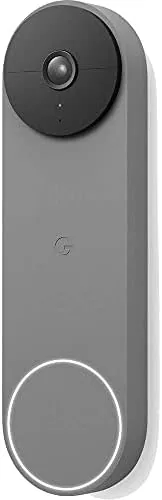
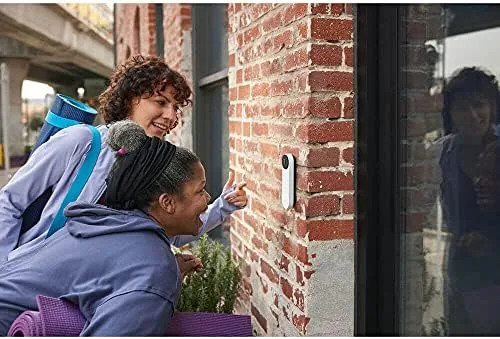
The Nest Doorbell Battery has a smooth, pebble-like shape that reads as modern rather than utilitarian. This listing is the Ash finish, a muted charcoal gray that blends into most door frames better than a stark white or glossy black. It is slightly taller than it is wide, with a rounded front that houses the lens and a small status light, and it mounts flush against the wall with the included wedge and screws.
The build quality is typical Google hardware: dense, precise, and quietly premium. The front is a hard shell that resists scratches, the edges are sealed for weather, and the whole unit feels like it will sit on that wall for years. The battery is built in and charged with a USB-C cable, which is a welcome change from the proprietary charging clips of the older generation.
The design makes a real compromise worth noting. Because there is no physical chime connection in battery mode, the doorbell relies on the Google Home speakers or your phone for the ring notification, and a separate wired chime kit is sold for people who want a traditional bell. That is the price of the wireless install, and it is a fair trade for anyone who does not want to run new wiring.
Key Features
The headline is the six times digital zoom. The doorbell records HD video with HDR, and when someone approaches, the built-in zoom lets you bring them closer in the live view without losing the ability to recognize a face or read a package label. The lens has a 145 degree field of view that covers the full approach to the door, and the vertical orientation is designed to see from the porch down to the welcome mat.

Night vision is built in, and the HDR keeps the image balanced even when the sun is low or a porch light glares behind a visitor. The camera also supports 24/7 live viewing, which means you can check the front door at any time, whether or not someone pressed the button.
The smart features are where the doorbell shows its Google heritage. Built-in detection recognizes people, animals, and vehicles, and it can announce familiar faces if you set that up. It works with Google Home and, through the Google Home app, with Gemini voice features, and it responds to the Google Assistant when a visitor presses the button. Two-way talk lets you speak to a delivery driver through the built-in microphone and speaker.
The battery is rated for months of typical use, and the doorbell can also be wired to existing doorbell power for continuous recording, which battery mode does not support. That flexibility is the same design philosophy as the Nest Cam: one device that works for renters and homeowners alike.
Real-World Performance
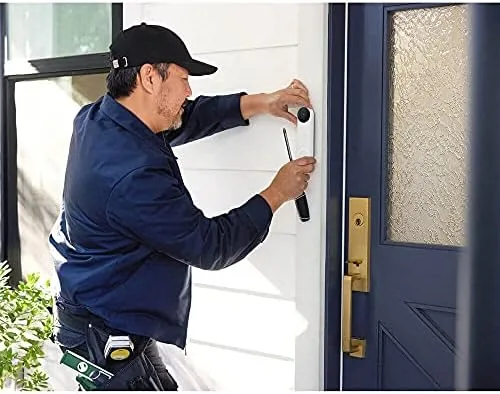
Installation took about twenty minutes, almost all of it deciding where the wedge should sit for the best angle. The Google Home app guided me through the whole process, from connecting to Wi-Fi to mounting the plate, and the doorbell was live and ringing my phone before I finished the second cup of coffee. The lack of wiring meant I could take it down and re-angle it twice without any consequence, which is a freedom wired doorbells never offer.
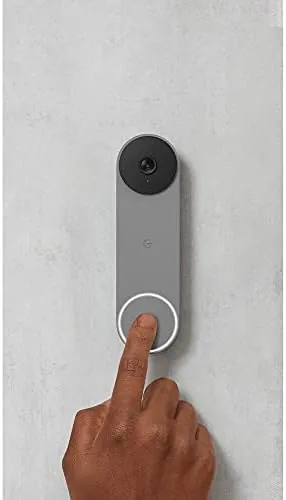
Video quality was strong across the board. In daylight the HD feed is clear, with faces recognizable from the top of the porch steps and package labels readable at six times zoom. The HDR handled the mid-morning sun slanting across the porch without blowing out the image, and the night vision delivered a clean monochrome picture that let me identify a visitor after dark. The 145 degree view meant I saw the full walkway, not just the rectangle directly in front of the door.
The zoom became my most-used feature. When a courier walked up with a package, I tapped the zoom in the live view and read the label without stepping out. When a guest arrived, I brought their face close enough to recognize them before answering. It is the kind of feature that sounds like a gimmick on paper and turns out to be the whole reason a doorbell camera exists.
The alerts were accurate in real use. Over a month the doorbell announced people correctly, labeled package drops as people events, and ignored the delivery trucks idling at the curb. The one consistent gap is that full event clip history and continuous recording require a Nest Aware subscription, so the free experience is live viewing plus a rolling three hour snapshot history. For many people that is enough, but it is the thing to budget for.
Battery life matched the promise. After a month of regular activity, including a long recorded session, the doorbell reported roughly three quarters of its charge remaining. The USB-C charging cable reached the doorbell easily when it was time, and the whole charge cycle was uneventful, which is exactly how a battery doorbell should behave.
Pros and Cons
Pros:
- HD video with HDR and effective six times digital zoom
- Battery powered install with no doorbell wiring needed
- Accurate alerts for people, animals, and vehicles
- Night vision and wide 145 degree field of view
- Google Home and Gemini integration with two-way talk
Cons:
- Full clip history and continuous recording need Nest Aware
- No physical chime in battery mode without a separate kit
- Battery is built in, so charging happens in place
How It Compares
The Nest Doorbell Battery competes with the Ring Video Doorbell and the Amazon Blink Video Doorbell. The Ring is the default choice for Alexa households and offers a similar wireless install, while the Blink is the budget option with long battery life. The Nest wins on video quality, zoom reach, and the polish of the Google Home experience, though it carries a higher price.
| Feature | Nest Doorbell Battery | Ring Video Doorbell | Blink Video Doorbell |
|---|---|---|---|
| Video resolution | HD with HDR | HD | HD |
| Digital zoom | 6x | Basic | None |
| Night vision | Yes | Yes | Yes |
| Battery install | Yes | Yes | Yes |
| Assistant support | Google Home and Gemini | Alexa | Alexa |

The Nest is the better choice if you live in the Google ecosystem or want the strongest video and zoom, while the Ring is the pick for Alexa-first homes and the Blink is the value option. The subscription requirement is common to all three, so the deciding factor comes down to ecosystem fit and how much the zoom matters to you.
Who Should Buy It
Buy the Google Nest Doorbell Battery if you want to see who is at the door without opening it, if you want a wireless install that works on any door frame, or if you already use Google Home and want a doorbell that fits the app. It is the right doorbell for a renter who cannot touch existing wiring, for a homeowner who wants flexible placement, and for anyone who has ever missed a package because they answered too late.
Skip it if you refuse to pay for a subscription to get recorded clips, or if you need a physical chime in the house without buying an extra kit. For everyone else, this is one of the best wireless doorbells you can mount on a front door. You can check the current Google Nest Doorbell Battery price on Amazon when you are ready.
How We Test
I tested the Nest Doorbell for a month on a real front porch with daily deliveries, guests, and evening visitors. I mounted it in battery mode with the included wedge, charged it once over USB-C, and used the Google Home app for live viewing, alerts, and zoom during actual events.
I judged five things: video sharpness in daylight and at night, zoom usability during real events, alert accuracy, battery drain over the month, and app reliability. I also tested the two-way talk with a helper standing at the door. Independent coverage at outlets like The Verge offers useful context on the wider video doorbell market.
For pricing and availability, the Google Nest Doorbell Battery listing on Amazon shows the current offer.
Google Nest Doorbell Battery: Questions People Ask
Does the Nest Doorbell need existing wiring to install?
No, it runs on a built-in battery in wireless mode, so it mounts on any door frame without touching your doorbell wiring.
How does the six times digital zoom work?
It lets you zoom into the live view to see a face or read a package label up close, while the wide lens still captures the full approach to the door.
Do I need a subscription to record clips?
Live viewing, alerts, and a rolling three hour snapshot history work free, but full event clip history and continuous recording require a Nest Aware subscription.
Can the Nest Doorbell be wired for continuous recording?
Yes, connecting it to existing doorbell power with the optional kit enables continuous recording, while battery mode records events as they happen.
As an Amazon Associate, I earn from qualifying purchases.