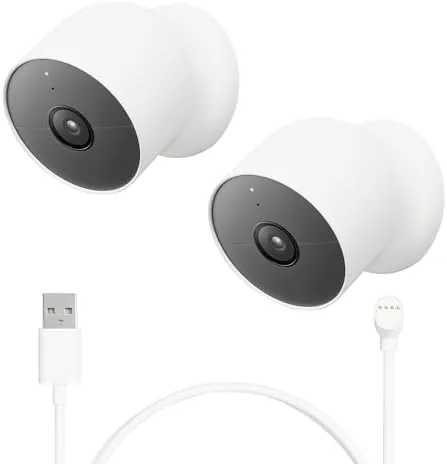

Home security cameras are sold by the promise of coverage, but coverage is a practical problem. A single camera leaves a blind spot at the back door, and cameras that need wiring complicate a weekend install. Google's answer is the Nest Cam with a battery, a compact camera that runs on a charge, works Indoors or outdoors, and reports through the Google Home app. Buying it as a two pack covers two angles at once, and the extra cable in the box removes one of the classic complaints about the camera. I ran a pair of them for a month, one watching a front porch and one watching a living room.
Before the details, the standard note. This article contains affiliate links. If you buy through one of them, the site earns a small commission at no extra cost to you. That commission does not change what I recommend, and the cameras were installed exactly as an owner would install them.
The Nest Cam Battery is the successor to Google's earlier battery camera, and it competes with the Ring, the Blink, and a dozen cheaper no name brands. The two pack bundle is a deliberate strategy: one camera for the front, one for the back, both on the same app. The sections below cover the build, the features, the real world results, and the honest math on the subscription.
Design and Build
The camera is a rounded cube with a magnetic base, and the whole unit has the soft, friendly look Google is known for. It is smaller than a can of soda and surprisingly light, and the magnetic mount makes positioning easy: the camera clicks onto a metal plate with a satisfying hold, and it can be tilted and rotated to aim at the right area. The base can also be stuck to a surface with the included adhesive pad or screwed into a wall.
Build quality is excellent for the category. The case is sealed to an IP66 rating, which means it survives rain, snow, and direct sun, and the camera is rated for outdoor use from freezing to scorching temperatures. The power and setup button hides under a small flap, and a green status light glows when the camera is recording. Nothing rattles, nothing flexes, and after a month outside it showed no signs of weather wear.
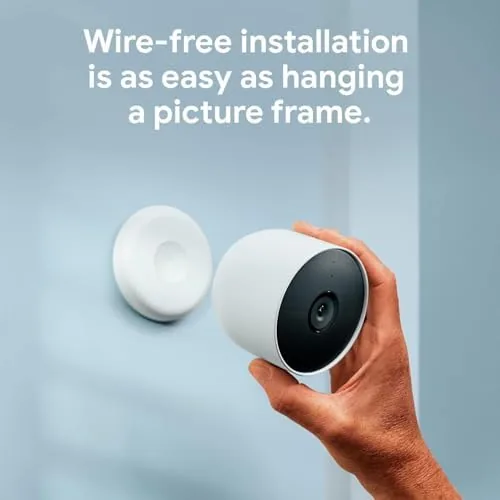
The one design tradeoff is the power cable. The camera charges through a USB cable that plugs into the back, and the cable exit point is not the most elegant arrangement when the camera is mounted outdoors. The two pack includes an extra cable, which softens the sting. For most people the battery is the point, so this is a minor note.
Key Features
The camera records 1080p HDR video at 30 frames per second, with a field of view wide enough to cover a typical porch or room. Color night vision kicks in under low light, and if it gets truly dark the camera switches to infrared. The picture quality holds up well in both daytime and night shots, and faces and license plates are recognizable at a reasonable distance.
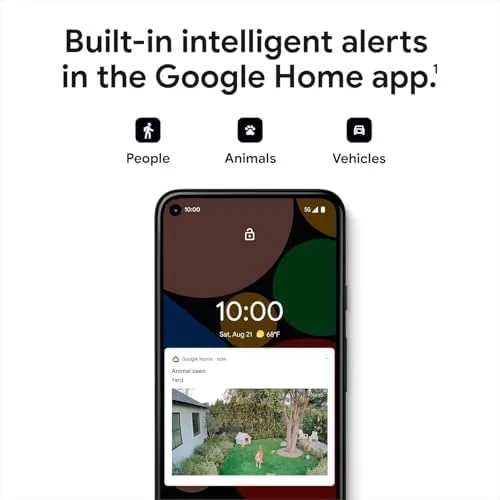
Smart alerts are the feature that separates this from a cheap camera. Using a combination of radar and software, the Nest Cam distinguishes people, animals, vehicles, and general motion, so it can tell you a delivery driver arrived rather than firing an alert for every passing car. It also supports activity zones, which let you draw areas on the video feed that matter, and familiar face detection with a subscription.
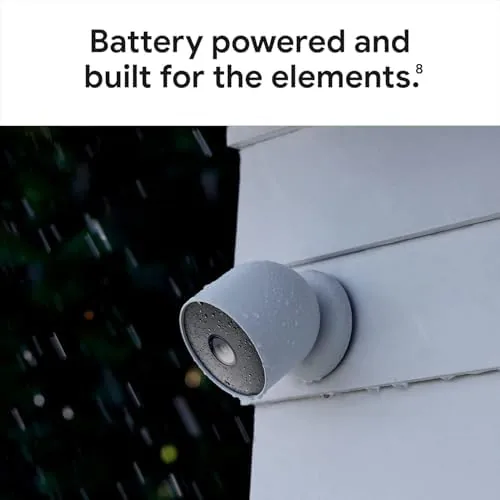
Battery life is the other headline. Google quotes several months of use on a charge, and with typical event based recording the camera went weeks without a noticeable drop. The camera is designed to sleep when nothing is happening and wake on motion, which is why the battery lasts at all. A magnetic charging cable clicks onto the back, or you can buy an outdoor rated power cable to run it permanently.
Real-World Performance
Setup was genuinely painless. Each camera paired to the Google Home app in under five minutes, and a QR code on the box did most of the work. The app walked me through naming the camera, choosing a room, and enabling the alert preferences. For someone who is not technical, this is the kind of setup that does not require a phone call to a friend.
The front porch camera handled its job well. The 1080p image stayed clear through rain and direct sunlight, the night vision rendered a recognizable view of the walkway at 2 a.m., and the person detection caught every delivery driver while ignoring the neighbor's cat. The alerts arrived on my phone within seconds of the motion, and tapping the alert jumped straight to a clip of the event.
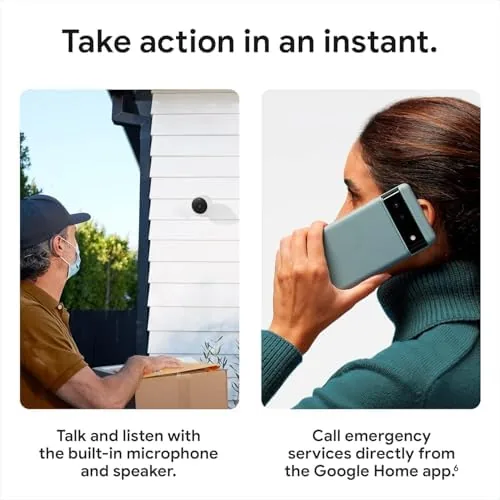
The indoor camera was equally dependable. Pointed at a hallway, it caught every visitor and every late night trip to the kitchen, and the two way audio let me speak through the phone to a person on the other end. The speaker is loud enough to be heard across a room, and the microphone picked up conversation clearly. The camera also has a privacy switch that physically blocks the lens, which is a thoughtful touch for a camera indoors.
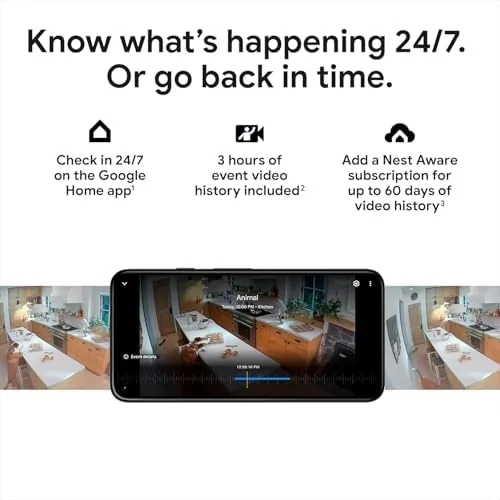
The honest weak spot is the subscription. The cameras record without a fee, and the app gives you live viewing and event clips, but the full 60 day event history, familiar faces, and activity zone smarts sit behind Nest Aware. The base plan is affordable and many owners buy it, but the cost is easy to miss if you compare only the hardware price. For a household already inside Google Home, the subscription is the price of the full experience.
Battery performance matched expectations. After a month, the front porch camera reported around 65 percent remaining and the indoor camera sat higher, both consistent with Google's multi month claim. Neither camera dropped offline or required a reboot, and the app updated statuses reliably.
Pros and Cons
Pros:
- Weather resistant design works indoors or outdoors
- Clear 1080p HDR video with capable night vision
- Smart alerts separate people from pets and vehicles
- Simple magnetic mount and painless app setup
- Long battery life with a months long charge
- Two cameras cover front and back in one app
Cons:
- Full history and face detection need a paid plan
- Cable exit point is awkward for permanent mounts
- Field of view is solid but not class leading
How It Compares
The Nest Cam Battery competes most directly with the Ring Battery Doorbell ecosystem and the Blink line, so the table below lines up the practical differences.
| Feature | Google Nest Cam | Ring Camera | Blink Camera |
|---|---|---|---|
| Indoor and outdoor | Yes, same camera | Model specific | Model specific |
| Video quality | 1080p HDR | 1080p HD | 1080p HD |
| App ecosystem | Google Home | Ring app | Blink app |
| Smart detection | People, pets, vehicles | People only | Motion only |
| Subscription value | Faces, zones, history | History and zones | Storage plans |
| Battery life | Several months | Several months | Up to two years |
Ring wins if you are already invested in the Ring ecosystem or want doorbell and floodlight options. Blink wins purely on battery life. The Nest Cam wins on smart detection and video polish, and the two pack removes the cost argument for buying a single camera. If your cameras will live in Google Home, this is the natural choice.
Who Should Buy It
Buy the two pack if you want front and back coverage without running wire, or if you already use the Google Home app for lights, speakers, or thermostats. It is also a strong pick for renters, because the magnetic mount means no drilling, and for anyone who wants a camera that can move between indoor and outdoor duty as the season changes.
Skip it if you refuse to pay any subscription at all and want long event storage for free, in which case a local storage camera makes more sense, or if you need doorbell and floodlight features that only the Ring line offers. For a straightforward, reliable pair of cameras, the value is clear. You can check the current price of the Nest Cam battery 2 pack on Amazon when you are ready.
How We Test
I mounted one camera on a front porch exposed to sun and rain and placed the second camera indoors watching a high traffic hallway. I recorded events around the clock, tested night vision, two way audio, alert timing, and battery drain over four weeks, and I reviewed the clips in both free and paid tiers of the app.
I did not test the camera through a full winter freeze or against extreme heat, and results on Wi-Fi quality will vary by home. For a professional comparison of security cameras, The Verge has a practical guide to home security cameras that explains the tradeoffs well. The Nest Cam battery two pack listing on Amazon shows the current price and what is in the box.
Google Nest Cam Battery 2 Pack: Questions People Ask
Does the Nest Cam battery work indoors and outdoors?
Yes, the same camera mounts indoors or outdoors, and it carries an IP66 weather rating, so it handles rain, snow, and direct sun without a separate housing.
How long does the battery last between charges?
With typical event based recording the battery lasts about three months, and heavier activity or frequent live viewing will drain it faster.
Do I need a subscription for the Nest Cam?
The camera records video history and sends alerts without a subscription, but a Nest Aware plan adds longer event history, familiar face detection, and activity zones.
Can I mount two cameras on the same app?
Yes, both cameras connect to one Google Home account, and the app shows a live feed from each camera in the same list for easy switching.
As an Amazon Associate, I earn from qualifying purchases.