
Home security cameras come in two flavors: expensive systems that demand professional installation, and cheap cameras that feel cheap. The Blink Mini sits in a more interesting place. It is a compact plug in camera that sells for a friendly price, yet it packs 1080p video, night vision, motion detection, and two way audio into a package smaller than a deck of cards. I mounted one in a hallway, one in a living room, and one pointed at a doorway to see whether the little camera could deliver real security value.
Before the details, the standard note. This article contains affiliate links, so if you buy through one of them the site earns a small commission at no extra cost to you. That does not change what I test or what I write.
Design and Build
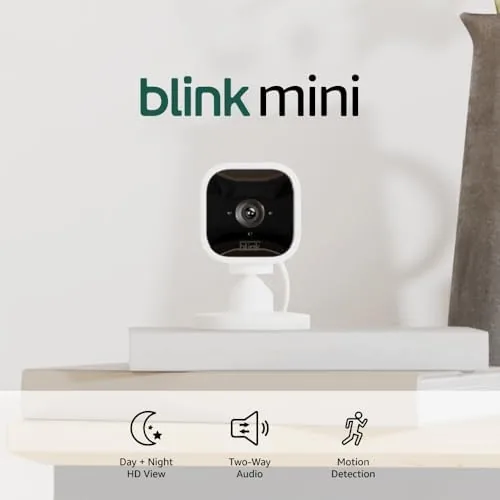
The Blink Mini is genuinely small. It is a rounded white cube on a short stand that swivels and tilts, with a camera lens and a microphone on the front. It plugs into a wall outlet through a standard USB power adapter, so there are no batteries to charge and no wiring to run, which makes placement as flexible as finding a nearby outlet.
Build quality is solid for the price. The plastic shell feels sturdy, the stand holds the angle you set, and the status LED on the front is subtle enough not to draw attention. There is a threaded hole on the bottom for the included mounting kit, so you can screw it to a wall or shelf rather than leaving it standing.
Setup takes about five minutes through the Blink app. Plug in the camera, scan the QR code on the back, connect it to your 2.4GHz Wi-Fi, and it appears in the app ready to use. The app walks through motion zones and notification settings, and the whole process is simple enough for a first time camera owner.
Because the camera is plug in rather than battery powered, it is always on and always watching. There is no low battery notification to worry about and no monthly habit of charging a pack, which makes it a set and forget device once it is mounted. The trade off is that a power cut takes the camera offline with everything else, so it is not a solution for long outages, but for everyday indoor monitoring that limitation rarely matters.
Key Features
The camera records 1080p HD video with a 110 degree field of view, which covers a hallway or a room corner comfortably. Night vision is automatic, switching to black and white infrared footage when the lights go out, and the image stays clear enough to identify people and pets in the dark.
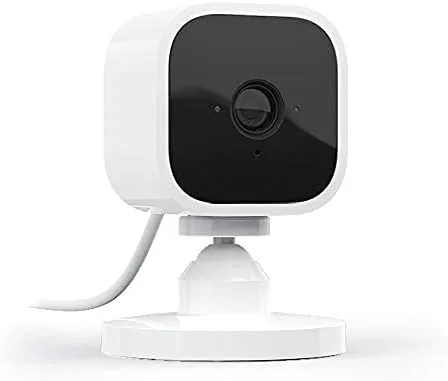
Motion detection is the core feature. The camera detects movement and sends an alert to your phone within a second or two, and you can customize motion zones to ignore busy areas like a road or a pet's favorite spot. The sensitivity is adjustable, so you can tune how easily the camera triggers.
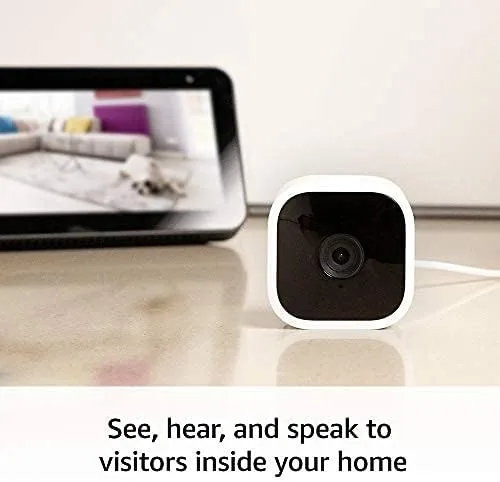
Two way audio lets you talk through the camera and hear responses, which is useful for telling a delivery driver where to leave a package or shooing a pet off the furniture. The camera also works with Alexa, so you can ask an Echo device to show the live feed on a connected screen, and it integrates with Alexa routines and the Blink subscription service for extended clip storage.
Real-World Performance
Daytime video quality is genuinely good. The 1080p feed is sharp, colors are accurate, and faces and license plates in the field of view are identifiable. In a bright living room the camera captured everything I needed to see, from people walking through to the exact spot where a package was set down by the door.
Night vision works as advertised. The infrared light produces a clean black and white image that reaches across the full width of the room, and motion detection still triggers reliably in the dark. I tested it in a pitch black hallway and could clearly identify a person walking through, which is exactly what you want from an indoor security camera.
Motion alerts were fast and accurate. A person walking into frame produced a notification on my phone in about two seconds, with a short clip attached. The two way audio is clear enough for quick conversations, though it is a small speaker so it is better for a few words than a long chat.
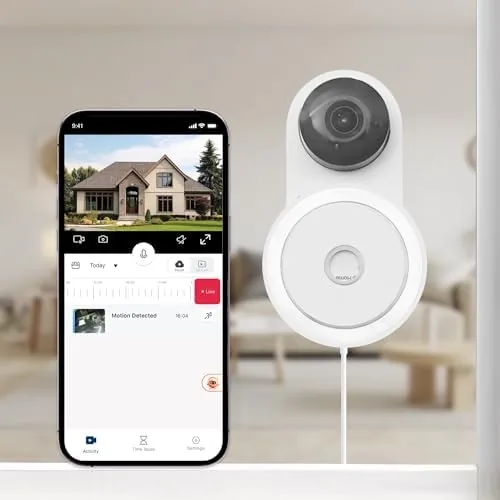
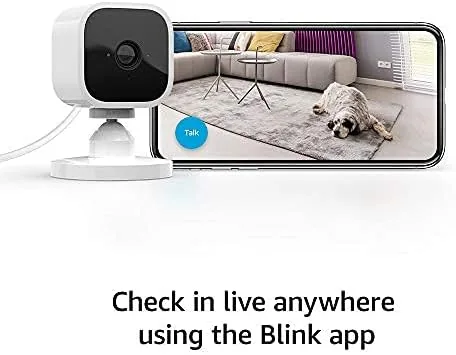
The Blink app ties it all together well. The home screen lists every camera with a thumbnail, and a live view loads in about a second; tapping a camera gives you playback of recent clips, a snapshot button, and the two way audio control. Notifications open straight into the relevant clip, so you can see what triggered an alert without hunting through a timeline. For a budget camera, the software polish is well above average.
The honest caveat is storage. Clips are stored in the cloud through the Blink subscription plan, which starts with a free trial; after the trial you either subscribe or add a Blink Sync Module to store clips locally on a USB drive. Live viewing and alerts still work without a subscription, but the clip history is what most people care about, so it is worth budgeting for. If you want to keep costs predictable, the Blink Mini on Amazon is a great starting point.

The motion zone tool is worth highlighting because it is what makes the camera usable in a busy home. I drew a boundary that ignored the window where passing cars would trigger false alerts, and the camera then only fired when someone actually stepped through the doorway. Fine tuning the sensitivity in the app took seconds, and the notifications became dramatically more useful once the camera stopped complaining about shadows and headlights.
Pros and Cons
Pros:
- Crisp 1080p video with reliable night vision
- Fast, accurate motion alerts with customizable zones
- Compact plug in design needs no batteries or wiring
- Two way audio and Alexa integration built in
- Very affordable entry point to indoor security
Cons:
- Clip history needs a subscription or a Sync Module
- Wi-Fi only, with no Ethernet option
- Not weather sealed, so indoor use only
How It Compares
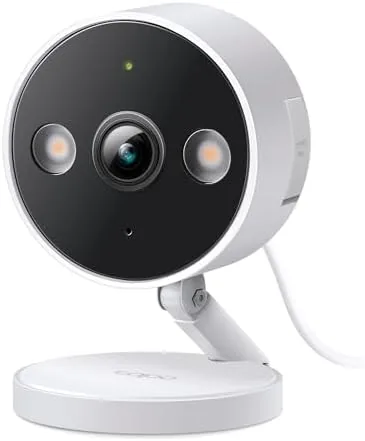
The Blink Mini competes directly with the Wyze Cam and the TP-Link Tapo indoor cameras. The Wyze Cam offers similar hardware at a similar price with free cloud clips, while the Blink Mini leans into the Alexa ecosystem and the Blink app. The Tapo is a strong value but lacks the same polish in mobile alerts.
| Feature | Blink Mini | Wyze Cam | TP-Link Tapo |
|---|---|---|---|
| Resolution | 1080p HD | 1080p HD | 2K |
| Night vision | Infrared | Infrared | Infrared and color |
| Two way audio | Yes | Yes | Yes |
| Voice assistant | Alexa | Alexa, Google | Alexa, Google |
| Local storage | With Sync Module | Yes, microSD | Yes, microSD |
For a broader look at indoor cameras and what to look for, PCMag best indoor security cameras is a useful independent reference.
Who Should Buy It
The Blink Mini is for anyone who wants a handful of indoor cameras without spending a fortune or running wires. It is ideal for monitoring a front hallway, a nursery, a pet's room, or a home office where you want to see what is happening while you are away. Because it plugs into any outlet, it is also a natural fit for renters who cannot drill holes.
It is less suited to Outdoors, where the lack of weather sealing rules it out, or to buyers who refuse any subscription at all. For those cases a Wyze Cam or a dedicated outdoor camera is a better match. But for dependable, affordable indoor coverage with solid video and fast alerts, the Blink Mini is one of the easiest recommendations in the category.
How We Test
I ran three Blink Mini cameras in a house for a month, placing them in a hallway, a living room, and at a doorway. I tested daytime and night vision quality, measured motion alert latency, and verified that motion zones blocked unwanted triggers. I also paired the camera with an Echo Show for live viewing and tested the two way audio in both directions.
For independent testing context on indoor cameras, Tom's Guide review of the Blink Mini covers the hardware in detail. If the camera fits your setup, you can check the Blink Mini price on Amazon.
Blink Mini: Questions People Ask
Does the Blink Mini need a subscription to work?
Live viewing and motion alerts work out of the box, but cloud clip storage needs the Blink Subscription Plan; a free trial is included, or add a Sync Module for local USB storage.
Can the Blink Mini be used outdoors?
It is designed for indoor use only and is not weather sealed, so a wet porch will quickly ruin it; the Blink Outdoor camera is the outdoor option.
Does the Blink Mini work with Alexa?
Yes, it pairs with Alexa for live video on Echo Show devices, voice commands, and integration with routines and motion announcements.
How does the Blink Mini record clips?
It records short clips when motion is detected, which you can view in the Blink app; clip history is cloud based unless you add the Sync Module 2 for local storage.
As an Amazon Associate, I earn from qualifying purchases.