
My review policy is simple and it applies here as it does everywhere. The microphone was provided for evaluation, my opinions are my own, and if you buy through the links in this article I earn a small commission at no extra cost to you. None of that changes what I have to say about a mic that costs a fraction of a proper broadcast setup.
Design and Build
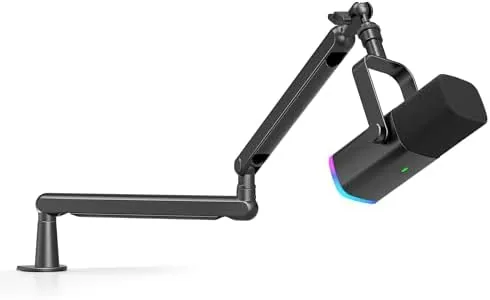
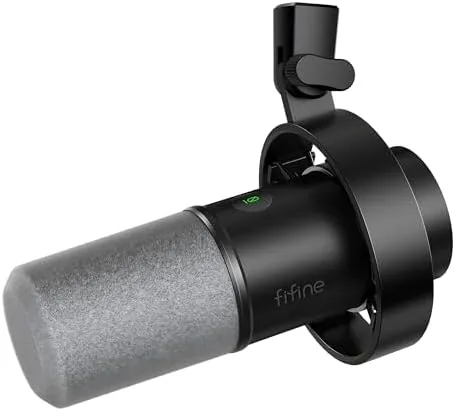
The K688 is unapologetically heavy, and that is a compliment. The body is a thick metal shell with a matte finish, and the weight gives it a desk presence that cheap plastic mics cannot fake. It sits on a sturdy stand with a solid base, and the whole assembly feels like it would survive being knocked around in a backpack for a year of convention floors. A windscreen comes in the box and threads over the capsule, which tames plosives before they ever reach the microphone element.
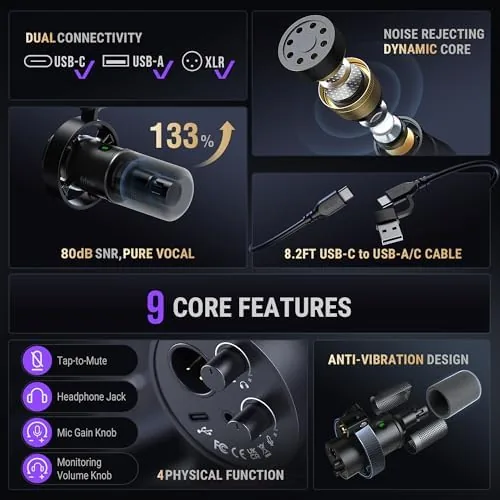
The controls live on the body where you can reach them mid-session. A touch mute button sits on the top where it is easy to find without looking, and its status light changes color so you know at a glance whether you are live. Below that, a dial adjusts monitoring volume for your headphones, and the gain control tucks around the side for setting input level. The port array on the base covers USB C for computer connections, XLR out for interfaces, and a 3.5 millimeter headphone jack for monitoring. It is a layout designed by someone who has actually run a stream.
Key Features
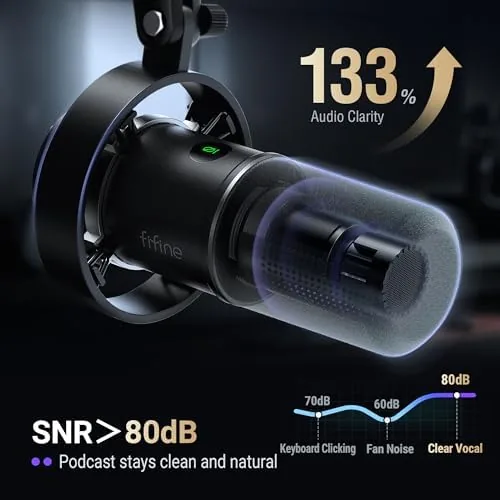
The dynamic capsule is the feature that matters most for home recording. Unlike a condenser, a dynamic element is far less sensitive to room echo, keyboard clicks, and the rumble of a nearby street, which makes it the right tool for an untreated bedroom studio. The cardioid pattern captures the sound directly in front of the mic while rejecting most of what comes from behind, so you can sit close and get a full, present voice without the hollow room tone that plagues cheap condensers.
The dual output is the other headline. Plug the K688 into a computer with USB and it shows up as a standard microphone, no driver installation required, ready for any podcasting or streaming software you already use. Switch to XLR and the same capsule feeds an audio interface or mixer, which matters if you already own recording gear or you want to add one mic to a larger setup later. That single purchase covers both worlds.

Monitoring rounds out the practical set. Plug headphones into the 3.5 millimeter jack and the K688 sends your own voice back with near zero delay, so you hear exactly what you sound like while you talk. The monitoring volume dial adjusts that feed independently, and the mute button cuts the output to the computer while leaving your monitoring running, which is exactly how you want a mute to behave between segments.
Real-World Performance
Sound quality is the reason you buy a dynamic mic, and the K688 delivers a voice that is warm, full, and forward. Recording into both USB and XLR on the same day, the capsule produced a consistent tone with good presence on spoken word, the kind of sound that cuts through a busy mix without the harshness that budget condensers add at the top end. The windscreen removed most of the pops, and the cardioid pattern let me record in a room with a rattling old laptop fan running a foot away with only a faint trace of it in the background.
The USB path is genuinely plug and play. On both a Windows desktop and a Mac laptop, the K688 appeared as a device immediately, and the gain control gave enough range to drive the mic cleanly without clipping. Running through XLR into a modest audio interface, the signal arrived clean and needed only a little gain to sit at a healthy level. The headphone monitoring worked exactly as advertised, with a clear, near real time feed that made long recording sessions far less tiring than monitoring through software.
The limitations are honest and expected at this price. The built in gain does not have the headroom of a dedicated interface preamp, so very quiet voices may need a small boost in software, and the monitoring path is fine for speech but not a substitute for proper studio monitoring. The stand works well on a desk but is not a Boom Arm, and the included cable is short enough that you will want a longer USB cable or an extension for a laptop that sits off to the side. None of these stop the K688 from doing its job.
Pros and Cons
- Pros: Dynamic capsule rejects background noise in untreated rooms
- Pros: Both XLR and USB output in one microphone
- Pros: Heavy metal body that stays put on a desk
- Pros: Easy headphone monitoring with near zero delay
- Pros: Touch mute and gain control within reach mid-session
- Cons: Built in gain lacks the headroom of a dedicated preamp
- Cons: The bundled cable is on the short side
- Cons: No boom arm mount in the box, despite the threaded insert
How It Compares
The K688 competes with the budget USB mics that dominate the market, but it is a different animal from most of them. The table below compares it with the common alternatives.
| Microphone | Capsule | Output | Background Noise | Monitoring | Build |
|---|---|---|---|---|---|
| FIFINE AmpliTank K688 | Dynamic | XLR and USB | Low rejection of room noise | 3.5 mm jack with volume | Metal |
| Budget Condenser USB Mic | Condenser | USB only | Picks up room echo | Often 3.5 mm jack | Plastic or metal |
| Dynamic XLR Broadcast Mic | Dynamic | XLR only | Low rejection | Requires interface | Metal |
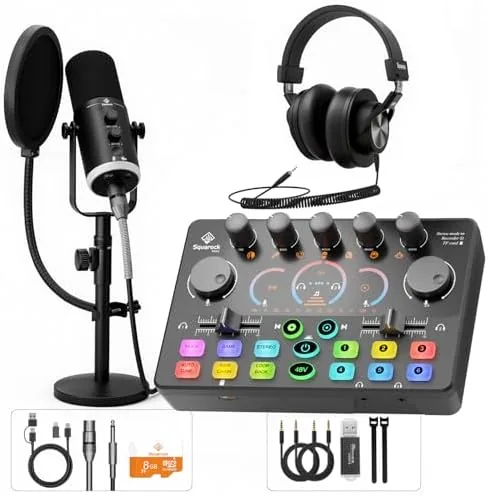
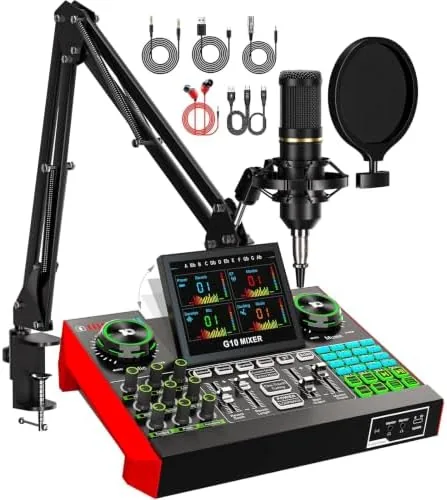
| Podcast Interface Kit | Condenser | USB with interface | Varies | Interface based | Multiple pieces |
Against a budget condenser, the K688 wins on room noise alone, because the dynamic capsule does not punish you for recording in a normal room. Against a pure XLR broadcast mic, the K688 gives you the same family of sound with the freedom to start on USB before you buy an interface. And against a full podcast kit, it trades fancy looks and bundled extras for a simpler, more focused tool. For someone starting out, the flexibility is the point.
Who Should Buy It
Buy the K688 if you are starting a podcast or stream and recording in a room that is not treated, because the dynamic capsule is the single biggest upgrade you can make over a cheap condenser in that environment. It is also a smart buy if you plan to grow into a proper interface later, since the XLR output means the microphone is not wasted the day you buy a mixer. Skip it if you want a mic for singing with a bright, airy character, because that is not what a dynamic capsule does, and skip it if you need a portable mic with a boom arm included, because you will spend a little more on a kit for that.
If the K688 sounds like the right fit for your setup, you can check the current price at the link below.
Check the FIFINE AmpliTank K688 price on Amazon
How We Test
I tested the K688 the way a working podcaster would use it. Across a month I recorded regular podcast segments through USB into a laptop, switched to XLR through a small audio interface to compare the two paths, and ran a live stream with monitoring active the whole time. I made the same recording in a quiet room and in a room with a laptop fan and street noise to judge background rejection, and I checked the mute, gain, and monitoring controls during live use rather than in isolation. For a reference point I set the K688 against a budget condenser and a more expensive XLR dynamic on the same readout.
For a second opinion on choosing a recording microphone, PCMag maintains a roundup of the best USB microphones, which is worth checking alongside my notes before you spend.
Read the PCMag guide to the best USB microphones
Questions People Ask
Should I use the XLR or USB output?
USB works instantly with any computer for plug and play podcasting, while XLR lets you run the mic into an audio interface or mixer for extra gain and effects. Start with USB, and keep XLR for when you add more gear.
Does the K688 reject background noise?
Yes, the dynamic capsule is far less sensitive to room echo and keyboard noise than a condenser, which is why it suits untreated home offices. The cardioid pattern also rejects most sound coming from behind the mic.
How does the monitoring work?
Plug headphones into the 3.5 mm jack on the base and adjust the monitoring volume dial to hear yourself live with near zero delay. It is a simple, dependable way to monitor without setting up software routing.
Will the mute button work while streaming?
Yes, the touch mute cuts the audio to the computer instantly and lights up so you can see the mute state, which is handy between segments. Your monitoring continues to play, so you never lose track of what you are saying.
Buy the FIFINE AmpliTank K688 on Amazon
The FIFINE AmpliTank K688 is the rare budget microphone that gets the fundamentals right. The dynamic capsule tames the room, the USB path is plug and play, the XLR output leaves room to grow, and the monitoring and mute controls are built for live use. It will not replace a broadcast setup, but for a podcast or stream starting today it is hard to beat.
As an Amazon Associate, I earn from qualifying purchases.