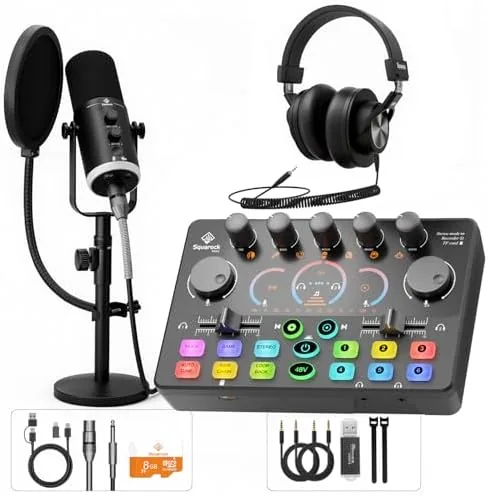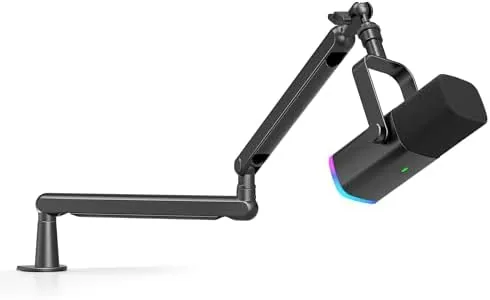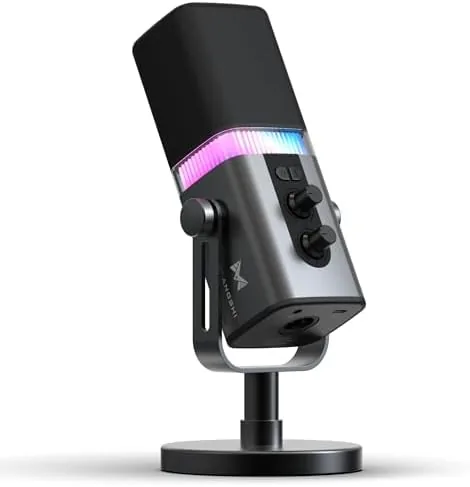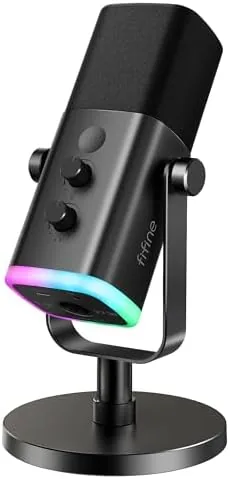

Streaming microphones come with a familiar dilemma. USB Microphones are simple but have no upgrade path, and XLR microphones sound professional but force you to buy an audio interface on day one. The FIFINE AmpliGame AM8 tries to split the difference by offering both connectors on one microphone. It is a dynamic capsule, which already sets it apart in a category flooded with sensitive condensers, and it adds RGB lighting, a mute button, and a headphone jack for monitoring. I recorded with it for a week across gaming streams, voice notes, and a podcast test to see whether the hybrid approach actually works.
Before the details, the standard note. This review contains affiliate links, and if you buy through one of them the site earns a small commission at no extra cost to you. That does not change what I test or what I recommend. I treat every product here exactly the way I would treat one bought with my own money.
Design and Build
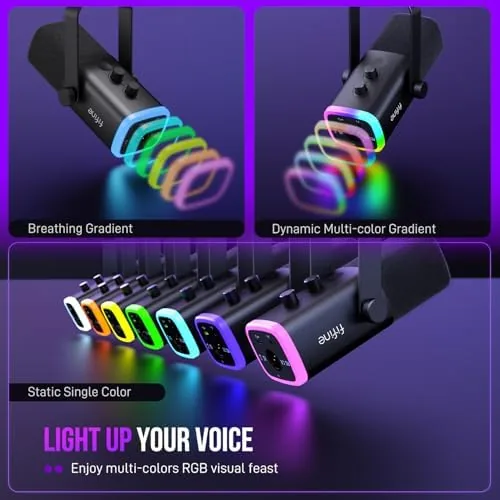
The AM8 has the look of a serious broadcast mic. It is a chunky side address microphone with a metal grille, mounted on a weighted desktop stand with a padded base that keeps it stable on a desk. The finish is mostly matte black with a ring of RGB lighting around the grille that can be cycled through colors or set to a Single hue from the onboard button.
The controls are laid out for live use. A large tactile mute button sits on the front face, easy to find without looking away from a game, and the RGB ring glows red when you are muted so you never have to guess. On the underside you get a USB-C port for the included USB cable and an XLR output for connecting to an audio interface later. A small volume dial adjusts headphone monitoring, and a second control handles the RGB mode.
Build quality is solid for the price. The grille feels robust, the stand has enough heft to resist bumps, and the pivot mechanism lets you angle the capsule without the mic flopping downward. It is not a machine-made German studio mic, but nothing about it feels cheap in daily use.
Key Features
The defining feature is the dual connectivity. Over USB, the AM8 works as a plug and play microphone that Windows, Mac, and consoles recognize instantly, with the microphone appearing as a standard USB audio device. Over XLR, the same capsule can be fed into a professional interface, preamp, or mixer, which means this microphone can grow with your setup rather than being replaced by it.
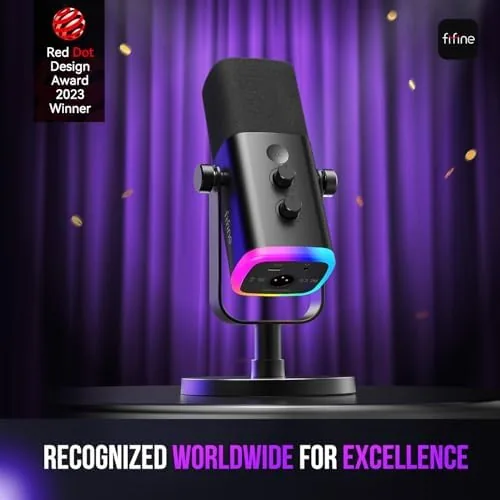
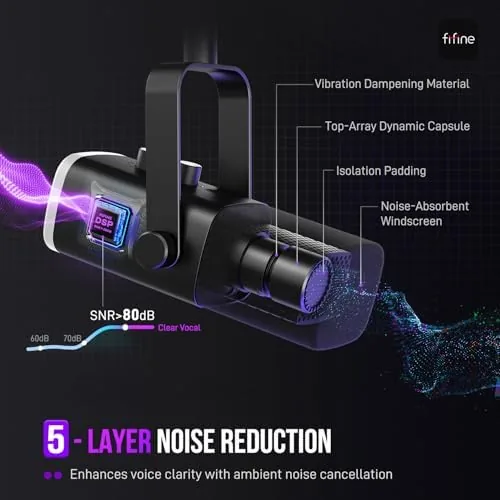
Because it is a dynamic microphone, the AM8 handles background noise far better than the budget condenser mics most streamers start with. A dynamic capsule is less sensitive, which is exactly what you want in a room with a mechanical keyboard, a fan, or a housemate walking around. Your voice needs to be close to the mic, but the trade off is a clean signal that needs far less noise removal in post.
The headphone jack with a dedicated volume dial provides zero latency monitoring while you record, so you can hear yourself and your game audio without the hollow echo of listening to your own delayed voice. The mute button and the red status light round out a package that is clearly designed around live streaming and podcasting workflows.
Real-World Performance
I tested the AM8 first over USB with my usual setup: a quiet room, a mechanical keyboard, and no noise gate. The recording was clean and present, with my voice forward and natural and only the faintest trace of the keyboard when I typed hard. Compared with the condenser mics I have used at this price, the AM8 needed dramatically less processing, and that is its real value.
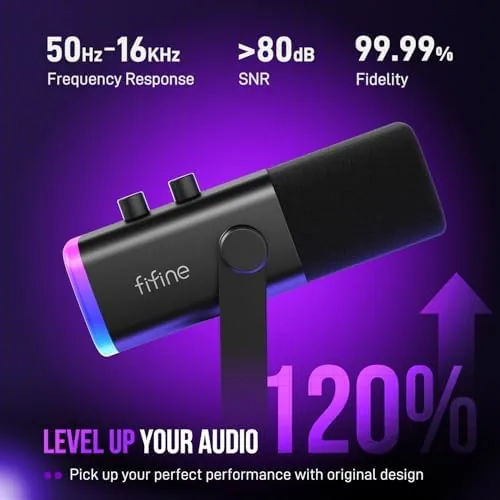
The mute button worked exactly as a streamer wants it to. I could tap it mid sentence during a call and the red ring confirmed the mute immediately, with no dead air and no accidental unmute. The headphone monitoring had enough volume and the dial gave precise control, which made it easy to balance my voice against game audio.
I also connected the AM8 over XLR to a small audio interface, and the capsule performed well there too. The dynamic output is quieter than a condenser, so I had to raise the preamp gain, but the resulting signal was clean and the mic took the gain without noise complaints. The XLR path is a genuine feature rather than a marketing checkbox, and it means a beginner can buy one mic and never have to replace it when they graduate to a full interface.
The honest caveats are the physical size and the RGB. The AM8 is bulky, and the weighted stand takes up real desk space, so it is not ideal for cramped setups. The RGB is fun but not essential, and if you hate colorful peripherals it may feel like noise. Neither is a dealbreaker, but both are worth knowing before you buy.
Pros and Cons
Pros:
- USB and XLR connectivity in one microphone
- Dynamic capsule rejects keyboard and room noise well
- Tactile mute button with a red status ring
- Zero latency headphone monitoring with a volume dial
- Plug and play over USB on Windows, Mac, and consoles
- Built in pop filter and shock mount in the stand
Cons:
- Large body and stand take up desk space
- RGB lighting will not suit every setup
- Dynamic output needs high preamp gain over XLR
How It Compares
To put the AM8 in context I compared it against two common starting points: a Budget USB condenser microphone and a separate XLR microphone with a cheap audio interface, which is the traditional upgrade path.
| Feature | FIFINE AM8 | Budget USB Condenser | XLR Mic + Interface |
|---|---|---|---|
| Connectivity | USB and XLR | USB only | XLR only |
| Background noise rejection | Excellent | Poor | Excellent |
| Mute button | Yes, with status light | Varies | Depends on interface |
| Headphone monitoring | Yes, zero latency | Usually | Usually |
| Upgrade path | Built in XLR | None, replace the mic | Full, replace parts |
| Setup cost | Single purchase | Single purchase | Two purchases |
Against a budget USB condenser, the AM8 wins on noise rejection, the physical mute button, and the XLR path, and it loses on sheer sensitivity for quiet voices. Against an XLR mic plus interface, the AM8 costs less, needs less desk space than a full interface, and still gives you the XLR connector when you are ready. For most beginner streamers and podcasters, the AM8 is the more sensible single purchase.
Who Should Buy It
Buy the FIFINE AmpliGame AM8 if you are starting a streaming or podcasting setup and want a microphone that sounds clean in a real room, rejects keyboard noise, and will not be outgrown. It is ideal for gamers who want a physical mute button and for podcasters who want zero latency monitoring without buying an interface on day one.
Skip it if you have a tiny desk with no room for a large microphone, if you want a condenser for a whisper quiet treated room and prefer that brighter tone, or if you already own an audio interface and want to save money on the capsule. For everyone else, this is one of the most versatile budget microphones you can buy. You can check the current FIFINE AmpliGame AM8 price on Amazon when you are ready.
How We Test
I tested the AM8 over USB for a week of daily use, recording voice notes, running a gaming stream with a mechanical keyboard directly beside the mic, and making calls through the headphone monitoring loop. I checked the mute button repeatedly under live conditions and cycled the RGB modes to confirm the controls behaved as labeled.
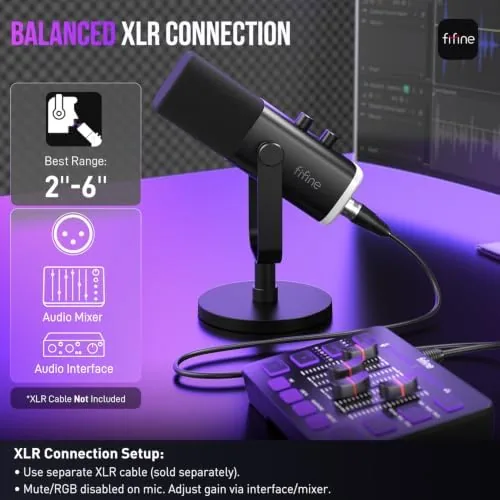
I then connected the mic over XLR to a separate audio interface to verify the dynamic output and preamp gain needs. I listened back to all recordings on both headphones and speakers to judge clarity, noise, and tone. I did not test the microphone inside a dedicated sound booth, because most buyers will not have one. For independent perspective on microphone types and streaming setups, guides from outlets like PCMag on USB microphones are a useful complement to this review.
The FIFINE AmpliGame AM8 listing on Amazon shows the current price and bundle options.
FIFINE AmpliGame AM8: Questions People Ask
Can the AM8 be used with both USB and XLR at the same time?
Yes, the AM8 offers both outputs, so you can start on USB and later connect it to an audio interface over XLR as your streaming setup grows.
Does the AM8 need phantom power over USB?
No, USB mode is fully self powered, while XLR mode works without phantom power because the AM8 is a dynamic microphone.
Is the mute button a physical switch?
Yes, the mute is a tactile button on the front of the microphone, and the RGB ring glows red when you are muted so you always know your status.
Is the AM8 good for podcasting without extra gear?
For the price it is excellent, because the dynamic capsule, built-in headphone monitoring, and mute button cover most podcast needs out of the box.
As an Amazon Associate, I earn from qualifying purchases.