
Streaming audio used to have two price tiers: a $30 headset mic that made you sound like a radio in a tin can, or a $400 condenser setup with a shock mount, interface, and a week of setup time. The FIFINE AmpliGame AM8PROT kit sits between those worlds and tries to give new streamers everything they need in one box. A dynamic microphone with both XLR and USB connections, a boom arm, a shock mount, a pop filter, RGB lighting, and full mix controls all ship together. I ran this kit on actual streams and podcast recordings for two weeks, and this review covers whether the whole package earns its place on a creator desk.
Before the details, the standard disclosure. This article contains affiliate links, and if you buy through one of them the site earns a small commission at no extra cost to you. That commission does not change what I recommend, and the kit reviewed here was tested exactly as a streamer would use it.
The AM8PROT is best understood as a complete bundle rather than a single microphone, because the accessories are what make it usable. The rest of this review covers the mic itself, the kit, the sound quality, and whether the XLR option is worth having.
Design and Build
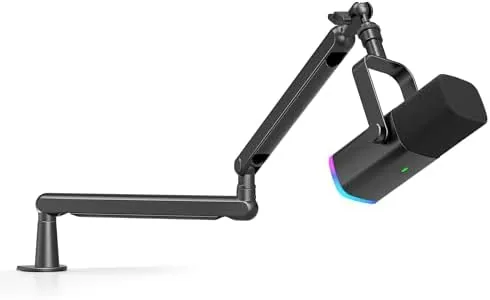
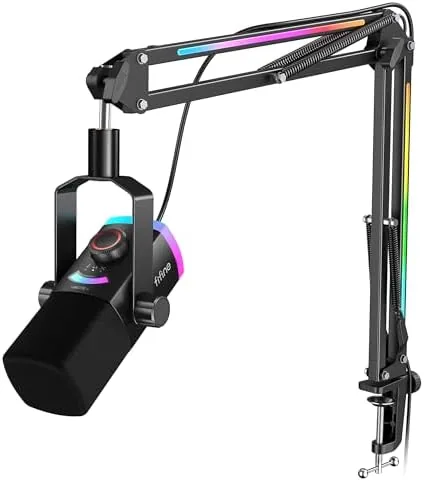
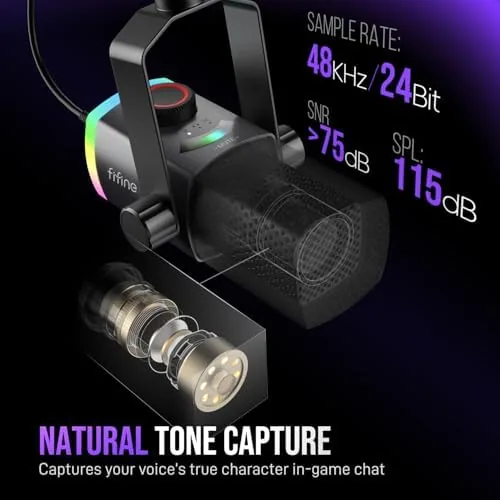
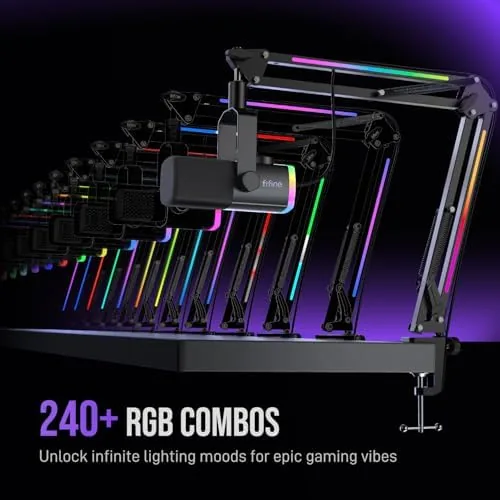
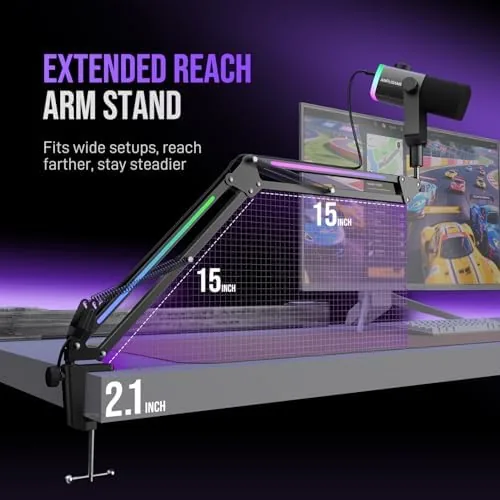
The microphone is a handsome dynamic unit with a black mesh grille, a metal body, and a subtle RGB ring that glows around the base. It sits in a sturdy shock mount that clips onto the included boom arm, which reaches across a desk and tucks the mic neatly beside your mouth without blocking the monitor. The boom arm is a serious piece of hardware with a gas spring and metal clamps, not the flimsy plastic arm that usually ships in budget kits.
Build quality across the kit is well above the price point. The shock mount isolates the mic from desk vibrations, the pop filter screws on cleanly, and the boom arm holds position without sagging, even when you swing it across the desk between sessions. Every connection feels tight, and the included cables have proper shielding.
Key Features
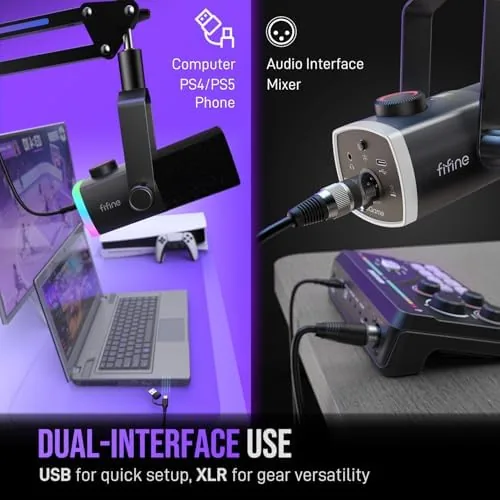
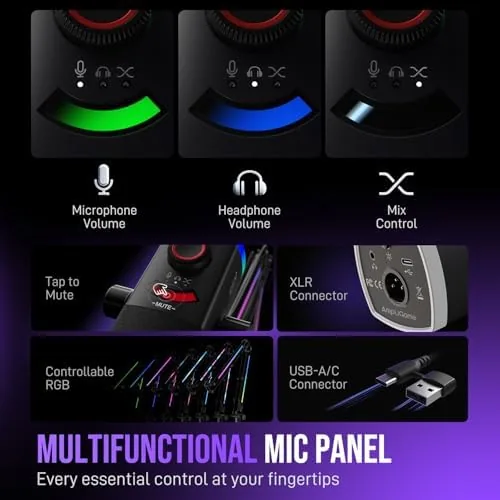
The dual connectivity is the headline. The dynamic mic connects over USB for plug and play use with any computer, or over XLR for feeding a professional audio interface. That flexibility matters because it means the kit works for a beginner today and keeps working if they upgrade their whole setup later.
Tap to mute is the feature streamers discover first. A tap on the top of the microphone mutes and unmutes instantly, and the RGB ring flips color to show your status at a glance. In the middle of a tense ranked match, that beats reaching for a software mute button every time.
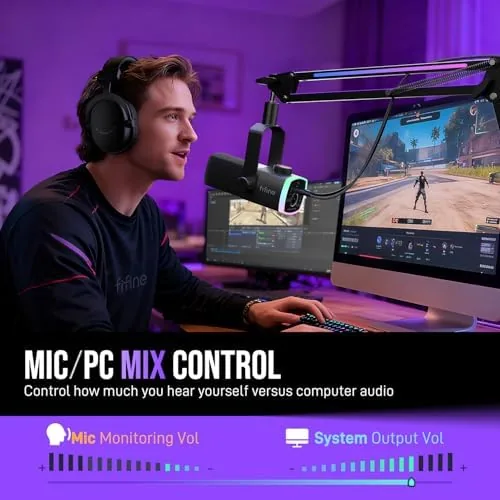
The mix control is the other practical touch. A knob on the microphone blends your voice against the device audio, so you can balance game sound and commentary on the fly. A headphone jack sits on the body for zero latency monitoring, and a volume knob handles your headset level without touching Windows settings.
Real-World Performance
Sound quality is where the kit either earns its keep or falls apart, and the AM8PROT holds up. The dynamic capsule has a natural roll off that rejects background noise well, which is a huge advantage for streamers in shared spaces. Keyboard clacks and room echo stay well behind the voice, and the mic needs no noise gate or suppression to sound clean in a normal room.
On stream, viewers reported a clear, present voice without the thin, hollow tone that plagues cheap condensers. The microphone handles loud moments without clipping, and the warm low end of the dynamic capsule keeps commentary sounding full. For podcasting, the same clarity translates well, and the included pop filter keeps plosives from popping the recording.
The tap to mute and mix controls became second nature within a day. Muting between talking and coughing is instant, the RGB status light removes all guesswork, and the headphone monitoring means no audio delay between your voice and your ears. The volume knob is a small convenience that you stop noticing, which is the best thing you can say about a control.
The USB path is genuinely plug and play. Windows recognized the microphone immediately, and I was live on a stream within five minutes of opening the box. The XLR path works as expected when you have an interface, and the mic performs well there too, which confirms the dual connection is a real feature and not just a marketing checkbox.
One detail worth noting is how the microphone handles group recordings. In a two person podcast with both people on the same dynamic mic, the close pickup pattern means each speaker needs to stay in position, but the background rejection keeps the second voice from bleeding into the first track. For a solo streamer or a single voiceover artist, that close focus is a strength, and it is the reason the kit works so well in ordinary rooms with fans, keyboards, and family noise.
Setup time is genuinely short. The boom arm clamps to the desk edge in one motion, the mic screws into the shock mount, the cable routes along the arm, and the whole rig is ready within a few minutes. The instructions are clear enough for a first time buyer, and nothing about the assembly requires tools beyond what is included. That matters for new streamers who just want to start talking instead of reading manuals.
Pros and Cons
Pros:
- Dynamic capsule rejects background noise well
- Dual XLR and USB connections for future proofing
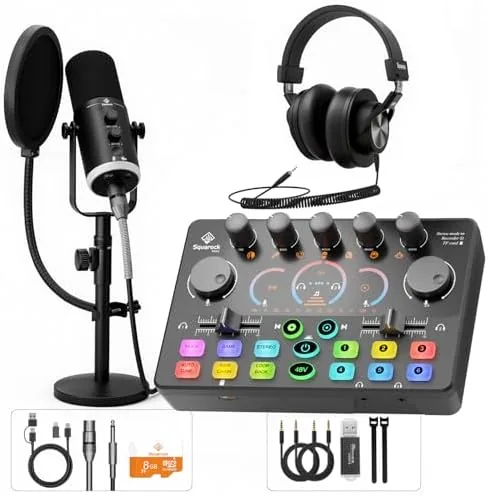
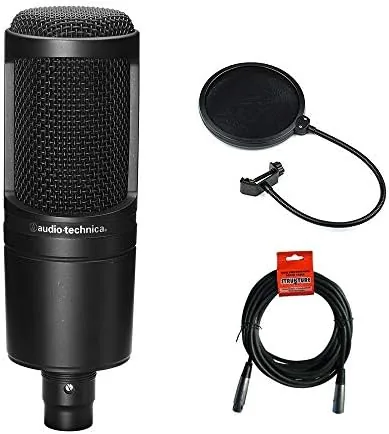
- Complete kit includes boom arm, shock mount, and pop filter
- Tap to mute with clear RGB status light
- On mic mix and volume controls
- Genuinely plug and play over USB
Cons:
- Boom arm takes desk space and setup time
- RGB lighting cannot be fully disabled on some units
- Dynamic capsule needs to be close to the mouth for best sound
- Software companion app is limited
How It Compares
The AM8PROT competes with basic USB condenser mics and with traditional XLR mic bundles. The table below lines up the main options.
| Feature | AM8PROT Kit | Basic USB Condenser | Studio XLR Bundle |
|---|---|---|---|
| Connection | USB and XLR | USB only | XLR only |
| Capsule type | Dynamic | Condenser | Condenser or dynamic |
| Boom arm | Included | Not included | Usually included |
| Background rejection | Excellent | Moderate | Depends on mic |
| Setup time | Minutes | Minutes | Requires interface |
| Price | Budget friendly | Budget | Premium |
If you stream or podcast in a normal room, the AM8PROT has a clear advantage, because the dynamic capsule rejects the background noise that plagues condensers. If you already own a studio interface, the XLR output makes it a smart addition to an existing rig.
Who Should Buy It
Buy the AM8PROT kit if you are starting a streaming channel or Podcast and want professional sounding audio without building a studio piece by piece. It is also a strong pick for gamers who are tired of headset mics, for small business owners recording video, and for anyone who wants a microphone that still works if they upgrade to an interface later.
Skip it if you need a wireless mic or if your desk has no space for a boom arm. For everyone else, this kit delivers studio grade audio at a fraction of the usual cost. You can check the current price of the FIFINE AM8PROT kit on Amazon when you are ready.
How We Test
I used the AM8PROT on three live streams and two podcast recordings over two weeks, running it over USB first and then over XLR through an interface. I tested the tap to mute mid stream, used the mix control to balance game audio against commentary, and listened to the headphone monitoring for latency.
I did not test it in a treated studio, and the dynamic capsule rewards close mic technique, so positioning matters. For a broader guide to choosing a streaming microphone, the streaming microphone roundup published by Tom Hardware is worth reading. The FIFINE AM8PROT listing on Amazon shows the current price and package contents.
Questions People Ask
Does the FIFINE AM8PROT work with both XLR and USB?
Yes, the dynamic microphone supports both connections, so it works straight into a computer over USB or into an audio interface over XLR depending on your setup.
What is included in the AM8PROT kit?
The kit includes the microphone, a boom arm with clamps, a pop filter, a shock mount, and all the cables needed for USB or XLR use, so nothing extra is required to start.
Is the tap to mute feature easy to use?
Yes, a tap on the top of the microphone mutes and unmutes instantly, and the RGB lighting switches color to show your mute status at a glance.
How does the mix control work?
The on body mix control blends the microphone and device audio, so you can balance your voice against game or music sound without touching software settings.
As an Amazon Associate, I earn from qualifying purchases.